
Inventory Tracker Excel Template | Low Stock Alerts, Reorder List & Dashboard
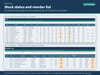
Keep current stock, a reorder list and a stock-value dashboard in one Excel file. This inventory tracker calculates quantity on hand from your opening stock plus IN movements minus OUT movements, then flags LOW and OUT against the reorder level you set.
Type each SKU once (name, category, supplier, unit cost, opening quantity, reorder level, reorder quantity and location). Log receipts and issues on the movements sheet with a SKU drop-down. Stock, the reorder list and the dashboard are calculated: current quantity uses SUMIFS, LOW and OUT use colour, and the reorder list is filled with a helper column so it does not rely on dynamic-array functions.
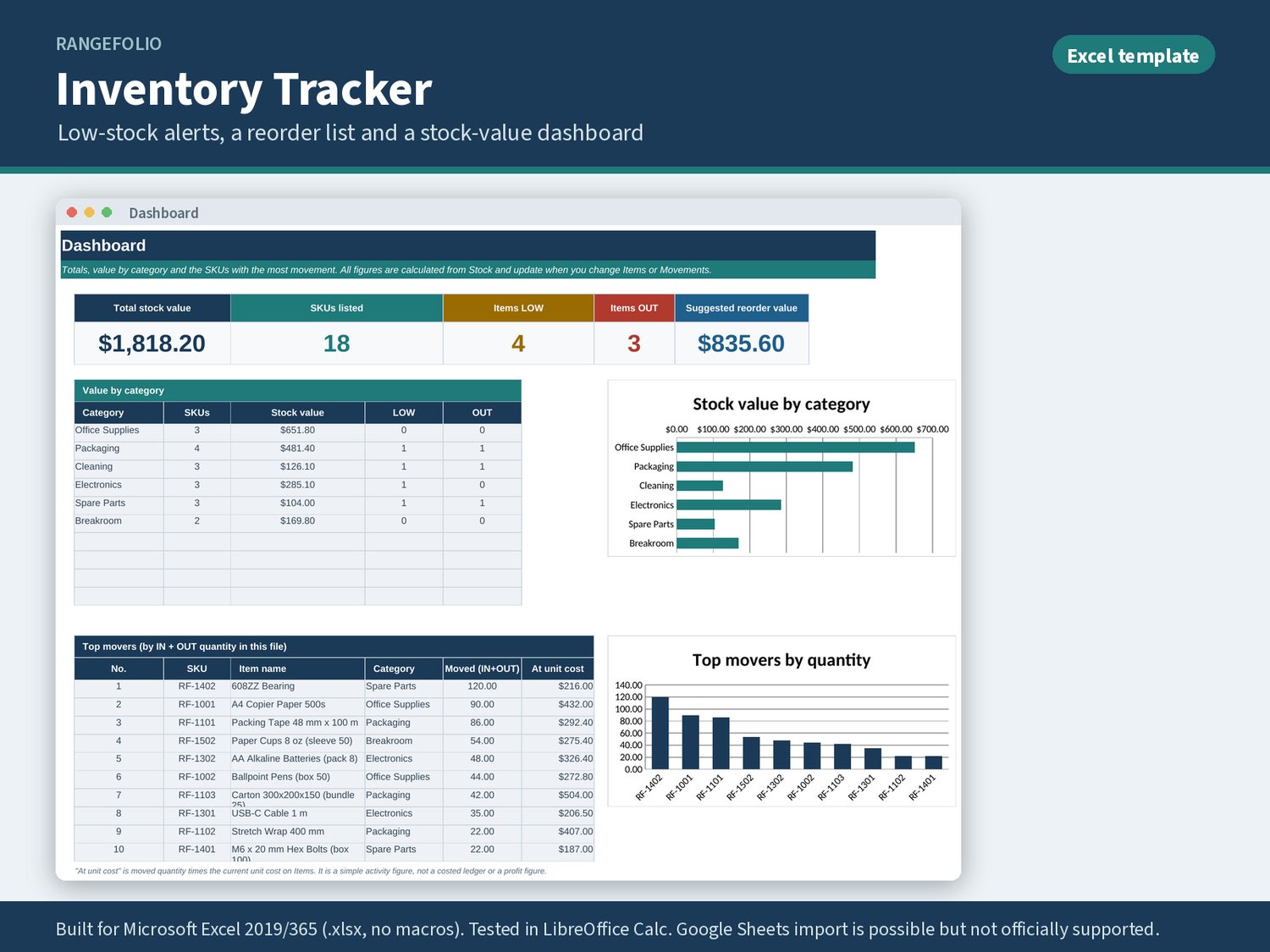
The dashboard shows total stock value, how many items are LOW or OUT, suggested reorder value, value by category (with a chart) and the SKUs with the most movement in this file (with a chart). Fictional example data is included so you can see every status before you type your own stock. Formulas only - no macros, no add-ins and no connection to a shop or accounting system.
What's included
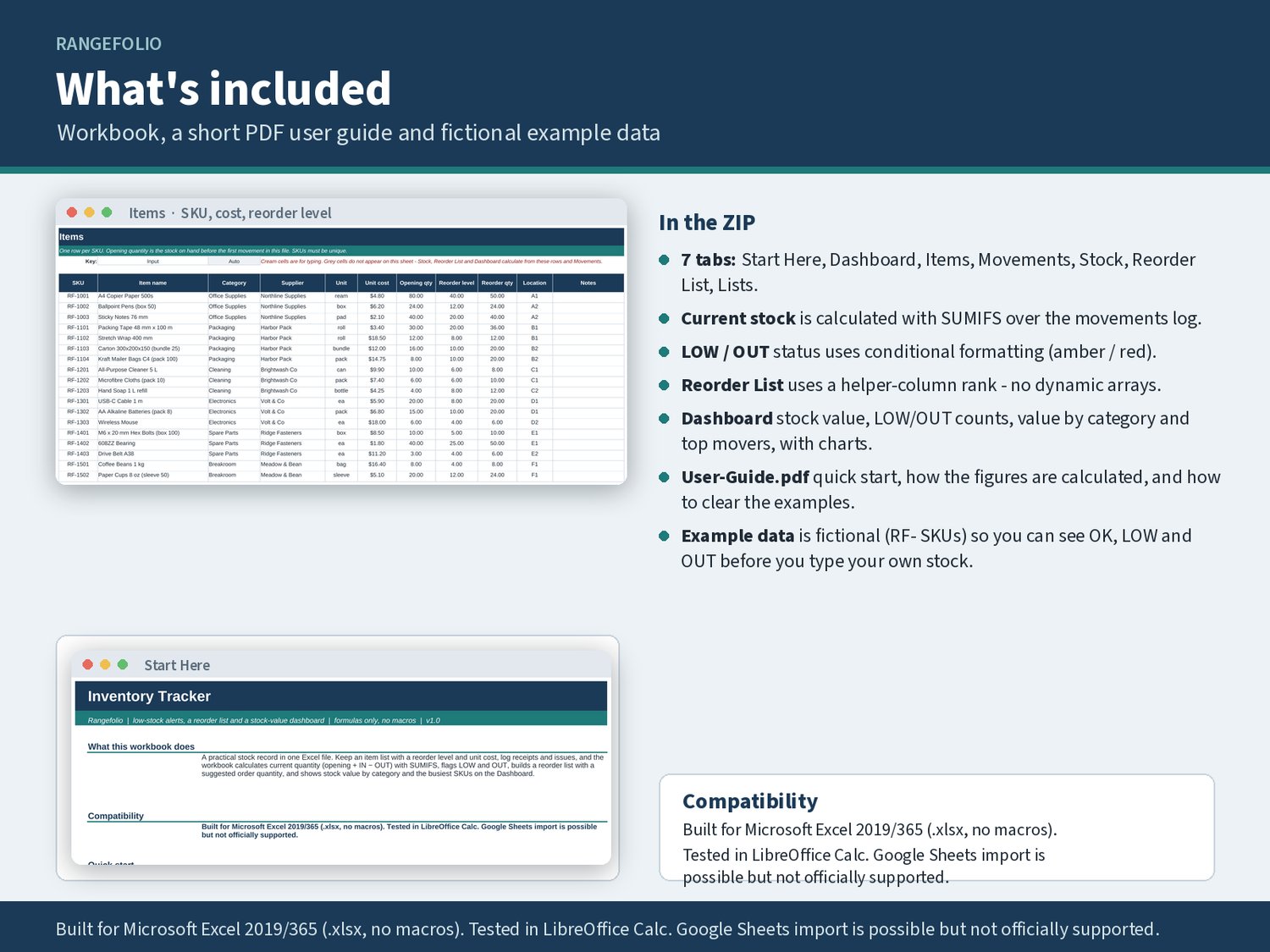
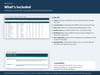
• Rangefolio-Inventory-Tracker.xlsx (7 sheets, no macros)
• Items: SKU list with unit cost, opening quantity, reorder level and location (60 rows)
• Movements: date, SKU drop-down, IN/OUT, quantity and reference (200 rows)
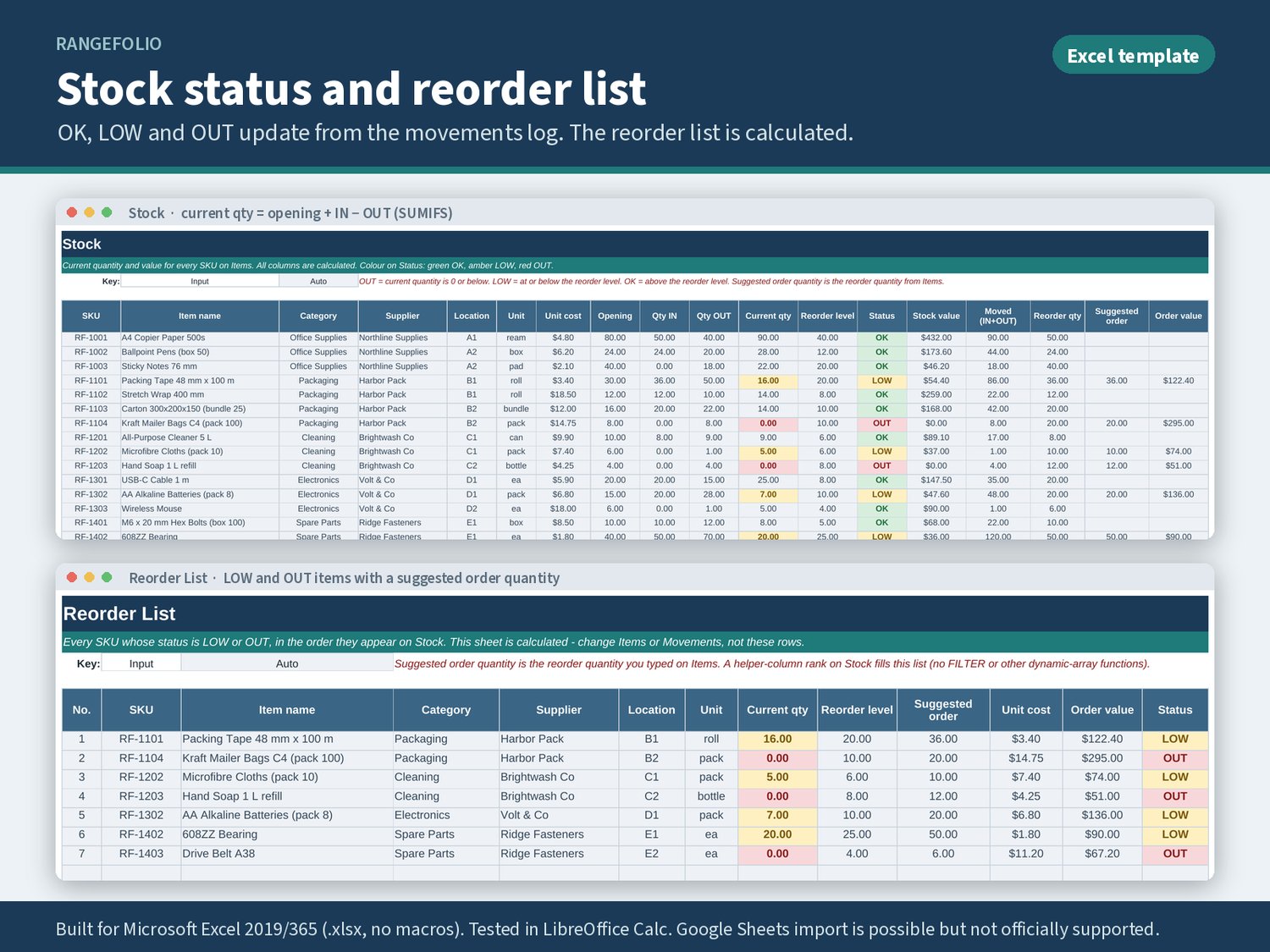
• Stock: current quantity (opening + IN − OUT), stock value, OK / LOW / OUT with colour
• Reorder List: LOW and OUT items with suggested order quantity and order value
• Dashboard: totals, value by category with a chart, top movers with a chart
• Start Here tab, Lists, drop-downs, protected formulas (no password), print-ready
• User-Guide.pdf (5 pages) with the calculations explained and how to clear the examples
Who it's for
• Small shops, offices and workshops that keep stock in a spreadsheet
• Anyone who wants a reorder list when quantities hit a level they set
• Buyers looking for an Excel inventory tracker with low-stock alerts
File formats and compatibility
• Microsoft Excel .xlsx workbook plus a PDF user guide, delivered as one zip
• Built for Microsoft Excel 2019/365 (.xlsx, no macros). Tested in LibreOffice Calc. Google Sheets import is possible but not officially supported.
• No add-ins, internet connection or live data required
• Instant digital download; no physical item is shipped
FAQ
Q: Does it connect to a barcode scanner, shop or accounting system?
A: No. You type or paste items and movements. It works offline and your data stays in your file.
Q: How is current quantity calculated?
A: Opening quantity from the item list, plus all IN movements for that SKU, minus all OUT movements, using SUMIFS. Status is OUT when current quantity is 0 or below, and LOW when it is at or below the reorder level you type.
Q: How many items and movements can I log?
A: 60 item rows and 200 movement rows are included. If you need more, unprotect the sheet (no password) and copy the last row down so the formulas and drop-downs continue.
Q: Does it do FIFO, average cost or expiry tracking?
A: No. Unit cost is the cost you type. There is no weighted-average or FIFO calculation, and no lot or expiry tracking. “At unit cost” on the dashboard is moved quantity times that unit cost - a simple activity figure, not a costed ledger.
Disclaimer: Template only. This product is not inventory, accounting, tax, procurement or operational advice and is not a warehouse-management or validated stock system. Results depend entirely on the numbers you enter; check every figure before placing an order or making a stock decision. All example data (RF- SKUs, names, suppliers, quantities, dates and references) is fictional and for illustration only.