
TT Schedule Maker v2 (Windows only!)
TT Schedule Maker is designed to create schedules for many tabletop sports games or even sports leagues. It offer flexibility in the number of games that can be played within a team’s own division, league, or alternate league.
How To Use:
Schedule Maker Data:
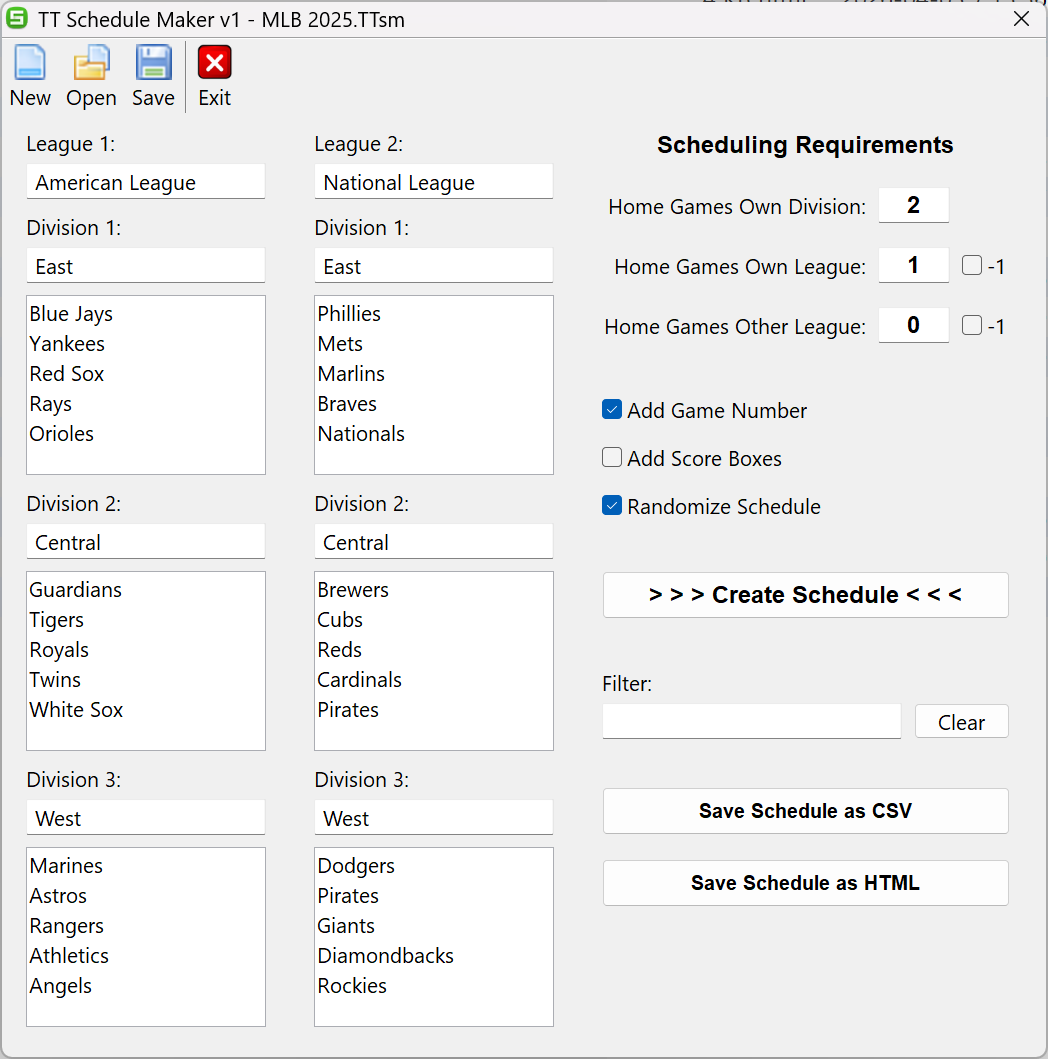
Fill in the League(s), Division(s), and Team(s) in the entry fields. Save the data to a file if you wish to create a schedule with the same data in the future. Some sample files are provided that your can Open to see the structure of the data.
There are three string fields to enter the number of game(s) that are to be played by each team within your Own Division, Own League, and Other League. These entries are consider to be “home and home” games. This means an entry of 1 will mean 2 games will be created (Team A @ Team B and Teams B @ Team A). Currently a maximum of 9 games can be entered. This means that 18 games will be created which is significantly more that leagues play home and home games.
Beside “Home Games Own League” and “Home Games Other League” there is a check box identified as “-1”. If you check this box then an odd number of games will be created between the teams. The home team will be randomly selected for one of the games. This means a created schedule could end up with team(s) having more home games or away games to play.
Additional Check Box Options:
The optional check boxes will affect what is produced when the created schedule is Saved.
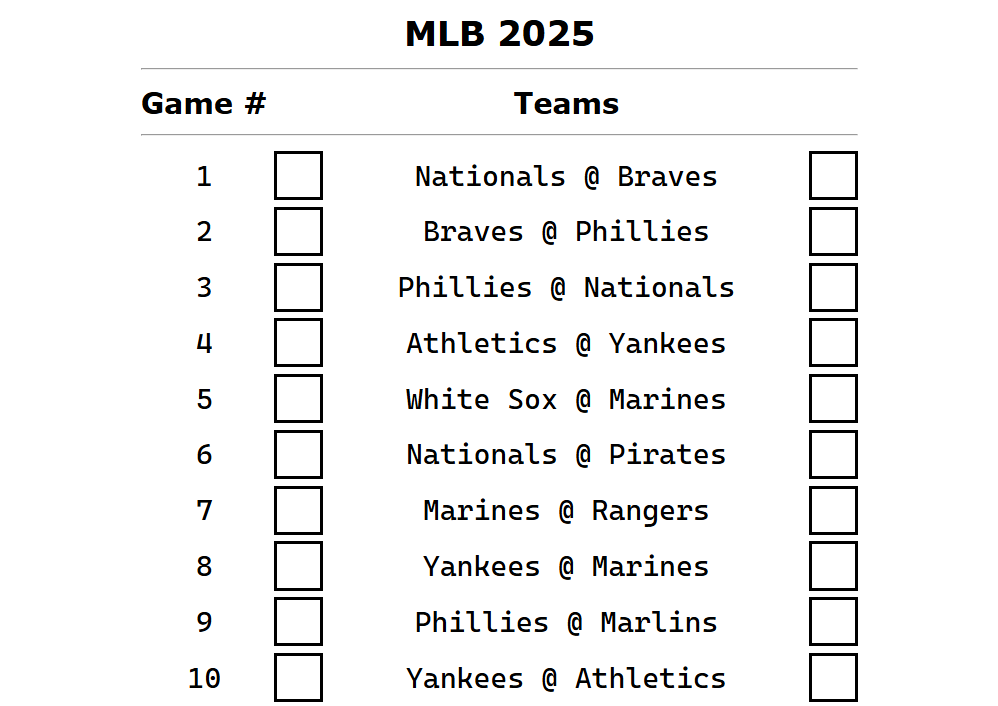
Add Game Number: A game number will be added to the CSV or HTML file.
Add Score Boxes: A score column is added to the CSV file and a square box is added to the HTML file that can be filled in after the game is played.
Randomize Schedule: The game order will be shuffled during the “Create Schedule” phase.
Create Schedule:
Before you can Save your schedule you must create it. Click the Create Schedule button and the schedule will be created in memory. A pop-up will tell you how many games are scheduled.
Filter:
The Filter field allows you to create various CSV and HTML files based on finding a string within you scheduled games. Therefore, if you wish to Save only the “Toronto Blue Jays” games to a file you can enter “jays” in the Filter field. The Filter field is case-insensitive.
Save CSV File & Save HTML File:
Save your schedule to a CSV or HTML file based on your Additional Check Box Options and Filter. After the Save your associated Windows application will launch to load the CSV or HTML file.
Versions:
v2 [2026-04-06]
* Corrected printing of HTML Table
* Corrected error in writing to CSV file
* Added Minimize to Window
v1 [2026-04-04]
* First official release!