


Vertical Converter [macOS - Standalone Apps]
🇺🇸 ENGLISH
Vertical Converter
Convert horizontal videos to vertical — without launching a heavy editor.
Drop. Click. Done.
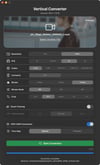
Vertical Converter is a lightweight macOS app that converts 16:9 landscape videos into 9:16 portrait format for YouTube Shorts, Instagram Reels, and TikTok — in one click.
No account. No subscription. No cloud. Everything runs locally on your Mac.
🆓 Want to try before you buy? A free demo build is available on GitHub Releases. Output includes a watermark, but all features are fully accessible. 👉 Download the Demo — GitHub Releases
🧠 Smart Framing — AI-Powered Subject Tracking
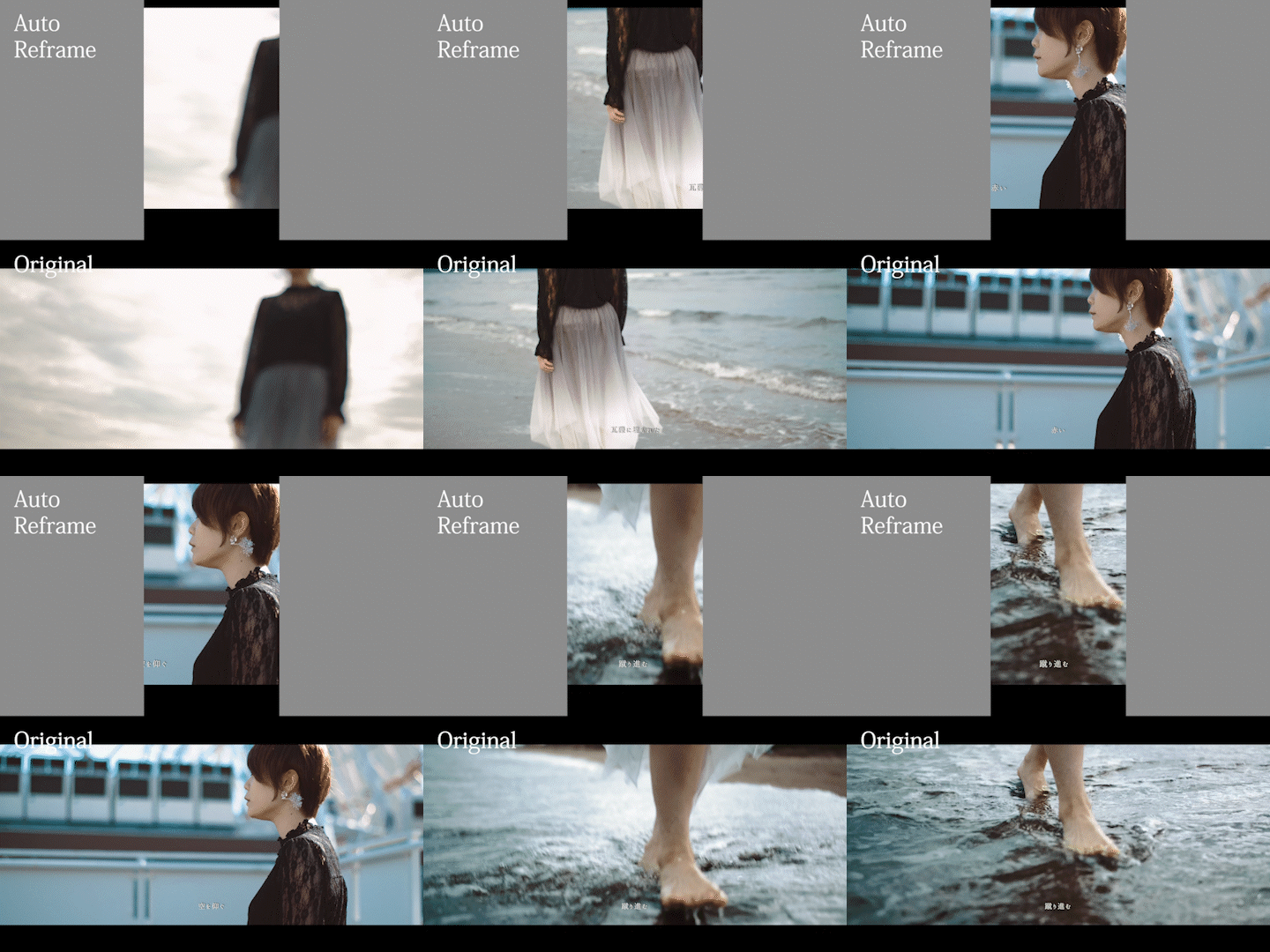
Vertical Converter uses Apple's Vision framework to automatically detect and follow your subject throughout the entire video.
- Analyzes every frame before conversion
- Tracks multiple subjects simultaneously using IOU tracking
- Automatically identifies the main subject — even in group shots
- Smooth, natural camera movement via frame-rate-dependent EMA filtering
- Y-axis headroom control keeps heads from getting cropped
No keyframes. No manual tracking. Just drop and convert.
🎨 HDR Support
- HDR Passthrough — Preserve HLG / PQ / BT.2020 metadata through the vertical conversion
- HDR → SDR Conversion — Natural (Rec.709-faithful) or Cinematic (ACES filmic) tone mapping
⚙️ Pro-Grade Encoding
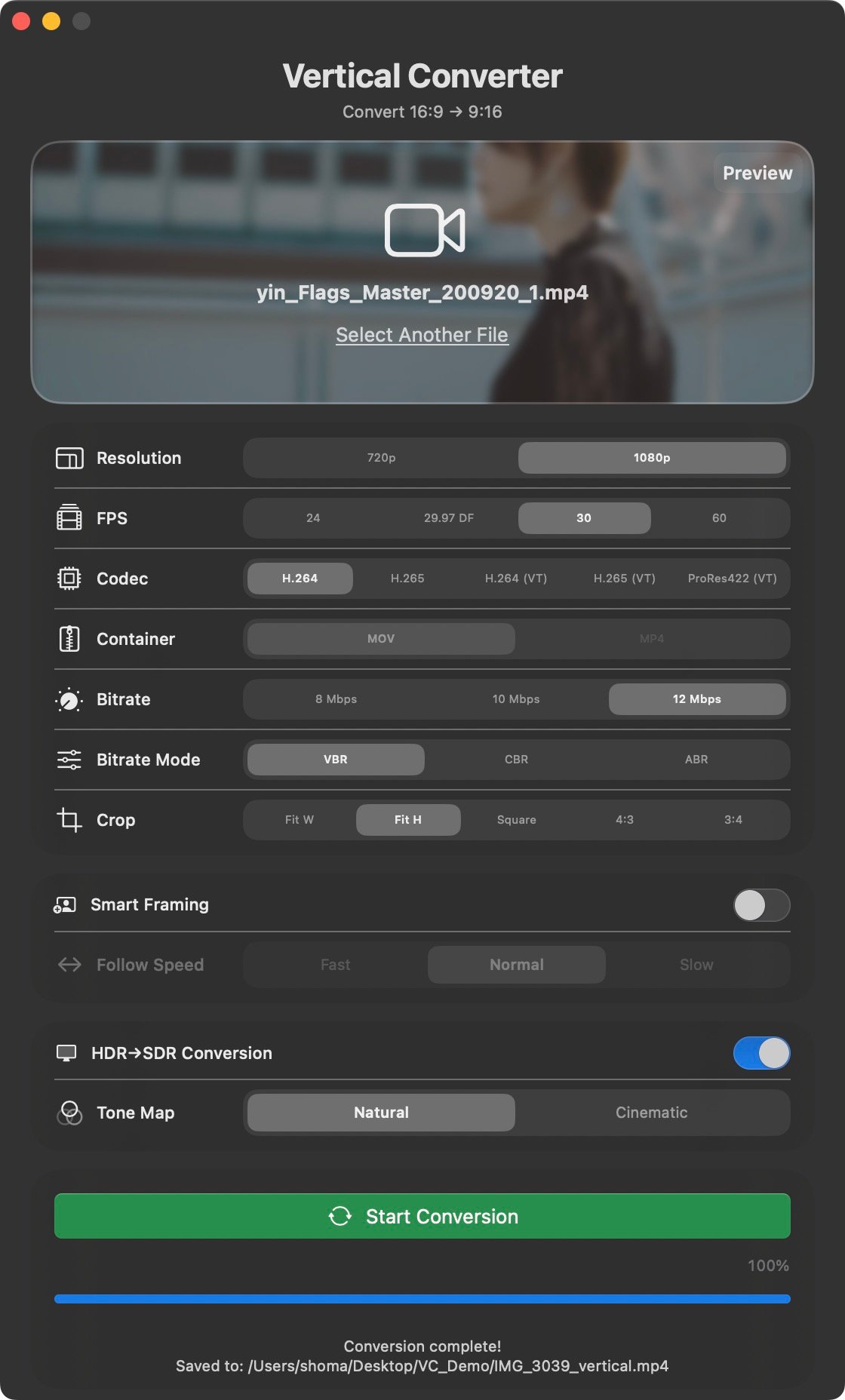
Setting Options Codec H.264 / H.265 / H.264 (VT) / H.265 (VT) / ProRes422 (VT) Container MOV / MP4 Resolution 720p (720×1280) / 1080p (1080×1920) Frame Rate 24 / 29.97 DF / 30 / 60 fps Bitrate 8 / 10 / 12 Mbps Bitrate Mode VBR / CBR / ABR
📦 More Features
- Batch Conversion — Drop multiple files and convert them all at once
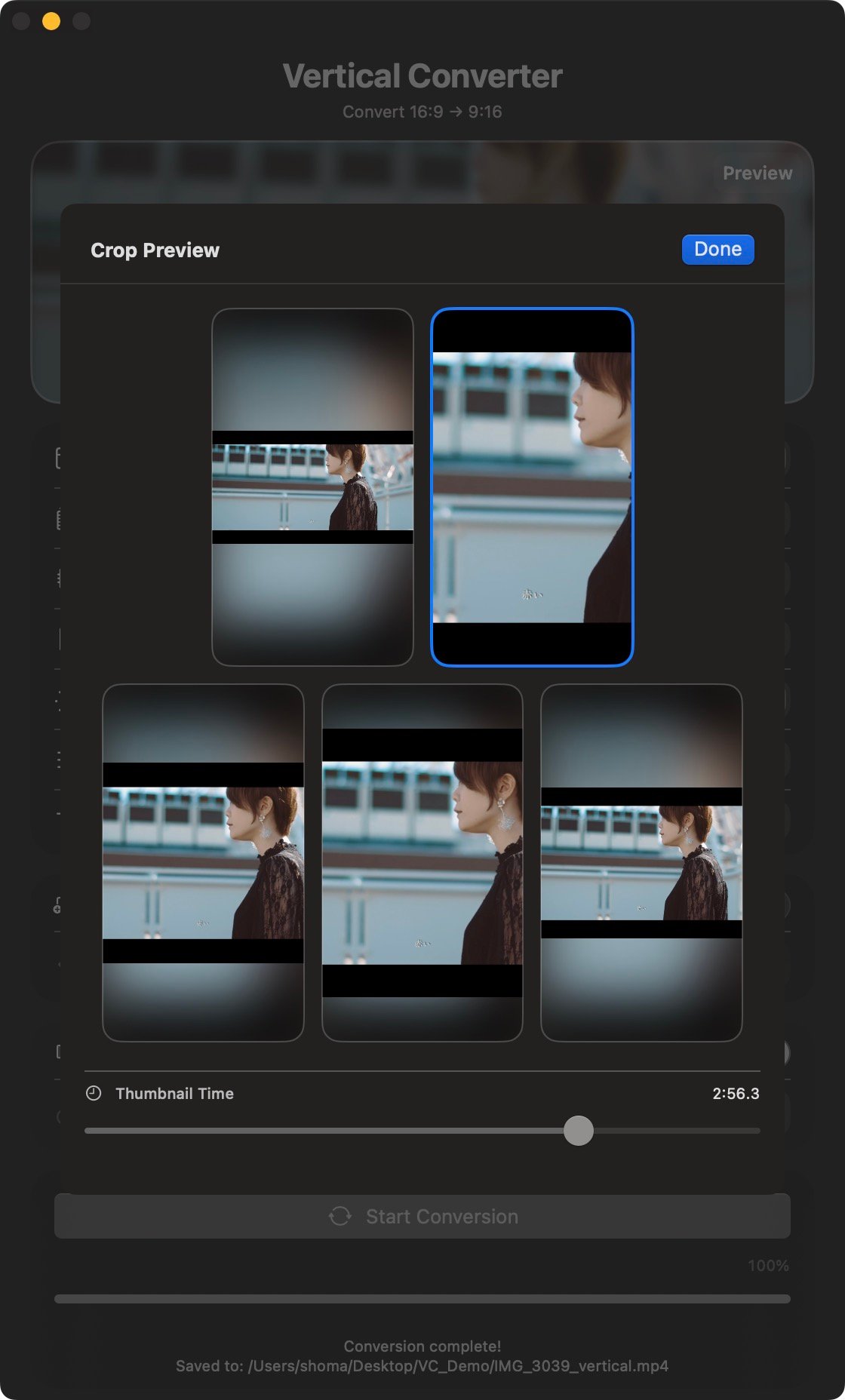
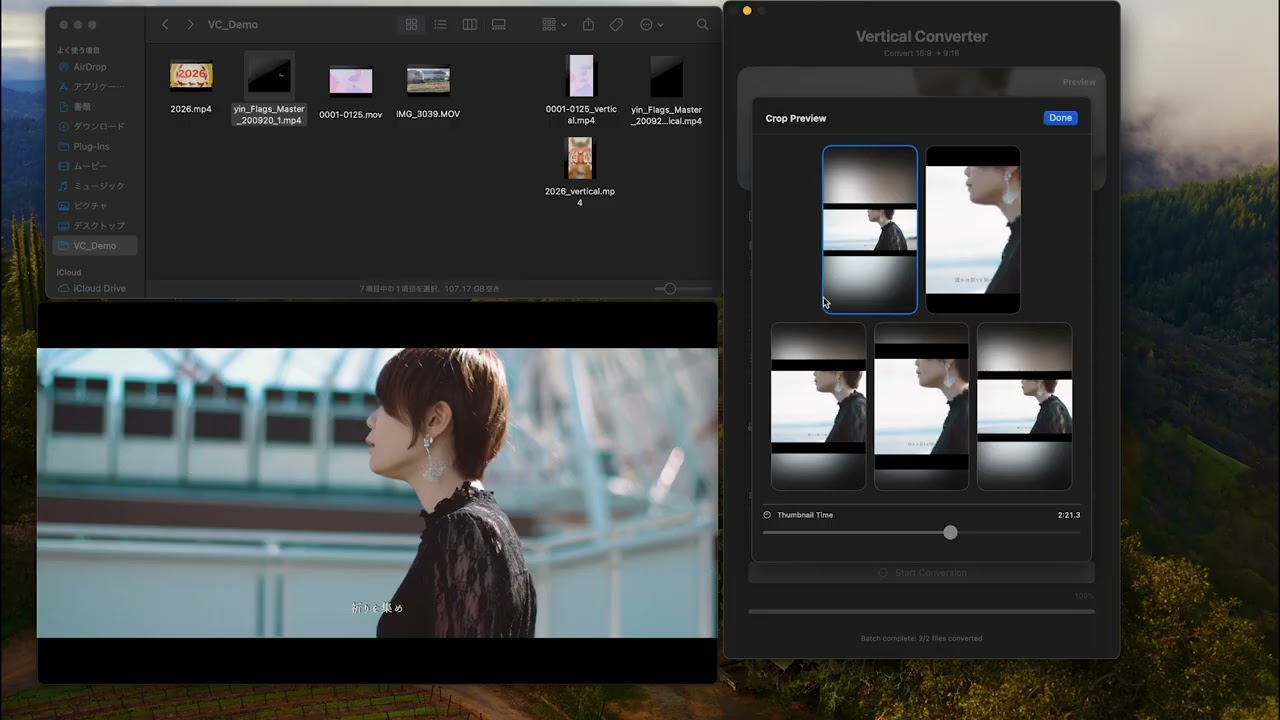
- Crop Preview — Preview crop results with thumbnail time scrubbing before conversion
- 5 Crop Modes — Fit W / Fit H / Square / 4:3 / 3:4
- hev1 → hvc1 Auto Remux — Lossless remux before processing, no quality loss
- Dock Progress Bar — Track conversion progress from the Dock
- Auto-open in Finder — Output folder opens automatically when conversion completes
🛡️ Privacy First
Vertical Converter never connects to the internet. Your video files never leave your Mac. No telemetry, no analytics, no login.
System Requirements
- macOS 14.0 or later
- Apple Silicon (M1 or later)
- Built with Swift / SwiftUI / AVFoundation / Vision
Why Vertical Converter?
You shot great footage. It's 16:9. Your audience is on Shorts, Reels, vertical.
You don't need to open Premiere. You don't need to open Resolve. You don't need to sign in anywhere.
Drop the file. Click convert. That's it.
🇯🇵 日本語
Vertical Converter
重いアプリを立ち上げなくても、横長動画をそのまま縦型に変換。
Drop して、ボタン1つ。それだけ。
Vertical Converter は、16:9の横長動画をYouTubeショート・Instagramリール・TikTok用の9:16縦型動画に変換する、軽量macOSアプリです。
アカウント不要・サブスク不要・クラウド不要。すべてあなたのMac上で完結します。
🆓 まず試してみたい方へ 無料のデモ版を GitHub Releases で配布しています。 出力動画にウォーターマークが入りますが、全機能をそのまま試せます。 👉 デモ版をダウンロード — GitHub Releases
🧠 スマートフレーミング — AI被写体自動追従
Apple Vision フレームワークを使い、動画全体を事前解析して被写体を自動追跡します。
- 全フレームを事前スキャンして人物を解析
- IOUトラッキングで複数人物を個別に追跡
- 「長時間・安定・画面中央」の条件で主役を自動判定(複数人の場合も対応)
- fpsに応じたEMAフィルタで滑らかな自然な追従動作を実現
- Y方向ヘッドルーム制御で頭が切れない
キーフレーム不要・手動トラッキング不要。置いて変換するだけです。
🎨 HDR対応
- HDRパススルー — HLG / PQ / BT.2020メタデータを保持したまま縦変換
- HDR→SDR変換 — Natural(Rec.709忠実な自然な色味)またはCinematic(ACESフィルミック)トーンマッピング
⚙️ プロ品質のエンコード設定
設定 選択肢 コーデック H.264 / H.265 / H.264 (VT) / H.265 (VT) / ProRes422 (VT) コンテナ MOV / MP4 解像度 720p (720×1280) / 1080p (1080×1920) フレームレート 24 / 29.97 DF / 30 / 60 fps ビットレート 8 / 10 / 12 Mbps ビットレートモード VBR / CBR / ABR
📦 その他の機能
- バッチ変換 — 複数ファイルをまとめてドロップして一括変換
- クロッププレビュー — 変換前にサムネイルシーク付きでクロップ結果を確認
- 5種類のクロップモード — Fit W / Fit H / Square / 4:3 / 3:4
- hev1→hvc1自動リマックス — 再エンコードなし・品質劣化なしでリマックス
- Dockプログレスバー — Dockアイコンで変換進捗を確認
- Finder自動表示 — 変換完了後に保存先フォルダを自動で開く
🛡️ 完全ローカル処理
Vertical Converterはインターネットに接続しません。動画ファイルがMacの外に出ることは一切ありません。
外部通信なし・ログ収集なし・ログイン不要。
動作環境
- macOS 14.0以降
- Apple Silicon(M1以降)
- Swift / SwiftUI / AVFoundation / Vision で構築