






52 Week Savings Challenge 2027 Spreadsheet | Increasing, Reverse or Fixed | Goal Jars, Progress Tracker | AUD
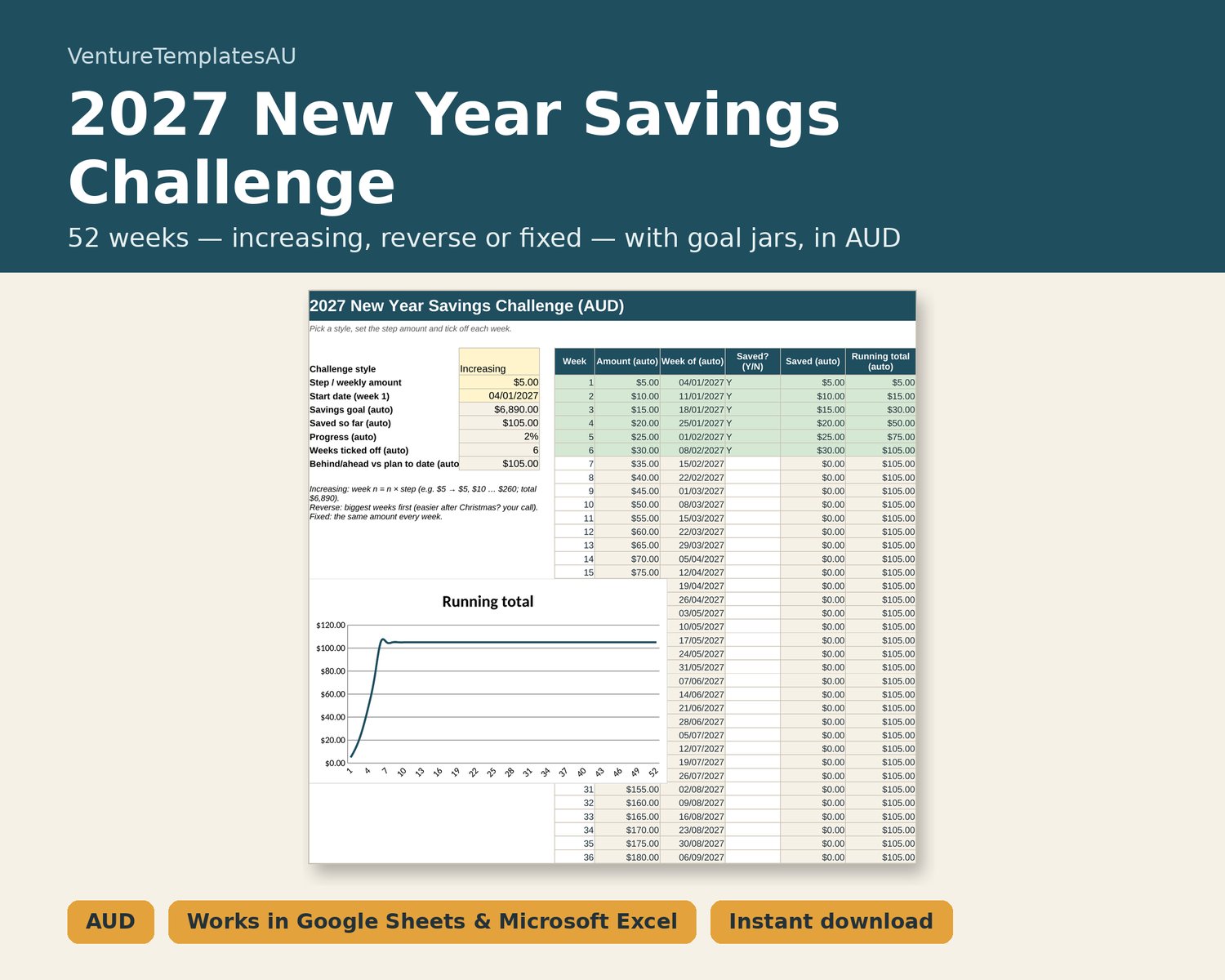
Start 2027 with a savings habit. Choose an increasing, reverse or fixed challenge, set your step amount and start date, then tick off each week. The tracker shows your goal, progress and whether you're ahead or behind, and you can split your savings into goal jars.
WHAT'S INSIDE
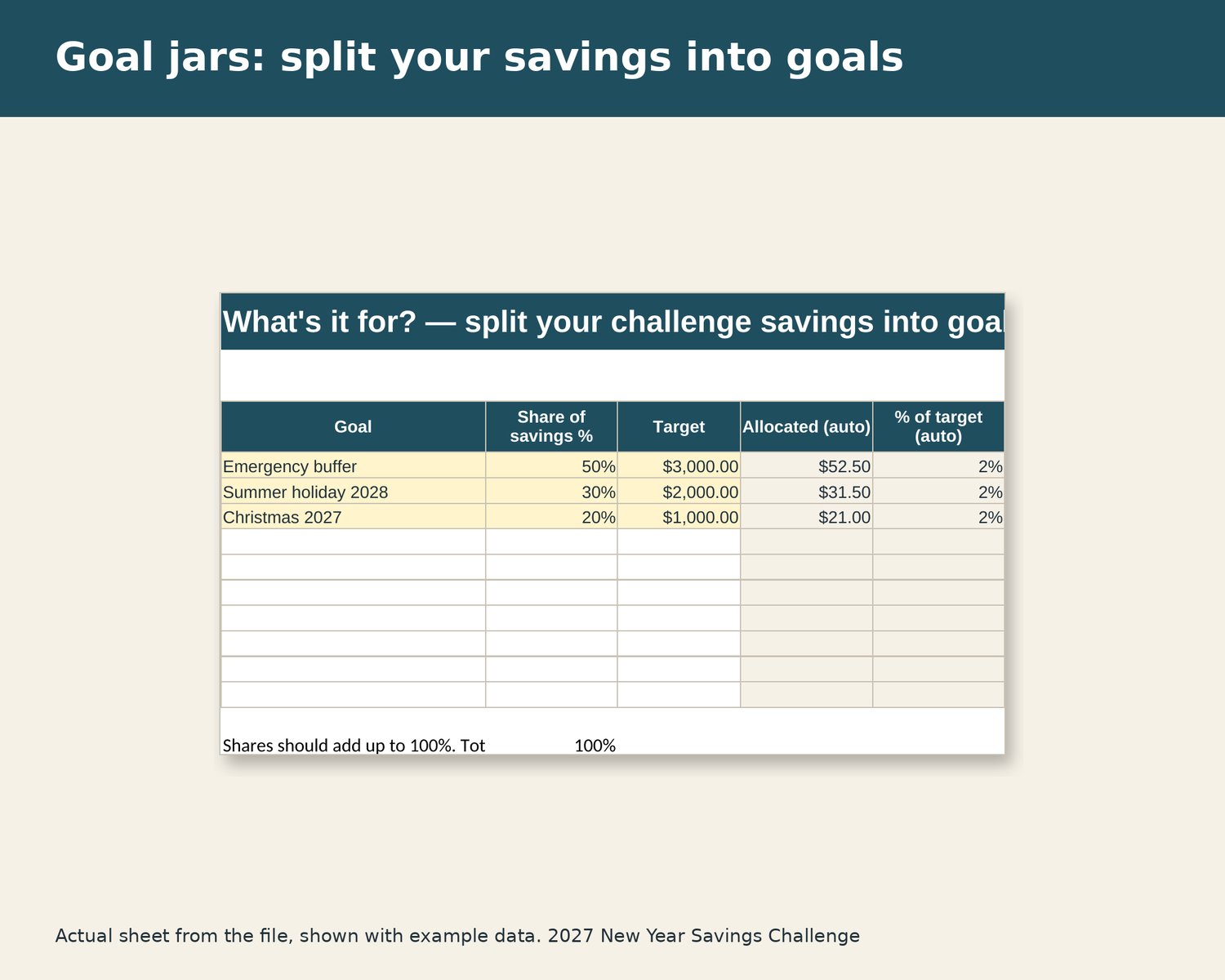
- Challenge: three styles and any step amount (a $5 step = $6,890 over 52 weeks). 52 weeks with dates, Saved Y/N, running total and chart; ahead/behind vs plan.
- Goal Jars: split what you've saved across up to 10 goals with targets.
WHAT YOU GET
- 1 × .xlsx spreadsheet file (instant digital download — nothing is posted)
- Instructions tab inside the file
- Example data in yellow cells so you can see how it works; select and delete to clear
COMPATIBILITY
Works in Microsoft Excel 2016 or later and Microsoft 365 (Windows/Mac), and Google Sheets (upload to Drive and open with Sheets; set File > Settings > Locale to Australia for dd/mm/yyyy dates). Also opens in LibreOffice Calc. No macros, add-ins or sign-ups. Best on a computer or tablet. Amounts in AUD. Compatibility is based on formula checks and LibreOffice testing; chart colours and some conditional formatting can look slightly different in Google Sheets.
HOW TO USE
1. Download the `.xlsx` from your Payhip library / purchase email after checkout.
2. Open it in Excel, or upload it to Google Drive and open with Google Sheets.
3. Open the Instructions tab first. Yellow cells are example data — select and delete them, then add your own.
PLEASE NOTE
Digital download: you get the file straight after purchase, so we can't accept returns once it's been delivered. If the file won't open or a formula is broken, message us and we'll help or replace it. This doesn't reduce your rights under Australian Consumer Law. For personal use — please don't resell or share the file.
Colours on screen may vary slightly. Listing images show the actual file with example data.
DISCLAIMER
A simple tracker. It doesn't move money or connect to your bank. This spreadsheet is general information and an organising tool only — not financial or tax advice.