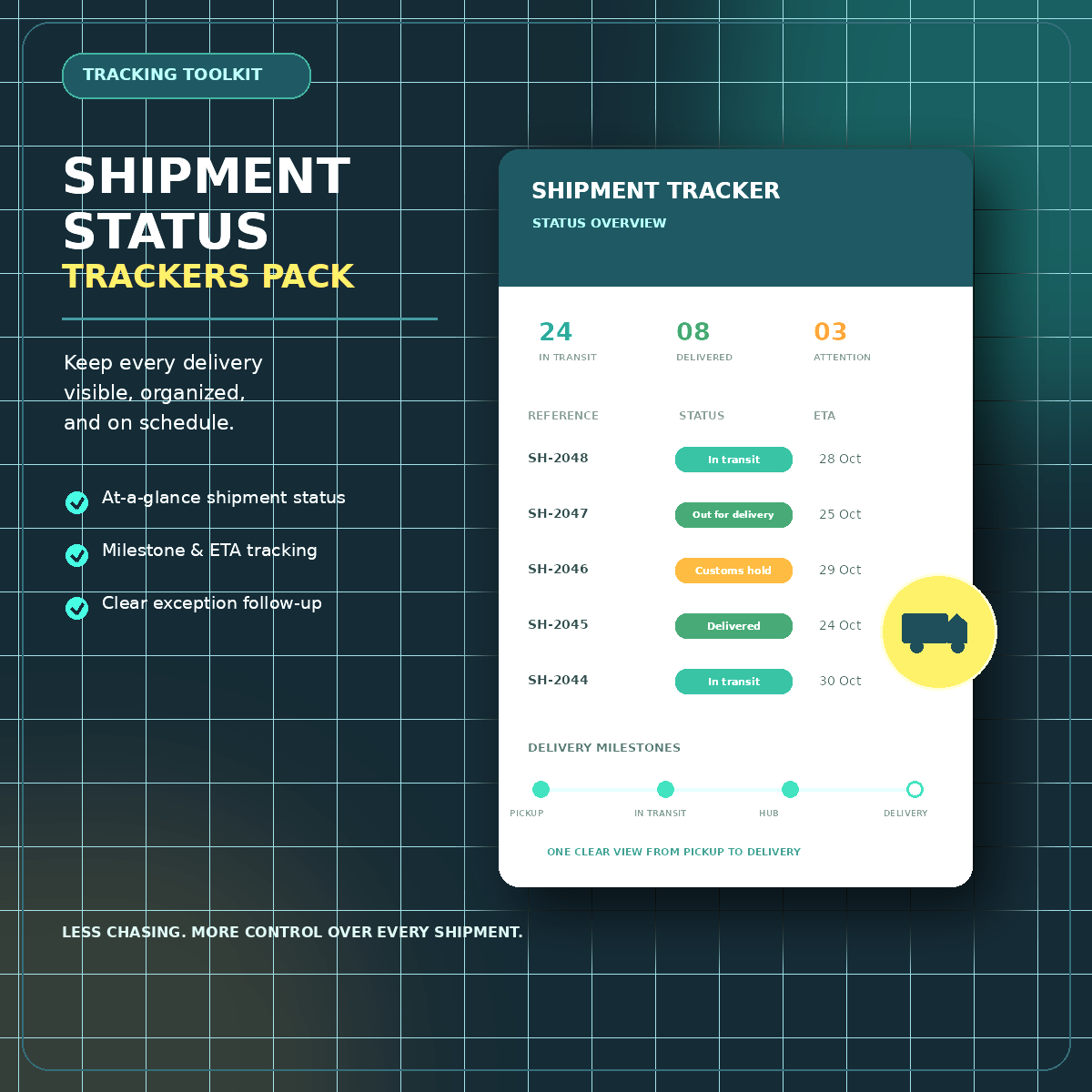
Shipment Status Trackers Pack
Shipment Status Tracker Pack
Take Control of Every Shipment. Track Smarter. Stay Ahead.
20 Professional Excel Trackers. One Organized Shipment Management Toolkit.
Managing multiple shipments shouldn't mean juggling spreadsheets, chasing updates, or discovering delays at the last minute.
The Shipment Status Tracker Pack is a practical, ready-to-use Excel toolkit designed for freight forwarding managers, logistics coordinators, and operations teams who need better visibility and control over their shipments.
From shipment planning and ETA monitoring to customs clearance, documentation, delivery confirmation, and exception management, this toolkit helps you organize critical information and identify what needs attention.
Less time managing scattered information. More time managing shipments with confidence.
[GET INSTANT ACCESS TO THE SHIPMENT STATUS TRACKER PACK]
Digital download · Excel workbook (.xlsx) · 20 shipment trackers + dashboard
Everything You Need to Monitor Shipments in One Place
When shipment information is scattered across multiple spreadsheets, important milestones can be overlooked, delays can go unnoticed, and follow-ups become harder to manage.
This toolkit brings your shipment tracking workflow into a more structured, organized system.
Your Shipment Operations Dashboard
Get a consolidated overview of key shipment indicators to help you understand your operational status at a glance.
- Active Shipments — Monitor your current shipment workload.
- In-Transit Shipments — Keep visibility on shipments moving through the logistics network.
- On-Time ETA Percentage — Review on-time performance indicators.
- Delayed Shipments — Identify shipments requiring closer monitoring.
- Overdue Milestones — Highlight missed or outstanding shipment milestones.
- Customs Clearance Status — Track shipments awaiting customs clearance.
- Missing Documents — Identify outstanding documentation.
- Open Exceptions — Keep operational issues visible for follow-up.
With status indicators for shipments that are on track, need attention, or require action, you can prioritize follow-ups more effectively.
The dashboard uses the workbook's built-in calculations and entered shipment information. It does not indicate live carrier or customs system integration.
20 Specialized Trackers for Your Shipment Workflow
A single tracking sheet cannot always meet the needs of a complex freight forwarding operation. That's why this pack brings together multiple trackers designed around common shipment management activities.
01. Shipment Planning & Visibility
- Master Shipment Tracker
- Live Shipment ETA Tracker
- Shipment Milestone Tracker
Organize shipment details, monitor expected arrival dates, and keep important milestones visible throughout the shipment lifecycle.
02. Transit & Delay Management
- Container & Transshipment Tracking
- Delayed Shipment Tracker
Monitor movement-related information and identify delayed shipments that may require additional follow-up.
03. Customs & Documentation Control
- Customs Clearance Tracker
- Document Pending Tracker
Maintain visibility over clearance status and outstanding documentation so important requirements are less likely to be overlooked.
04. Delivery & Cost Exposure Monitoring
- Proof of Delivery (POD) Tracker
- Free-Time Tracker
- Demurrage Tracker
Keep delivery confirmation and important time-sensitive container milestones organized to support timely operational follow-up.
05. Exceptions, Aging & Service Performance
- Shipment Exception Tracker
- Shipment Aging Tracker
- Service-Level Agreement (SLA) Tracker
Organize operational exceptions, monitor aging shipments, and review service-related milestones in a structured format.
Plus additional trackers to complete the 20-tracker toolkit.
Built for Practical, Day-to-Day Logistics Management
This is more than a basic shipment list. It is a collection of purpose-built Excel trackers designed to support the different activities involved in coordinating shipments.
Ready-to-Use Excel Structure
Start with an existing workbook structure instead of building every tracking sheet from scratch.
Built-In Calculations
Use the workbook's auto-calculating features to reduce repetitive manual work in supported fields.
Consolidated Dashboard
Review key operational indicators through a centralized dashboard rather than assembling every summary manually.
Clear Status Indicators
Identify shipments that are progressing normally, need monitoring, or require action.
Multiple Operational Workflows
Use dedicated trackers for shipment milestones, delays, customs, documentation, delivery, exceptions, and more.
Adaptable to Your Process
Customize the editable workbook to suit your team's workflow while preserving a clean original copy for reference.
Who Is This Toolkit For?
The Shipment Status Tracker Pack is designed for professionals who need a more structured way to manage shipment information.
- Freight Forwarding Managers who oversee multiple shipments and operational activities.
- Logistics Coordinators who manage ETAs, milestones, documentation, and delivery updates.
- Import & Export Teams who need visibility into shipment progress and outstanding requirements.
- Shipping & Operations Executives who coordinate daily follow-ups and shipment exceptions.
- Small and Growing Logistics Businesses looking for a practical Excel-based tracking solution.
Whether you manage a small shipment desk or coordinate a busy logistics operation, this toolkit provides a structured starting point for organizing your tracking process.
What You Receive
Your purchase includes:
- 20 shipment-tracking worksheets.
- A shipment operations dashboard.
- Auto-calculating features in supported trackers.
- Shipment status indicators.
- Editable Excel workbook files in .xlsx format.
Product type: Digital download
File format: Microsoft Excel-compatible .xlsx
Delivery: Downloadable files through Payhip after purchase.
No physical product will be shipped. A spreadsheet application capable of opening and editing .xlsx files is required.
Why Choose a Structured Shipment Tracking System?
Without a consistent tracking process, teams may spend valuable time searching for updates, checking multiple spreadsheets, and manually preparing status summaries.
A structured toolkit helps you:
- Keep shipment information organized.
- Improve visibility into critical milestones.
- Identify delays and outstanding actions more easily.
- Maintain a clearer view of documentation and customs status.
- Support more consistent shipment follow-ups.
- Spend less time building tracking sheets from scratch.
The goal is simple: make shipment information easier to manage, easier to review, and easier to act on.
Frequently Asked Questions
1. What exactly is the Shipment Status Tracker Pack?
It is a digital Excel toolkit containing 20 shipment-tracking worksheets and a dashboard designed to support common freight forwarding and logistics workflows.
2. Do I receive a physical product?
No. This is a digital product. Your files are delivered electronically through the Payhip download process.
3. What software do I need?
You need a spreadsheet application that supports .xlsx files, such as Microsoft Excel. Some functionality may vary depending on the application you use.
4. Does the dashboard update automatically?
The workbook includes auto-calculating trackers and an auto-updating dashboard. Enter shipment information in the designated fields to use the built-in functionality.
5. Does it connect directly to shipping lines, carriers, or customs systems?
The product is an Excel-based toolkit. Live carrier tracking, customs integrations, and automatic external data feeds are not included as advertised features.
6. Can I customize the trackers?
Yes. You can edit the workbook to better suit your workflow. Keep an original backup before modifying formulas, layouts, or other built-in functionality.
7. Who will benefit most from this pack?
Freight forwarding managers, logistics coordinators, import/export professionals, and shipment operations teams who want a more organized way to monitor shipment progress.
Bring More Structure to Your Shipment Operations
Every shipment has milestones to monitor, documents to manage, and deadlines to meet.
Give your team a practical toolkit to bring these activities into a more organized workflow.
Get the Shipment Status Tracker Pack and start building a clearer, more consistent shipment tracking process.
Your Next Step
[GET THE SHIPMENT STATUS TRACKER PACK]
20 Excel trackers. One practical toolkit. Better visibility into your shipment operations.
Digital download · Excel workbook (.xlsx)