

Budget Planner App from Your Bank CSV | No Subscription, No Bank Login | Guided Monthly Budget & Spending Tracker | Digital Download
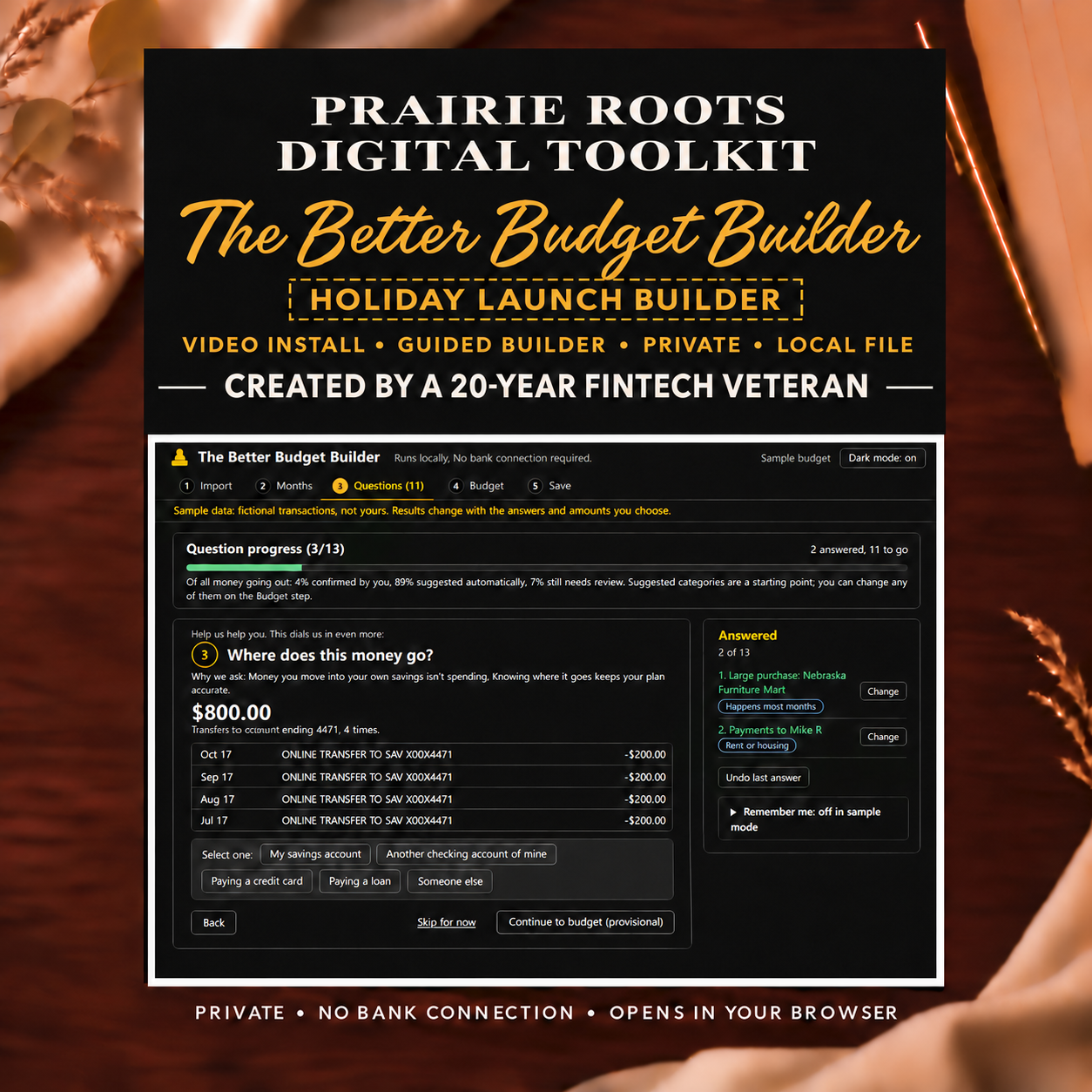
Your budget is already hiding in your checking account. If you get paid, pay the bills and still wonder where the rest went, the answer is in your bank's transaction file. The Better Budget Builder turns that file into an editable monthly budget through a few plain-English questions. ONE-TIME PURCHASE. NO SUBSCRIPTION. NO BANK LOGIN. Your file is processed on your own computer and never uploaded. Import your checking-account CSV, explain the charges a file can't (transfers, shared expenses, one-off purchases), and get a suggested plan built around how you actually spend. Choose how much you want to change, protect what matters and keep control of the final numbers. It helps you move from "Where did it go?" to "What should I do next?" MADE FOR YOU IF… • You make money but never seem to get ahead • You're saving to move out, build a cushion or stop running short before payday • You budget on paper or a spreadsheet and want a faster starting point • You won't hand a budgeting app your bank password • You're done paying monthly for budgeting apps WHAT'S INCLUDED • The Better Budget Builder browser-based file • Video walkthrough and interactive installation guide • Getting-started information • License • Support contact information WHAT MAKES IT DIFFERENT • One price, yours to keep - not a monthly subscription • Guided questions - not just charts • Adjustable suggestions - not blanket cuts • No blank-spreadsheet setup • An editable starting point - not a rigid formula • Local processing - not a bank connection • Created by a 20-year FinTech veteran HOW IT WORKS Download a transaction CSV from your checking account. Import it into the Builder. Answer useful questions about transfers, shared expenses and unusual purchases. Review your suggested monthly budget. Adjust the plan until it reflects your priorities. The Builder may ask whether a transfer went to savings, whether someone reimbursed an expense or whether a large purchase belongs in your usual monthly spending. Those answers create a more informed starting point than transaction labels alone. PRIVACY No bank login or live bank connection is required. You choose the CSV to import, and the file is processed locally in your browser. SCOPE Designed around checking-account activity. Purchases made through credit cards or other accounts may not be individually itemized unless they appear in the imported file. CSV formats vary by financial institution, so some files may require minor preparation before importing. The walkthrough explains the process. WHAT YOU'LL NEED • A modern desktop or laptop browser • A checking-account transaction CSV • Basic familiarity with downloading and opening files PLEASE NOTE • This listing includes the Better Budget Builder and video walkthrough & install guide. • The complete Holiday Launch Bundle is also available at a discounted price. • This is a digital download. Nothing will be shipped. • Listing images and videos use fictional sample data. • This tool provides educational planning assistance, not financial, legal or tax advice. Questions are welcome. Contact us through Etsy Messages or use the support email included with your download.