



Refinance Break-Even Calculator: Monthly Savings, Closing Costs & True Break-Even Month (Excel + Google Sheets)
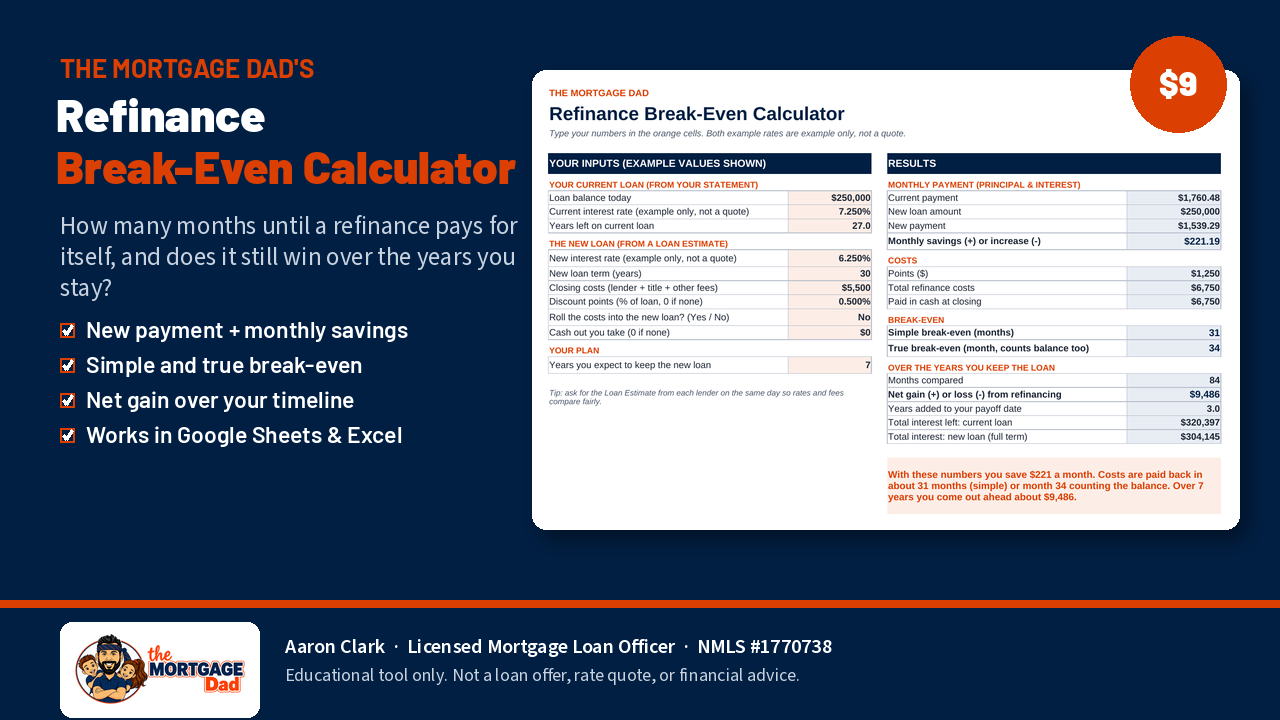
Rates dropped. Should you refinance? The answer depends on how long it takes your monthly savings to pay back your closing costs, and how long you plan to keep the loan. This calculator does that math for you.
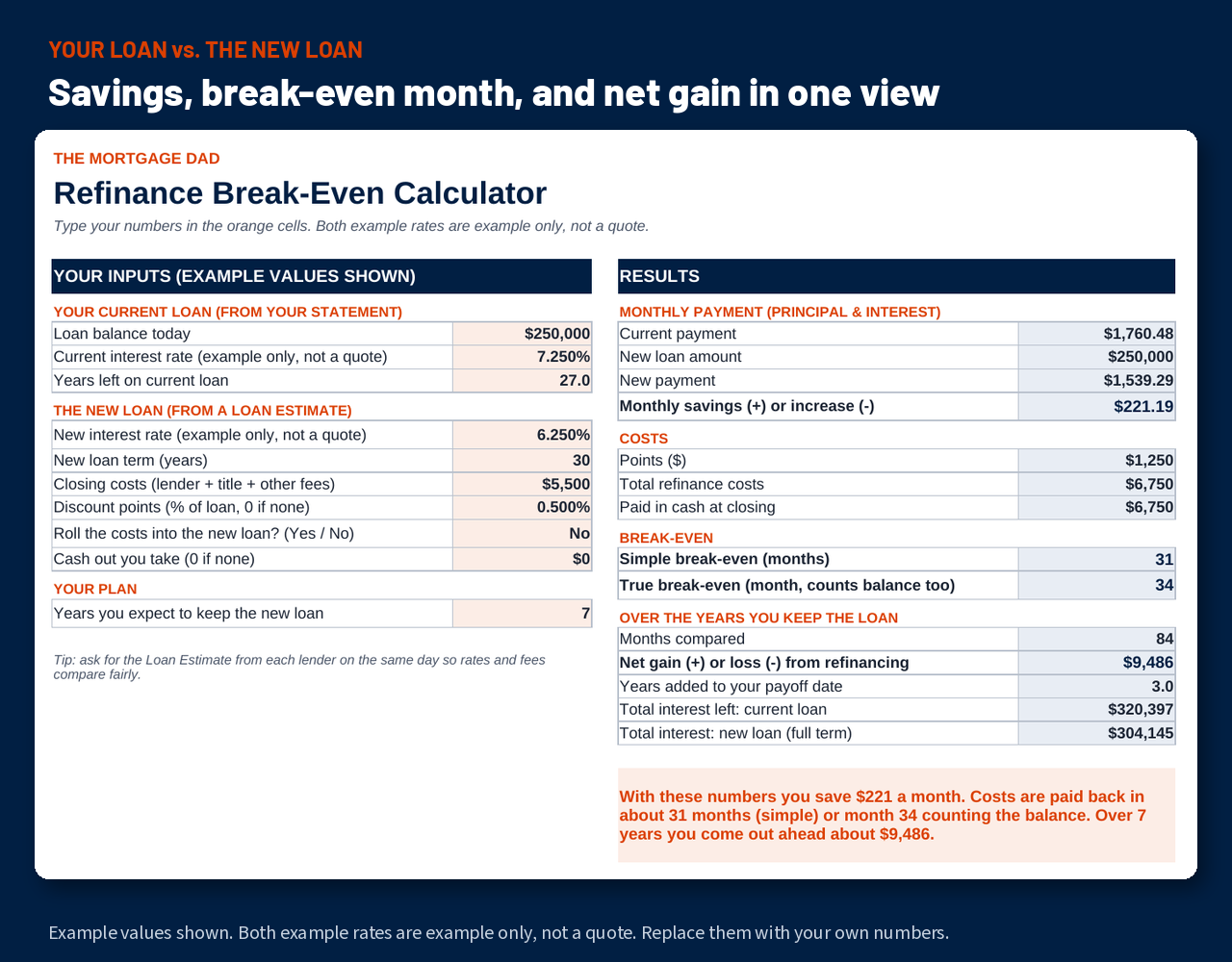
Type in your current loan from your statement and the new loan from a Loan Estimate: rate, term, closing costs, points, and whether you roll the costs into the loan or take cash out.
What it shows you
• Current payment vs. new payment, and the monthly difference
• Simple break-even (costs ÷ monthly savings)
• True break-even month, which also counts the difference in loan balance
• Your net gain or loss over the years you expect to keep the loan
• Years added to your payoff date, and total interest on each loan
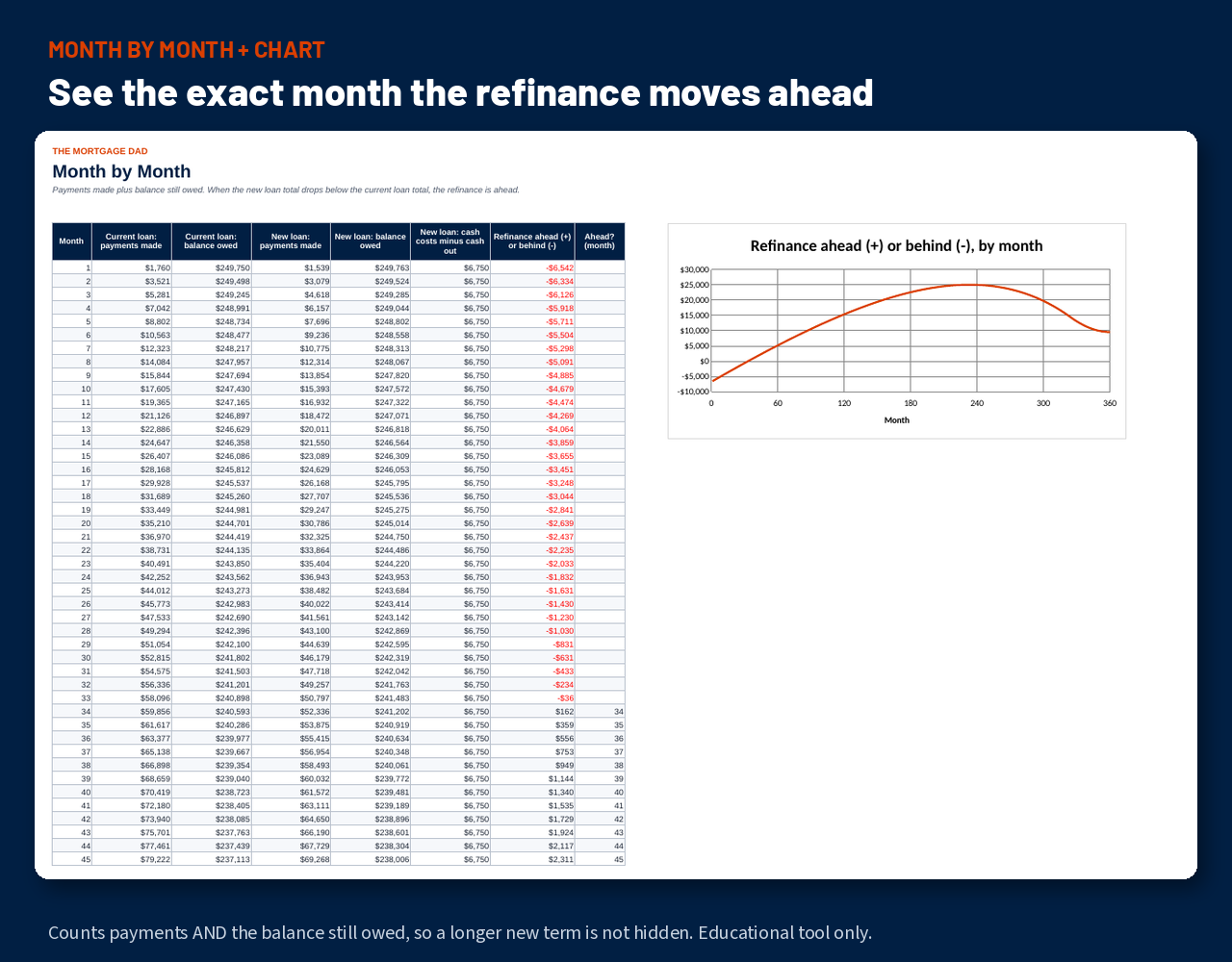
• A month-by-month comparison table and chart
Instant download, one .xlsx file. Works in Excel, Google Sheets and LibreOffice. Both example rates are example only, not a quote.
Educational tool only. Not a loan offer, rate quote, or financial advice.
Aaron Clark, Licensed Mortgage Loan Officer, NMLS #1770738 · www.nmlsconsumeraccess.org · Equal Housing Opportunity