
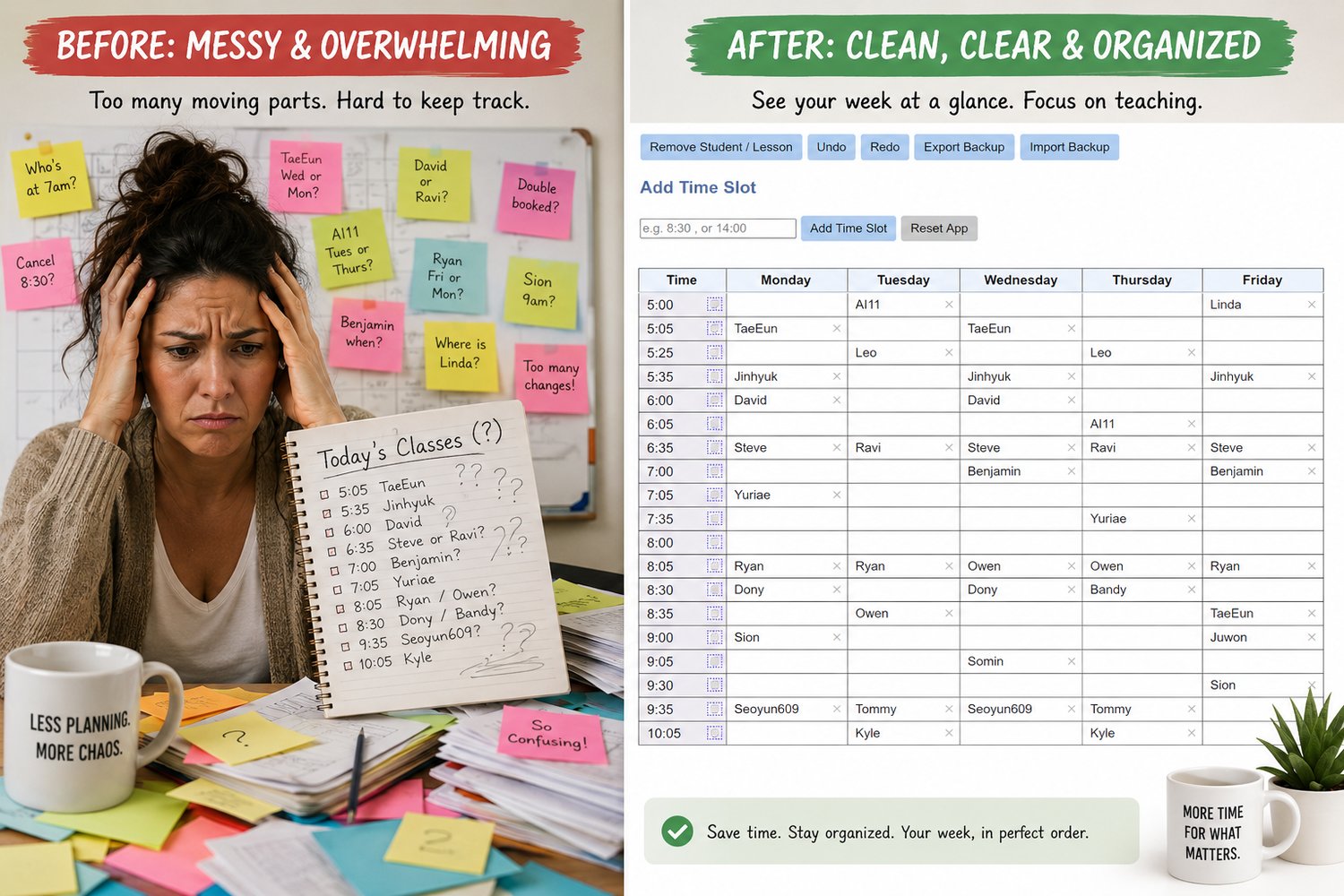
ScheduleMaker Pro — Offline Weekly Schedule App for Teachers (One-Time Purchase)
🚀 Simple, Reliable Scheduling — Without Subscriptions
Pay once. Use forever. No subscriptions.
Instead of paying monthly for scheduling tools you don’t fully use, ScheduleMaker gives you a simple, reliable system with a one-time purchase.
Most scheduling tools charge monthly.
ScheduleMaker gives you full access with a single purchase.
ScheduleMaker is a Windows desktop app built for teachers, tutors, and structured learners who need a clear, repeatable weekly schedule.
No accounts.
No subscriptions.
No cloud dependency.
Just a fast, focused scheduling tool that works.
Start Free — Upgrade Only When You Need More
You don’t need to commit upfront.
You can download and use ScheduleMaker immediately with the free version.
Free version includes:
Up to 6 time slots
Core scheduling workflow
Offline use after activation
👉 Upgrade to Pro when you need unlimited scheduling and full features.
What You Unlock with Pro
When your schedule grows, Pro removes all limitations:
Unlimited time slots
Drag-and-drop session management
Import and export schedules
Backup and restore data
Printable schedule views
All future updates included
One-time purchase. Lifetime access.
When should you upgrade to Pro?
Upgrade when:
- You need more than 6 time slots
- You are managing multiple students weekly
- You want full control without limits
⚡ Why ScheduleMaker Is Different
Most scheduling tools are built for teams, dashboards, and cloud workflows.
ScheduleMaker is built for individual educators managing real schedules.
Desktop-first performance (no browser lag)
Works fully offline after activation
No login or account required
No subscription or recurring cost
Your data stays on your computer
🧩 Who This Is For
ScheduleMaker is ideal if you:
Teach recurring weekly lessons
Manage multiple students
Want a clear visual weekly structure
Prefer desktop tools over SaaS apps
Want full control over your data
How Licensing Works
Pay once — no subscriptions
Receive your license key by email
Enter the key to unlock Pro features
License is tied to your device (not an account)
Works offline after activation
What Happens After You Buy
Secure checkout via PayPal or card
Receive:
Your license key
Download link
Setup guidance
Activate Pro in seconds
Start using the app offline
🖥️ System Requirements
Windows (64-bit)
Internet required only for activation
Fully offline after activation
⚠️ First Install (Windows Notice)
On first install, Windows may show:
“Windows protected your PC”
This is normal for new desktop software.
Click:
More info → Run anyway
Then continue with installation.
🔁 Refunds & Support
If you need help:
📧 support@schedulemaker.co
We’re happy to assist with setup or activation.
Refunds are subject to Payhip’s digital product policy.
❓ Frequently Asked Questions
Do I need internet to use the app?
Only for activation. After that, it works fully offline.
Can I reinstall or change computers?
Yes. You can activate on multiple personal devices within reasonable limits.
Is this a subscription?
No. One-time purchase. Lifetime access.
Will there be a Mac version?
Planned. You can request updates when available.
🔒 Ready to remove limits and manage your full schedule?
✔ One-time purchase
✔ Lifetime Pro access
✔ No subscriptions
✔ Works offline