

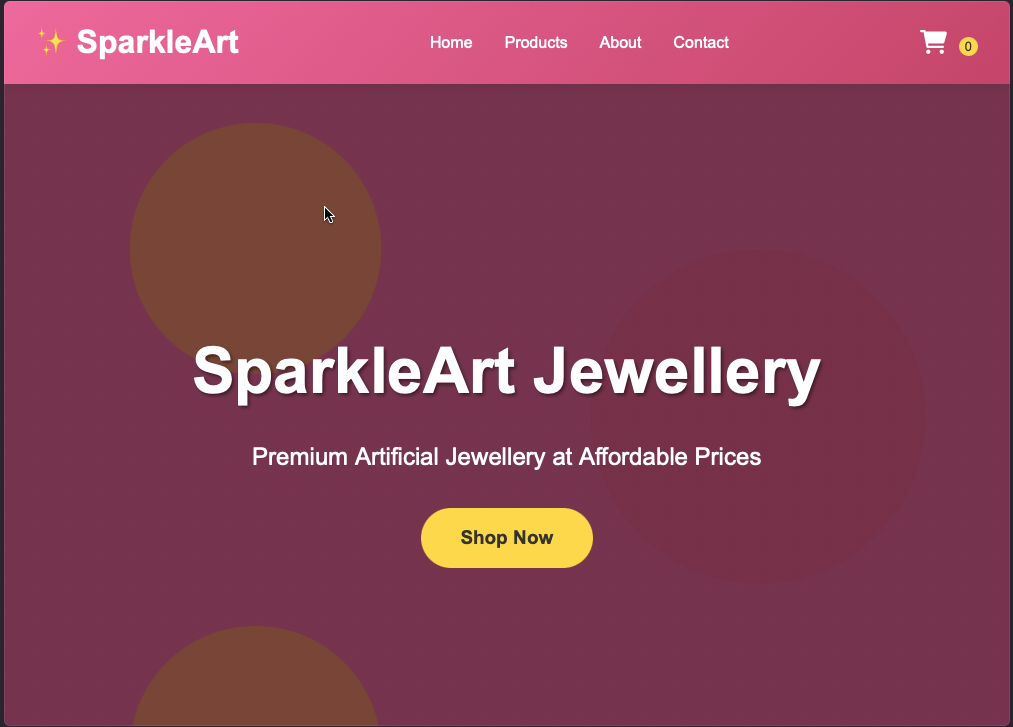
Jewellery store theme
On Sale
₹0.00
A simple jewellery store theme in a zipped html file
PLEASE NOTE-FOR BUYER
TO EDIT THIS TEMPELATE ACCORDING TO YOUR BUISNESS FOLLOW THE STEPS MENTIONED BELOW:-
Editing an HTML/CSS Template (No CMS)
If you bought a static HTML template, you will need a text editor to make changes.
- Extract the ZIP File: Unzip the purchased files on your computer.
- Get a Code Editor: Download a free editor like Visual Studio Code, Sublime Text, or Brackets.
- Edit Content (HTML): Open the index.html file in the code editor to change text, links, and images.
- Edit Style (CSS): Find the style.css file to change colors, fonts, and layouts.
- Use "Inspect Element": Open the template in Google Chrome, right-click any part of the page, and select "Inspect" to identify which HTML tag needs to be changed.
- Replace Images: Replace the demo images in the /images folder with your own, ensuring they use the same file name and size for easier swapping.
- Preview Changes: Save the files and refresh your browser to see updates immediately.
PLEASE NOTE-
OUR TEAM IS NOT RESPONSIBLE FOR ANY KIND OF ISSUE WHICH COMES AFTER DOWNLOAD OR PURCHASE
THIS IS JUST A SMALL TEMPELATE FOR ONLINE BUISNESS AND WE CANNOT PROVIDE YOU ANY EDITOR OR DESIGNER TO EDIT THIS TEMPELATE ACCORDING TO YOUR BUISNESS.