
OOS Investigation Template Excel | Phase I/II OOS/OOT Kit for QC Labs
Excel OOS investigation template for QC labs. Run out-of-specification (OOS) and out-of-trend (OOT) investigations step by step, in a structured workbook instead of a generic deviation form. The OOS/OOT Investigation Kit follows the Phase I / Phase II structure of the public FDA guidance Investigating OOS Test Results for Pharmaceutical Production (2006, Rev. 1 2022). It uses concepts from 21 CFR 211.192, EU GMP Chapter 6, ICH Q9, ICH Q10 and USP <1010>/<1225>.
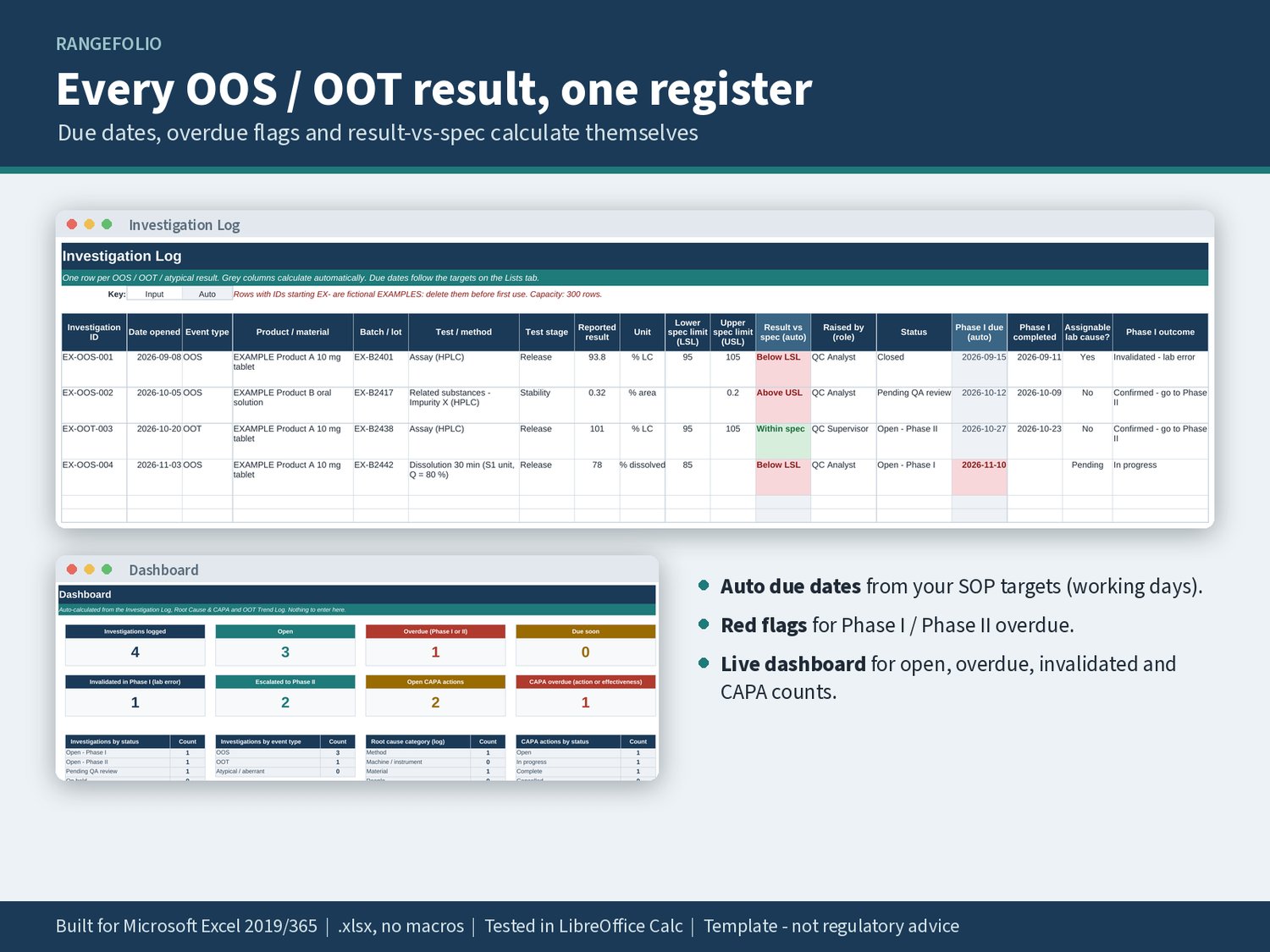
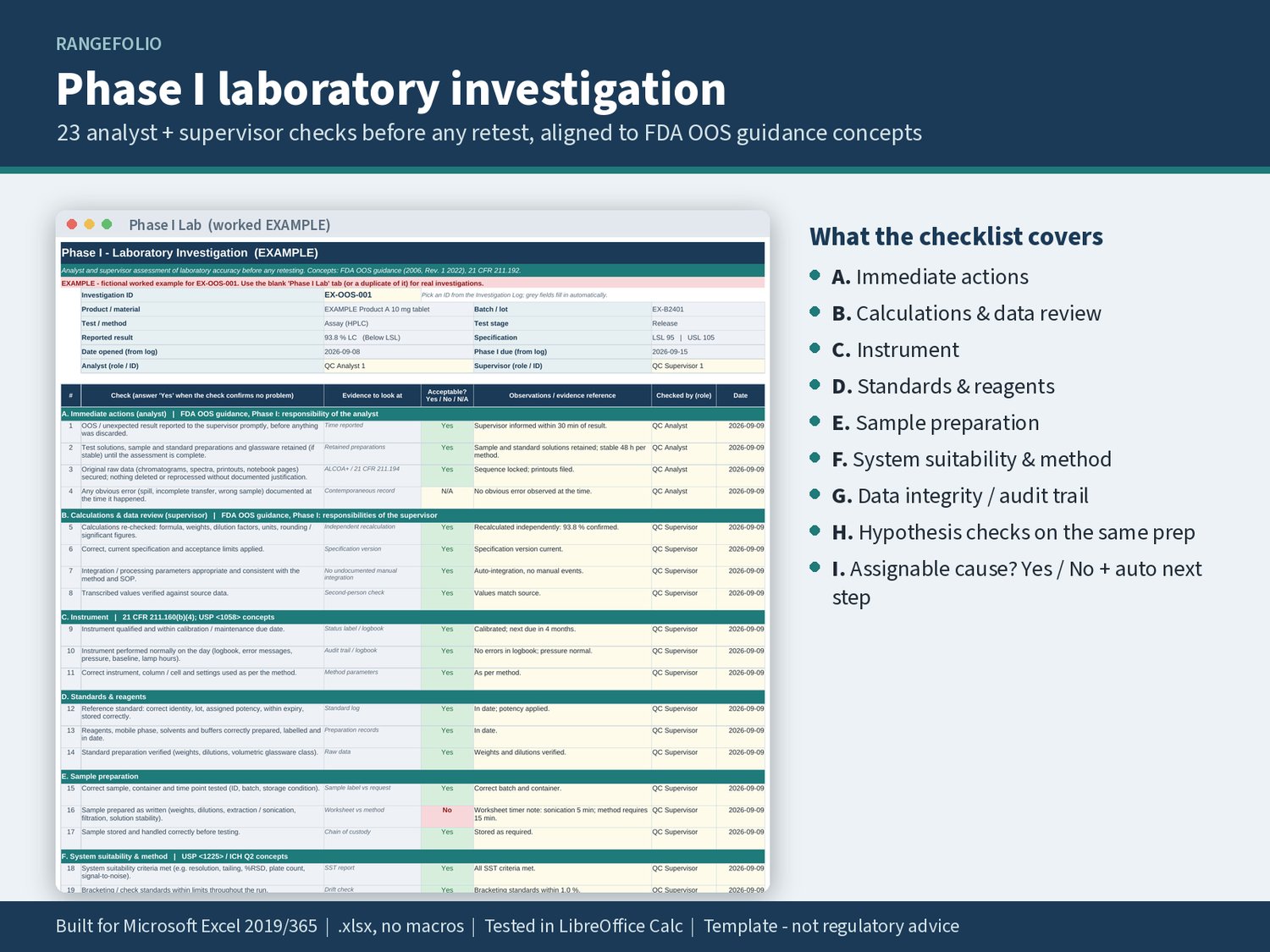
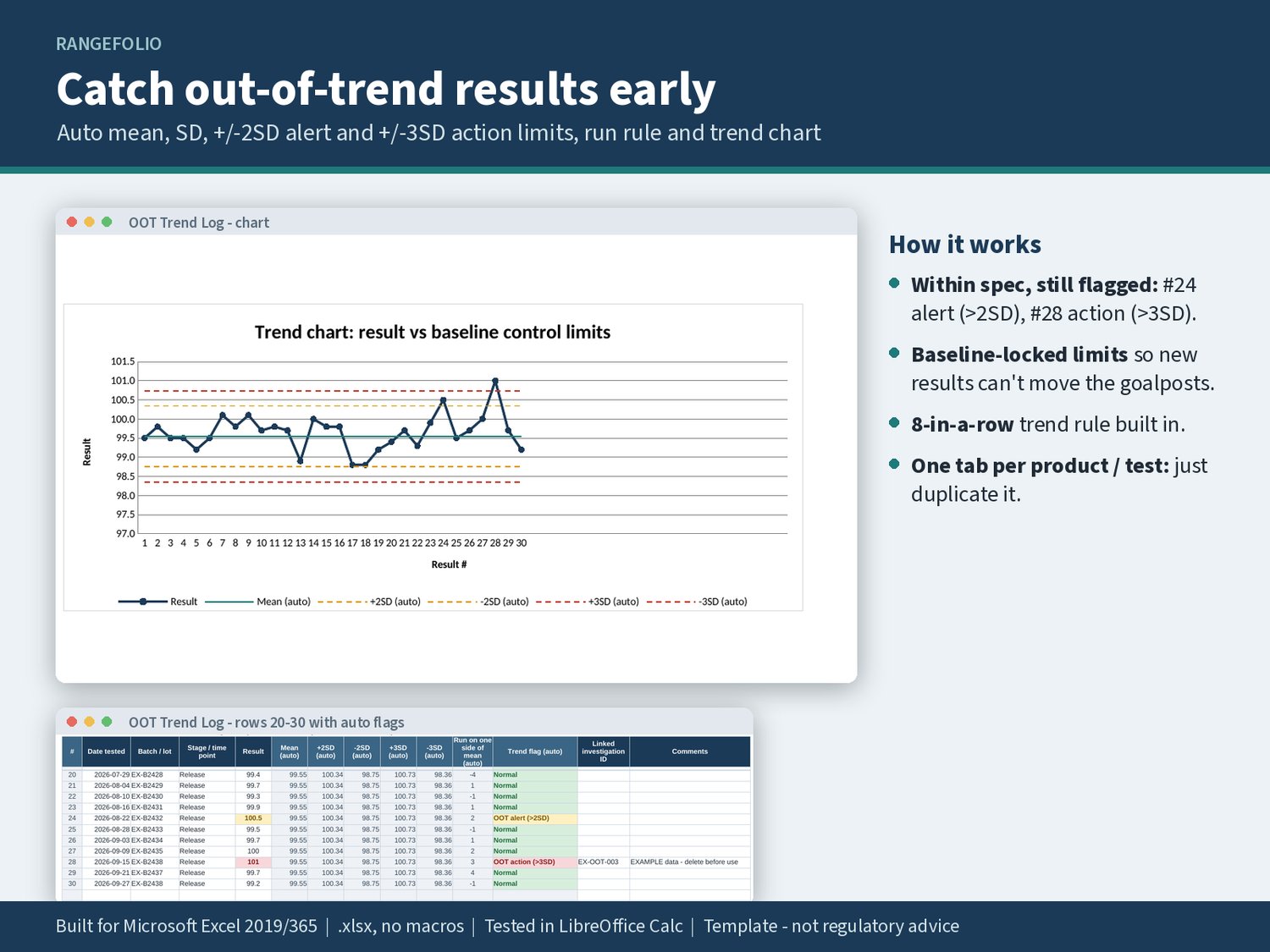
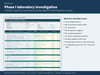
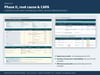
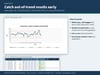
Log each event and the workbook works out the Phase I and Phase II due dates from your SOP targets, then flags anything overdue in red. The Phase I checklist leads the analyst and supervisor through 23 checks: calculations, instrument, standards, sample prep, system suitability and data integrity. It ends with a clear "assignable laboratory cause: yes or no" decision. Phase II covers the production review, hypothesis testing, the retest and resample plan, a table of every result and the batch disposition. A root-cause and CAPA tracker (5 Whys, fishbone categories, risk score, effectiveness checks) closes the loop. The OOT Trend Log works out the mean, SD and ±2SD/±3SD limits for you and plots a trend chart.
Built for Microsoft Excel 2019/365 as a plain .xlsx with no macros, so it suits locked-down lab IT. Tested in LibreOffice Calc. Formula cells are protected without a password. Two fully worked fictional examples show you how to fill everything in.
What's included
• OOS-OOT-Investigation-Kit.xlsx (10 tabs):
• Start Here: quick start, colour key, compatibility notes, disclaimer
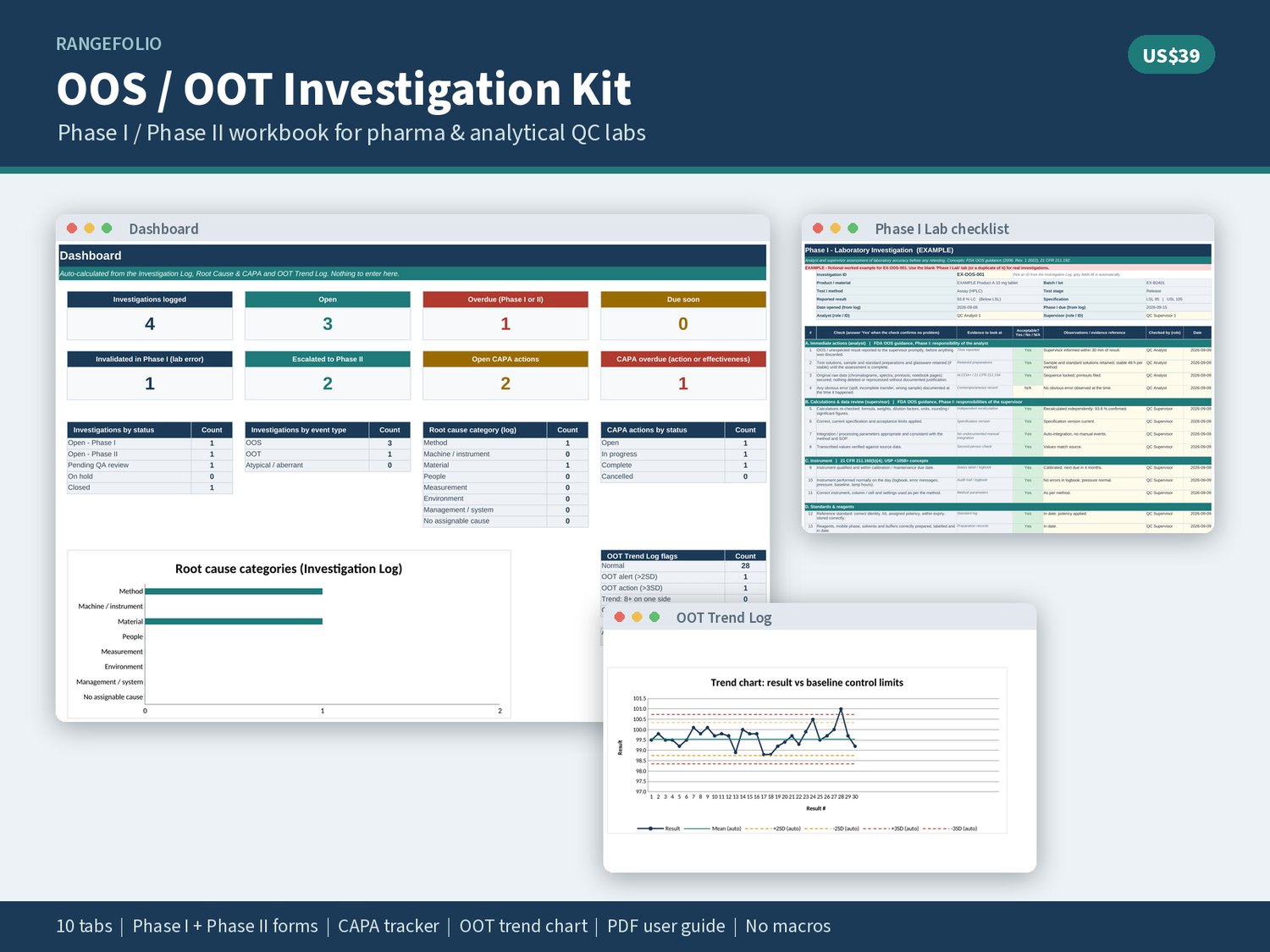
• Dashboard: live counts of open, overdue, due-soon, invalidated and escalated investigations, plus CAPA status, root-cause categories and OOT flags
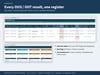
• Investigation Log: 300-row register with result-vs-spec, auto Phase I/II due dates and overdue flags
• Phase I Lab: analyst and supervisor checklist, hypothesis checks, assignable cause yes/no, an automatic next-step prompt and sign-off
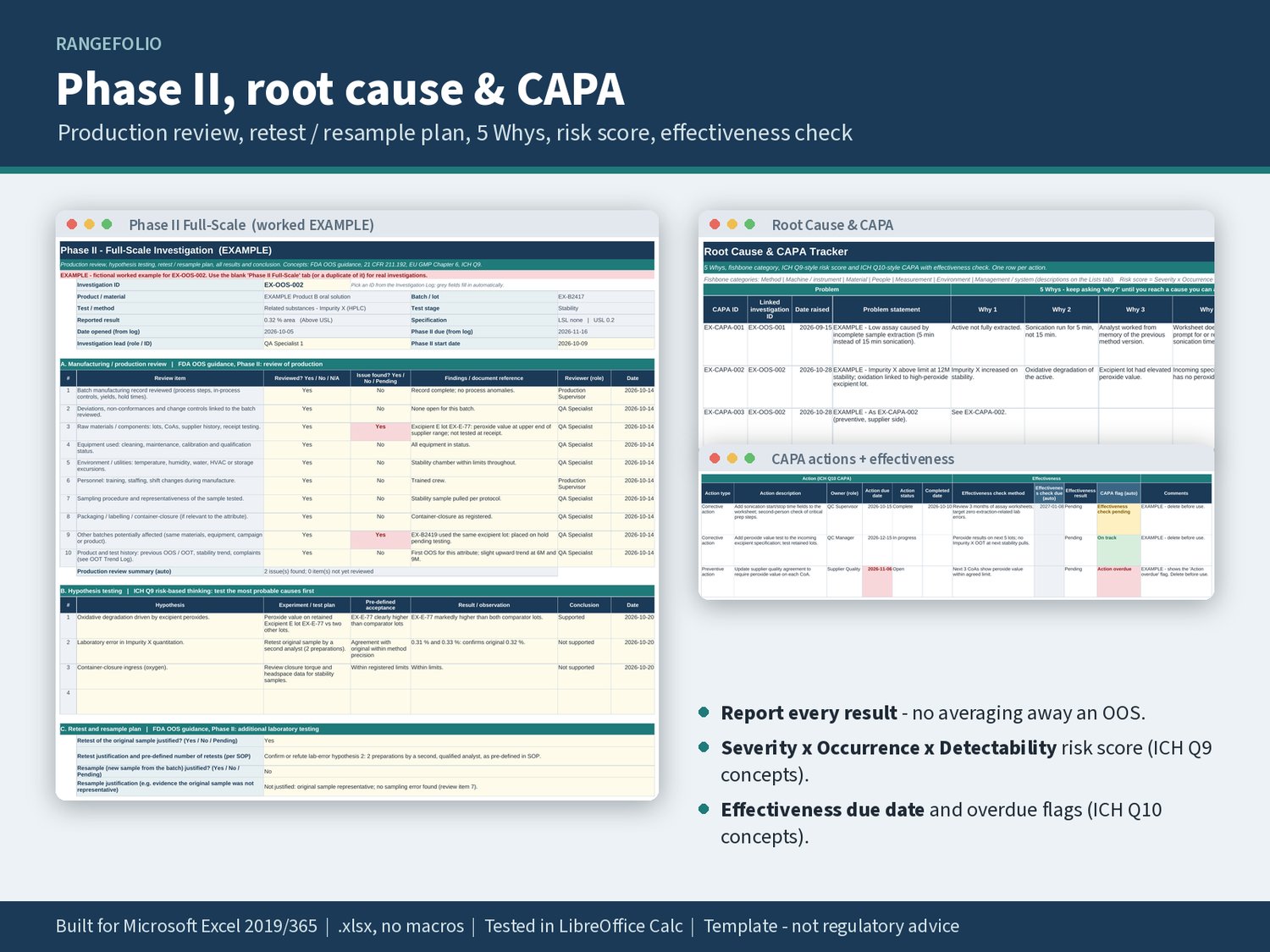
• Phase II Full-Scale: production review, hypotheses, retest/resample plan, all-results table with spec check, conclusion and disposition
• Root Cause & CAPA: 5 Whys, fishbone category, Severity × Occurrence × Detectability score, owner role, due dates and effectiveness check
• OOT Trend Log: baseline mean/SD, ±2SD alert and ±3SD action limits, 8-in-a-row rule, flags and a line chart
• EXAMPLE Phase I and EXAMPLE Phase II: fully worked fictional investigations
• Lists & Settings: edit every drop-down and the due-date and risk settings
• User-Guide.pdf (8 pages): set-up, workflow diagram (Phase I → Phase II → CAPA), how to use each tab, public references and disclaimer
Who it's for
• QC analysts, supervisors and managers in pharmaceutical, biotech, API, generic and contract-testing laboratories
• QA specialists who review or approve OOS/OOT investigations
• Small labs and start-ups that need a structured OOS process without buying a QMS
• Trainers who want a worked Phase I/Phase II example to teach from
File formats / compatibility
• .xlsx workbook. Built for Microsoft Excel 2019/365 (.xlsx, no macros). Tested in LibreOffice Calc. Google Sheets import is possible but not officially supported; protection, charts and print settings may change. No add-ins or external links.
• PDF user guide (A4, 8 pages)
• Delivered as one ZIP: Rangefolio-OOS-OOT-Investigation-Kit.zip
FAQ
Which spreadsheet apps does it work with?
Built for Microsoft Excel 2019/365 (.xlsx, no macros). Tested in LibreOffice Calc. Google Sheets import is possible but not officially supported; protection, charts and print settings may change. If you import it into Google Sheets, check the drop-downs, flags and charts yourself before relying on it.
Is it compliant with 21 CFR Part 11 or validated?
No. It is a template and record-keeping aid, not a validated computerised system. If you use it for GMP records, control it under your own procedures: validate it for its intended use, or print and sign. Your SOPs always take precedence.
Can I change the checklists, due-date targets and drop-downs?
Yes. The due-date targets, the "due soon" window, the CAPA effectiveness interval and the risk thresholds are on the Lists tab, along with every drop-down list. The sheets are protected without a password, so you can unprotect them and edit the wording or formulas.
Is the example data real?
No. All products, batches, results and roles in the EX- rows and EXAMPLE tabs are fictional. Delete them before first use.
Disclaimer
Template only. Not regulatory, legal or quality advice, and not a validated 21 CFR Part 11 / EU GMP Annex 11 system. Not affiliated with or endorsed by FDA, EMA, ICH or USP. All example data is fictional.