

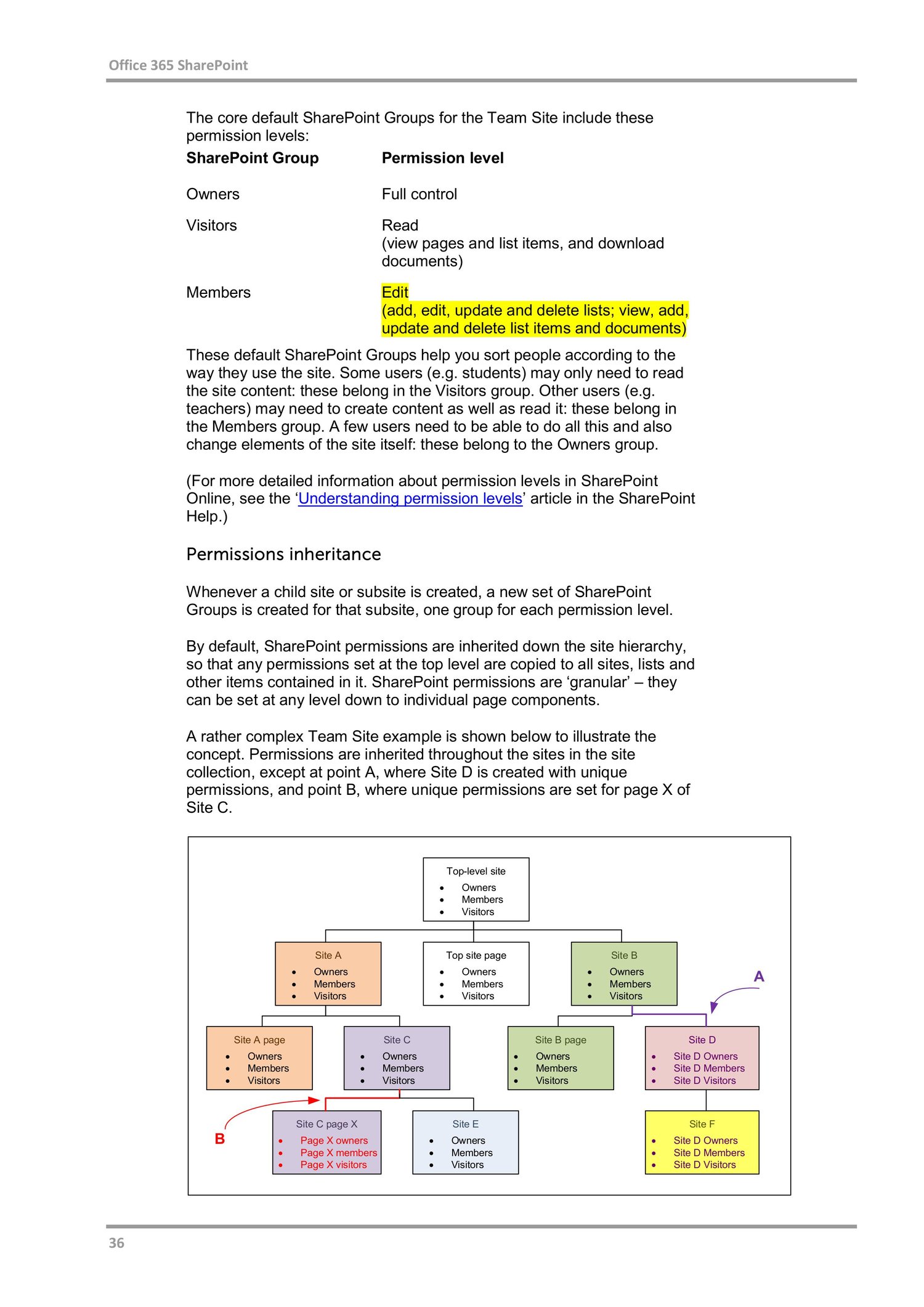
Microsoft 365 Setup and Administration Guide
On Sale
$4.00
$4.00
Microsoft 365 Setup and Administration Guide
This guide is designed for IT administrators, small businesses, and beginners who want a clear, step-by-step approach to setting up and managing Microsoft 365.
1. Microsoft 365 Overview
Microsoft 365 (M365) is a cloud-based productivity suite that includes:
- Microsoft Outlook (Email)
- Microsoft Teams
- OneDrive for Business
- SharePoint Online
- Word, Excel, PowerPoint
- Azure Active Directory (Entra ID)
- Security & Compliance tools
2. Microsoft 365 Plans (Quick View)
- Business Basic – Email, Teams, OneDrive (Web apps only)
- Business Standard – Desktop apps + collaboration
- Business Premium – Standard + device & security management
- Enterprise (E3/E5) – Advanced security & compliance
👉 Choose based on users, security needs, and budget.
3. Initial Microsoft 365 Setup
Step 1: Create Tenant
- Go to Microsoft 365 Admin Center
- Sign up using business email
- Choose organization name & region
- Create global admin account
Step 2: Verify Domain
- Admin Center → Settings → Domains
- Add your custom domain (example.com)
- Add DNS TXT record at domain provider
- Verify domain
Step 3: Configure DNS Records
Add these records at your domain provider:
- MX – Email routing
- TXT (SPF) – Email protection
- CNAME – Autodiscover
4. User & License Management
Create Users
- Admin Center → Users → Active users
- Assign username & password
- Allocate license
Reset Passwords
- Select user → Reset password
- Enable self-service password reset (recommended)
Bulk User Creation
- Use CSV upload
- Ideal for large organizations
5. Email (Exchange Online) Administration
Create Mailboxes
- Automatically created with license
Create Shared Mailboxes
- Admin Center → Teams & Groups → Shared Mailboxes
- Example: support@company.com
Email Security Settings
- Enable Anti-Spam & Anti-Phishing policies
- Configure DKIM, SPF, DMARC
6. Microsoft Teams Administration
Teams Policies
- Control chat, meetings, file sharing
- Enable/disable guest access
Create Teams
- Based on departments or projects
Meeting Security
- Enable lobby
- Disable anonymous meeting join if required
7. SharePoint & OneDrive Management
SharePoint Sites
- Team sites (collaboration)
- Communication sites (announcements)
Permissions Best Practice
- Use groups, not individual users
- Limit external sharing
OneDrive Policies
- Control sync
- Restrict download on unmanaged devices
8. Security & Identity Management
Azure AD (Entra ID)
- User authentication & identity control
Enable Multi-Factor Authentication (MFA)
- Security → Identity → MFA
- Mandatory for admins
Conditional Access
- Restrict login by location or device
- Block legacy authentication
9. Device Management (Intune)
Enroll Devices
- Windows, Android, iOS
Policies
- Password enforcement
- Device encryption
- App protection policies
Remote Actions
- Wipe
- Lock
- Reset
10. Backup, Compliance & Monitoring
Audit Logs
- Track user & admin activities
Retention Policies
- Email & document retention
Data Loss Prevention (DLP)
- Prevent sensitive data leaks
11. Roles & Permissions
Common Admin Roles:
- Global Administrator
- Exchange Administrator
- Teams Administrator
- Security Administrator
👉 Follow least privilege principle.
12. Best Practices Checklist
- Enable MFA for all users
- Use strong password policies
- Regularly review admin roles
- Monitor sign-in logs
- Train users on phishing awareness
13. Troubleshooting Tips
- Email not working → Check MX records
- Login issues → Verify license & MFA
- Teams issues → Check service health
14. Summary
Microsoft 365 administration involves:
- Proper setup & domain configuration
- User & license management
- Security hardening
- Ongoing monitoring & compliance
A well-configured M365 environment ensures security, productivity, and scalability.
If you want, I can also provide:
- ✅ PDF version
- ✅ PowerPoint slides
- ✅ Step-by-step screenshots guide
- ✅ Exam notes (MS-900 / MS-102)
- ✅ Admin daily checklist
Just tell me 👍