




AutoMosaic Video (General edition) — Automatic Mosaic tool
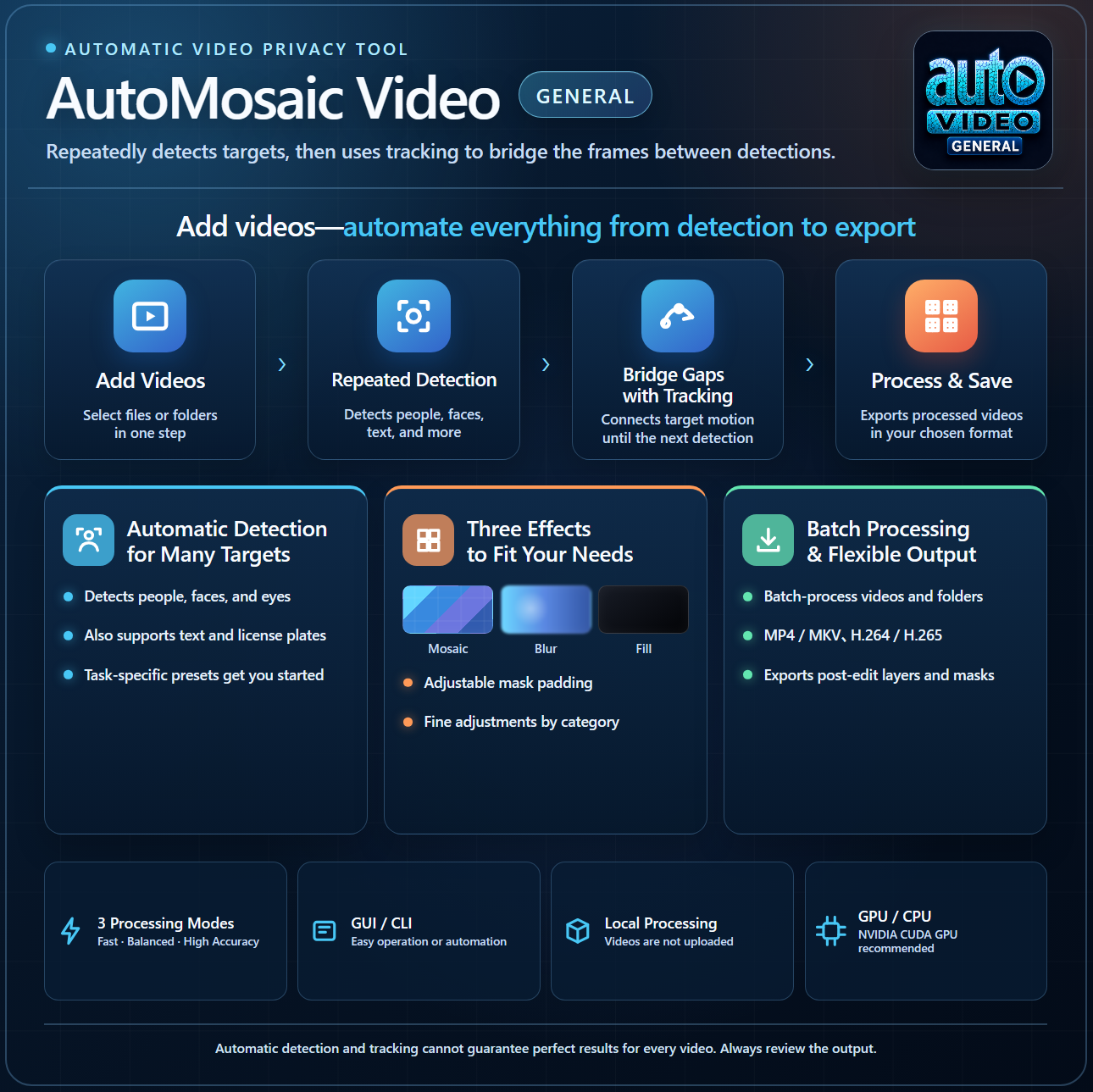
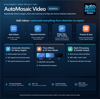
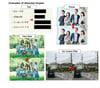
AutoMosaic Video automatically detects target areas in videos and applies mosaic and other effects. A trial version is also available, so feel free to give it a try.
Video processing runs locally without uploading your videos, helping keep your content private.
■ Recommended for:
- Anyone who wants to fully automate mosaic processing for videos
- Anyone who prefers to process videos offline
Latest version: 1.10 (2026/08/20) https://note.com/nekzuk/n/n2082af286ffd
Key Features
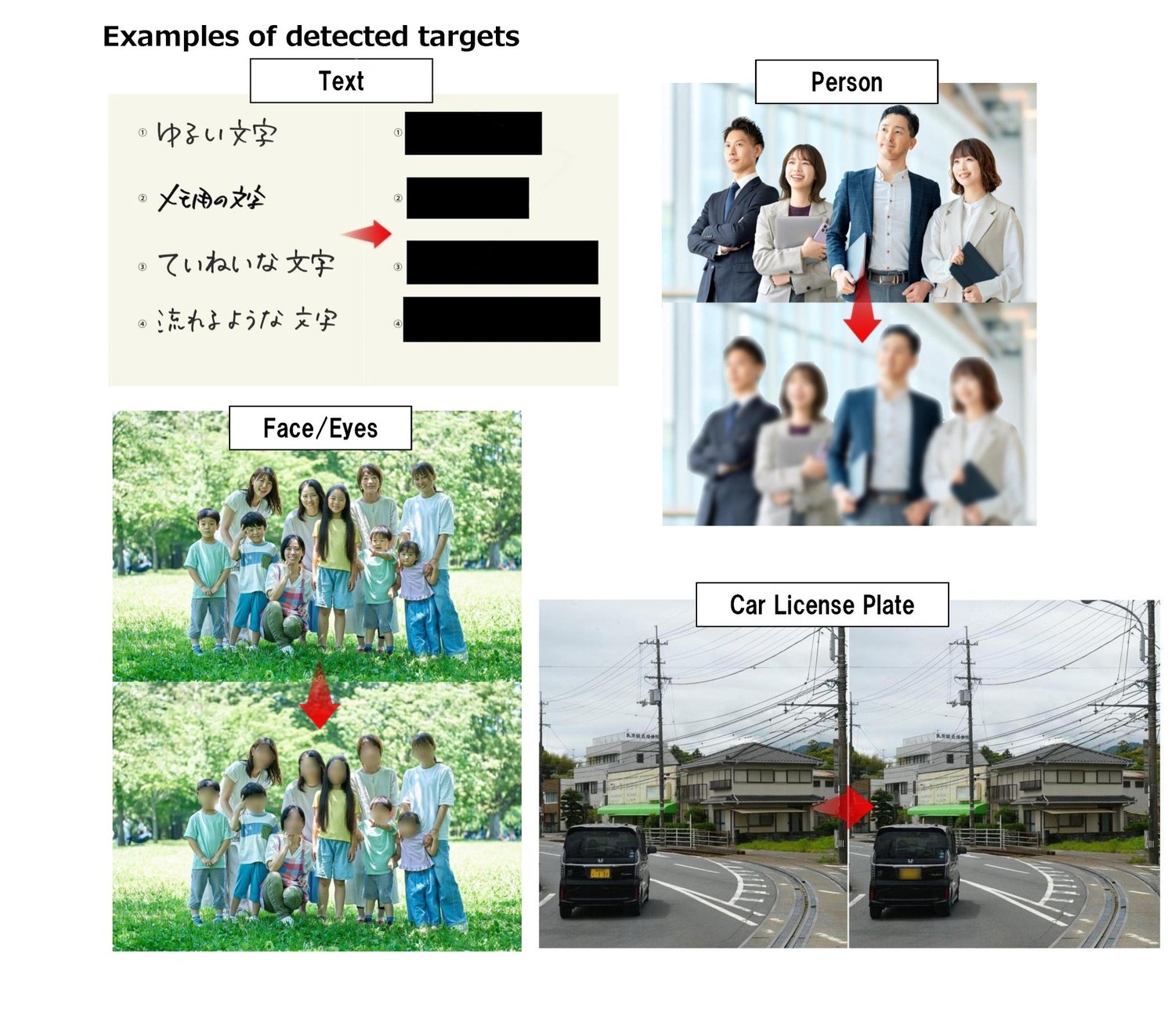
AutoMosaic Video (General edition) can detect and apply mosaic to the following targets:
- Person
- Face (Male / Female / Full face)
- Eyes
- Text
- Car license plates
- Other: Various subjects (bicycles, buses, ties, cakes, books, etc.)
Output options
The following processing outputs are available:
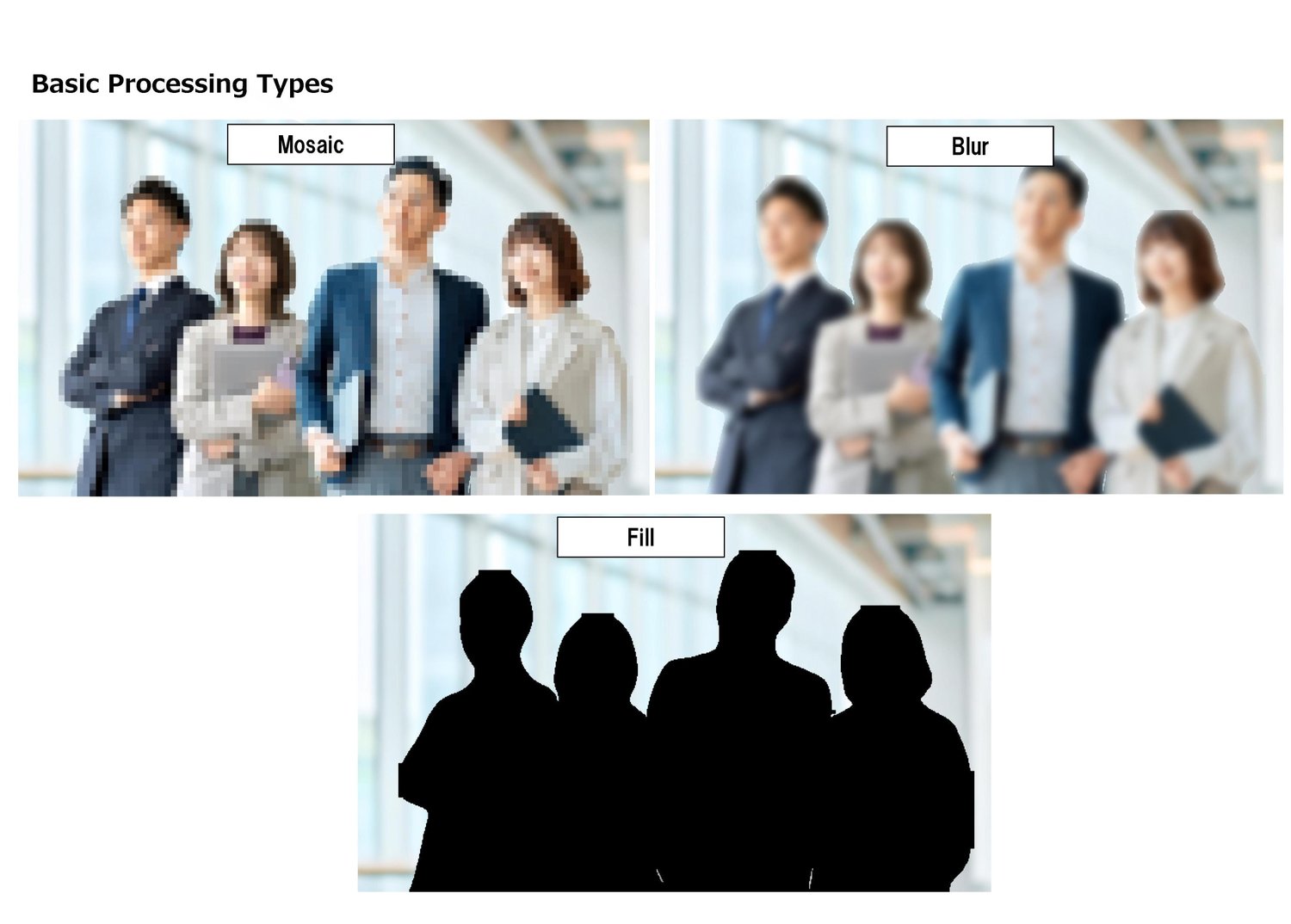
- Mosaic
- Blur
- Solid fill
Supported Languages
- English / Japanese / Chinese (Simplified / Traditional) / Korean
Supported Video Formats
- Input : MP4 / MOV / AVI / MKV / WebM / M4V / WMV / TS / MTS / M2TS/ Animated GIF/ Animated WebP
- Output: MP4 / MKV
Expandable with Additional Models
As a feature of this software, you can add more functionality by placing Yolo / Adetailer models into the Models folder.
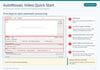
How to Use (Basic Steps)
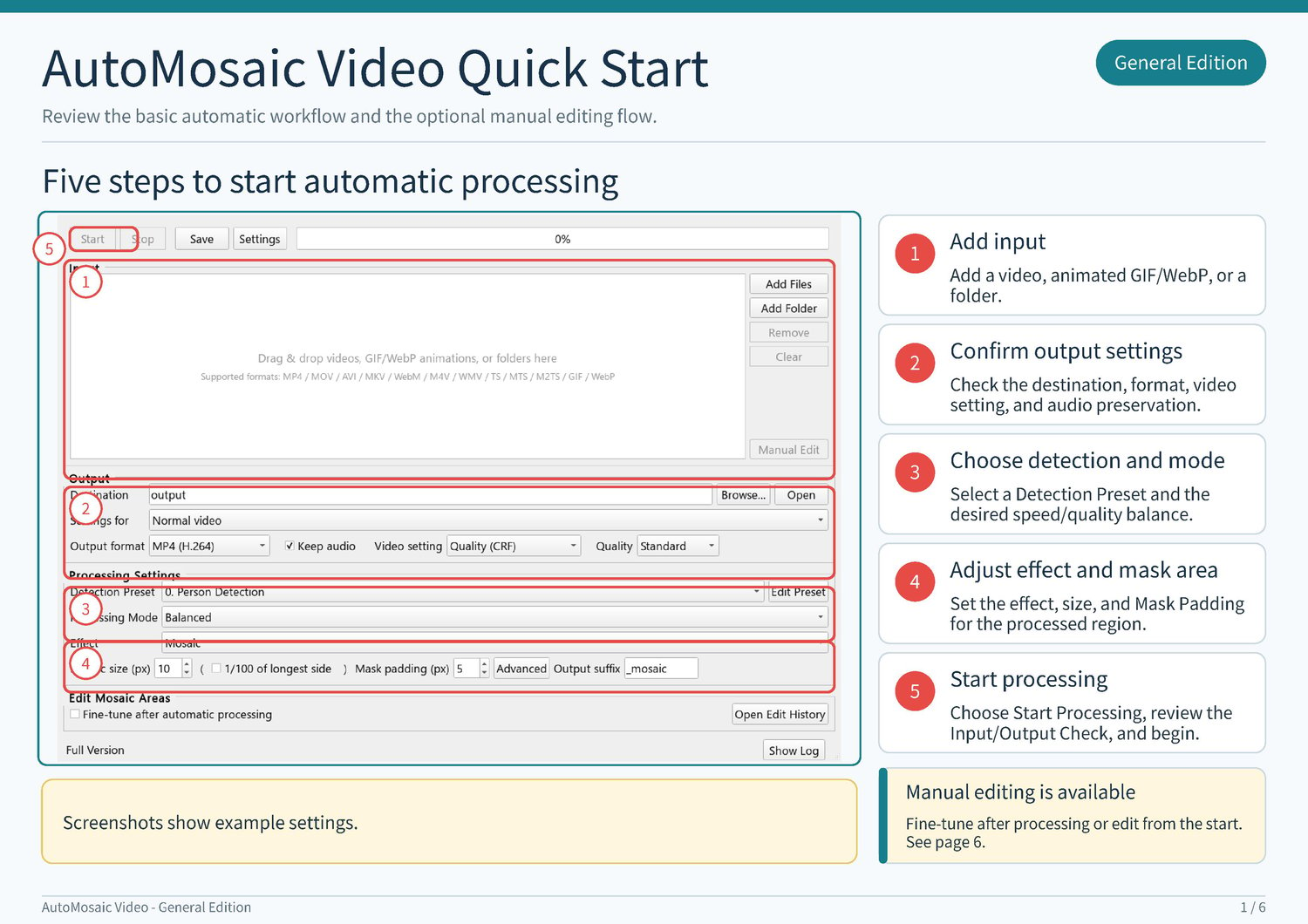
- Select the input video
- Select the output destination
- Select the processing mode and image processing type
- Click the “Process” button
Trial Version
- Up to 60 seconds per video
- Trial watermark on every output frame
- Download
Notes
- Processing may take time depending on your PC specs and video sizes.
- Commercial use (individuals): Allowed with purchase of this product.
- Commercial use (companies/organizations): Please contact us separately (https://nekzuk.com/terms.html).
System Requirements
- Windows 10 / 11 (64-bit)
- Memory: 8GB+ recommended
- A PC with an NVIDIA graphics card
- The tool can run without a dedicated GPU, but processing will be slower compared to systems with an NVIDIA GPU.
- (VRAM: 4GB+ recommended)
Update History
v1.00 (2026/07/20) – https://note.com/nekzuk/n/n98adb39afcc7
v1.10 (2026/08/20) – https://note.com/nekzuk/n/n2082af286ffd
Support: nekzuk.software@gmail.com
Refunds: Digital downloads are non-refundable (please contact support if you have issues