

PresetVault
Save any animation once. Reuse it forever.
You spent an hour on that shake, that bounce, that text reveal… then it disappears into a project you'll never open again. PresetVault fixes that.
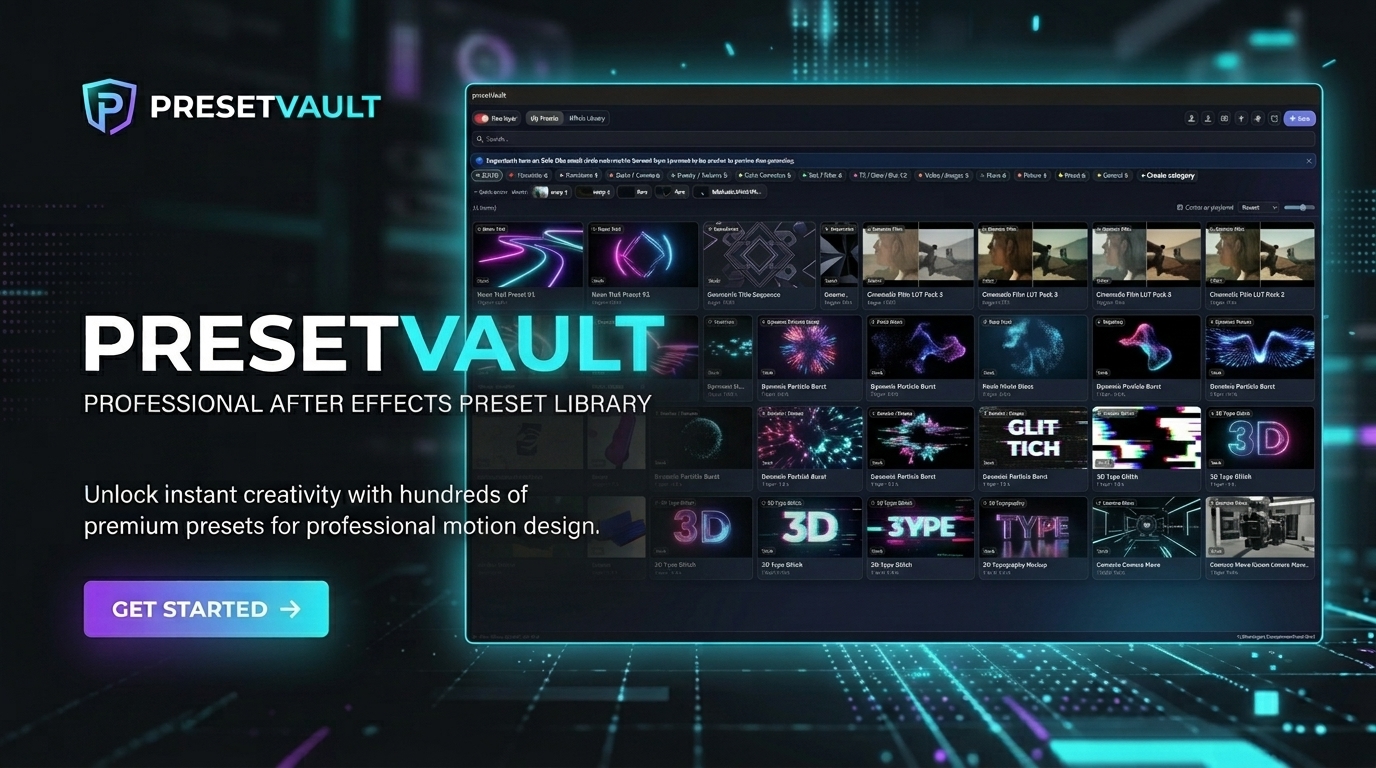
It's a panel that lives right inside After Effects: select your layers, click Save, and your keyframes, effects and masks become a reusable preset with a looping preview. Next edit, find it in seconds and drop it on any layer.
⚡ What you get
- One-click capture of layers, effects, keyframes and masks
- Looping visual previews, so you see the motion before you apply it
- Categories, tags and favorites to find anything fast, even with hundreds of presets
- Duplicate detection, so your library stays clean
- Effects Library: every installed effect, with a live parameter editor and before/after preview
- Share packs as .vault files: send a whole collection to your team or your audience in one file
- Dark theme, English, French and Spanish interface
🎬 Made for
- Editors who reuse the same shakes, transitions and CC every week
- Motion designers with a growing library of presets
- Creators who share or sell preset packs
💸 Why PresetVault
Similar preset tools cost $15 to $50. PresetVault gives you saving, looping previews and pack sharing for $10, one-time.
✅ After Effects 2022 and newer · ✅ Windows and macOS · ✅ 1 license = 2 computers · ✅ Free 3-day trial
❓ FAQ
Can I try it first? Yes, there's a free 3-day trial key.
Does it work on Mac? Yes, Windows and macOS.
Previews don't show? Click the red banner in PresetVault to create the PV_PNG template in one click (details in the install guide below).
Need help? Contact me through this page, I answer fast.
🛠 Installation guide
🇫🇷 Français
Installation de PresetVault
- Télécharge et décompresse le fichier .zip.
- Windows : double-clique sur install\install-win.bat.
- Mac : ouvre le Terminal et lance bash install/install-mac.sh (glisse le fichier install-mac.sh dans le Terminal pour avoir son chemin).
- Redémarre After Effects (2022 ou plus récent).
- Ouvre Fenêtre > Extensions > PresetVault.
- Entre ta clé de licence (reçue par e-mail Payhip) ou une clé d’essai de 3 jours. Une connexion internet est nécessaire pour l’activation. Une licence fonctionne sur 2 ordinateurs maximum.
Réglages obligatoires dans After Effects (sinon les aperçus n’apparaissent pas)
- Autoriser les scripts : Édition > Préférences > Scripts et expressions (Mac : After Effects > Réglages). Coche « Autoriser les scripts à écrire des fichiers et à accéder au réseau ».
- Modèle PV_PNG : clique sur le bandeau rouge clignotant de PresetVault, puis « Créer le modèle automatiquement ». À la main : Édition > Modèles > Module de sortie > Nouveau, format PNG Sequence, nom « PV_PNG ».
- After Effects en anglais : Édition > Préférences > Langue > English, puis redémarre.
- Solo : pour qu’un calque soit pris comme aperçu, active son Solo (le petit rond à côté de l’œil).
PC peu puissant : choisis « Demie » ou « Quart » dans « Qualité de rendu des aperçus ».
🇬🇧 English
PresetVault installation
- Download and unzip the .zip file.
- Windows: double-click install\install-win.bat.
- Mac: open Terminal and run bash install/install-mac.sh (drag the install-mac.sh file into Terminal to get its path).
- Restart After Effects (2022 or newer).
- Open Window > Extensions > PresetVault.
- Enter your license key (sent by Payhip e-mail) or a 3-day trial key. An internet connection is required to activate. One license works on up to 2 computers.
Required After Effects settings (otherwise previews will not appear)
- Allow scripts: Edit > Preferences > Scripting & Expressions (Mac: After Effects > Settings). Tick “Allow Scripts to Write Files and Access Network”.
- PV_PNG template: click the blinking red banner in PresetVault, then “Create the template automatically”. By hand: Edit > Templates > Output Module > New, format PNG Sequence, name it “PV_PNG”.
- After Effects in English: Edit > Preferences > Language > English, then restart.
- Solo: to use a layer as the preview, turn on its Solo (the small circle next to the eye).
Slower computer: choose “Half” or “Quarter” under “Preview render quality”.
🇪🇸 Español
Instalación de PresetVault
- Descarga y descomprime el archivo .zip.
- Windows: haz doble clic en install\install-win.bat.
- Mac: abre el Terminal y ejecuta bash install/install-mac.sh (arrastra el archivo install-mac.sh al Terminal para obtener su ruta).
- Reinicia After Effects (2022 o más reciente).
- Abre Ventana > Extensiones > PresetVault.
- Introduce tu clave de licencia (recibida por correo de Payhip) o una clave de prueba de 3 días. Se necesita conexión a internet para activar. Una licencia funciona en 2 ordenadores como máximo.
Ajustes obligatorios en After Effects (si no, las vistas previas no aparecen)
- Permitir scripts: Edición > Preferencias > Scripts y expresiones (Mac: After Effects > Ajustes). Marca «Permitir que los scripts escriban archivos y accedan a la red».
- Plantilla PV_PNG: haz clic en el aviso rojo parpadeante de PresetVault y luego en «Crear la plantilla automáticamente». A mano: Edición > Plantillas > Módulo de salida > Nuevo, formato PNG Sequence, nombre «PV_PNG».
- After Effects en inglés: Edición > Preferencias > Idioma > English, y reinicia.
- Solo: para que una capa se use como vista previa, activa su Solo (el circulito junto al ojo).
Ordenador poco potente: elige «Mitad» o «Cuarto» en «Calidad de render de las vistas previas».