


Wall Type & Assembly Manager
Residential CAD Solutions
Build a reusable wall assembly library and bring wall information into your AutoCAD workflow.
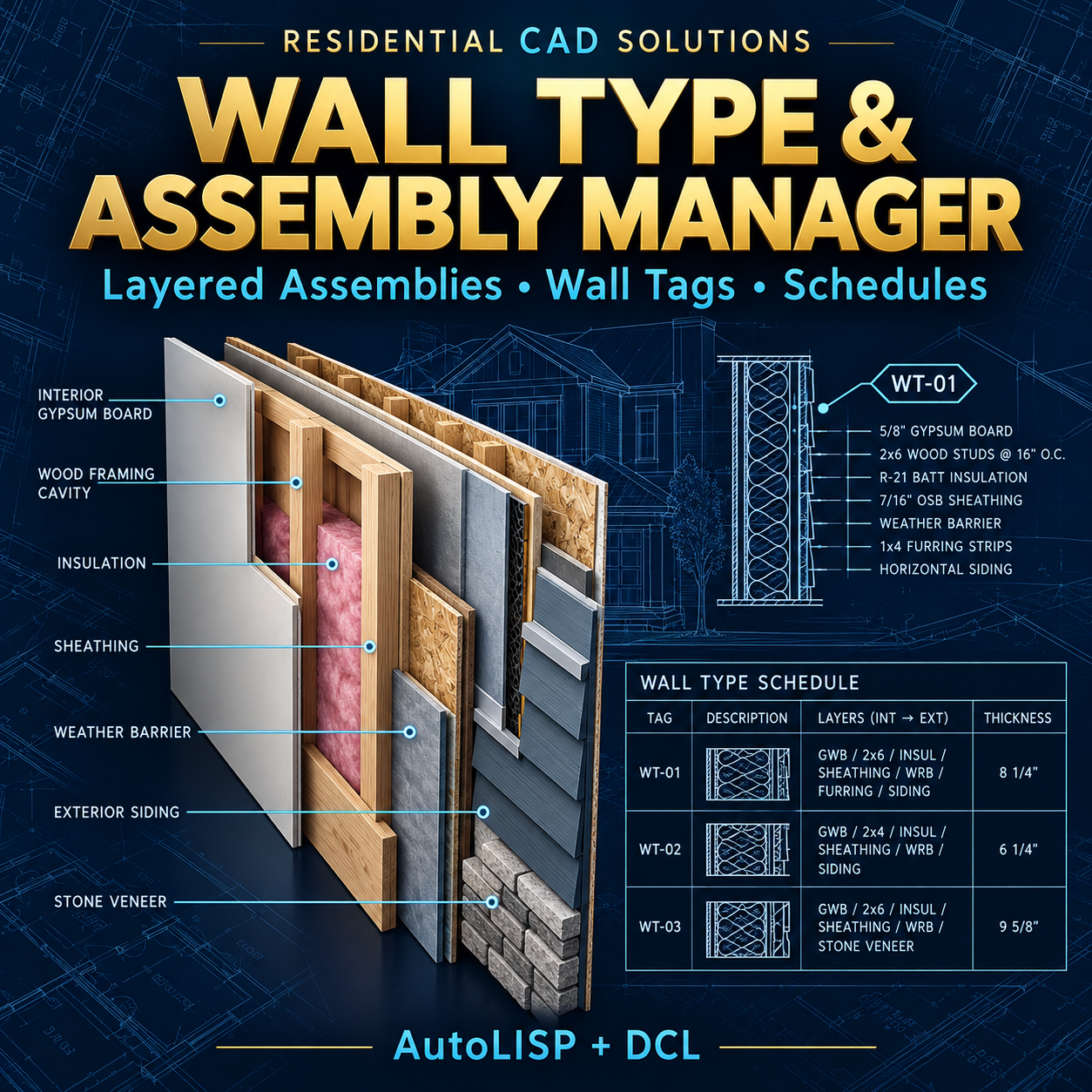
Wall Type & Assembly Manager combines layered assembly definitions, wall tags, quantity calculations, diagrams, and schedules in an AutoLISP + DCL control panel.
Define your wall components, assign types to drawing paths, and produce documentation using your own project specifications and material allowances.
Features
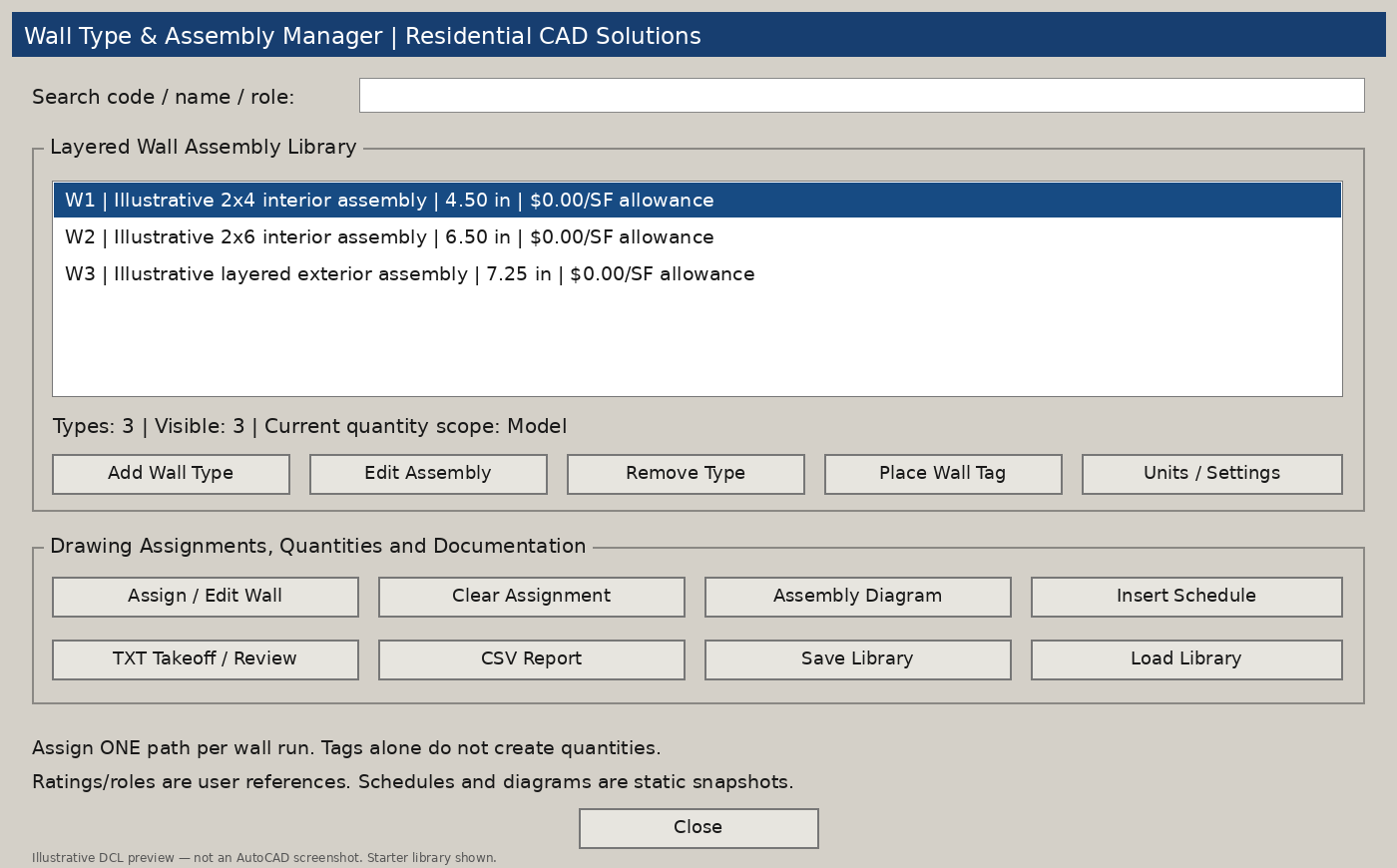
- Searchable wall library: Find assemblies by code, name, or structural-role reference.
- Layer-by-layer assembly editor: Add, edit, and remove materials in physical order.
- Automatic thickness totals: Sum the added physical thickness of each component.
- Material cost allowances: Enter a cost per square foot for each layer.
- Assembly reference fields: Record structural-role labels, fire and acoustic references, and source information.
- Drawing assignments: Apply wall types to lines, arcs, and open lightweight polylines without altering their geometry.
- Quantity takeoffs: Calculate wall length, gross area, opening deductions, net area, and material area with waste.
- Wall type tags: Place circular type-code symbols.
- Schematic assembly diagrams: Draw layer strips with a material list.
- Schedules and reports: Insert a text schedule or export TXT and CSV reports.
- Reusable library files: Save assemblies for future projects.
Reports also flag unknown assigned wall types, unmeasurable paths, and opening deductions exceeding gross wall area.
Your Download Includes
- AutoLISP program (.LSP)
- DCL dialog file (.DCL)
- Three illustrative starter assemblies
- Example takeoff report
- Installation and operating instructions
- Gray dialog previews
- Validation notes and an AutoCAD testing checklist
Command: WTAM
Requirements & Important Details
Developed to target full Windows AutoCAD 2002 and later with Visual LISP/ActiveX support. Calculation checks have passed; native AutoCAD compatibility testing is still required.
Use one assigned path per wall run. Tags are independent symbols and do not create quantities. Schedules and diagrams are static snapshots and must be regenerated after changes.
Starter assemblies are illustrative, with material prices set to zero. Structural, fire, and acoustic fields store user references; the program does not engineer wall assemblies, verify ratings, or certify code compliance.
Organize your assemblies. Document your wall types. Review your quantities with greater clarity.