
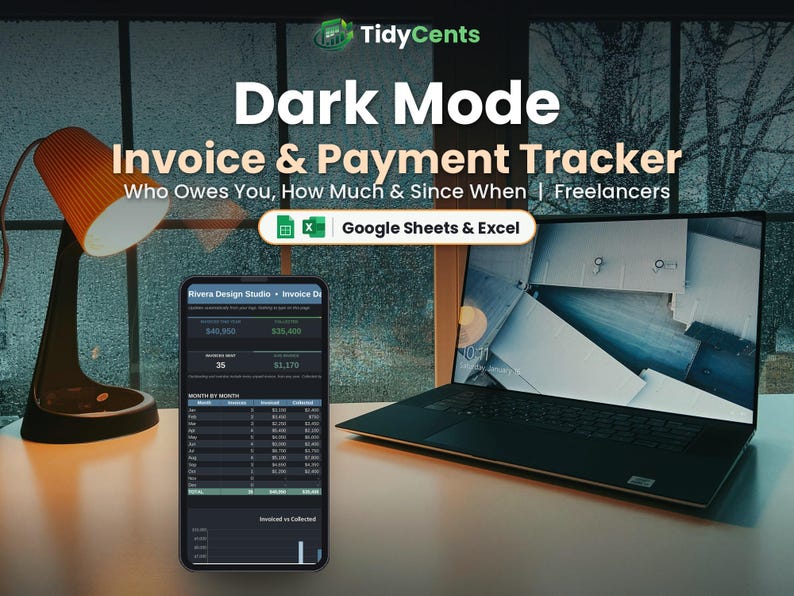
Dark Mode Invoice Tracker Spreadsheet | Accounts Receivable and Payment Tracker | Google Sheets & Excel Template
DARK MODE EDITION — the same template with an easy-on-the-eyes dark design, perfect for night owls and screens.
Know who owes you, how much and since when with this Invoice & Payment Tracker spreadsheet, so you get paid on time, every time.
WHAT'S INSIDE
- Start Here: type your details and settings once, with simple step-by-step instructions
- Dashboard: total invoiced, paid and outstanding, overdue invoices, average days to get paid and amount owed by client
- Invoices: invoice number, client, date, description, amount, due date, date paid and amount paid
- Help & FAQ: answers to the most common questions
FEATURES
✔ Status updates by itself: Paid, Partially Paid, Due Soon, Overdue or Open
✔ Default payment terms (Net 30 or your own)
✔ Partial payments supported
✔ Average days to get paid
✔ Amount owed by each client
✔ Overdue invoices at a glance
✔ Client list for quick entry
HOW IT WORKS
1. Set your payment terms and add your clients.
2. Log every invoice you send and fill in payments.
3. Follow up on anything Overdue from the Dashboard.
YOU WILL RECEIVE
✔ 1 spreadsheet template (.xlsx)
✔ 1 DEMO file with sample data, so you can see how it works
✔ 1 PDF guide: how to open it in Google Sheets (free) or Excel
PLEASE NOTE
- This is a digital product. Nothing physical will be shipped.
- Works in Google Sheets (free Google account) and Microsoft Excel 2016 or newer / Microsoft 365.
- Not compatible with Apple Numbers.
- This file tracks invoices and payments; it does not create the invoice document itself.
- Due to the digital nature of this item, no returns, but please message us for any help.
- For personal or own-business use only (no resale or sharing of the file).
Light version also available in our shop.