


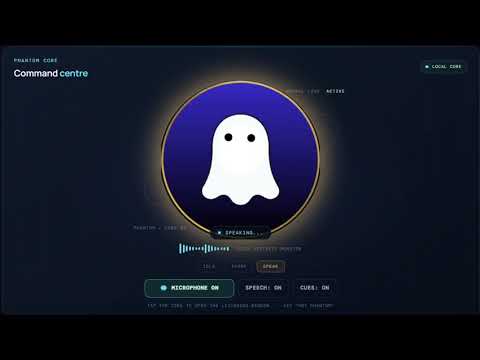
Phantom-AI Desktop App
PHANTOM-AI WINDOWS BUILDER
==============================
Run Build-Phantom-AI.cmd from the extracted top-level Phantom-AI source folder.
The builder refuses to run unless the V29 / 5.5.0 release marker matches.
INSTALLER AND APP LOCATIONS
---------------------------
Setup installer output:
Desktop\Phantom-AI-Builds\release
Installed application and all persistent Phantom-AI files:
C:\Program Files\Phantom-AI
The machine-wide NSIS installer is pinned to Program Files\Phantom-AI, creates
or refreshes a Desktop shortcut and Start Menu shortcut, and launches the
installed application after setup. No portable target is produced, so the
Desktop shortcut always opens the installed Program Files application.
PERSISTENT SAVED DATA
--------------------
The application stores its writable per-account data in:
%ProgramFiles%\Phantom-AI\data\profiles\<Windows-account>
This includes sessions, conversations, workspace notes, preferences, profile,
credentials, learning database, user plugins, settings, default project workspaces, browser state, voice
model and UK speech model. The installer grants standard users Modify access
only to this data subtree. The program binaries and resources remain protected.
App updates preserve this data folder. Closing the cockpit hides Phantom-AI to the notification area so wake listening remains active. Double-click the Desktop shortcut or choose Open Phantom-AI from the tray menu to restore it. Choose Exit Phantom-AI from the tray menu for a full shutdown. A later Desktop shortcut launch starts it fresh. Sessions and settings persist in either case. Use Settings > Saved sessions & preferences > RESET
PHANTOM SAVED DATA when you intentionally want a clean start. Reset retains the
installed application and downloaded UK speech model.
BUILD WORKSPACE
---------------
Temporary build files and logs only:
%LOCALAPPDATA%\Phantom-AI\Builder
Each build replaces only this disposable workspace (.venv, node_modules, npm
cache and intermediate products). It does not remove the Program Files app,
saved sessions/settings, system Python, Node.js or build logs.
MICROPHONE AND VOICE
--------------------
- The microphone listening preference is enabled by default after upgrade. An explicit microphone-off choice is remembered using the V29 preference key. The listener remains active while the cockpit is hidden to the tray.
- The local Vosk UK-English recognizer listens for “Hey Phantom” offline after
its one-time model download.
- Split and commonly misheard wake-word fragments are tolerated.
- Microphone device selection, gain, noise suppression, echo cancellation,
automatic gain and live input meter remain available.
- The configured British male Phantom voice and supplied ghost identity remain.
DIAGNOSTICS
-----------
%LOCALAPPDATA%\Phantom-AI\Builder\Logs\latest-build.log
%LOCALAPPDATA%\Phantom-AI\Builder\Logs\python-bootstrap-nuget.log
Use Open-Phantom-AI-Logs.cmd to open diagnostic files.