



Employee Offboarding + Access-Revocation Kit — Solo/SMB (Excel & Google Sheets)
1. Every login, one list. 42 ready-made revocation tasks across Google Workspace, Microsoft 365, Slack, AWS, GitHub, password managers, SaaS apps, devices, payroll and benefits, and building access. Edit, add your own, or mark N/A.
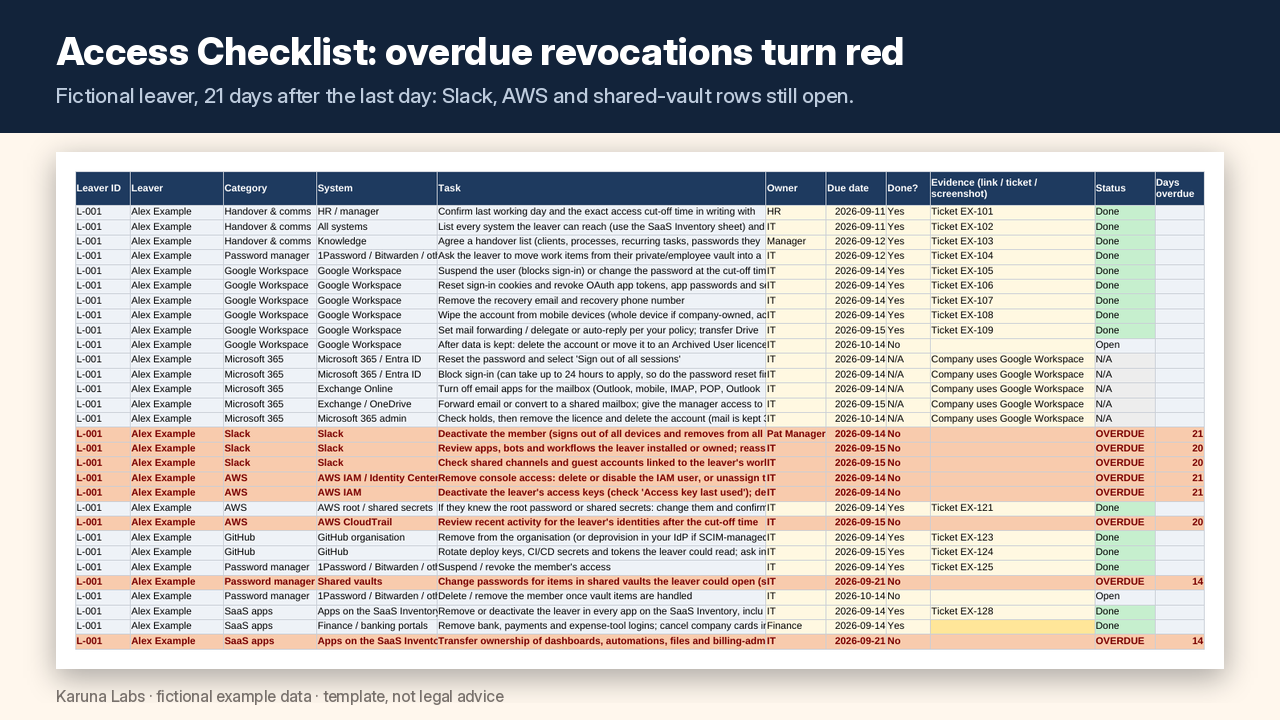
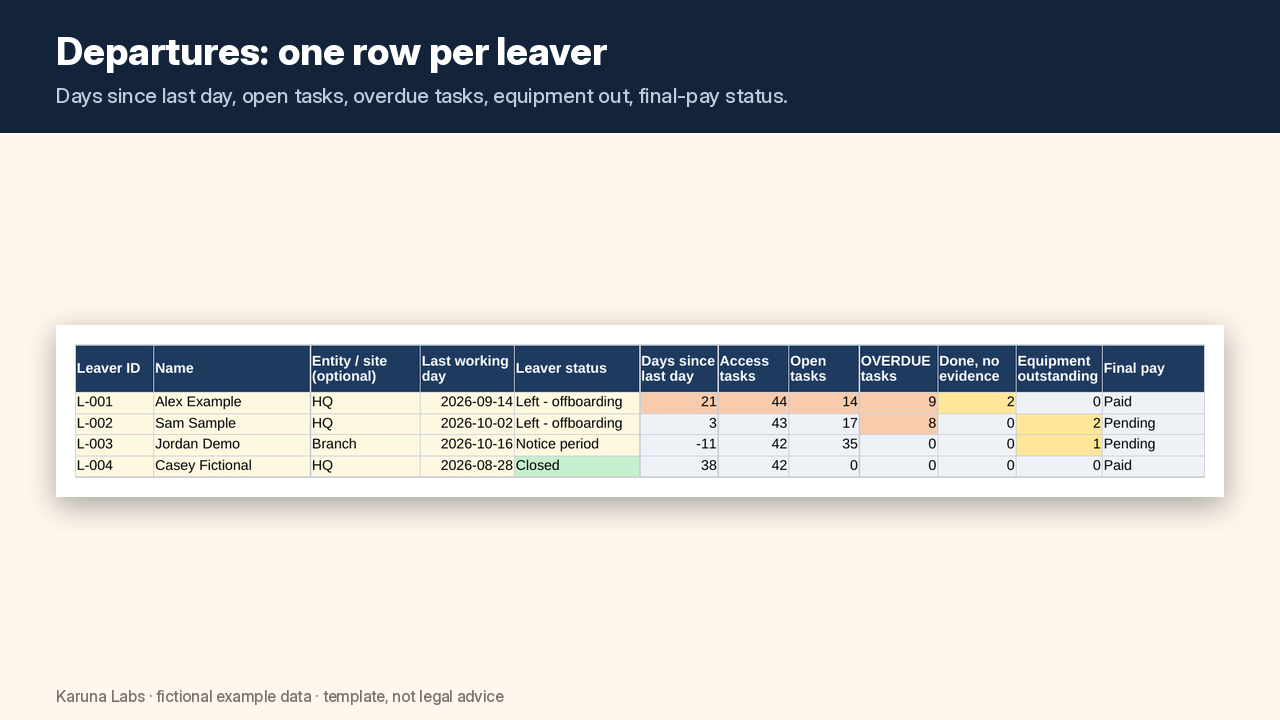
2. Nothing slips past Day 0. Add a leaver and their task block appears with due dates for Day 0, Day 1, Day 7 and Day 30. Overdue rows turn red; done-without-evidence turns amber.
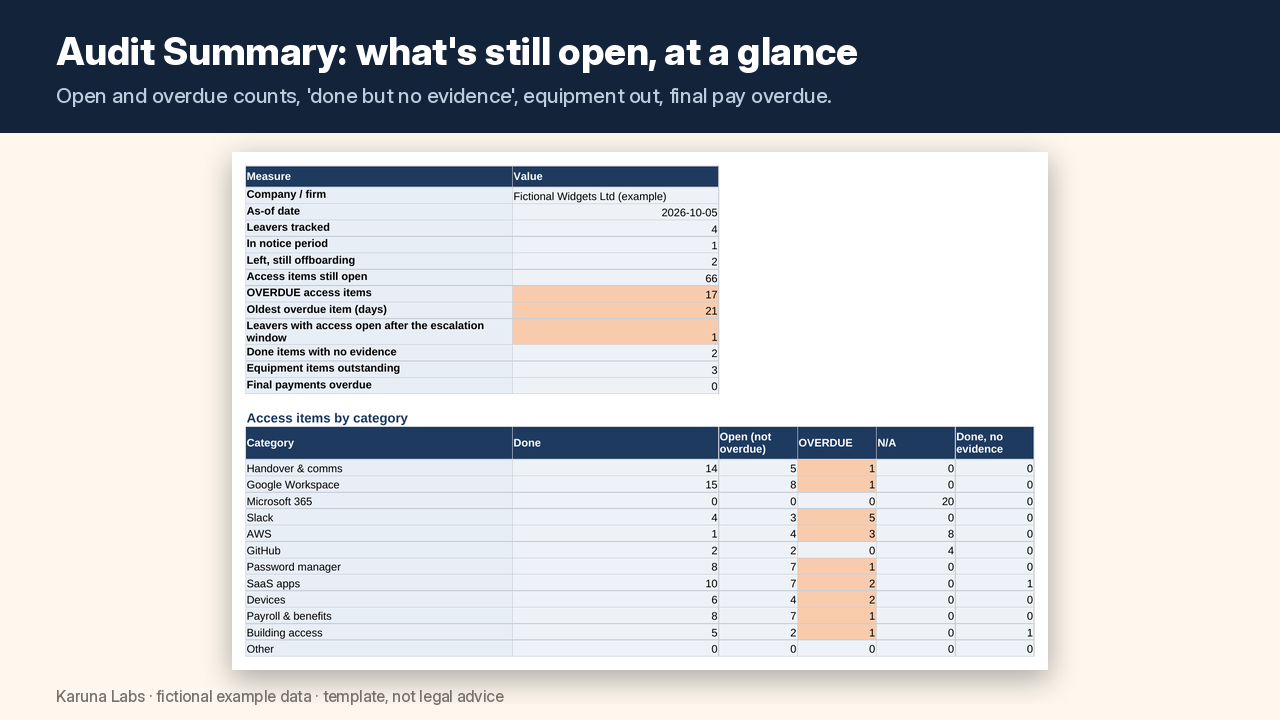
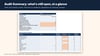
3. Proof, not just ticks. Every row has an owner, a done date and an evidence field (ticket, screenshot file name or link). The Audit Summary counts what's still open, what's overdue and what has no evidence, then gives each leaver a sign-off line.
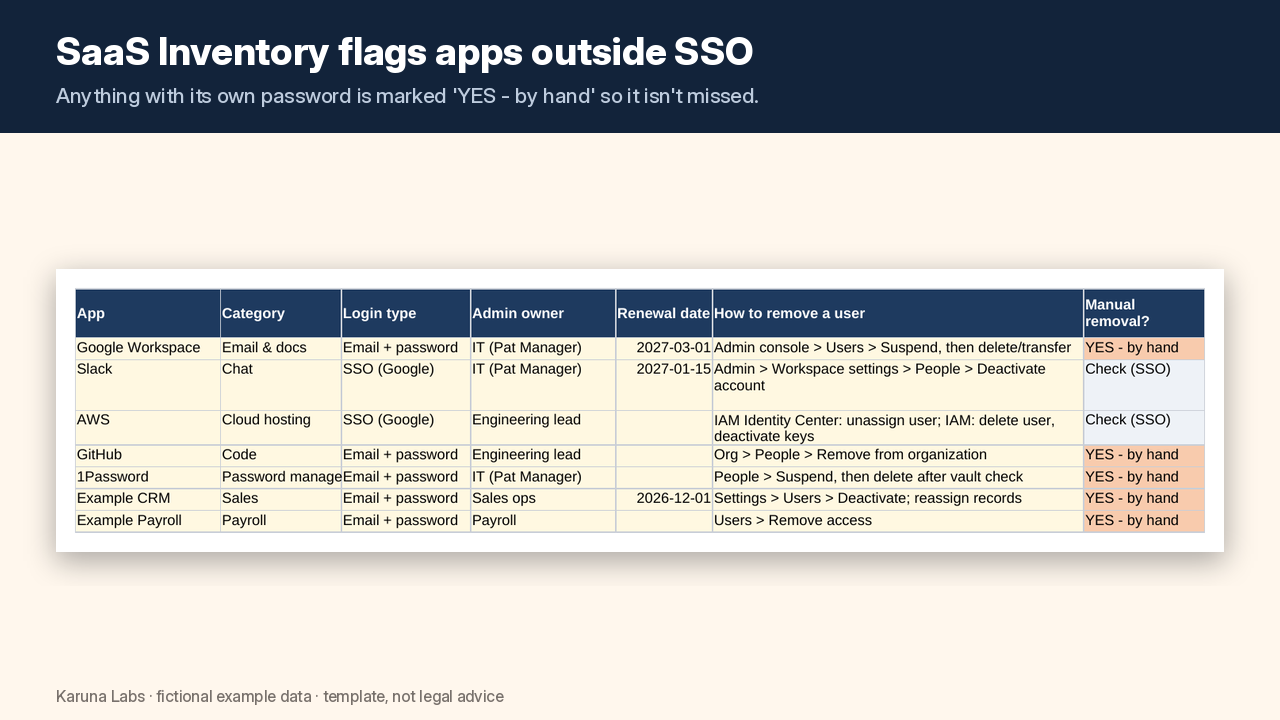
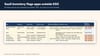
4. Find the apps SSO doesn't cover. The SaaS Access Inventory flags every app with its own password as "YES - by hand", so it gets its own removal row.
5. Equipment and final pay in the same file. Log each laptop, phone, token and badge, plus the final-pay due date your payroll team confirms. It's an organiser only, with no pay calculations.
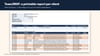
6. For MSPs: one workbook for up to 10 clients. Client Summary across all clients and a one-click Client Report to print or export to PDF for each client.
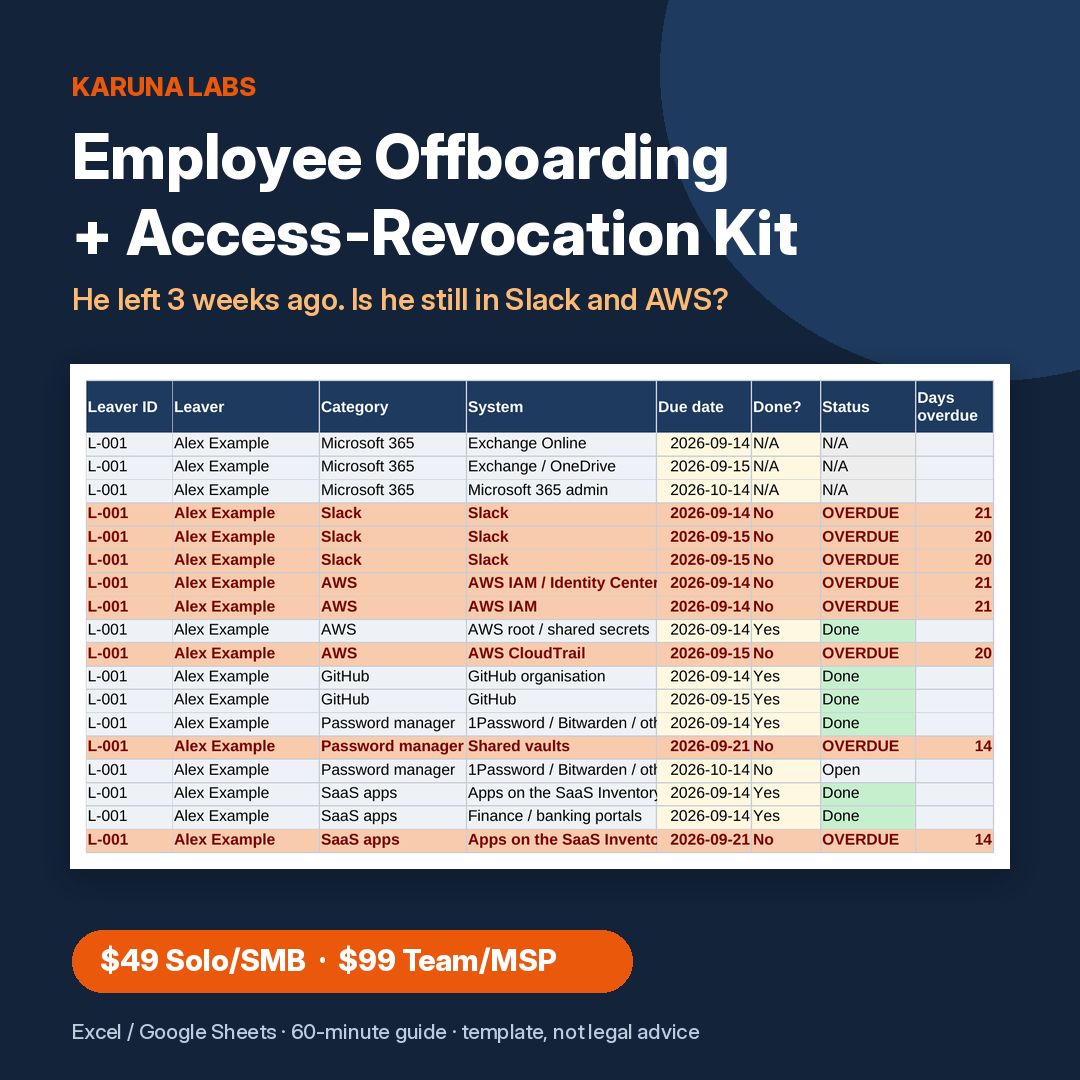
He left three weeks ago. Is he still in Slack and AWS?
Most offboarding checklists stop at "disable email". The risky logins are the other ones: the chat workspace, the cloud console and its access keys, the code host, shared vault passwords, the bank portal, and the SaaS tools with their own password that sit outside single sign-on.
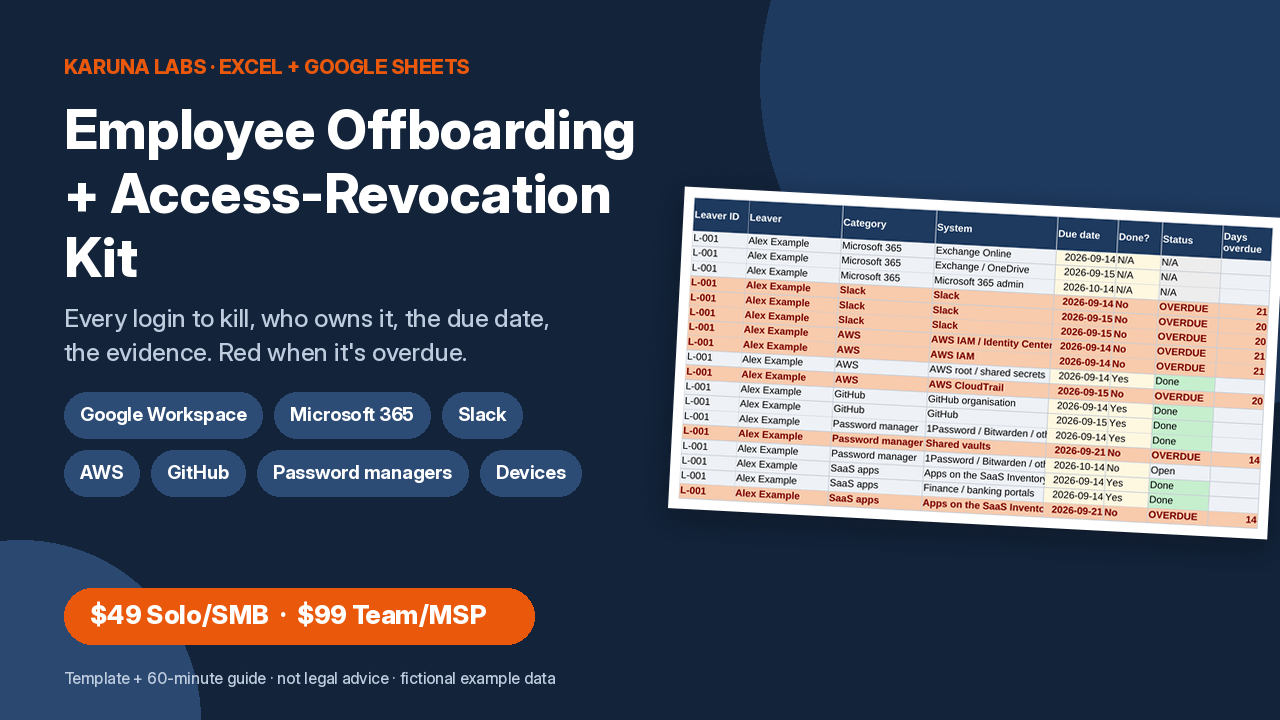
The Employee Offboarding + Access-Revocation Kit turns every departure into a list with an owner, a due date and evidence for each login, and it shows you in red what's still open.
What's inside
- Offboarding Tracker (.xlsx; works in Excel, Google Sheets and LibreOffice; no macros)
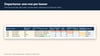
- Departures: one row per leaver, with last working day, access cut-off time, days since leaving, open and overdue tasks, equipment out and final-pay status.
- Access Checklist: an automatic block of 42 tasks per leaver across 11 areas, with an owner, due date, Done? (Yes / No / N/A), done date and evidence. Overdue rows are red.
- Extra Access Items: one row per app-specific account (CRM, domain registrar, social media, bank portal).
- SaaS Access Inventory: every app, its login type, admin and billing owner, seats, cost, renewal date and how to remove a user. Apps outside SSO are flagged.
- Equipment Log: item, asset tag, return due, status, condition, who received it, and a note field.
- Final Pay Log: due date per local law or contract (entered by you), status, leave, expenses, benefits end date and documents. Organiser only.
- Knowledge Handover: what, where it's documented, and who it was handed to.
- Audit Summary: open, overdue, oldest overdue, "done but no evidence", equipment out, final pay overdue, a chart by category, a per-leaver sign-off table and a still-open list.
- Checklist Library: the 42 tasks with phase, offset and the vendor help page each one comes from. Edit it to match your company.
- EXAMPLE workbook with four clearly fictional leavers, so you can see every flag working before you type.
- Employee offboarding in 60 minutes (PDF + Markdown): what to do before the last day, a minute-by-minute runbook, a Day 0 / Day 1 / Day 7 / Day 30 timeline, commonly forgotten steps, and links to the vendor help pages used.
- Team/MSP tier adds: the multi-client workbook (Clients sheet, Client Summary, printable Client Report, client code on every sheet) and 13 editable email and announcement templates, from "offboarding request" and "access revoked" to the client completion report.
Who it's for
- Small and mid-size businesses where HR, ops or IT (often one person) run departures.
- Founders and office managers who inherited "IT" along with everything else.
- MSPs, IT consultants and HR consultants who offboard people for several client companies (Team/MSP).
Who it's not for
- Anyone looking for legal or HR advice on dismissals, notice, final pay or references.
- Teams that want automatic deprovisioning. This is a spreadsheet and guide, not an identity-management tool.
Please read
- A template and organiser. Not legal, HR, payroll or security advice. Employment law (notice, final-pay timing, deductions, benefits, references, record retention) differs by country and state: check your local employment law and take professional advice.
- Using the kit doesn't make your systems secure or compliant with any law or standard. It organises the work and records evidence.
- Vendor steps were checked against the vendors' own help pages on 5 Oct 2026. Admin menus change; the kit links each source.
- Not affiliated with Google, Microsoft, Slack, AWS, GitHub, 1Password or Bitwarden. All example data is fictional.
Format: .xlsx, .pdf, .md (plus .docx and .txt in Team/MSP). No macros. Instant download.
FAQ
Does it work in Google Sheets?
Yes. In Google Sheets choose File > Import > Upload. There are no macros or scripts; formulas, dropdowns, filters and the red/amber conditional formatting carry over. Excel 2010+ and LibreOffice also work.
Does it remove access for me?
No. It tells you what to remove, who owns each step and by when, and records the evidence. You (or your IT provider) do the removal in each admin console, following the steps in the guide.
Is this legal advice? Does it cover final pay rules?
No. Final pay timing, payment for unused leave, deductions and benefits differ by country and state. The Final Pay Log records the due date your payroll team confirms. Check your local employment law.
How many leavers can one workbook hold?
Solo/SMB: 25 leavers per copy. Team/MSP multi-client: 60 leavers per copy. Start a fresh copy each year and keep the old one as your record.
We use Microsoft 365, not Google (or no AWS).
Mark those rows N/A, or delete them from the Checklist Library. The library is fully editable, and spare rows let you add your own systems.
Solo/SMB or Team/MSP?
Solo/SMB covers one organisation. Team/MSP is for IT providers, MSPs and consultants who offboard for client companies (up to 10 per purchase). It adds the multi-client workbook with per-client reports and the email template pack.
Is any real company data in the examples?
No. All names, companies, tickets and asset tags are fictional (example.com addresses, "Fictional Widgets Ltd").
Do I get updates?
Yes. You get free v1.x updates when a vendor changes a step the kit covers.
Refunds
14-day money-back guarantee: email labskaruna@gmail.com within 14 days of purchase for a full refund, no questions asked. If a file is broken or won't open, email us and we'll fix it or send a replacement.