
Paycheck Budget Template 2027 – Biweekly Budget Spreadsheet
Budget by paycheck in 2027: assign every bill and savings goal to a payday, biweekly or monthly. Excel and Google Sheets paycheck budget template.
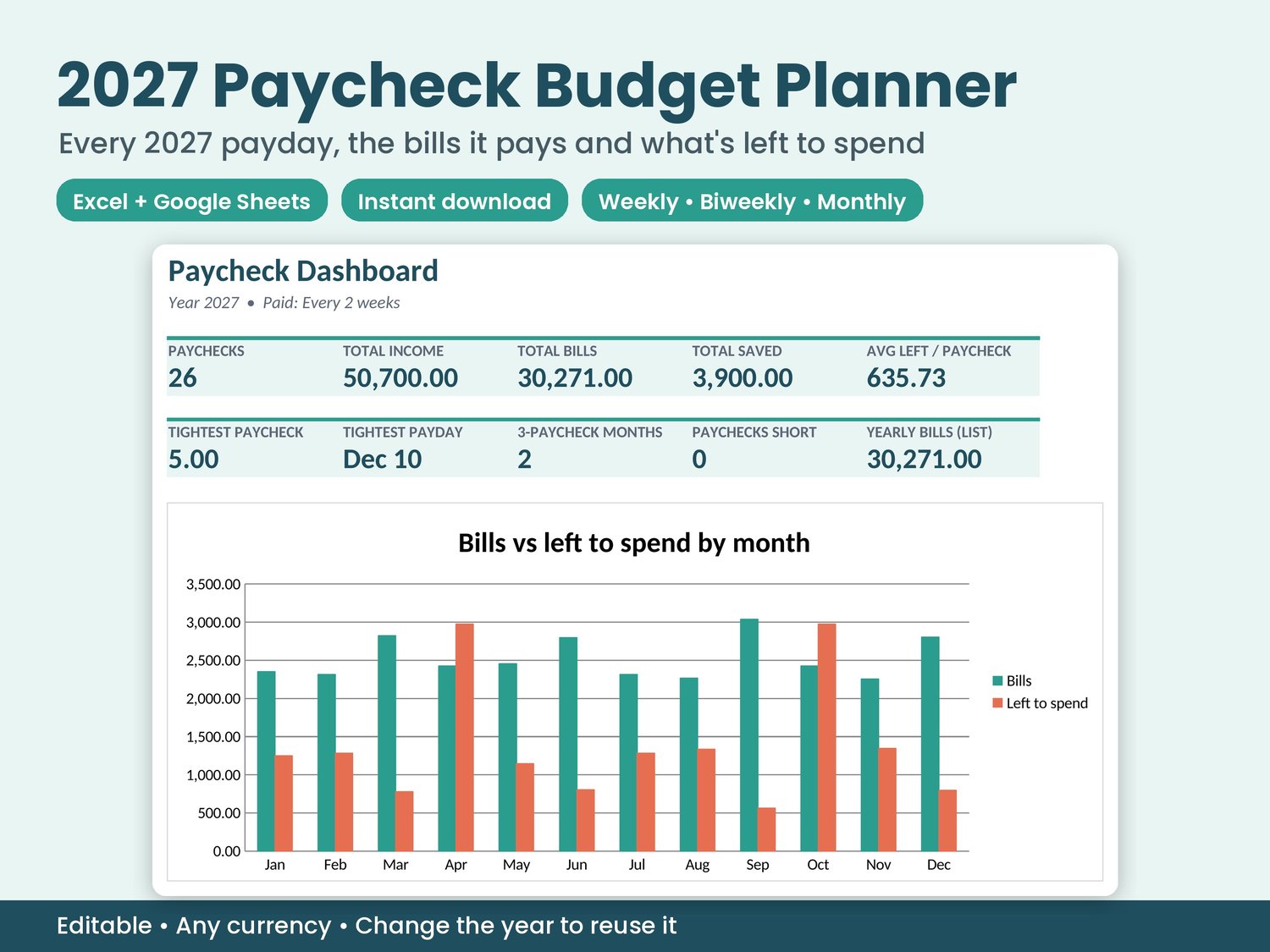
Plan every paycheck of 2027 before it lands. Choose how often you're paid, list your bills once, and this spreadsheet finds every 2027 payday, puts each bill on the paycheck that pays it and shows exactly what's left to spend — no more guessing which bills come out of which check.
★ WHAT YOU CAN DO
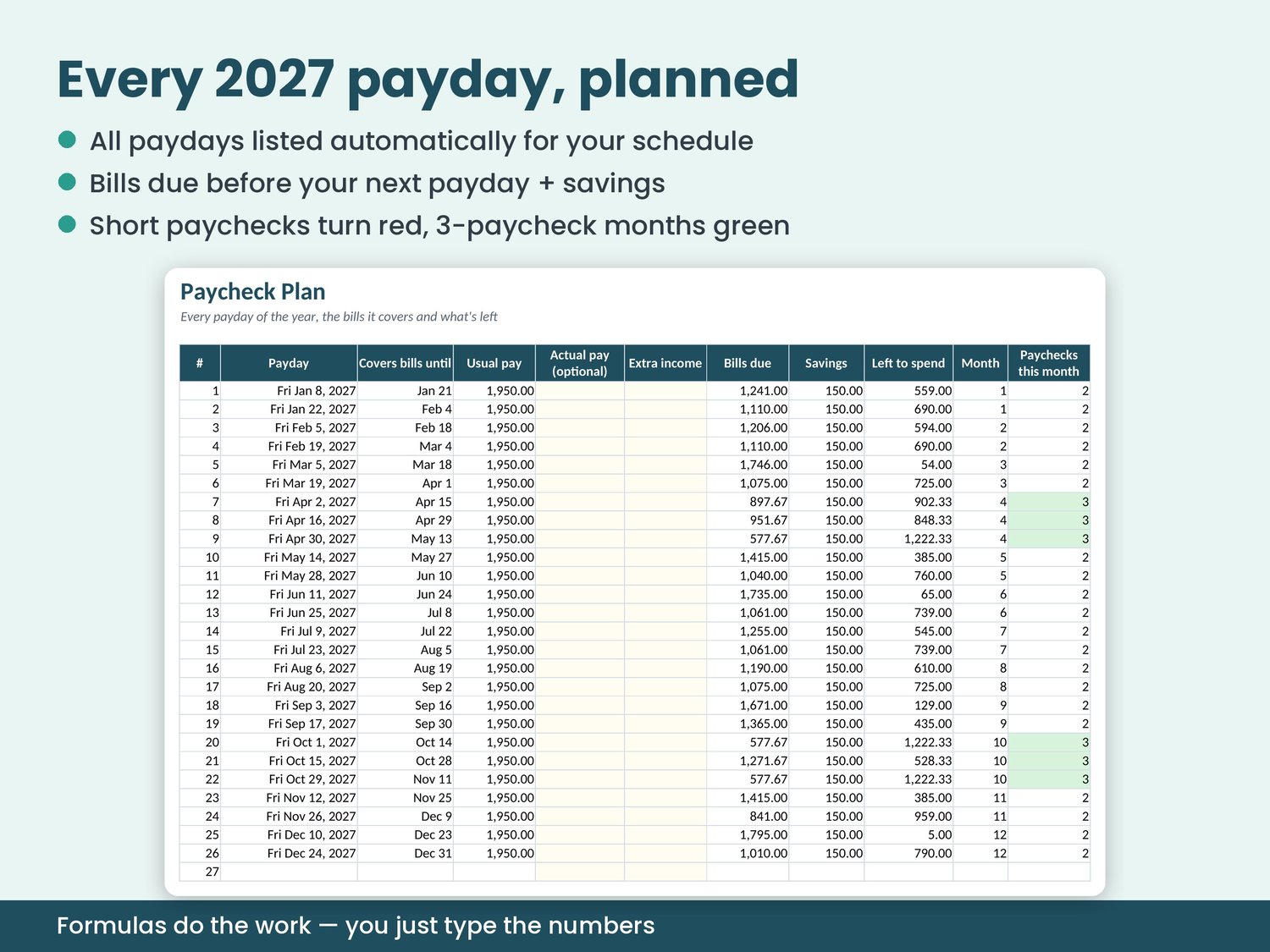
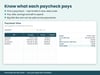
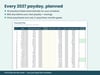
• Weekly, every 2 weeks (biweekly), twice a month or monthly pay — all 2027 paydays listed automatically
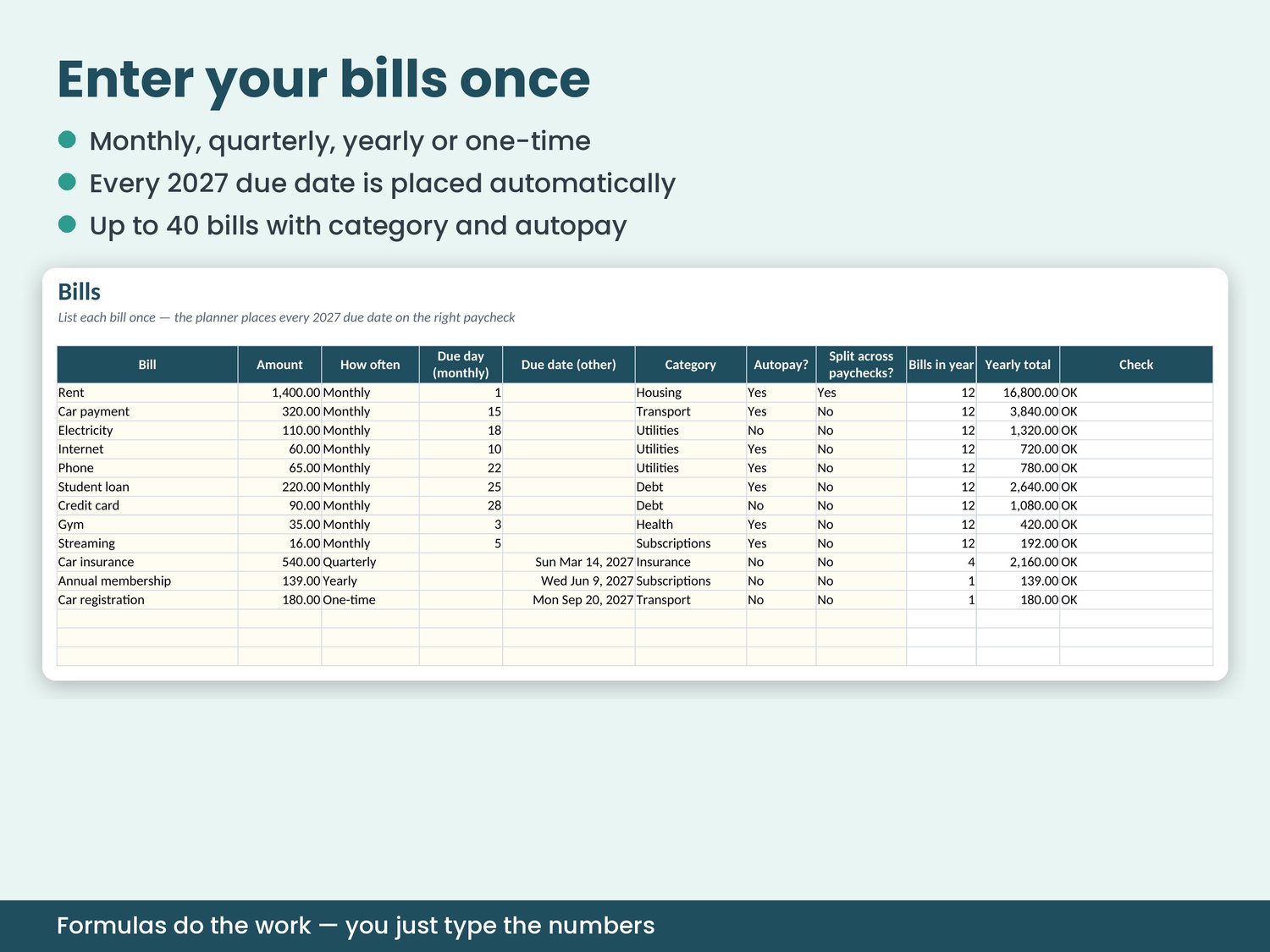
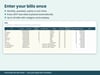
• Up to 40 bills: monthly, quarterly, yearly or one-time, with due day/date, category and autopay
• Each bill is assigned to the most recent paycheck before its due date
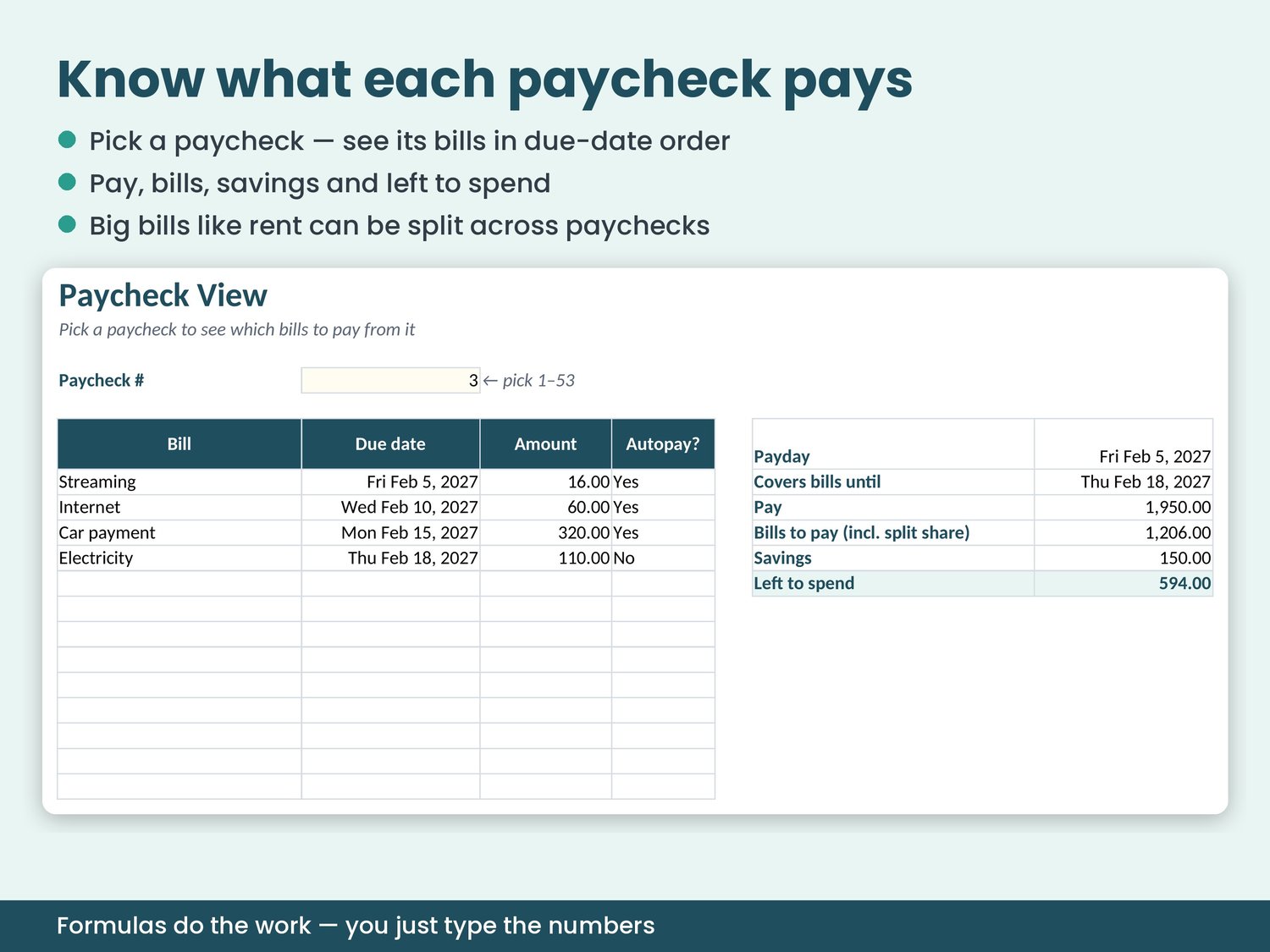
• Big bill like rent? Split it across that month's paychecks with one click
• Paycheck View: pick a paycheck and see its bills in due-date order
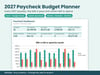
• Left to spend per paycheck — short paychecks turn red
• 3-paycheck months flagged (biweekly) so you can plan the extra check
• Monthly summary, dashboard with tightest paycheck, and a bill calendar by month
• Type actual pay or extra income when it changes; works with any currency
★ WHAT YOU GET
• 1 Excel file (.xlsx) — works in Microsoft Excel and Google Sheets
• 1 PDF Quick-Start Guide (set up in 10 minutes)
• Sample data included so you can see how it works
★ HOW IT WORKS
1. Buy and download the files instantly — you'll also get the download link by email.
2. Open in Excel, or upload to Google Drive → Open with Google Sheets.
3. Follow the Quick-Start Guide.
★ GOOD TO KNOW
• This is a DIGITAL product. No physical item will be shipped.
• Desktop/laptop recommended. Phones work with the free Google Sheets or Excel app.
• Works in Excel 2016 or newer, Excel for Mac/online and Google Sheets. No macros.
• If a file doesn't work and we can't fix it, we'll refund you.
• For personal use only. Please don't share or resell.
• Set to 2027 — change one cell to reuse it in 2028.
• A budgeting tool, not financial advice.
Questions? Use the Contact button on our store page — we reply within 1 business day.
Designed by our store; we used AI-assisted tools during development. Every formula was tested by us.