

CIS Tax Refund Tracker 2026/27 (Excel & Google Sheets)
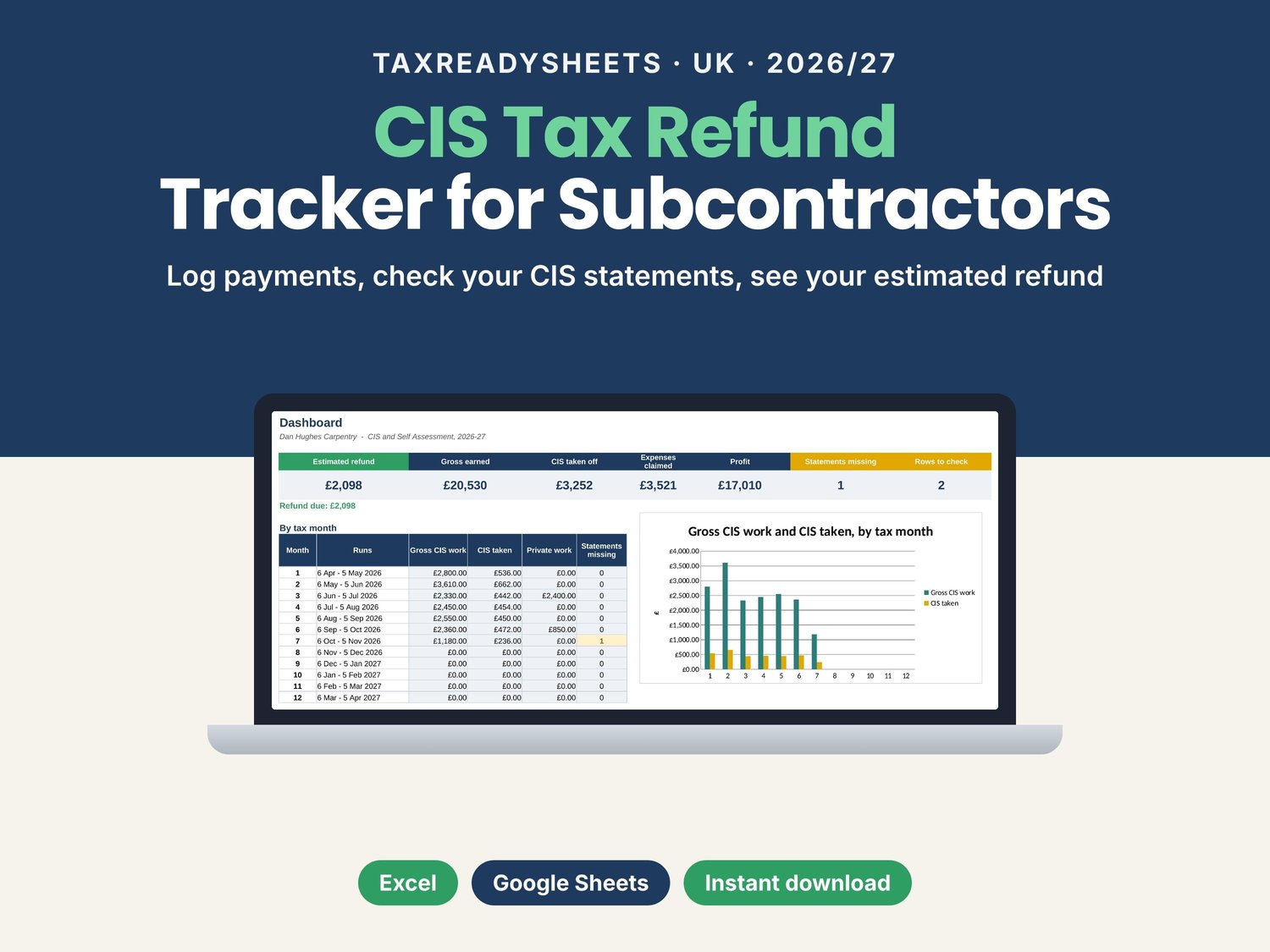
Paid under CIS? Your contractors take 20% off your labour before you see a penny, and many subcontractors are owed some of it back. This tracker keeps your payments, CIS statements, expenses and mileage in one place, checks the figures and shows your estimated refund for the 2026/27 tax year. Works in Excel and Google Sheets.
Built for self-employed subcontractors in the UK construction industry: carpenters, joiners, plasterers, electricians, plumbers, bricklayers, labourers, painters, roofers, groundworkers and other trades.
WHAT IT DOES FOR YOU
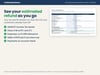
- Shows your estimated CIS refund (or what you owe), updated every time you add a payment or an expense
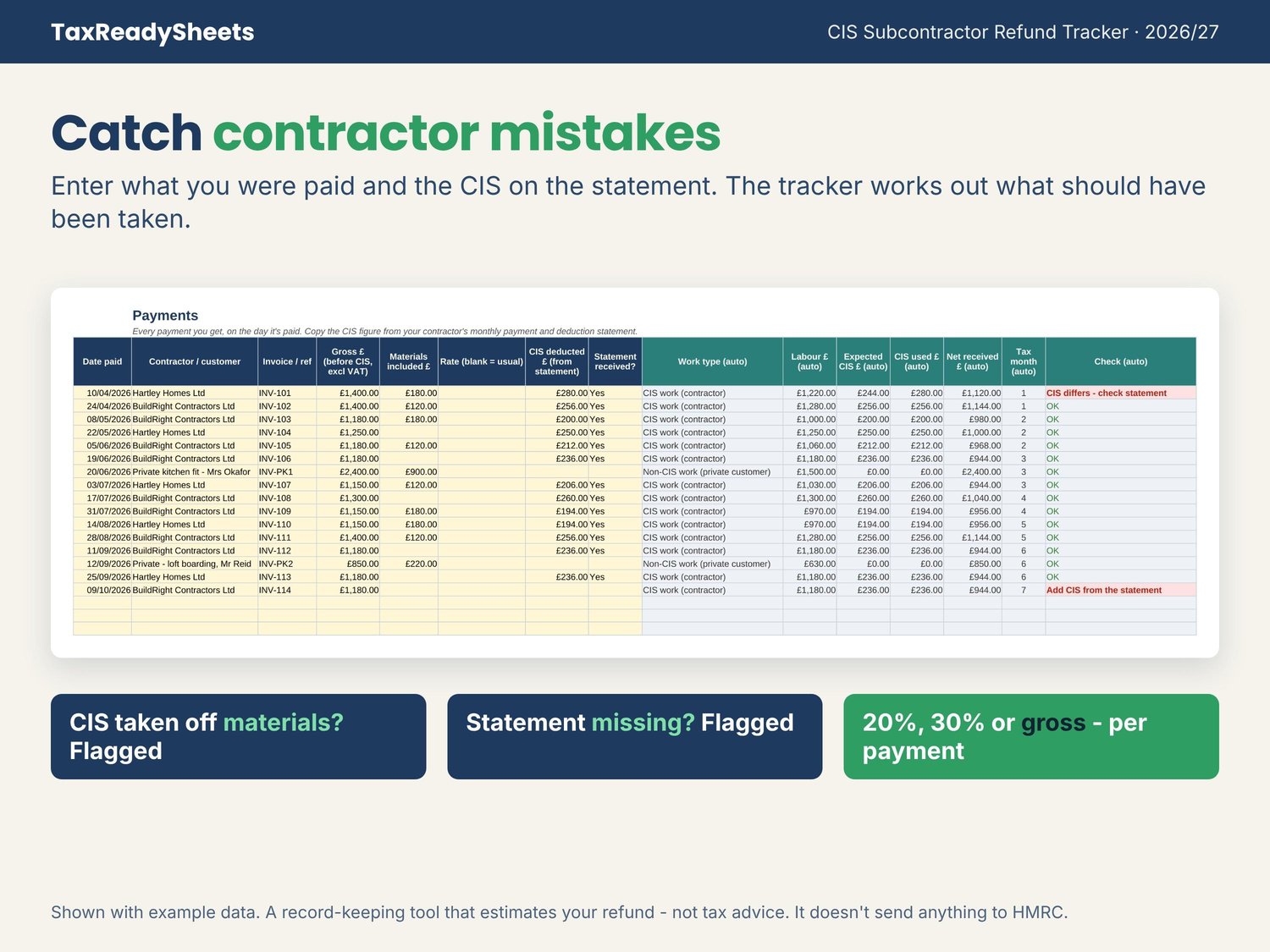
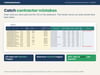
- Works out the CIS that should have been taken from each payment, on the labour only and not on materials, and flags it when a statement doesn't match
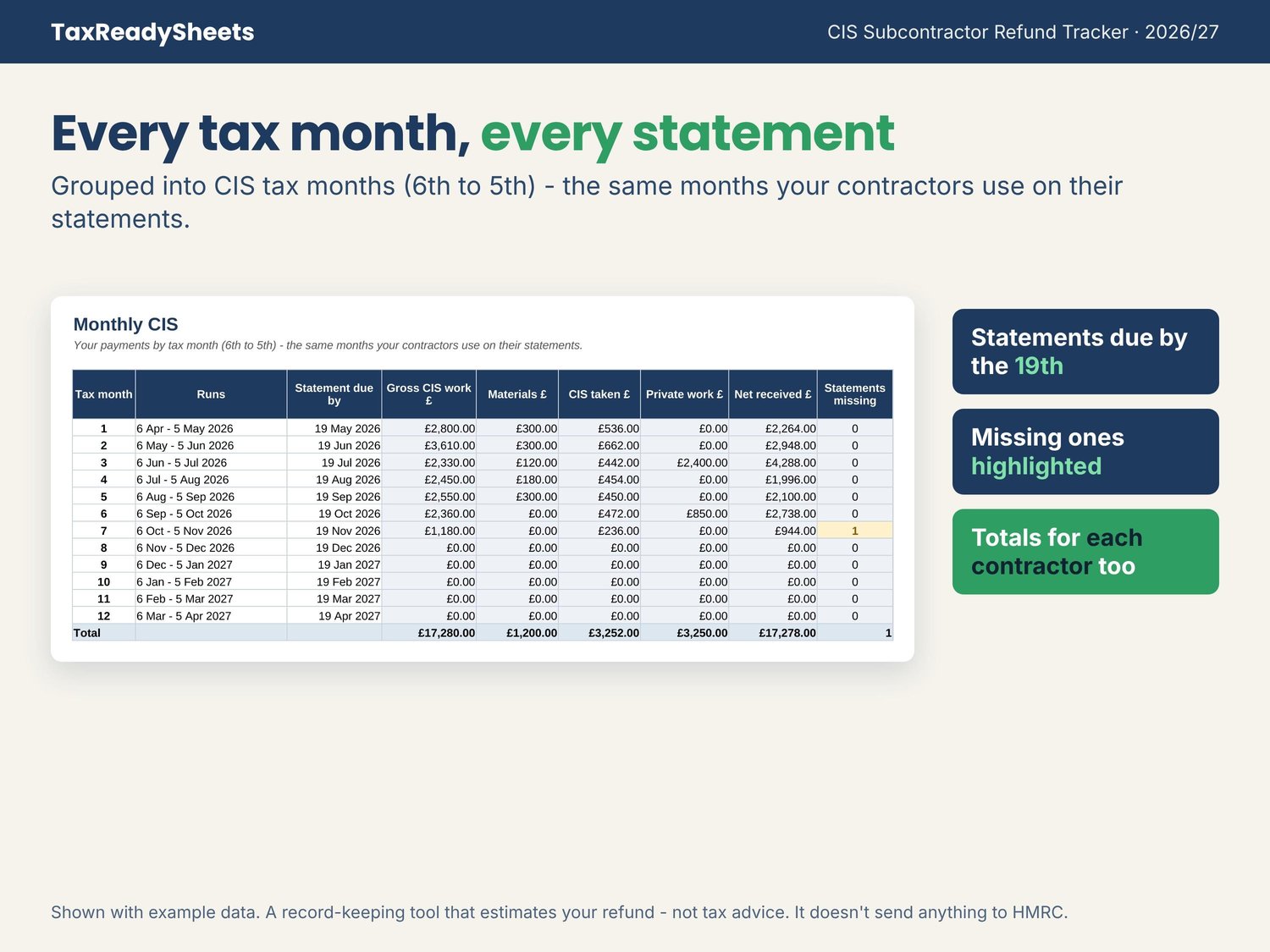
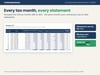
- Groups everything into CIS tax months (6th to 5th), the same months your contractors use, and shows which payment and deduction statements are missing
- Handles 20% (registered), 30% (not registered) and gross payment status, and you can change the rate on any payment
- Works out mileage at 55p a mile for the first 10,000 business miles, then 25p (motorbikes 24p)
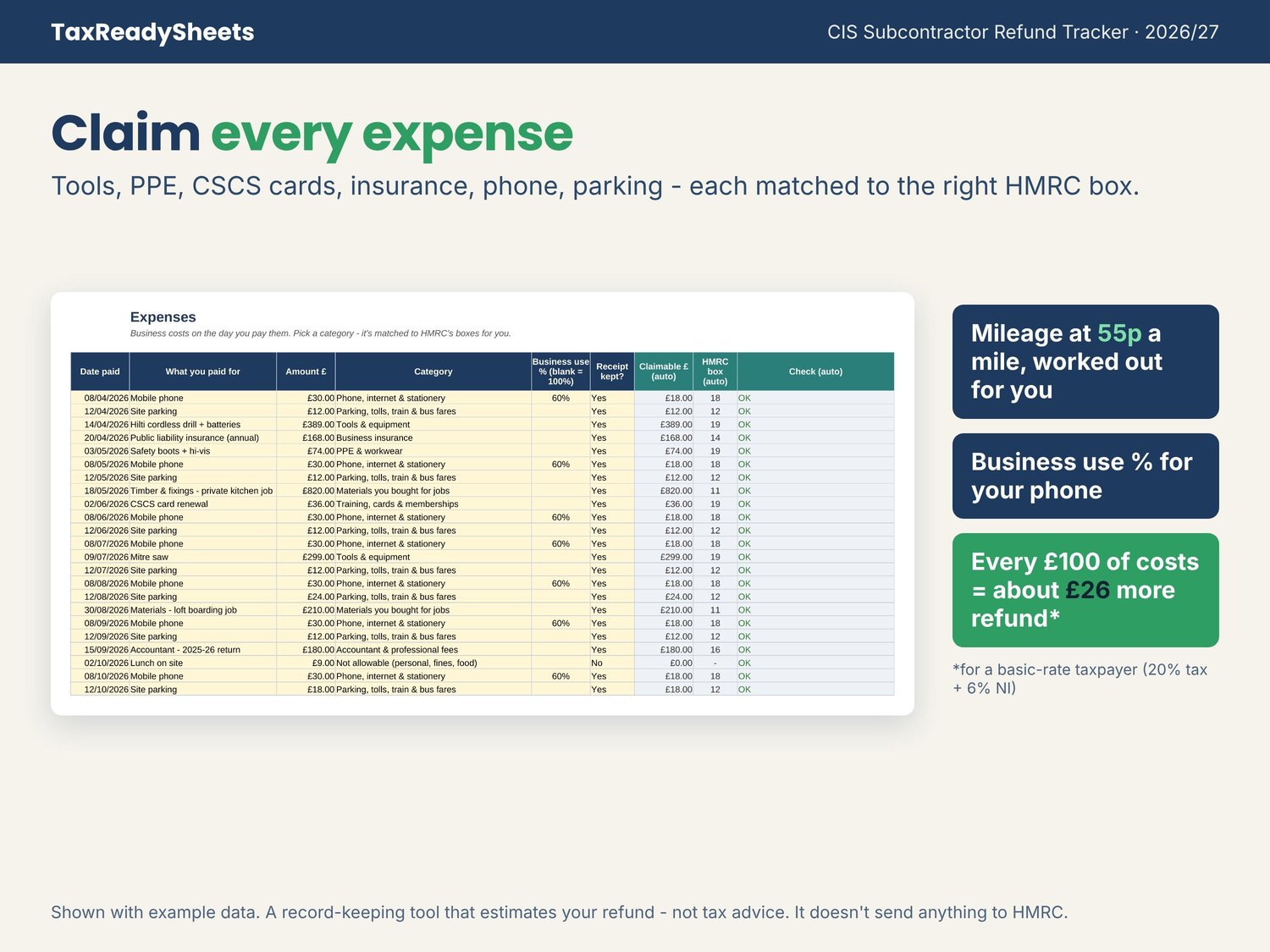
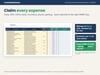
- Matches every expense to the right box on your tax return: tools, PPE, CSCS cards, insurance, phone, parking, materials and more
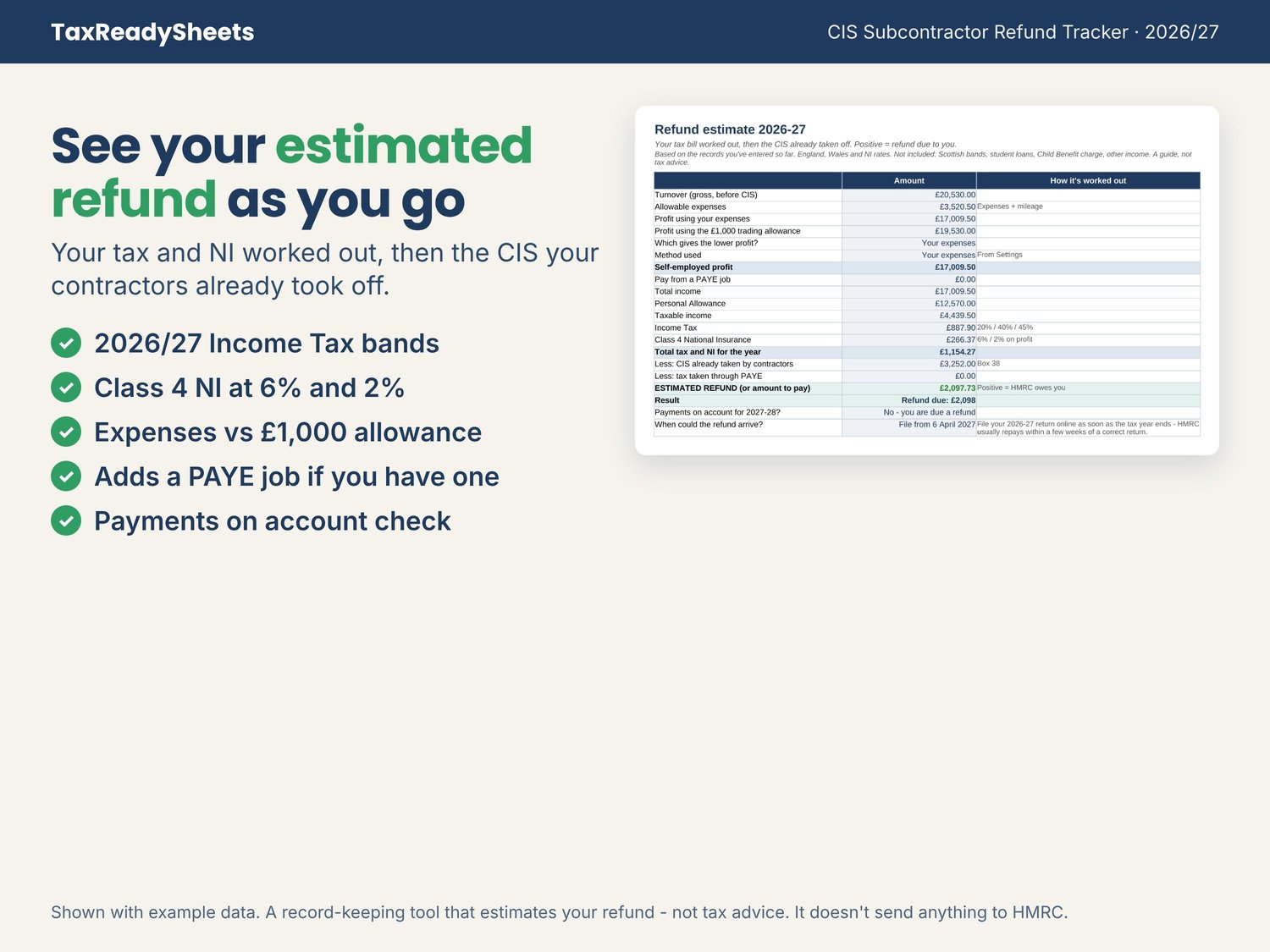
- Compares your expenses with the £1,000 trading allowance and uses whichever is better
- Adds a PAYE job if you had one this year, and checks whether you'll need payments on account
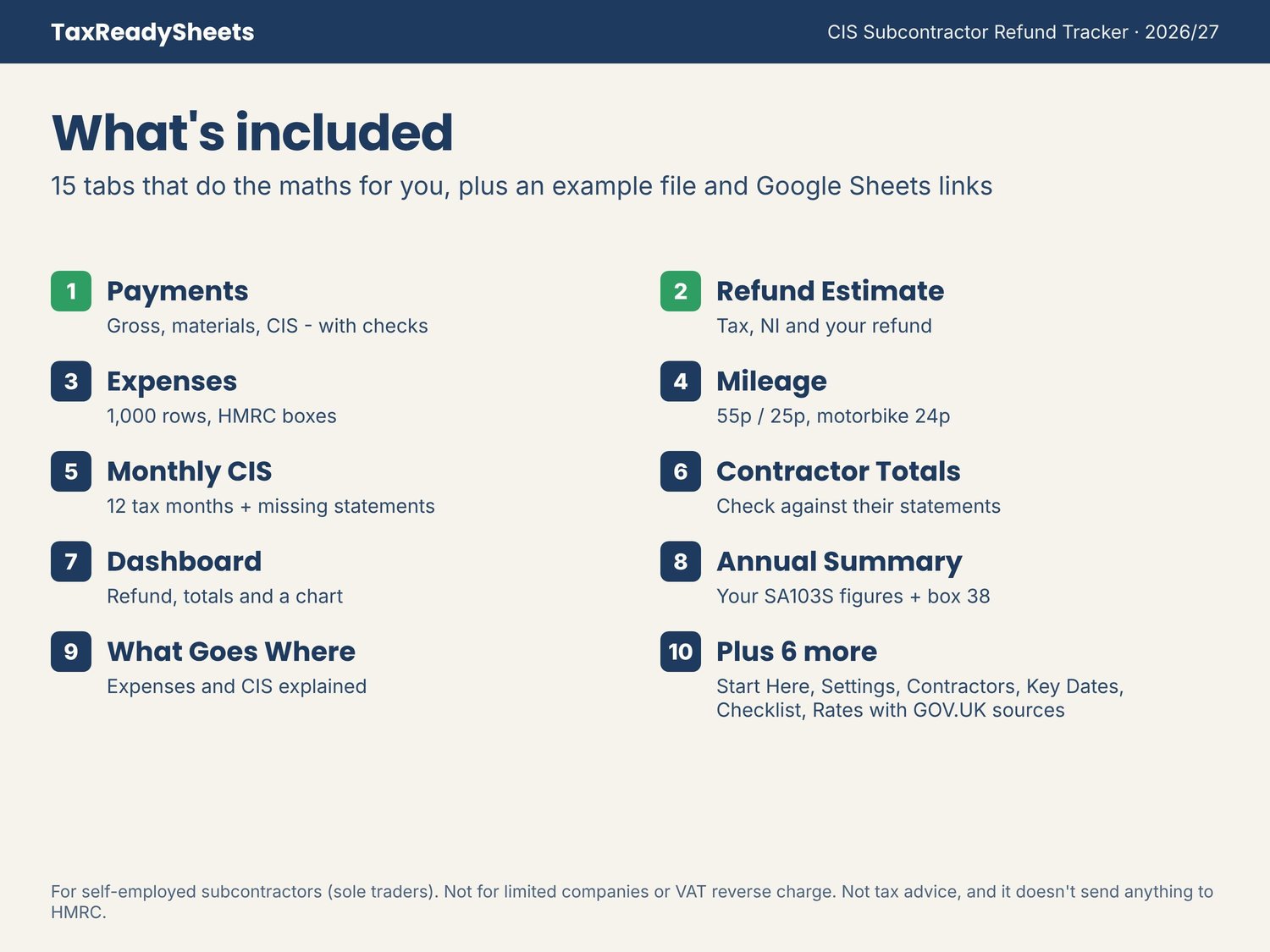
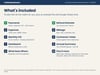
WHAT'S INSIDE (15 tabs + an example file)
- Payments: 1,000 rows for gross pay, materials and the CIS from each statement, with a Check column that flags mistakes
- Refund Estimate: Income Tax, Class 4 NI, the CIS already taken and your estimated refund
- Dashboard: your refund, gross earned, CIS taken, expenses, profit, missing statements and a monthly chart
- Monthly CIS: all 12 tax months, statement due dates and missing statements
- Contractor Totals: year totals for each contractor, to check against their statements
- Expenses: 1,000 rows with category drop-downs, business-use % and receipt tracking
- Mileage: business trips with the 55p and 25p rates worked out for you
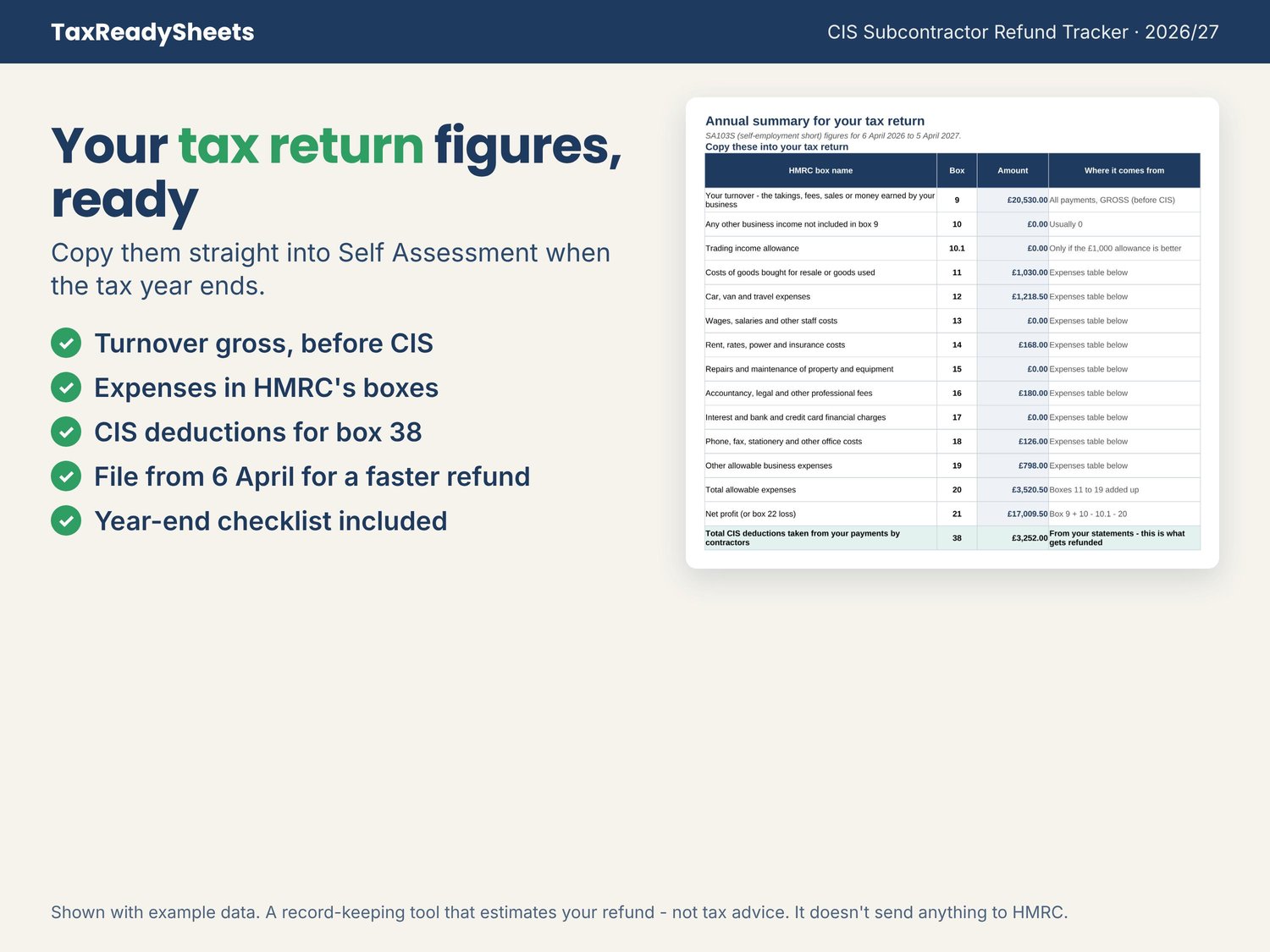
- Annual Summary: your figures for the self-employment pages, including the CIS deductions box
- What Goes Where: what you can claim, and CIS explained in plain English
- Plus Start Here guide, Settings, Contractors, Key Dates, Checklist and Rates (with GOV.UK sources)
YOU'LL RECEIVE
- Blank Excel spreadsheet (.xlsx)
- Example Excel spreadsheet filled with a sample carpenter working for two contractors
- PDF with your Google Sheets links (click "Make a copy")
WORKS WITH
Microsoft Excel 2016 or newer (Windows and Mac) and Google Sheets with a free Google account. Set up on a computer; after that you can check it on your phone.
PLEASE NOTE
- Digital download only. No physical item will be sent.
- This spreadsheet keeps your records and estimates your refund. It doesn't send anything to HMRC and it doesn't file your tax return. Your contractors' payment and deduction statements are the official record of the CIS taken.
- It's a record-keeping tool, not tax or financial advice. If your situation is complicated, speak to an accountant.
- Built for self-employed subcontractors who are sole traders. Limited companies, partnerships, VAT reverse charge and contractors' own monthly CIS returns aren't covered.
- Uses 2026/27 rates for England, Wales and Northern Ireland. Scottish income tax bands are different, so the estimate won't be exact in Scotland. Student loans and the High Income Child Benefit Charge aren't included.
- Designed by me with the help of AI tools, then checked and tested by hand.
- For your own use only. Please don't share or resell.
Questions or stuck? Use the Contact link at the top of my store and I'll reply within 24 hours.