





Social Media Client Workflow & Approval System
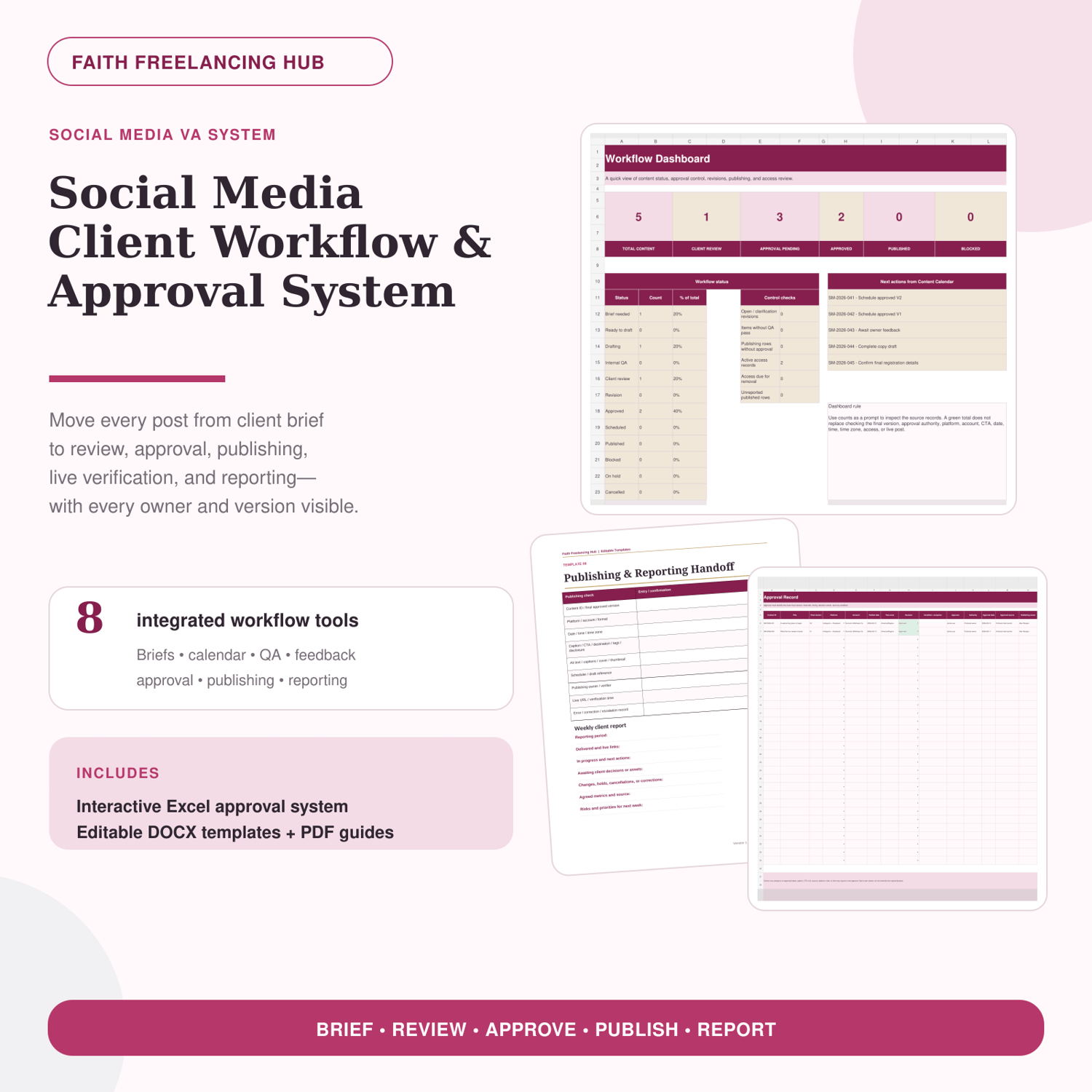
Managing client content becomes risky when briefs, files, feedback, versions, and approvals are scattered across chats and folders. This system gives social media VAs and freelance social media managers one clear process from request to published post.
WHAT IS INCLUDED
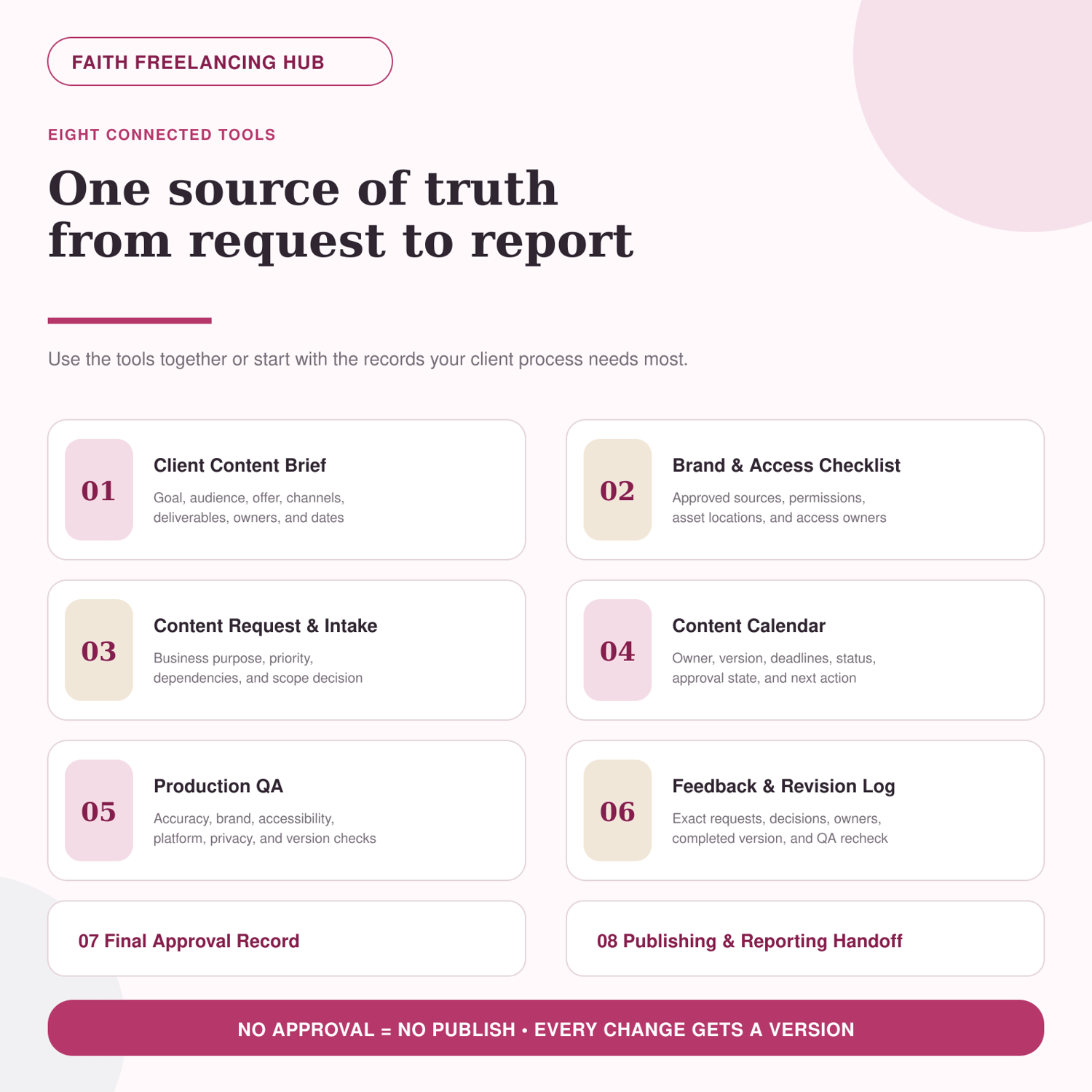
- Client Content Brief
- Brand & Access Checklist
- Content Request & Intake Form
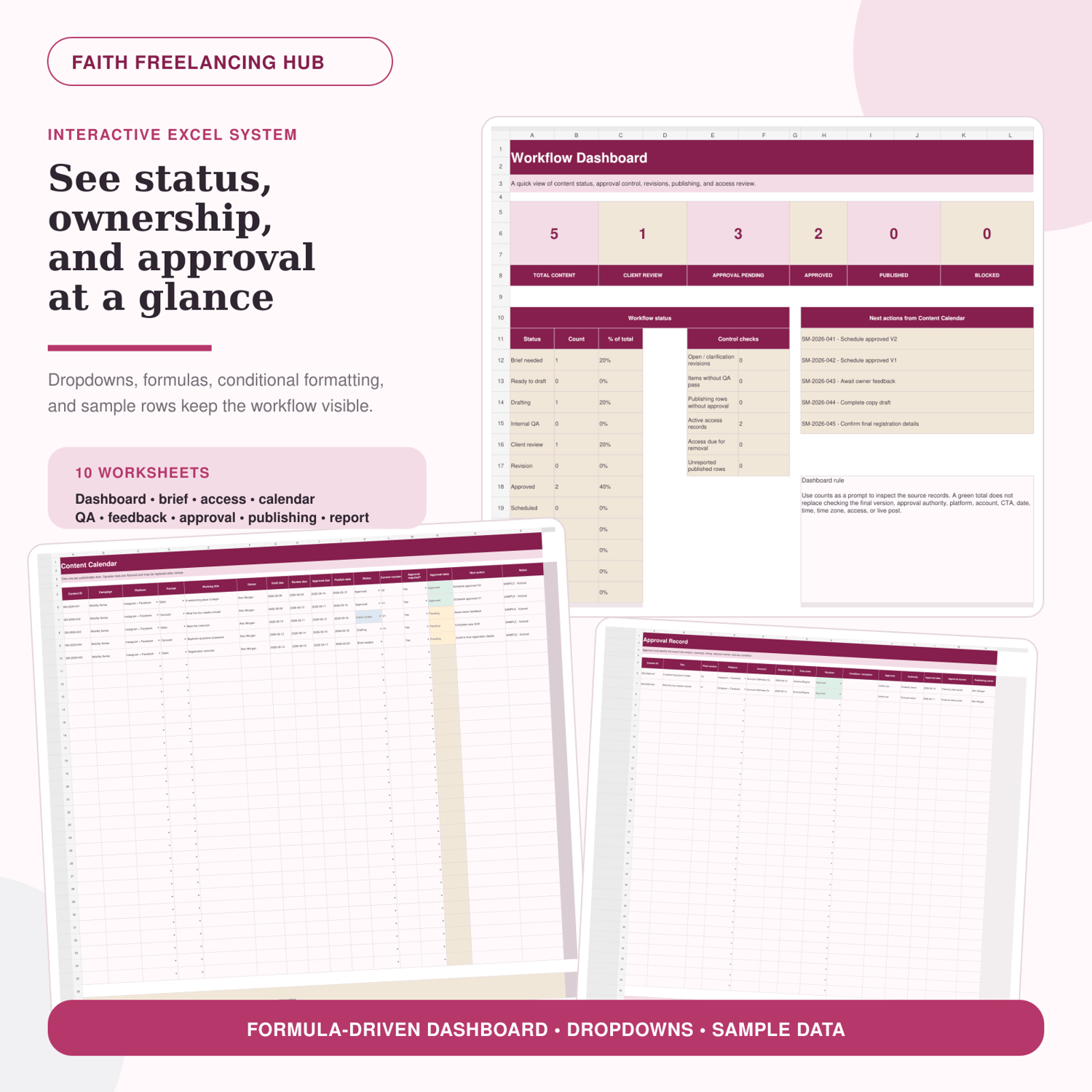
- Content Calendar
- Production Quality Checklist
- Feedback & Revision Log
- Final Approval Record
- Publishing & Reporting Handoff
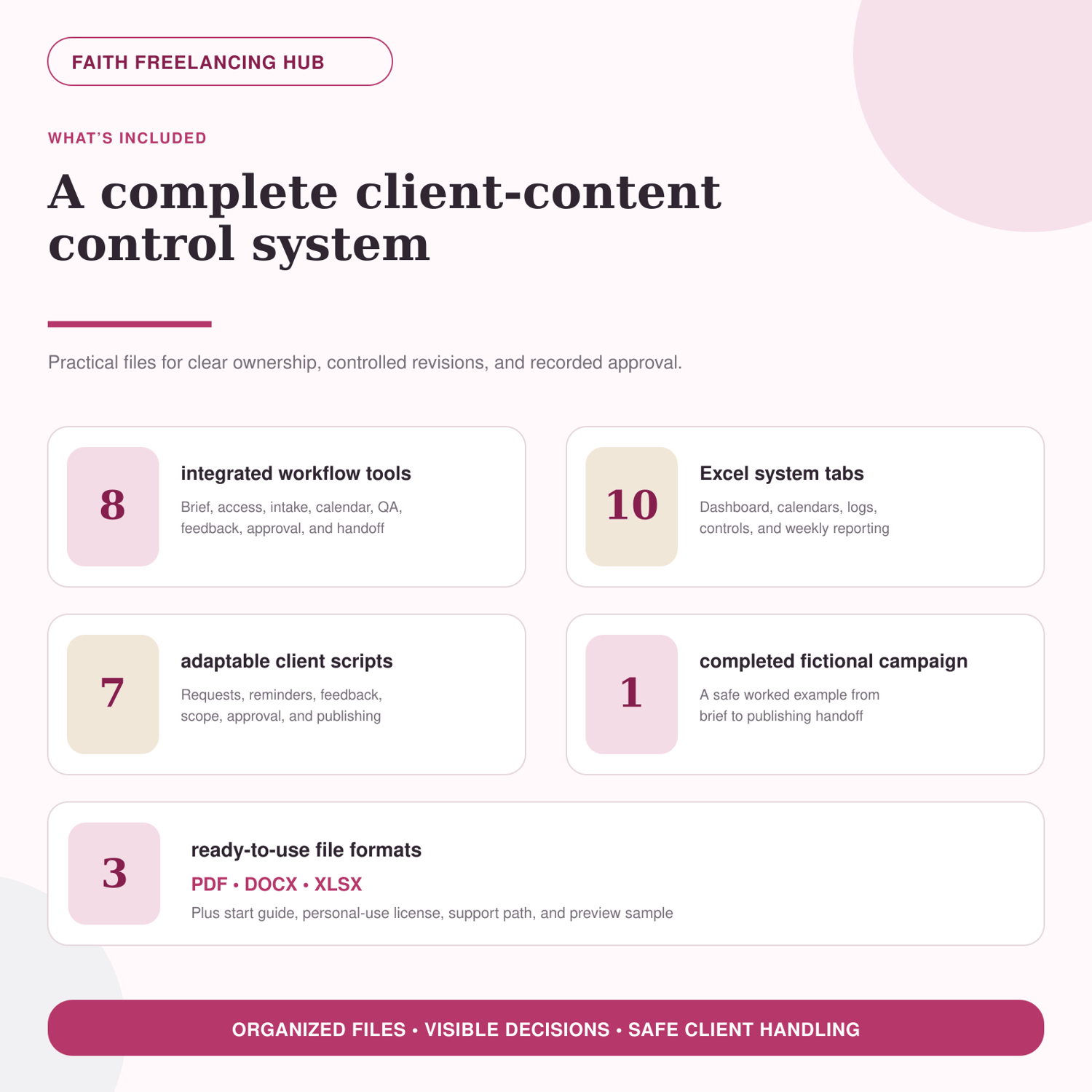
- Interactive Excel system with 10 organized worksheets, formulas, dropdowns, sample rows, and a workflow dashboard
- Seven adaptable client communication scripts
- One completed fictional campaign showing the workflow from brief to publishing handoff
- Start guide, personal business-use license, compatibility notes, and support path
HOW THE SYSTEM WORKS
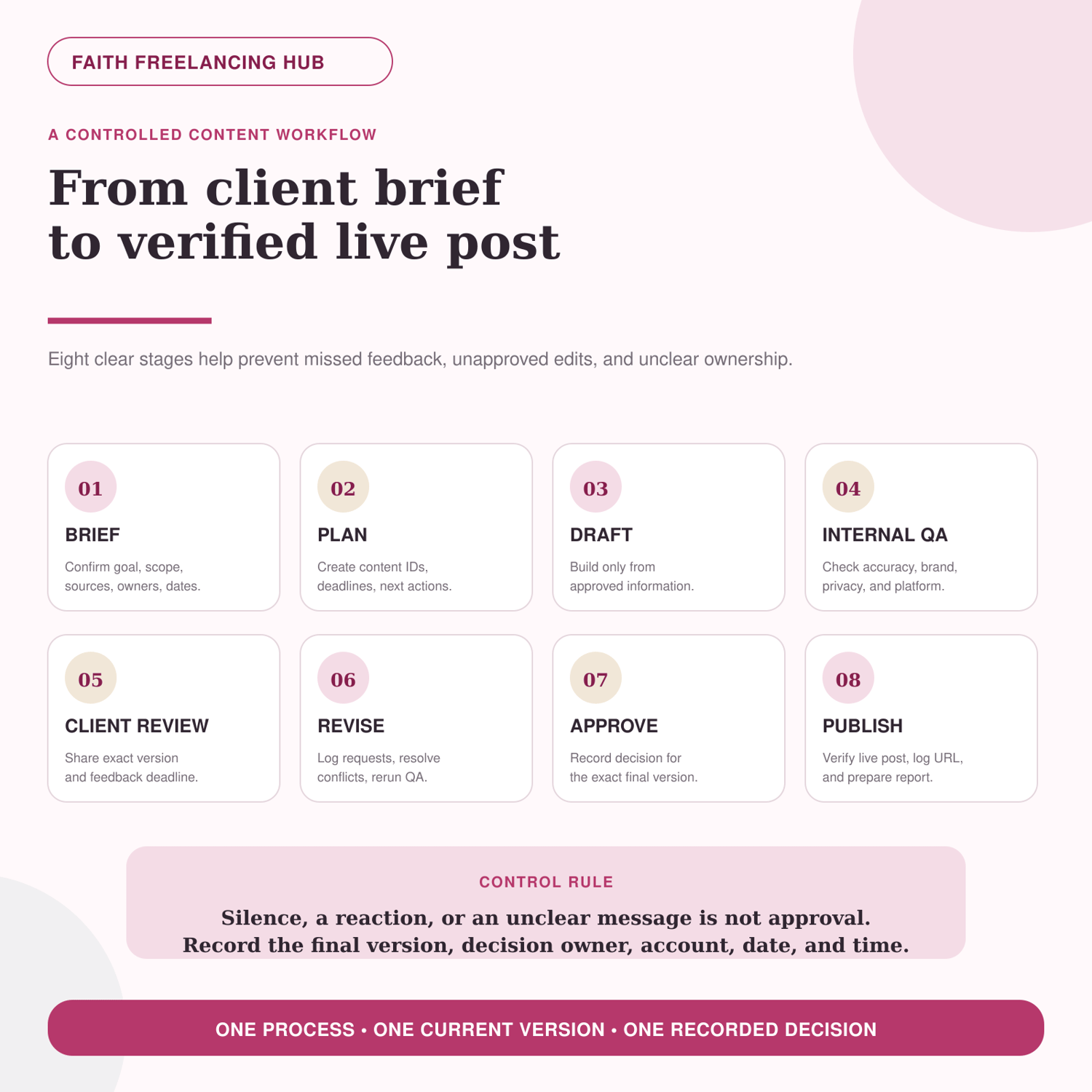
1. Confirm the brief, approved sources, access owners, scope, deadlines, and approval authority.
2. Give each publishable item a Content ID and track its owner, version, status, deadline, approval state, and next action.
3. Run internal quality checks before client review and log every requested revision.
4. Record explicit approval for the exact final version before scheduling or publishing.
5. Verify the live post, save the URL, record corrections, and prepare the agreed client report.
FILES DELIVERED
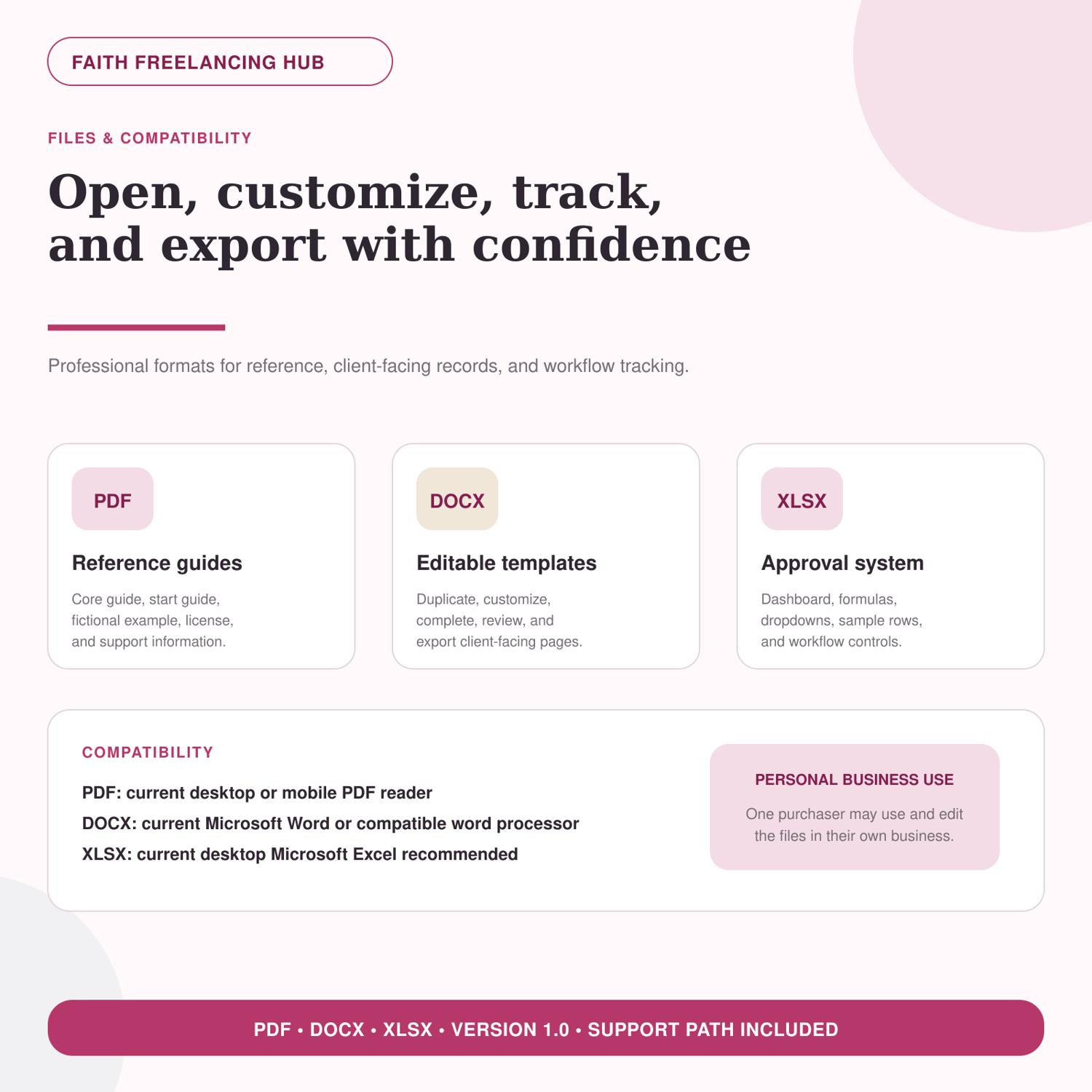
- PDF reference guides and completed fictional example
- Editable DOCX workflow templates
- Interactive XLSX workflow and approval system
WHO THIS IS FOR
- Social media virtual assistants
- Freelance social media managers
- New SMMs replacing scattered feedback and unclear approvals
- Freelancers coordinating content for one or more client accounts
THIS IS NOT
- A caption or graphic-design pack
- A Canva template collection
- A social media scheduler subscription
- A legal contract or legal-compliance service
- A guarantee of clients, income, engagement, reach, or sales
COMPATIBILITY
- PDF: current desktop or mobile PDF reader
- DOCX: current Microsoft Word or a compatible word processor
- XLSX: current desktop Microsoft Excel is recommended
Google Sheets may change formatting, formulas, or dropdown validation. Keep an untouched backup before editing.
LICENSE
One purchaser may edit and use the files in their own freelance or social media business and with their own approved client work. The source files may not be shared, resold, uploaded, sublicensed, redistributed, or presented as a separate template product.
IMPORTANT NOTES
All completed examples and sample workbook rows are fictional. Replace or delete sample information before using the system for a real client. Never place passwords, one-time codes, payment details, government identification, or unnecessary private data in the files. Treat AI-assisted output as an unverified draft and keep a person responsible for final review and approval.
FREQUENTLY ASKED QUESTIONS
Does this include ready-made social media designs?
No. This product manages the client-content workflow. It does not include Canva post designs or a caption library.
Can I use it with real clients?
Yes. Duplicate the blank templates, remove the fictional sample rows, and adapt the fields to the client's approved workflow, permissions, and requirements.
Can I share the files with a client?
You may share completed client-facing records or exports for your approved work. Do not give a client, team, class, or community the original editable product files unless you have separate written permission.
Do I need Excel?
Current desktop Microsoft Excel is recommended for the best formula, formatting, and dropdown support. The PDF and DOCX files can still be used without Excel.
Is approval recorded automatically?
No. The system helps you document an approval decision. You must still confirm the correct decision owner, version, account, channel, date, time, and any condition.
Ready to replace scattered feedback with a clear approval process? Download the Social Media Client Workflow & Approval System and set up your first workflow.