


Moving Planner Spreadsheet | Moving Checklist, Moving Budget, Apartment Comparison, Box Inventory | Excel Google Sheets Template
Plan your whole move in one spreadsheet, from the first apartment search to the last box unpacked.
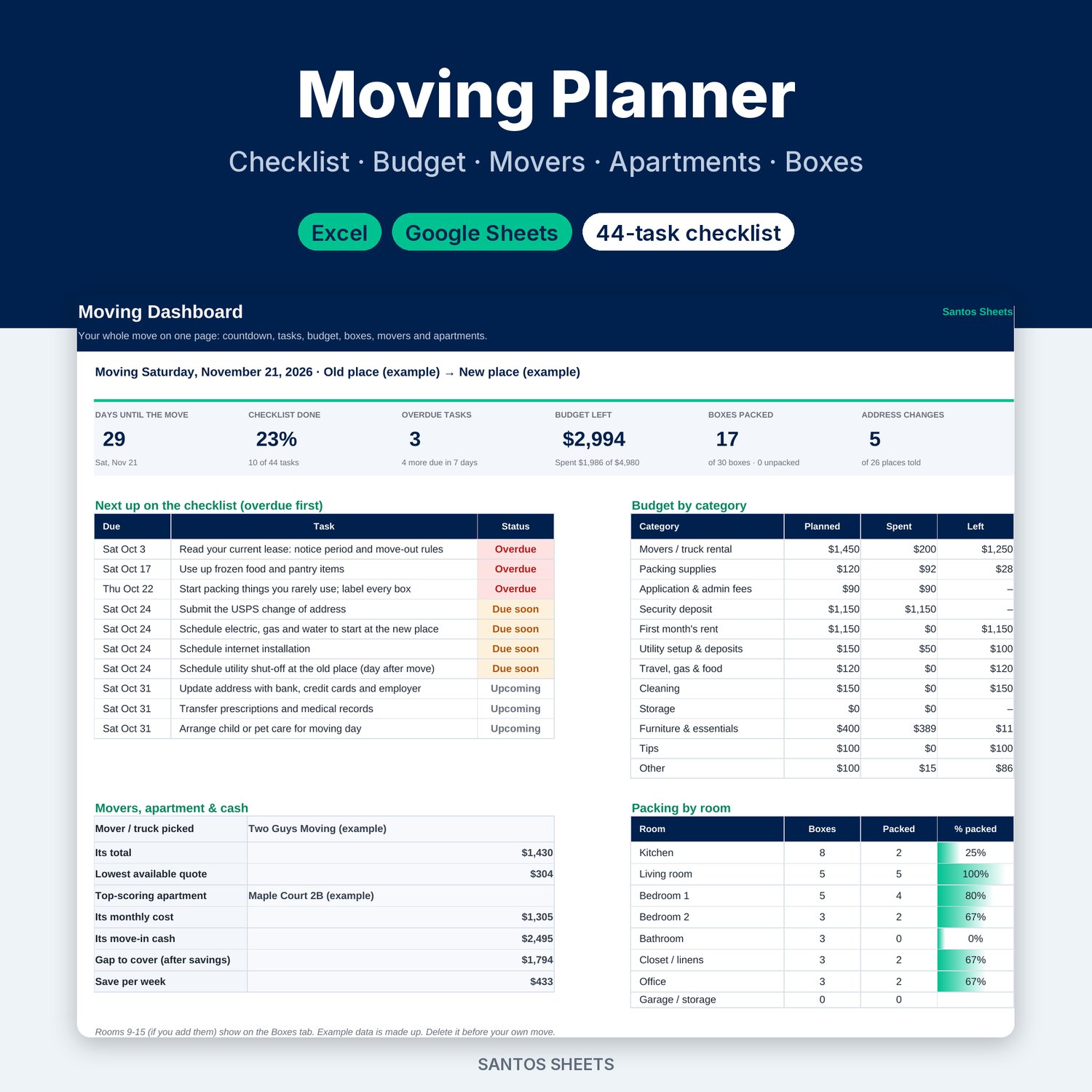
Type your move date once. The Moving Planner gives every task a due date, flags what's overdue, tracks what the move really costs, compares movers and apartments, and keeps a numbered list of every box.
WHAT'S INSIDE (9 tabs)
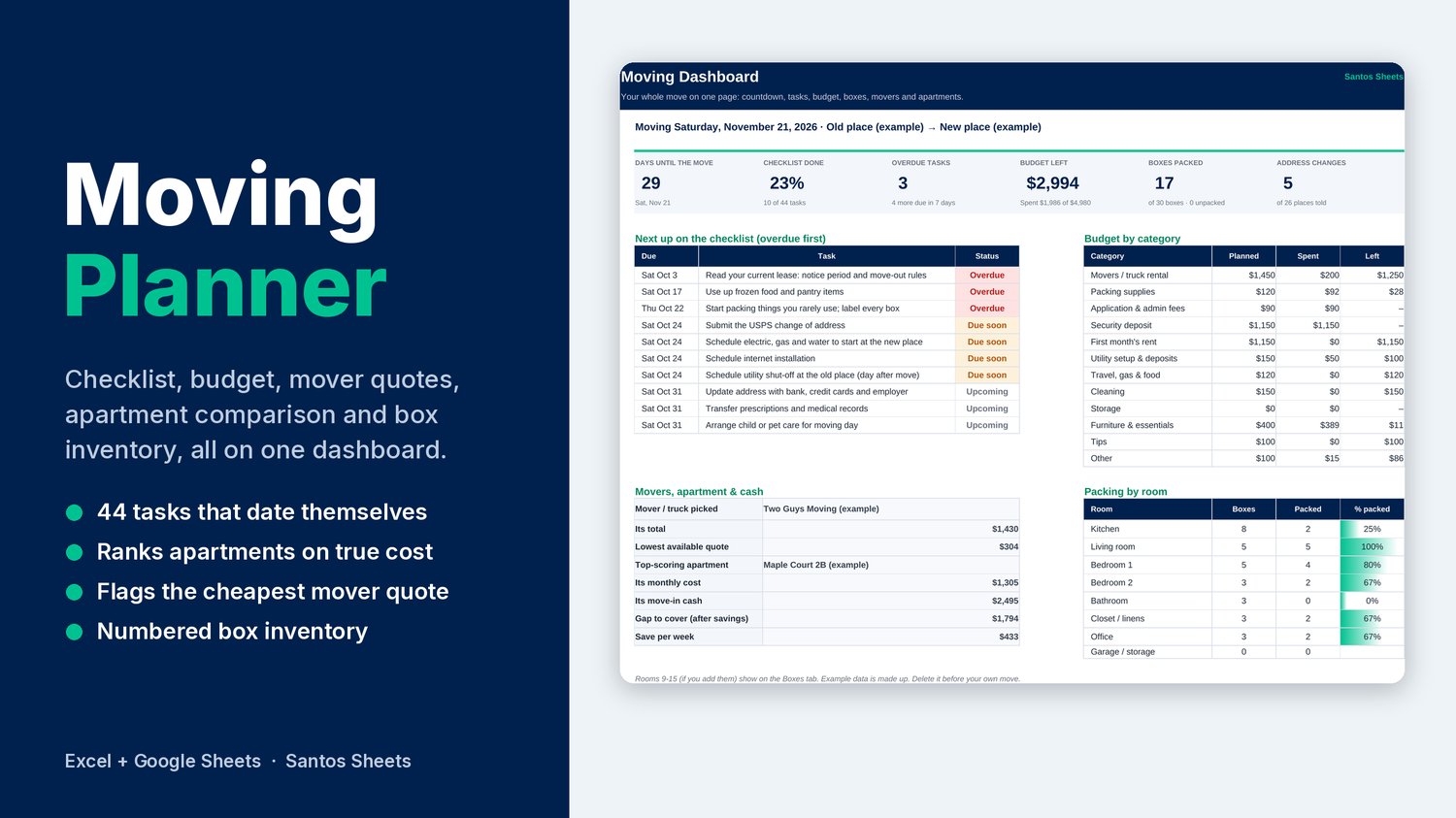
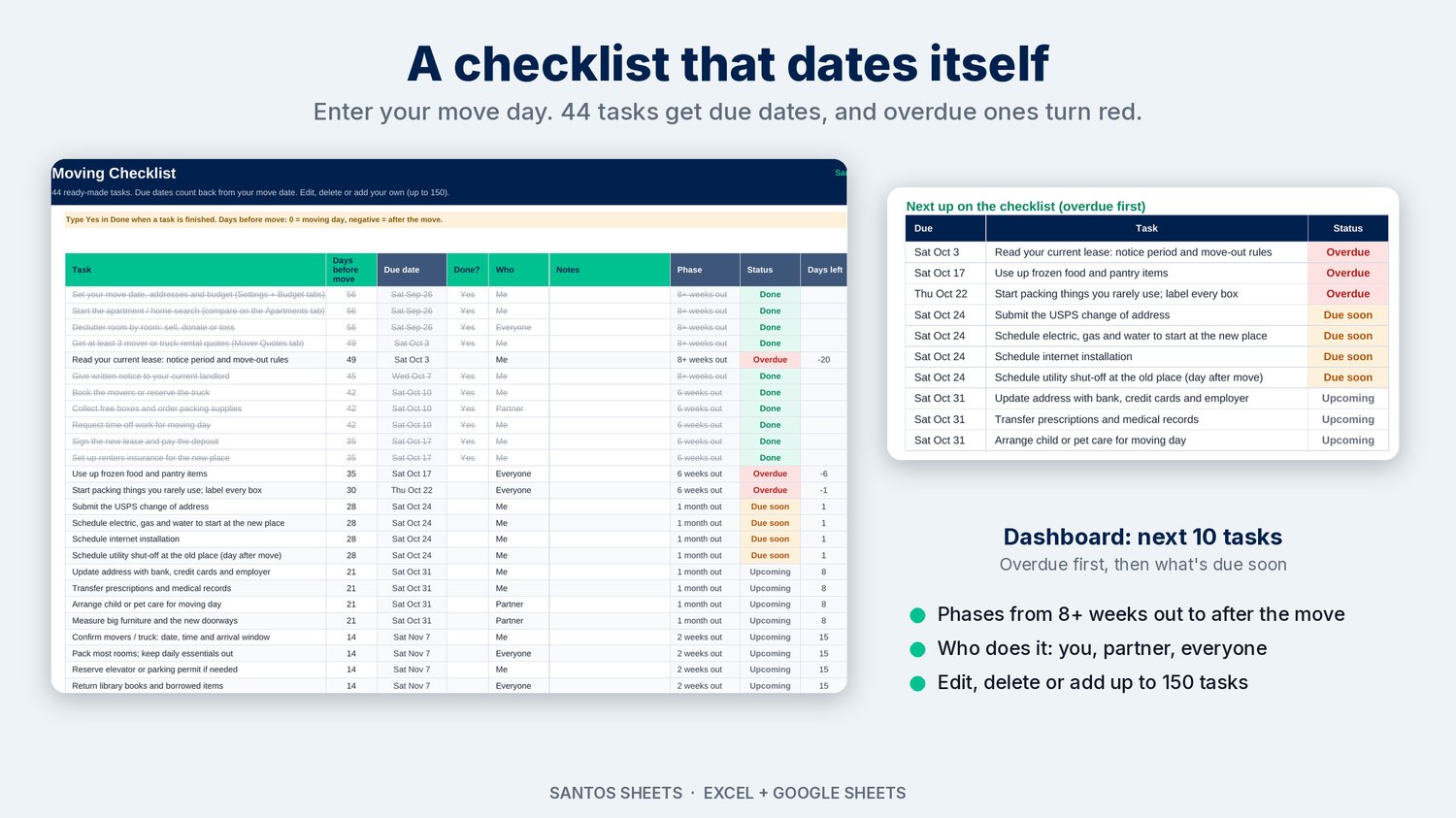
- Dashboard: a countdown to moving day, checklist progress, overdue tasks, budget left, boxes packed and address changes. Also shows your next 10 tasks (overdue first), budget by category, your chosen mover, your top apartment, the cash you still need, and packing progress by room.
- Moving Checklist: 44 ready-made tasks from 8+ weeks out to after the move. Due dates count back from your move day, and each task shows Done, Overdue, Due soon or Upcoming. Assign who does what. Edit, delete or add up to 150 tasks.
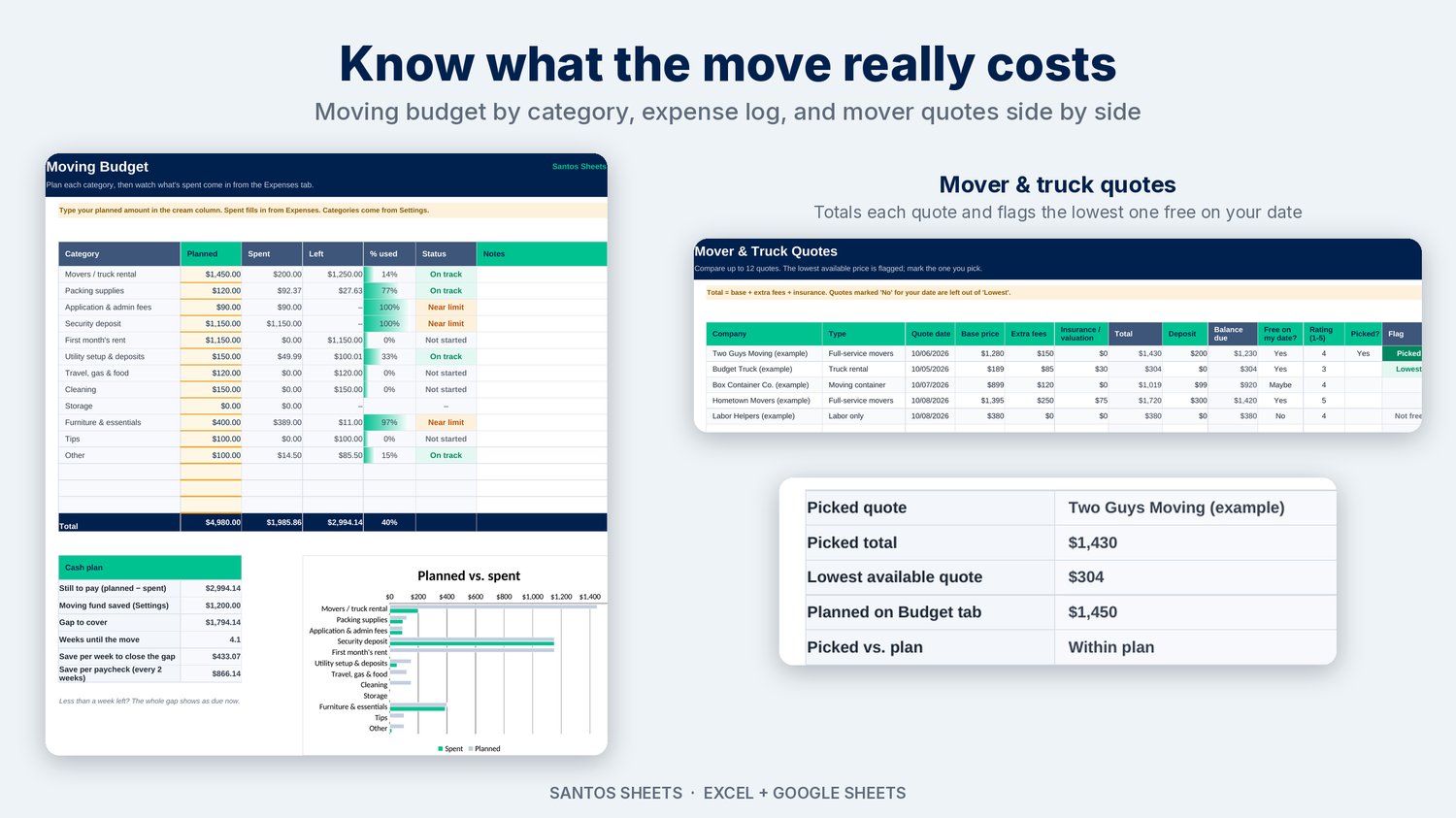
- Moving Budget: 12 categories (movers, deposit, first month's rent, packing supplies, utilities and more). Spent fills in from your expenses, and you get Left, % used, status and a planned-vs-spent chart. A cash plan shows how much you still need and how much to save per week or per paycheck before the move.
- Expenses: log every moving cost with a category, and the budget updates itself.
- Mover & Truck Quotes: compare up to 12 quotes from full-service movers, truck rentals, containers or labor-only crews. It totals base price, fees and insurance, and flags the lowest quote that's free on your date.
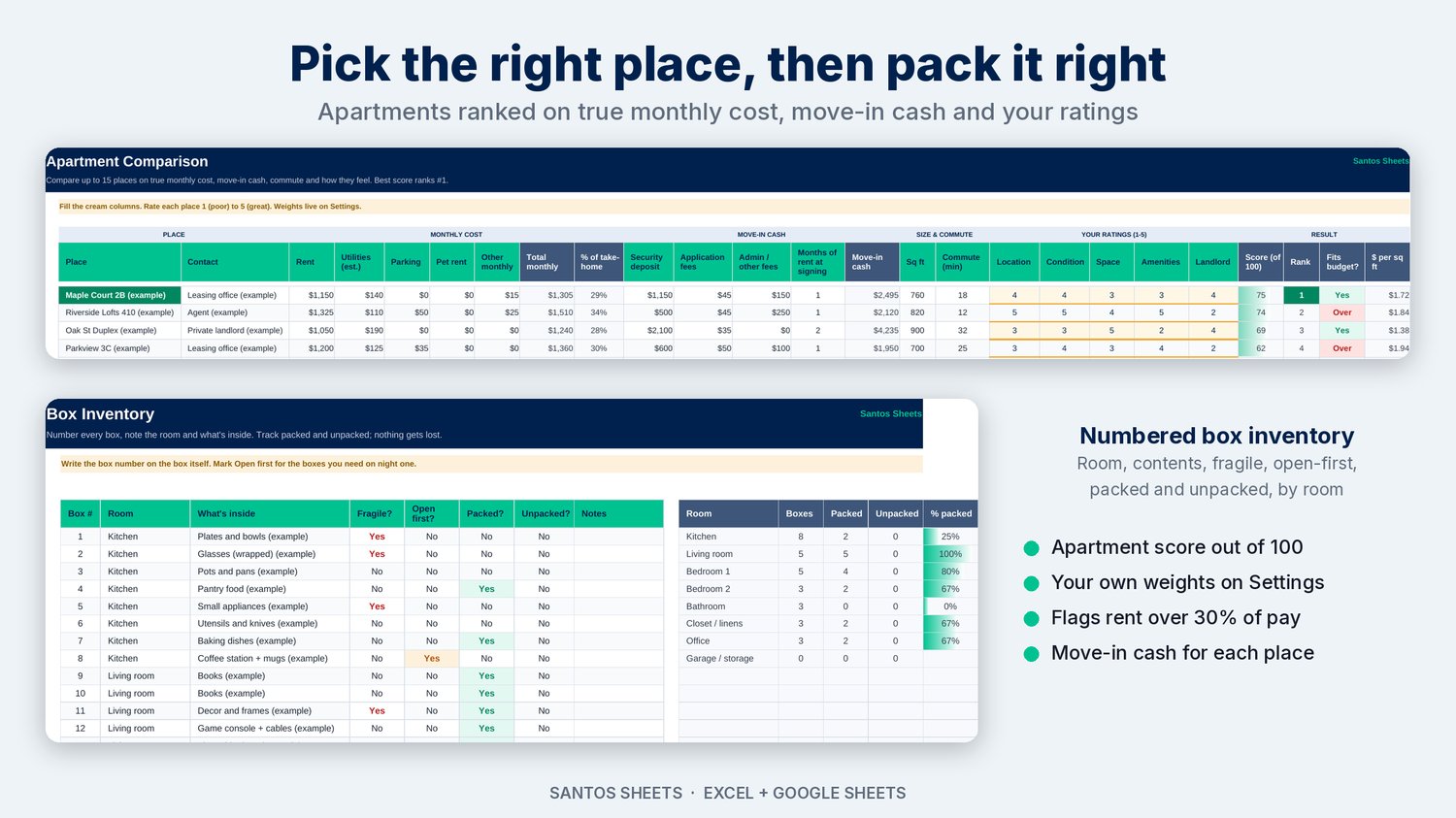
- Apartment Comparison: compare up to 15 places on true monthly cost (rent + utilities + parking + pet rent), move-in cash, % of your take-home pay, commute and your own 1–5 ratings. Each place gets a score out of 100 and a rank, and the sheet shows whether the rent fits your budget.
- Box Inventory: number every box with its room, contents, fragile and open-first flags, plus packed and unpacked status, with a summary by room.
- Address Changes: 26 places to update (USPS, bank, employer, state ID, insurance, utilities, subscriptions and more). Add your own.
- Settings: move date, from and to, take-home pay, moving fund, budget categories, rooms and apartment score weights.
WHY YOU'LL LIKE IT
- Set up in about 10 minutes: enter your move date and pay, and the rest is ready.
- Clear colors: green means done, amber means due soon, red means overdue or over budget.
- Clearly labeled examples: every sample row is marked (example), so you can see how it works before you delete them.
- No macros, no add-ons: it works in Microsoft Excel (2010 or newer, Windows or Mac) and Google Sheets.
WHAT YOU GET
- 1 Excel file (.xlsx) that also opens in Google Sheets
- A Start Here tab with setup steps
PLEASE NOTE
- This is a digital download. Nothing is shipped.
- It's a planning tool, not financial or legal advice.
- Example data is made up.