

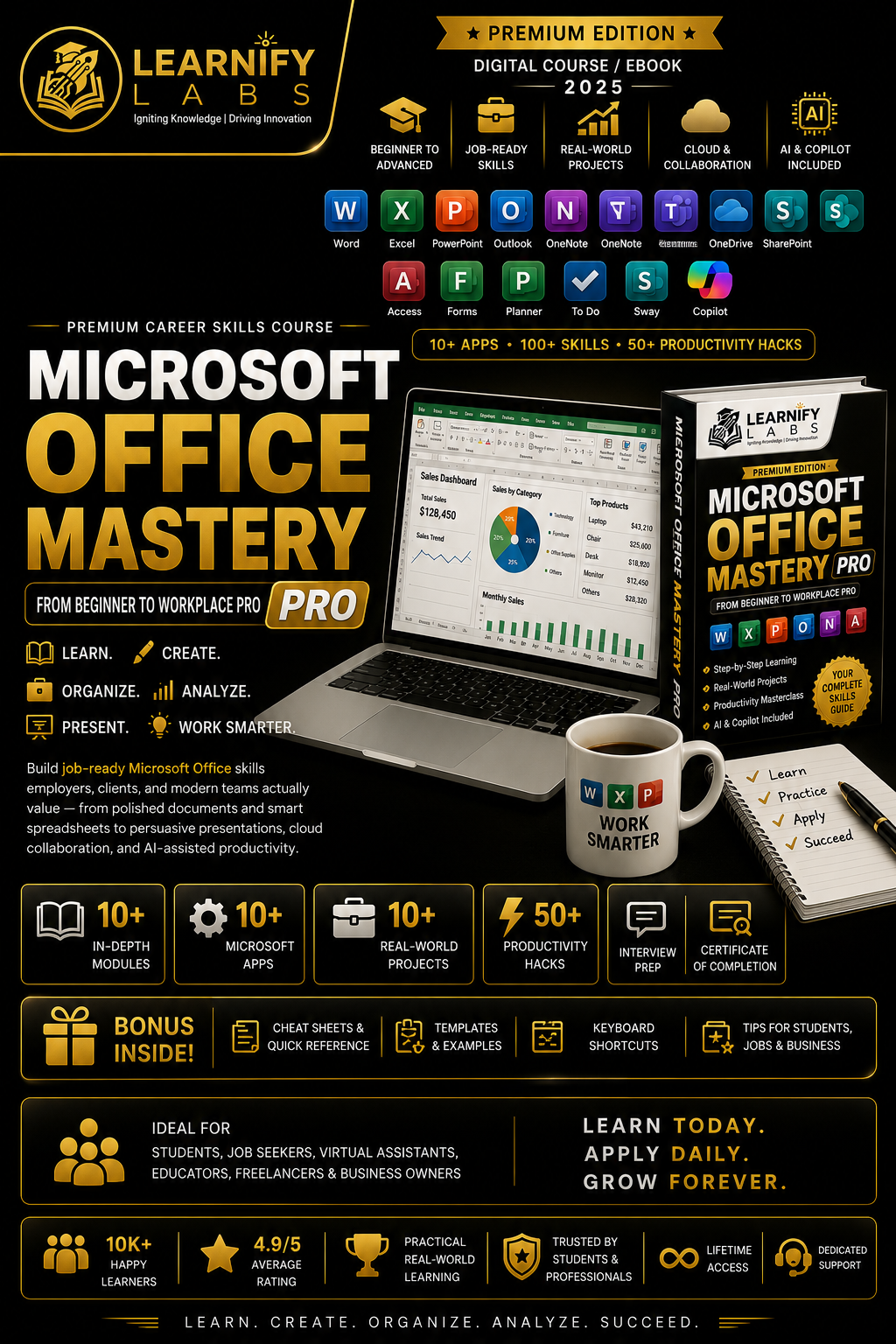
MICROSOFT OFFICE MASTERY PRO
From Beginner to Workplace Pro | Master Microsoft 365, Boost Productivity & Work Smarter
Learn. Create. Organize. Analyze. Present. Work Smarter.
Microsoft Office Mastery Pro – Premium Edition by Learnify Labs is a comprehensive, practical, and career-focused digital course designed to help you go from Microsoft Office beginner to confident workplace professional.
This isn't just a course about learning individual applications. It's about understanding how the Microsoft 365 ecosystem works together—from creating professional documents in Word and analyzing data in Excel to building impactful presentations, managing emails, collaborating with teams, organizing cloud files, and using AI-powered productivity tools.
With 10+ applications, 100+ practical skills, 50+ productivity hacks, 10+ real-world projects, AI & Copilot guidance, bonus resources, a final assessment, a 30-day mastery plan, and a certificate of completion, this premium course is built for modern students, professionals, job seekers, freelancers, entrepreneurs, educators, and business owners.
🚀 WHAT YOU'LL MASTER
🖥️ MICROSOFT OFFICE FUNDAMENTALS
Build a strong foundation before diving into individual applications.
Learn about:
Microsoft Office vs Microsoft 365
Microsoft 365 ecosystem
Microsoft account setup
Installing and setting up Office
OneDrive integration
AutoSave
Version History
File management
Saving and exporting files
Creating PDFs
Professional folder structures
File naming standards
Cloud collaboration
Ribbon and Quick Access Toolbar
Backstage View
Professional digital organization
Learn how to think of Microsoft 365 as a connected productivity ecosystem rather than a collection of isolated apps.
📝 MICROSOFT WORD MASTERY
Learn how to create polished, professional documents for work, study, business, and everyday use.
Master:
Document creation
Professional formatting
Styles
Headings
Page layouts
Tables
Images
Headers & Footers
Page Numbers
Table of Contents
References
Citations
Mail Merge
Templates
Track Changes
Comments
Document Review
PDF Export
Create professional:
📄 Reports
📄 CVs & Resumes
📄 Business Documents
📄 Academic Assignments
📄 Proposals
📄 Letters
📄 Professional Templates
📊 MICROSOFT EXCEL MASTERY
Build the spreadsheet skills that employers and modern workplaces value.
Learn:
Excel fundamentals
Data entry and formatting
Tables
Sorting & Filtering
Data Validation
Conditional Formatting
Basic & Advanced Formulas
IF
SUMIFS
COUNTIF / COUNTIFS
AVERAGE
XLOOKUP
VLOOKUP
IFERROR
TRIM
TEXTJOIN
Relative & Absolute References
Named Ranges
PivotTables
PivotCharts
Slicers
Goal Seek
What-If Analysis
Power Query
Power Pivot
Charts
Dashboards
KPI Reporting
Learn to transform:
RAW DATA → CLEAN DATA → ANALYSIS → VISUALIZATION → BUSINESS INSIGHTS
You'll also work through practical projects such as Budget Trackers, Attendance Trackers, Sales Reports, Grade Calculators, Inventory Systems, Business Dashboards, and Financial Reports.
🎞️ MICROSOFT POWERPOINT MASTERY
Learn how to create presentations that are professional, visually engaging, and strategically structured.
Master:
Presentation planning
Slide structure
Visual hierarchy
Slide Master
Themes
Layouts
Charts
Images
Icons
SmartArt
Animations
Transitions
Speaker Notes
Presenter View
Presentation delivery
Storytelling
Executive presentations
Build presentations for:
🚀 Startup Pitch Decks
📈 Business Reports
🎓 Academic Presentations
💼 Sales Presentations
📊 Executive Updates
📣 Marketing Presentations
Learn how to turn complex information into clear, persuasive, and audience-focused presentations.
📧 MICROSOFT OUTLOOK MASTERY
Turn your inbox into an organized communication and productivity system.
Learn:
Professional email writing
Inbox organization
Folders
Categories
Flags
Rules
Search
Email templates
Calendar management
Meeting scheduling
Follow-ups
Tasks
Time management
Professional communication habits
Build better workflows for managing your emails, meetings, tasks, and daily priorities.
🗒️ MICROSOFT ONENOTE
Build a smarter digital note-taking and knowledge-management system.
Learn:
Notebooks
Sections
Pages
Tags
Search
Templates
Meeting Notes
Study Notes
Project Organization
Shared Notebooks
Create a structured digital workspace for your work, studies, projects, research, and personal organization.
👥 MICROSOFT TEAMS
Learn how modern teams communicate and collaborate.
Master:
Teams
Channels
Chat
Meetings
Shared Files
Tabs
Notifications
Meeting Best Practices
Team Workflows
File Collaboration
Microsoft 365 Integrations
Understand how Teams connects with Word, Excel, PowerPoint, OneDrive, SharePoint, and Planner to create a more connected workplace environment.
☁️ ONEDRIVE & SHAREPOINT
Learn professional cloud file management and collaboration.
Understand:
OneDrive vs SharePoint
Cloud Storage
File Sharing
Version History
Permissions
Access Management
Folder Structures
File Naming
Team Libraries
Collaboration Workflows
Learn how to create a professional system where files are organized, accessible, secure, and easy to collaborate on.
🗄️ MICROSOFT ACCESS
Understand the fundamentals of database management.
Learn:
Database Concepts
Tables
Records
Fields
Relationships
Queries
Forms
Reports
Data Management
Practical Database Workflows
Build a foundation for working with structured business and organizational data.
📋 MICROSOFT FORMS
Learn how to collect information and turn responses into useful insights.
Create:
Surveys
Feedback Forms
Quizzes
Registration Forms
Customer Feedback Systems
Event Registration Forms
Learn how to connect responses with Excel for analysis and reporting.
📅 MICROSOFT PLANNER & TO DO
Build systems for managing tasks, projects, and personal productivity.
Microsoft Planner
Learn:
Team Plans
Buckets
Task Assignment
Due Dates
Priorities
Labels
Board View
Chart View
Schedule View
Microsoft To Do
Learn:
Personal Task Management
My Day
Daily Priorities
Follow-Up Tasks
Outlook Task Integration
Build a connected workflow:
Planner → Team Execution
To Do → Personal Follow-Through
🌐 MICROSOFT SWAY
Create interactive, web-style digital experiences without the complexity of building a website.
Learn how to create:
Digital Newsletters
Training Explainers
Project Showcases
Visual Reports
Interactive Portfolios
Modern Digital Stories
Learn when to use Sway instead of traditional PowerPoint presentations or static documents.
🤖 MICROSOFT OFFICE AI & COPILOT
Discover how AI can help you work faster and smarter across Microsoft 365.
Learn how to use AI-assisted workflows for:
Drafting Documents
Improving Writing
Summarizing Content
Analyzing Information
Creating Presentation Structures
Email Assistance
Meeting Summaries
Task Organization
Productivity Workflows
Includes 50 AI Prompts for Microsoft Office to help you accelerate common workplace tasks.
Learn the right way to use AI as a productivity multiplier while maintaining human judgment, accuracy, confidentiality, and professional responsibility.
⚡ OFFICE PRODUCTIVITY MASTERCLASS
Go beyond individual applications and build a professional productivity system.
Learn:
High-value keyboard shortcuts
File naming systems
Templates
Checklists
Workflow design
Email management
Task management
Deep work habits
Weekly reviews
Cross-app workflows
Build a professional workflow:
Capture → Plan → Create → Store → Collaborate → Review → Improve
Learn how to connect Outlook, Teams, To Do, Planner, Word, Excel, PowerPoint, OneDrive, and SharePoint into a complete workplace productivity system.
🏆 10+ REAL-WORLD PROJECTS
Turn your knowledge into practical, portfolio-ready work.
Projects include:
📊 Business Report — Word + Excel
📈 Sales Analysis & Dashboard
💰 Personal Budget Tracker
👥 Employee Attendance Tracker
📦 Inventory Management System
🎓 Academic Research Project — Word + Excel + PowerPoint
📋 Customer Feedback System — Forms + Excel
📧 Professional Inbox & Communication Workflow
📁 Cloud File Organization System
💼 Complete Business Productivity System — Microsoft 365 Ecosystem
These projects help you move from knowing how an application works to demonstrating how to use multiple tools together to solve real-world problems.
🎯 FINAL ASSESSMENT
Test your Microsoft Office skills through practical tasks such as:
Creating a professional Word report
Building an Excel workbook using formulas and PivotTables
Turning data into a PowerPoint presentation
Writing a professional Outlook email
Designing a OneDrive or SharePoint file-sharing workflow
Creating a Microsoft Form
Analyzing collected responses in Excel
The assessment focuses not only on technical features but also on structure, clarity, organization, naming discipline, and professional judgment.
📅 30-DAY MICROSOFT OFFICE MASTERY PLAN
Follow a structured month-long learning journey.
WEEK 1
Office Fundamentals + Word Basics
Build confidence with documents and file workflows.
WEEK 2
Excel Formulas + Data Analysis
Create working spreadsheets with calculations and summaries.
WEEK 3
PowerPoint + Outlook + OneNote
Strengthen communication, presentation, and organization skills.
WEEK 4
Teams + Cloud Tools + AI + Capstone Projects
Connect your skills into a complete workplace productivity system.
🎁 PREMIUM BONUS RESOURCES
Get a powerful collection of practical resources you can continue using after completing the course:
✅ Microsoft Office Shortcut Cheat Sheet
✅ Excel Formula Cheat Sheet
✅ Professional Email Templates
✅ PowerPoint Presentation Checklist
✅ Excel Dashboard Checklist
✅ Word Document Formatting Checklist
✅ Microsoft Office Interview Questions
✅ Microsoft Office Skills for Your CV
✅ 100 Productivity Tips
✅ 50 AI Prompts for Microsoft Office
✅ Templates & Checklists
✅ Productivity & Workflow Boosters
Use these resources as your personal Microsoft Office quick-reference toolkit whenever you need to work faster and produce better-quality results.
👨💼 WHO IS THIS COURSE FOR?
This course is perfect for:
🎓 Students
💼 Job Seekers
🧑💻 Office Professionals
🏢 Administrators
📊 Analysts
👩🏫 Teachers & Educators
🧑💼 Managers
🧑💻 Virtual Assistants
🚀 Entrepreneurs
💻 Freelancers
📈 Business Owners
🌍 Remote Workers
Anyone who wants to become more confident and productive with Microsoft Office
You don't need advanced technical knowledge to get started. The course follows a progression from beginner fundamentals to advanced workplace productivity, allowing learners to build their skills step by step.
🌟 WHY MICROSOFT OFFICE MASTERY PRO?
Because modern workplaces don't just need people who know how to open Word or Excel.
They need people who can:
Create → Analyze → Communicate → Collaborate → Organize → Automate → Present → Deliver
This course helps you build a connected Microsoft 365 skill stack that can support your career, studies, business, freelancing, and everyday productivity.
LEARN. CREATE. ORGANIZE. ANALYZE. PRESENT. WORK SMARTER.
🚀 Don't Just Use Microsoft Office. Master It.
MICROSOFT OFFICE MASTERY PRO — PREMIUM EDITION
From Beginner to Workplace Pro
By Learnify Labs
Igniting Knowledge | Driving Innovation
⚠️ IMPORTANT DISCLAIMER
This is an independent educational resource created by Learnify Labs and is not affiliated with, endorsed by, or sponsored by Microsoft Corporation. Microsoft, Microsoft 365, Word, Excel, PowerPoint, Outlook, Teams, OneDrive, SharePoint, Access, Forms, Planner, To Do, OneNote, Sway, and Copilot are trademarks of Microsoft Corporation. Features, interfaces, pricing, availability, and functionality may vary depending on subscription plan, operating system, application version, and organizational settings. AI and Copilot features may require eligible Microsoft 365 subscriptions. Always verify current features and requirements through official Microsoft resources.
Personal Use License: This digital course is intended for personal educational use. Redistribution, resale, unauthorized sharing, reproduction, or commercial distribution of the course content is prohibited.