
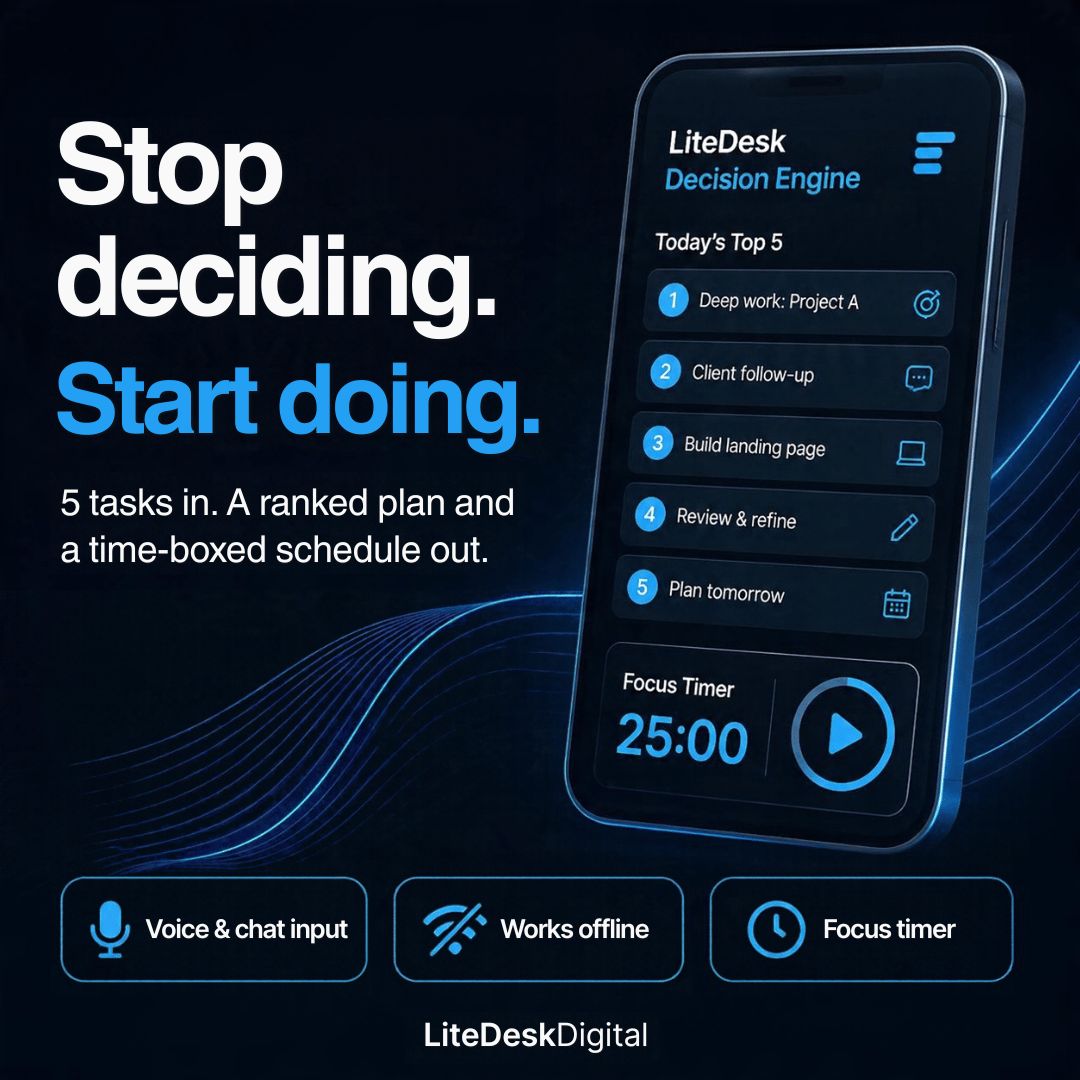
LiteDesk Decision Engine
Your morning to-do list, sorted for you
Most task apps just store your list. LiteDesk Decision Engine helps you decide what to do first.
Type or speak up to 5 tasks. It scores each one on criticality, gain and cost of delay, ranks them, builds a time-boxed schedule around the hours you actually have, and runs a focus timer for each block. No account, no subscription, no internet needed.
What it does
Chat or voice input
Talk to it like a quick message. Type your tasks, or tap the mic and say them.
Reads your wording
Write "send client proposal by Friday, 2 hours" or "urgent safety check today". It picks up deadlines, urgency and time estimates and adjusts the ranking for you.
Three scoring modes
Growth: rewards high-payoff work
Crisis: puts risk and safety first
Balance: cuts low-consequence noise
Edit any score
Disagree with the ranking? Tap Edit and change a task's criticality, gain, delay cost, effort or deadline. The list re-ranks instantly.
Time-boxed schedule
Enter your start time and available hours. It lays out your day task by task, and tells you what won't fit today.
Focus timer
Start a focus session (up to 50 minutes) on any block, with pause, +5 minutes and a finish alert.
Done-tracking and carry-over
Tick tasks off. Close the day and unfinished tasks roll into tomorrow's plan automatically.
Weekly review
A 7-day completion chart, streak, work completed, and a flag on any task you keep carrying over.
Print / PDF
Print your plan and schedule on a clean page.
Light and dark themes
Follows your device setting, with a manual switch.
How it works
Open the app and tell it your tasks (up to 5).
Pick your mode and how many hours you have.
Get your ranked plan and schedule.
Work through it with the focus timer, then close the day.
Privacy
Your tasks and history stay on your own device. There is no account, no tracking, and no upload. The scoring is rule-based and runs entirely on your device. It does not use AI or the internet.
What you get
index.html (the app)
Installable-app files (manifest, offline support, icons)
Quick-start guide (README)
Works on
Phone, tablet and desktop in any modern browser: Chrome, Edge, Safari and Firefox.
Voice input: Chrome, Edge and Safari on iPhone and iPad (iOS 14.5 or later). Firefox does not support speech input, so use your keyboard's dictation key there.
Install as an app: upload the folder to any free web host (the guide shows how) and use Add to Home Screen. You can also just double-click index.html and use it straight away.
Licence
Personal use licence. You may use it for yourself on your own devices. Please don't resell, redistribute or share the files.
Who it's for
Freelancers, small business owners, students, shift workers and anyone whose morning starts with "where do I even begin?"
FAQ (add as a section or in the description)
Do I need an internet connection?
No. Once you have the files, it works offline.
Is it AI?
No. It uses a transparent scoring formula you can see and edit. That's why it's fast, private and predictable.
Can I add more than 5 tasks?
No, on purpose. The 5-task limit stops list overload and forces a real decision.
Will my data sync between devices?
No. Your data lives in the browser on the device you use. It's private, but it doesn't sync.
Can I use it for my team or clients?
This is a personal licence. It's for your own use only.
How do I update or get help?
Message me through Payhip and I'll help.