
Job Profit & Change Order Tracker
See whether a job is still on track to make the profit you expected, before it finishes.
About the screenshots: they are real Microsoft 365 Excel for Windows screenshots of the DEMO workbook, which uses a fictional job, customer and amounts (not real customers or results).
What it does
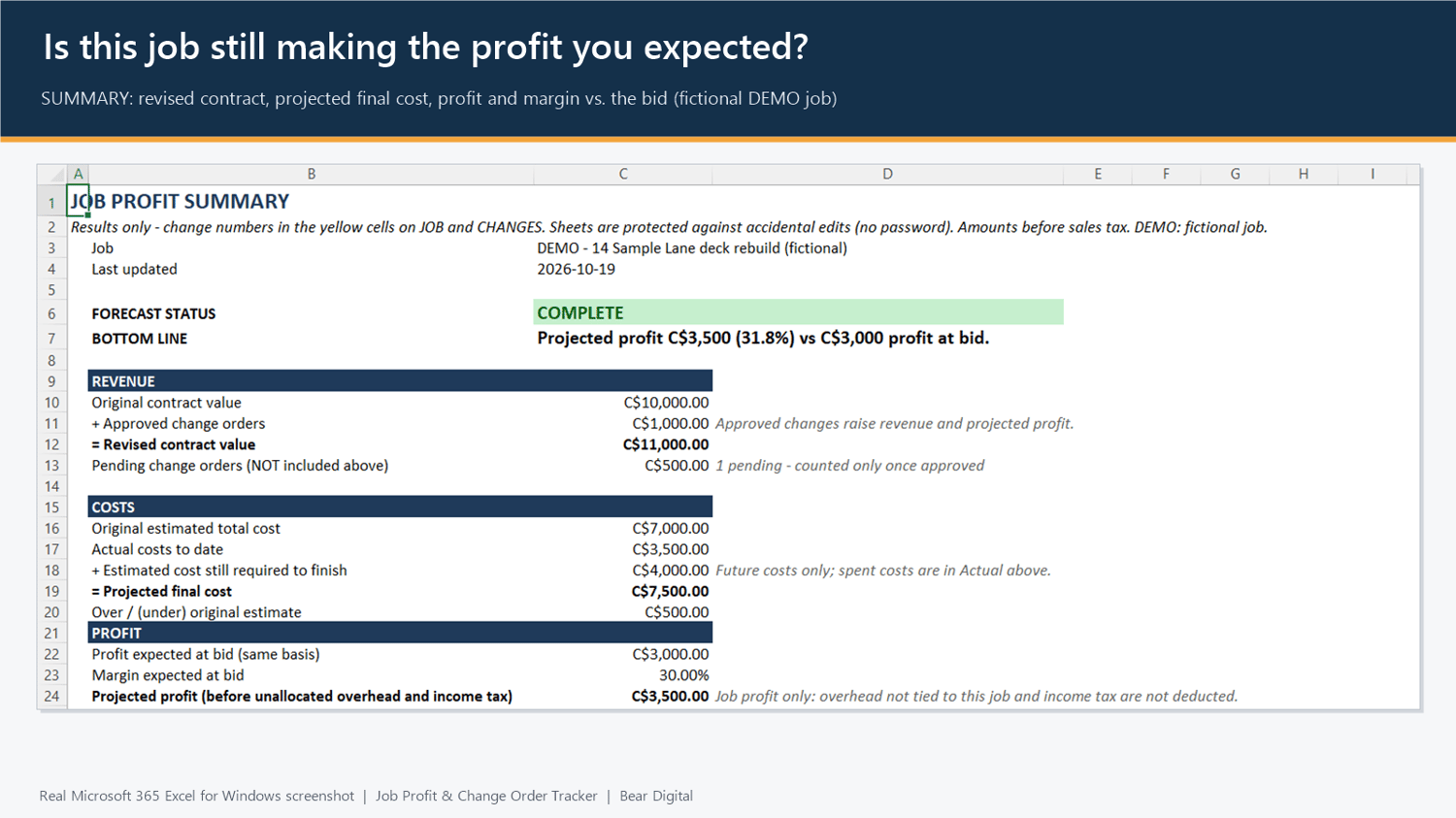
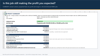
Job Profit & Change Order Tracker is an Excel workbook for one job at a time. You enter the contract value, your cost lines and your change orders. The SUMMARY sheet shows:
- Revised contract value: original contract plus approved change orders
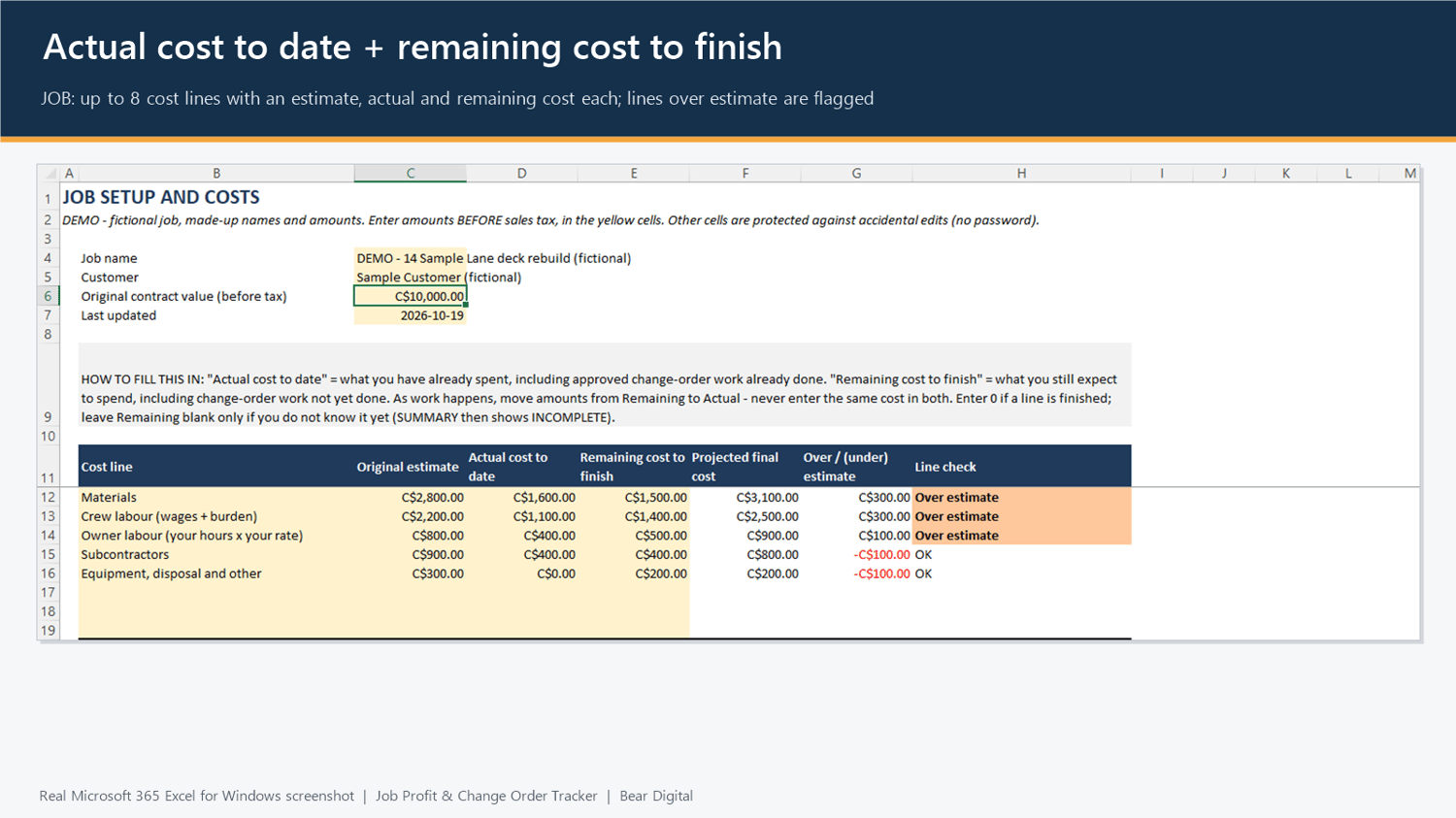
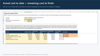
- Projected final cost: actual cost to date plus remaining cost to finish
- Projected profit and margin, compared with the profit expected at bid
- Pending change orders, shown separately and not counted until approved
- Approved change orders not yet billed
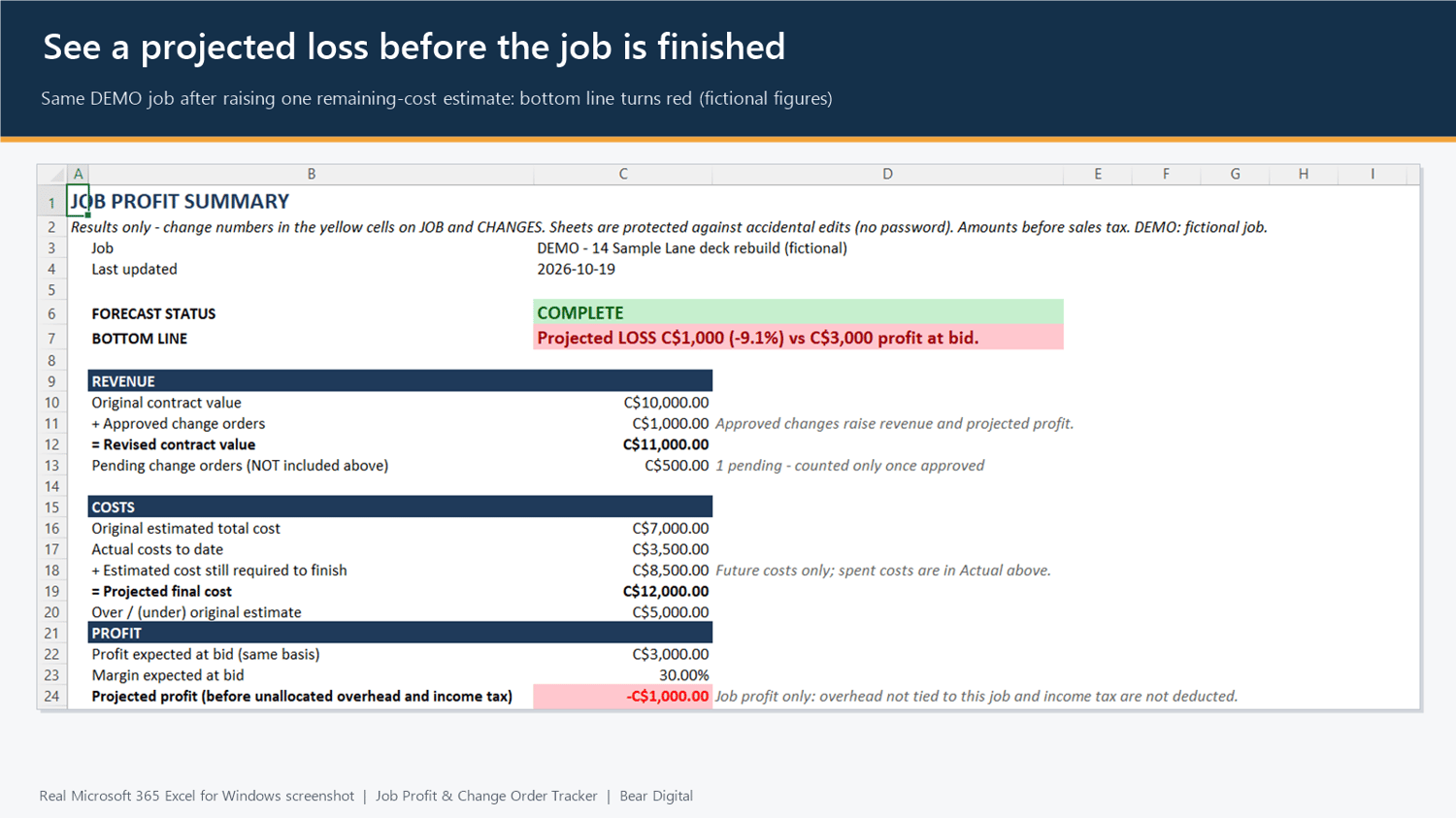
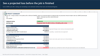
- Plain-language warnings: projected loss, costs over the original estimate, margin fading, missing or invalid amounts
It does not guess. If the contract value or a remaining-cost estimate is missing, or an amount is not a valid number (for example text pasted from elsewhere), the status shows INCOMPLETE or CHECK and the profit is hidden instead of treating the amount as zero.
Change orders and billing
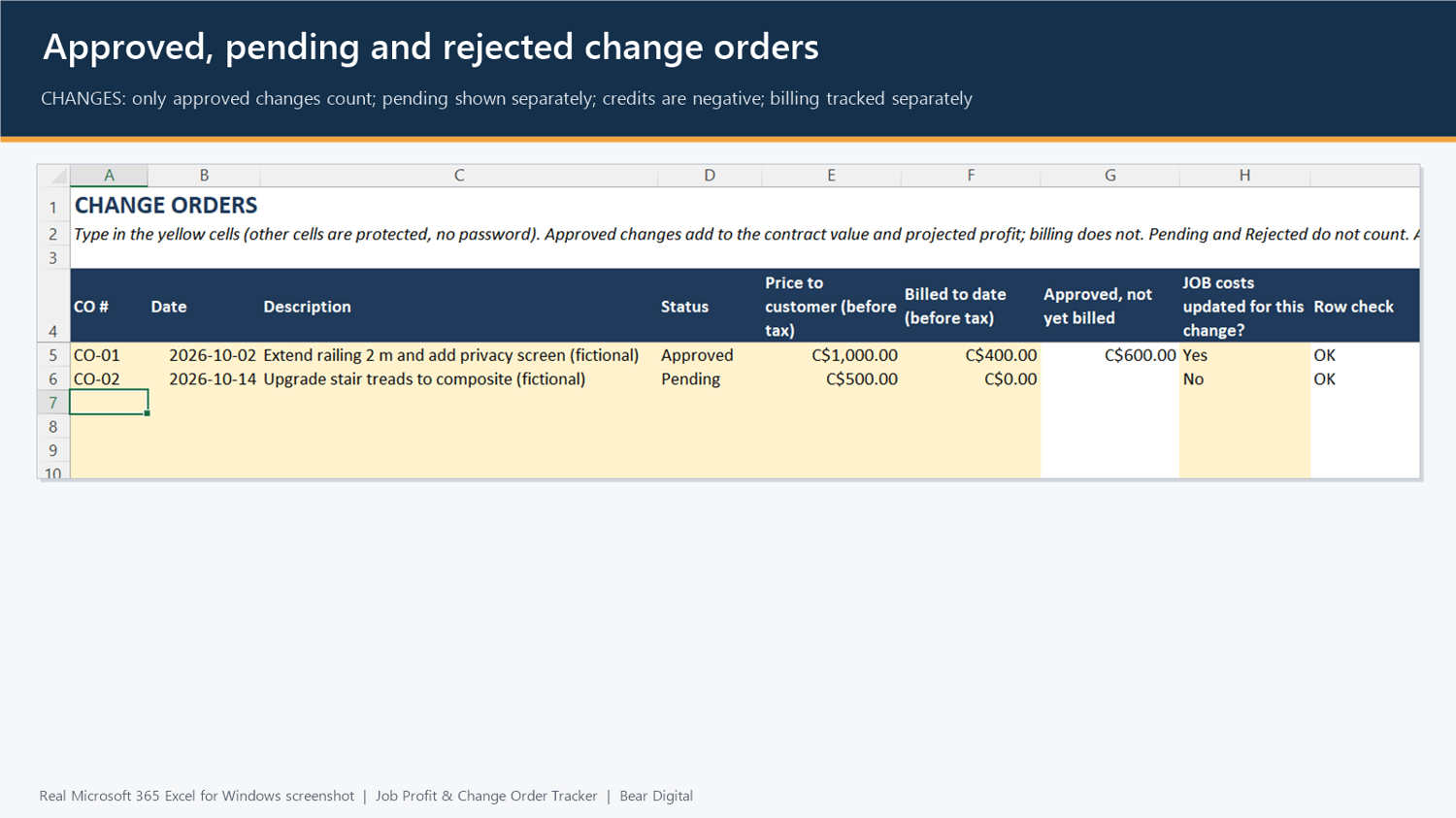
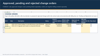
- Approved changes add to revenue and projected profit. Pending and rejected changes are not counted.
- A credit to the customer is entered as a negative price.
- Change-order costs go on the job's cost lines (spent in Actual, still to come in Remaining), so they are not entered twice.
- Billed to date only tracks what is left to invoice. It does not change profit.
Profit shown is job profit before unallocated overhead and before income tax. Amounts are entered before sales tax. The guide explains owner labour, wage burden and sales tax you cannot recover.
What's in the download (ZIP)
- BLANK workbook: starts empty, one job per file. Save a copy for each job.
- DEMO workbook: a fictional C$10,000 job with two change orders, so you can see how it works first.
- Quick Start guide (PDF, 3 pages): setup, how actual and remaining costs work, change orders, billing versus profit, the status messages and the limits.
Who it's for
- Owner-operators and small contractors who price jobs by quote and want to check a job's profit while it is still in progress
- People already comfortable typing into Excel
Probably not for you if you want several jobs in one file, several people editing the same file, or automatic links to your bank or accounting software.
Requirements and where it has been tested
- Requires desktop Excel. Tested in Microsoft 365 Excel for Windows (desktop app).
- Not tested: Excel for Mac, Excel for the web, phone and tablet apps, older Excel versions, Google Sheets and non-English regional settings. If you use one of these, please ask before buying.
- No macros, add-ins, external links or internet connection needed.
Limitations: please read before buying
- One job per file. Capacity per job: 8 cost lines and 20 change orders. Rows cannot be added while the sheets are protected.
- Single user. Separate copies do not merge.
- Manual entry. No connection to your bank, accounting software or email.
- Formula cells and the sheet structure are protected against accidental edits only, with no password. This is not security.
- A planning tool. It is not accounting software and not tax, legal or accounting advice. Results depend on the estimates you enter, and no particular result is promised.
Price and terms
- C$39 one-time, plus any applicable sales tax at checkout. No subscription.
- You keep your copy of the files.
- This covers the current version (1.0). No future features or updates are promised.
Support
- Channel: email to support@bearbuiltdigital.com. Replies within 2 business days (Mon–Fri, Eastern time).
- Fixes: if the workbook doesn't work as this page describes in Microsoft 365 Excel for Windows, I'll try to reproduce the problem. If it's a defect, I'll fix it if I reasonably can and send you a corrected file. No timeline is guaranteed.
- Not included: custom columns or layouts, changes for your specific business, data entry, Excel training, integrations, or support for Excel versions or platforms that haven't been tested.
Digital Product Refund Policy
Because our products are delivered as downloadable digital files, purchases are generally final once the files have been delivered. We do not offer change-of-mind refunds or free trials through our refund policy.
If you cannot access your purchased files, encounter a product defect, or find that the product materially differs from its description, contact support@bearbuiltdigital.com. We will work to resolve the issue or provide an appropriate refund.
Nothing in this policy limits your rights under applicable consumer protection laws.
FAQ
Does it work in Google Sheets or on a Mac? Not tested. Please treat it as Microsoft 365 Excel for Windows only, or ask first.
Can I track several jobs? Yes, with one file per job: save a copy of the BLANK workbook for each job.
Is my data uploaded anywhere? No. The workbook stays on your computer or wherever you save it. Nothing in it connects to the internet.
Does it replace my accounting software? No. It is a job-profit forecast you update yourself. Your books and tax filings stay where they are.