
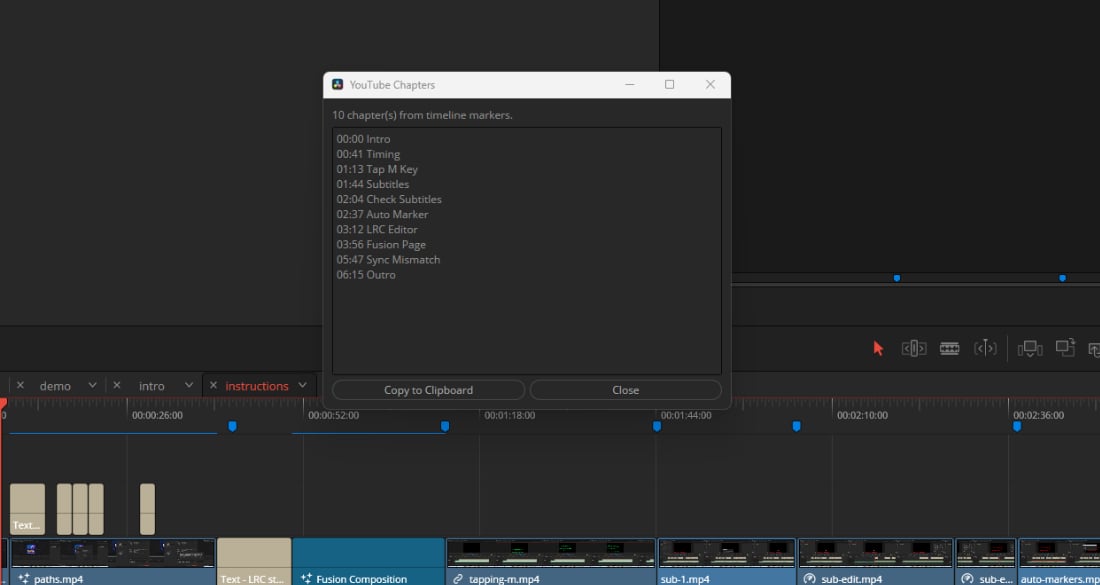

DaVinci Resolve (Free & Studio) YouTube Chapters Script
On Sale
$0.00
YouTubeChapters for DaVinci Resolve — Free Download
Tested in DaVinci Resolve 21 Studio and Free Versions
Generate YouTube chapters directly from your DaVinci Resolve timeline markers—no matter which version you use:
- 🚀 Studio Lua: Full interactive GUI to preview, customize, and copy chapters.
- 🐍 Free Python: Graphical interface for Free users (requires Python 3).
- ⚡ Free Lua Console: No setup required! Reads blue markers and copies chapters straight to your clipboard via Resolve's Console.
Free download. Install in two minutes. Never type a timestamp again.