

Gig Driver Mileage Log 2026 with Both IRS Rates (Google Sheets & Excel)
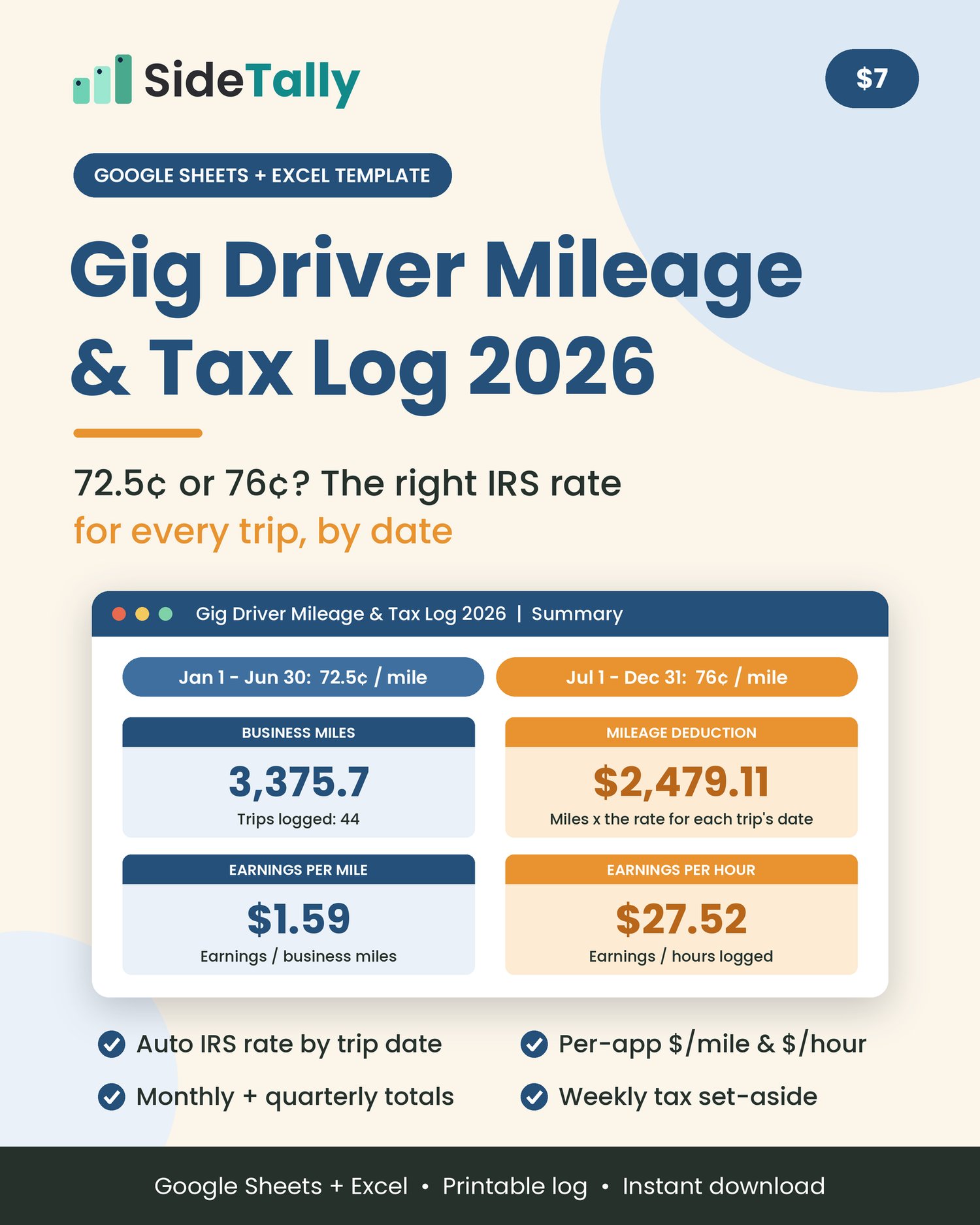
Mileage log for 2026 taxes that applies the right IRS rate to each trip by date (72.5¢ through June 30, 76¢ from July 1), then totals your deduction by month, quarter and app. Google Sheets & Excel, instant download.
A mileage log for taxes, built for delivery and rideshare drivers. The IRS raised the 2026 business mileage rate from 72.5¢ to 76¢ a mile on July 1. This spreadsheet gives every trip the right rate from its date, then totals your deduction by month, quarter and app, with $/mile, $/hour, a weekly tax set-aside and a printable car log. For Google Sheets or Excel.
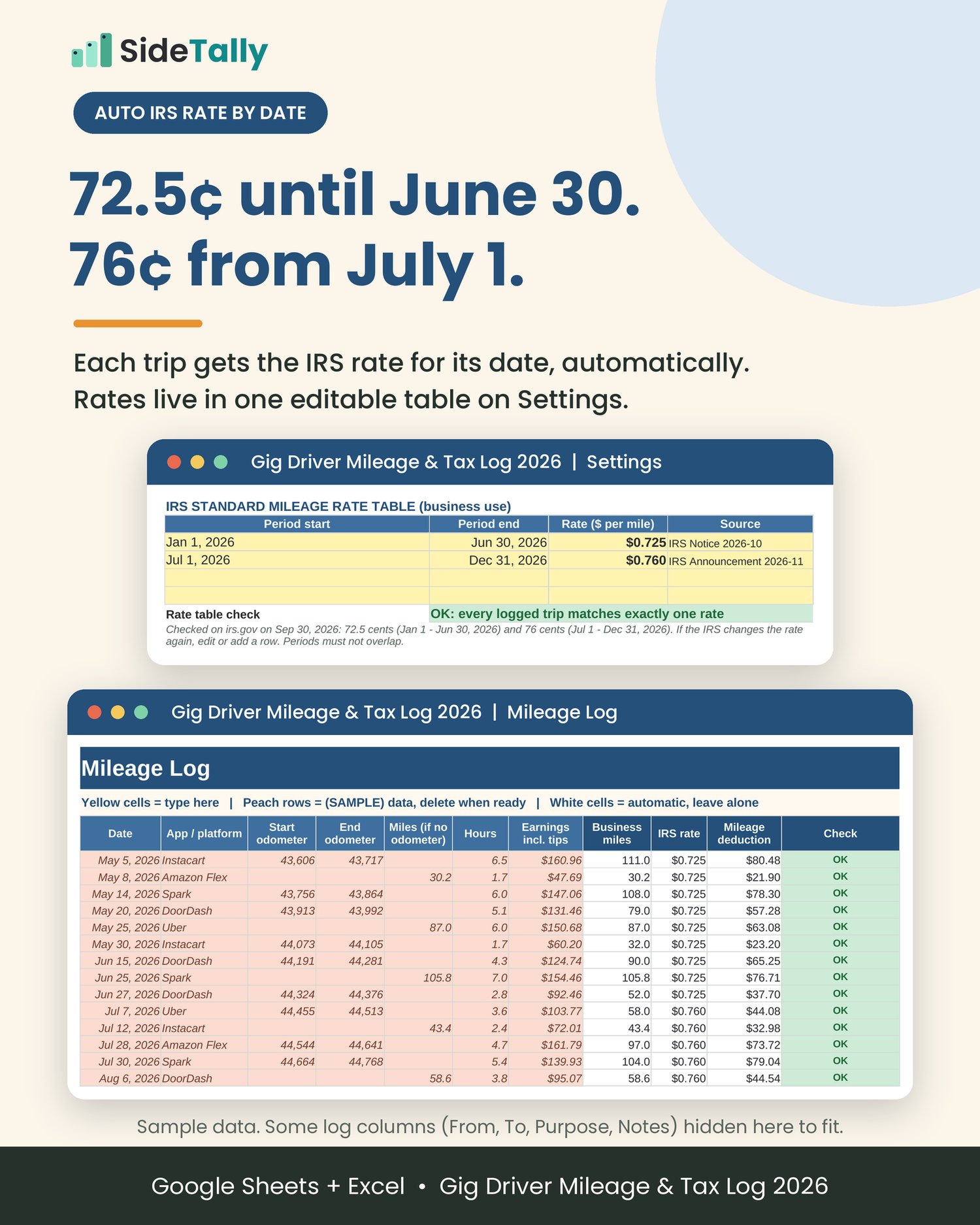
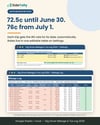
In 2026 the IRS business standard mileage rate is 72.5¢ a mile for January 1 through June 30 and 76¢ a mile from July 1 through December 31. A log with a single rate gets half your year wrong. This one reads the date on each trip and applies the right rate automatically.
Log a shift in about a minute
Date, app, where you went, business purpose, and either start and end odometer or just the miles. Add hours and earnings if you want the pay numbers. There is room for 1,000 trips.
The right IRS rate by trip date
Rates live in one editable table on the Settings tab, with the IRS source next to each one. If the IRS changes the rate again, edit a row. A built-in check tells you if any trip does not match exactly one rate period.
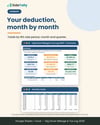
See your deduction add up
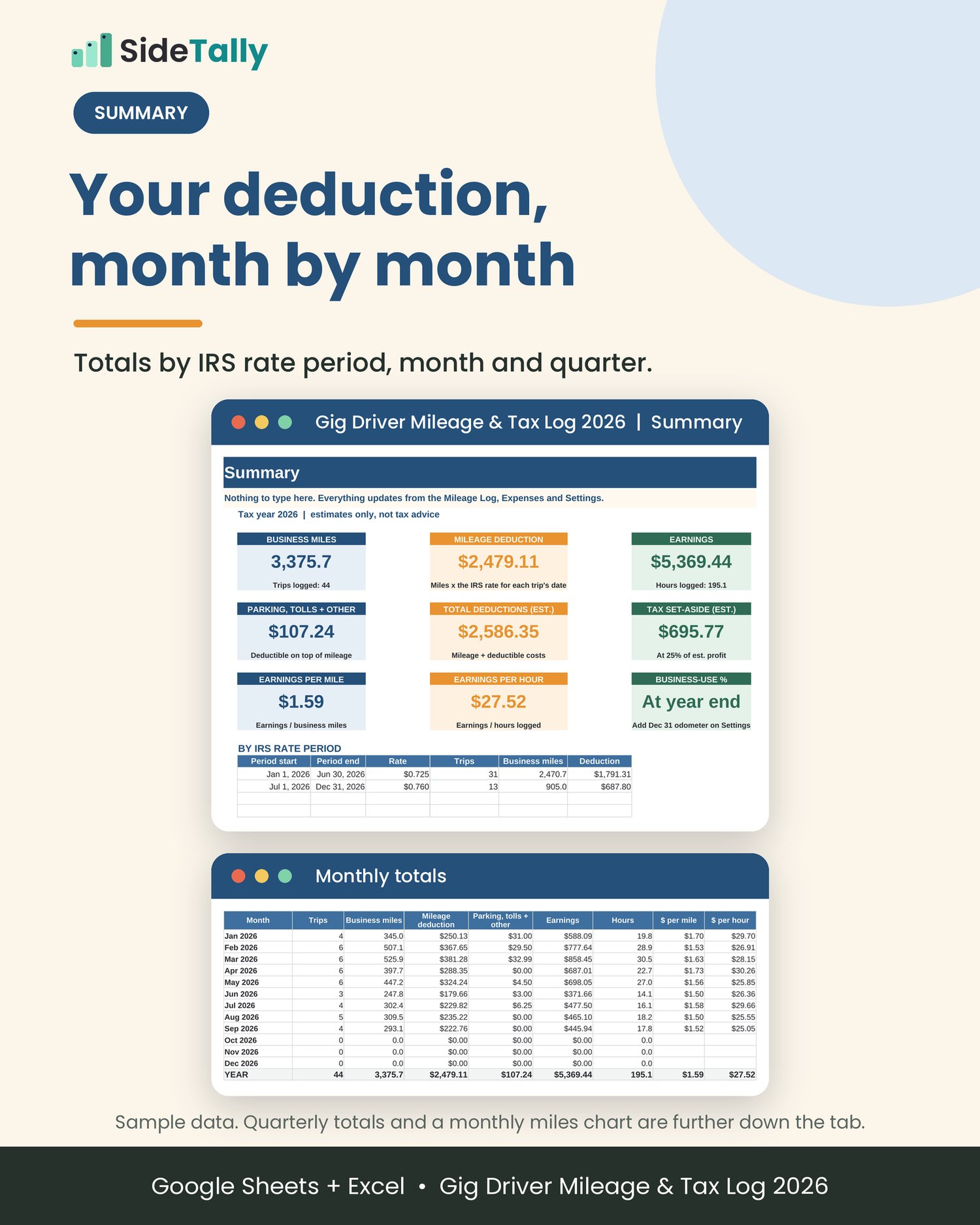
The Summary shows business miles, mileage deduction, earnings, parking and tolls, and total deductions, plus totals by IRS rate period, by month and by calendar quarter, with a monthly miles chart.
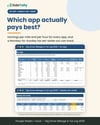
Find out which app actually pays
The By App tab ranks DoorDash, Uber, Instacart, Spark, Amazon Flex and any other app you add by earnings per mile and per hour, including an after car cost $/hour.
Know what to set aside for taxes
Pick a set-aside percentage. You get a yearly estimate on the Summary and a Monday-to-Sunday weekly amount, with a column to track what you actually saved.
Parking, tolls and the rest
Log expenses and the sheet shows which ones count on top of the mileage rate, such as business parking and tolls, and which ones the rate already covers, such as gas, repairs and insurance, so you do not count them twice.
A paper log for the car
Includes a printable one-page mileage log PDF, plus a Printable Log tab, for when you would rather write it down and type it in later.
Year-end ready
Enter your January 1 and December 31 odometer readings to get total miles and business-use percentage. The log keeps the details IRS Publication 463 asks for: the date, destination, business purpose and mileage for each business trip, and your total miles for the year.
Sample data is filled in so you can see how it works. Clear it in three selections; the Start Here tab and the guide show exactly which cells.
What’s included
• Gig-Driver-Mileage-Tax-Log-2026.xlsx: an 8-tab spreadsheet
• Start Here: 5-step quick start, the 2026 rates and their source, color key, and how to clear the sample data
• Settings: tax year, editable IRS rate table with a rate check, set-aside percentage, your car and odometer readings, your apps, and expense categories
• Mileage Log: 1,000 trip rows with automatic business miles, IRS rate, deduction and a row check
• Expenses: 300 rows, each marked as deductible on top of mileage or covered by the rate
• Summary: totals, $/mile, $/hour, tax set-aside estimate, by rate period, monthly, quarterly, and chart
• By App: trips, miles, hours, earnings, deduction, $/mile, $/hour and rank for each app
• Weekly Set-Aside: 53 weeks, suggested versus actually set aside
• Printable Log: print-ready paper log
• How-to-Guide.pdf: a 5-page setup and use guide for Google Sheets and Excel
• Printable-Mileage-Log.pdf: a one-page printable mileage log
• README.txt: quick start
Who it’s for
• DoorDash, Uber, Uber Eats, Lyft, Instacart, Spark, Amazon Flex, Grubhub, Shipt and Roadie drivers
• Anyone who drives for one or more gig apps and files as self-employed
• Side hustlers and freelancers who drive for work and want one clean log for tax time
It’s probably not what you need if you want automatic GPS tracking. This is a log you fill in, not an app.
How it works
1. Download the ZIP and unzip it.
2. Open the spreadsheet. In Google Sheets, upload it to Google Drive, choose Open with Google Sheets, then File and Save as Google Sheets. In Excel, just open the file; click Enable Editing if you see Protected View.
3. Set it up in about 10 minutes. Check the rate table, pick your set-aside percentage, enter your car and January 1 odometer, and list your apps.
4. Log each shift. One row per trip or shift. Everything else calculates.
Format and delivery
• Instant digital download: one ZIP file containing the spreadsheet, PDF guide, printable log and README
• Spreadsheet format: .xlsx, built for Microsoft Excel and Google Sheets; also opens in LibreOffice Calc
• Amounts are in US dollars and the rates are the US IRS rates for 2026
• Software is not included. You need Excel, a free Google account for Google Sheets, or another spreadsheet app that opens .xlsx files
• Nothing physical will be shipped
FAQ
Which IRS mileage rate does it use for 2026?
Both. 72.5¢ a mile for business miles driven January 1 through June 30, 2026, and 76¢ a mile from July 1 through December 31, 2026. Each trip gets the rate for its date. These were checked on irs.gov on September 30, 2026.
What if the IRS changes the rate again?
The rates are in an editable table on the Settings tab. Change a row or add one, and every trip updates.
Does it work in Google Sheets?
Yes. Upload the .xlsx to Google Drive, open it with Google Sheets, and save it as a Google Sheet. It only uses standard functions that both Excel and Google Sheets support. You can then use the Google Sheets app on your phone to log trips.
Does it track my miles automatically?
No. You enter each trip or shift yourself, or copy the miles from your app’s trip history. It does not connect to GPS or to any app.
Can I use it for more than one app?
Yes. Pick the app on each row. The By App tab compares them.
Are gas and repairs deducted too?
Not on top of the mileage rate. The standard mileage rate is meant to cover those costs. You can still log them to see what your car costs you. Business parking and tolls are counted separately.
What tax percentage should I set aside?
You choose. The preset 25% is only an example. The right number depends on your situation, so check with a tax professional.
Can I use it for 2027?
You can save a fresh copy, change the tax year, and type in the 2027 rates once the IRS publishes them. This file ships with the 2026 rates only.
Is it on Mac?
Yes. Use Excel for Mac or Google Sheets in your browser.
Can I get a refund?
Because this is a digital download, all sales are final. If a file won't open, message us through the Contact link at the top of the store and we'll fix it.
Tracking all your side-hustle income and expenses too? Pair it with the Side Hustle Income Tracker ($17): https://payhip.com/b/IYNhH
License
For your own personal or business record-keeping. Please do not resell, share or redistribute the file, blank or edited, as a template, or upload it to any template or marketplace site.
Disclaimer
Not tax advice. This log is a record-keeping and estimating tool, not tax, legal or financial advice. The deduction, totals and set-aside figures are estimates based only on the numbers you enter, and the set-aside percentage is an example, not a recommendation. Which miles and costs you can deduct depends on your situation. Talk to a qualified tax professional or see irs.gov.
Not affiliated with or endorsed by the IRS, DoorDash, Uber, Lyft, Instacart, Walmart (Spark), Amazon, Grubhub, Shipt or Roadie. App names are used only to describe what the log works with.
IRS rate sources (checked on irs.gov on September 30, 2026)
• IRS, Standard mileage rates: https://www.irs.gov/tax-professionals/standard-mileage-rates — lists 2026 January 1 through June 30 at 72.5¢ and July 1 through December 31 at 76¢ for business; page last reviewed or updated July 28, 2026
• Internal Revenue Bulletin 2026-29, Announcement 2026-11: https://www.irs.gov/irb/2026-29_irb
• IRS newsroom, 72.5¢ from January 1, 2026: https://www.irs.gov/newsroom/irs-sets-2026-business-standard-mileage-rate-at-725-cents-per-mile-up-25-cents
• IRS Notice 2026-10: https://www.irs.gov/pub/irs-drop/n-26-10.pdf
• Parking fees and tolls on top of the standard rate: IRS Topic 510, https://www.irs.gov/taxtopics/tc510
• Records to keep: IRS Publication 463, https://www.irs.gov/publications/p463