




JEDA Advanced Bookkeeping System, The Complete Double-Entry Excel Workbook
Professional bookkeeping. Automatic financial statements. All in Excel
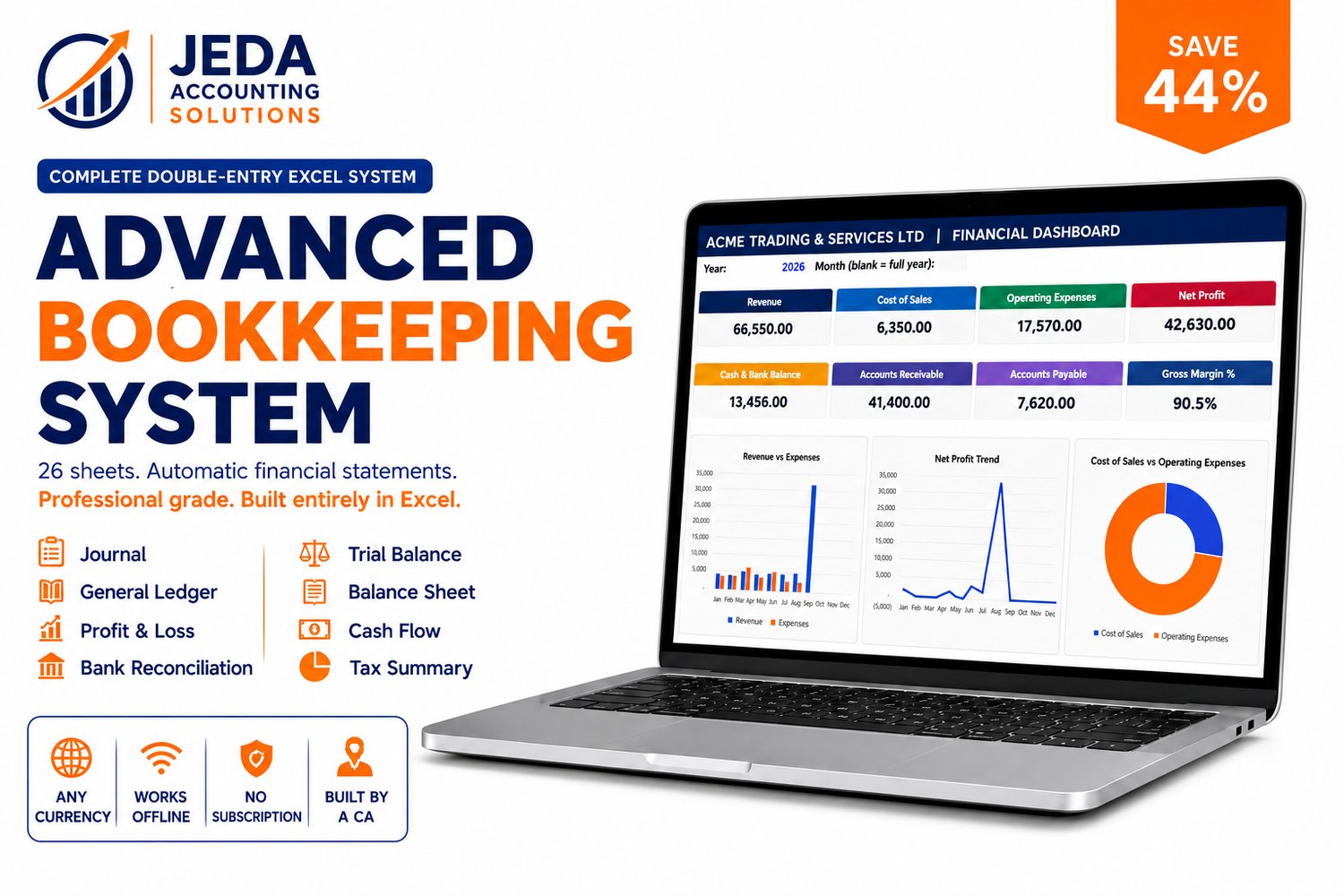
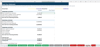
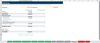
The JEDA Advanced Bookkeeping System is a complete double-entry bookkeeping workbook built entirely in Microsoft Excel. You enter transactions on a handful of simple input sheets. The system automatically posts every entry to the Journal as a balanced double entry, then rolls it up into every financial statement simultaneously no manual calculations, no formula building, no separate summaries.
Built by a Chartered Accountant. Designed for business owners who need proper financial statements and accounting professionals who manage client files across Africa.
---
WHO THIS IS FOR
Business owners who have outgrown basic income and expense tracking and need proper double-entry financial records Balance Sheet, General Ledger, Bank Reconciliation, and aging reports — produced automatically every month.
Accountants and bookkeepers who manage client bookkeeping files in Excel and need a complete, reliable, professional-grade workbook that they can configure per client and trust to produce accurate financial statements.
---
WHAT IS INSIDE: 26 SHEETS
1.Setup and Reference Sheets
Home — navigation cover page listing every sheet by workflow group so you always know where to go.
Setup — one-time configuration for business name, currency, financial year start month, reporting year, tax name and rate, and credit terms. Every report, dropdown, and dashboard heading reads from this sheet — you type your business name once and it appears everywhere.
Chart of Accounts — 44 pre-built accounts covering Assets, Liabilities, Equity, Income, Cost of Sales, and Expenses. Rename any account, add new ones from row 49 onward, or deactivate accounts you do not need. Every dropdown and report updates automatically when you make changes.
Cash and Bank — your cash and bank account register. Enter your real account names and opening balances once. Live Money In, Money Out, and Current Balance figures pull automatically from the Journal.
User Guide — a full 12-section reference guide built directly into the workbook for quick access while you work.
A video tutorial
2 Transaction Entry Sheets
Sales — log every invoice with date, invoice number, customer, income account, amount before tax, and tax rate. Tax amount and total calculate automatically. Choose immediate payment to a cash or bank account, or choose Credit On Account for unpaid invoices — these appear on the Receivables report until settled.
Customer Payments — record money received against unpaid invoices. The Invoice Number dropdown shows only currently unpaid invoices and auto-fills customer, invoice total, and balance due. Partial payments are fully supported.
Expenses — log every bill or purchase using the same layout as Sales. The Expense Account dropdown includes both Cost of Sales and Operating Expense accounts.
Supplier Payments — record payments made against unpaid bills using the same auto-fill pattern as Customer Payments.
Other Transactions — for owner capital, owner drawings, loans received, loan repayments, bank transfers, and adjustments. The Type dropdown determines which accounts post automatically.
Fixed Assets — your asset register. Enter cost, useful life, and purchase date. Depreciation calculates automatically once per year at financial year end. No manual journal entry needed.
Adjustments — for manual double-entry corrections, accruals, and prepayments. For use by an accountant when needed.
3.The Accounting Engine :Read-Only
Journal — every entry made anywhere in the workbook is automatically posted here as a balanced double entry with running Total Debits, Credits, and Balance check. Never edited manually.
General Ledger — pick any account from the dropdown to see every transaction posted to it with a running balance. Auto-generated and read-only.
Trial Balance — every account with its debit or credit balance, auto-generated, with a balance check at the bottom.
4 Reports and Dashboard
Dashboard — a live one-page view with year and month selectors, 8 KPI cards covering Revenue, Cost of Sales, Operating Expenses, Net Profit, Cash and Bank, Accounts Receivable, Accounts Payable, and Gross Margin percentage, plus 8 charts covering revenue, expenses, profit trend, aging, and cash trend.
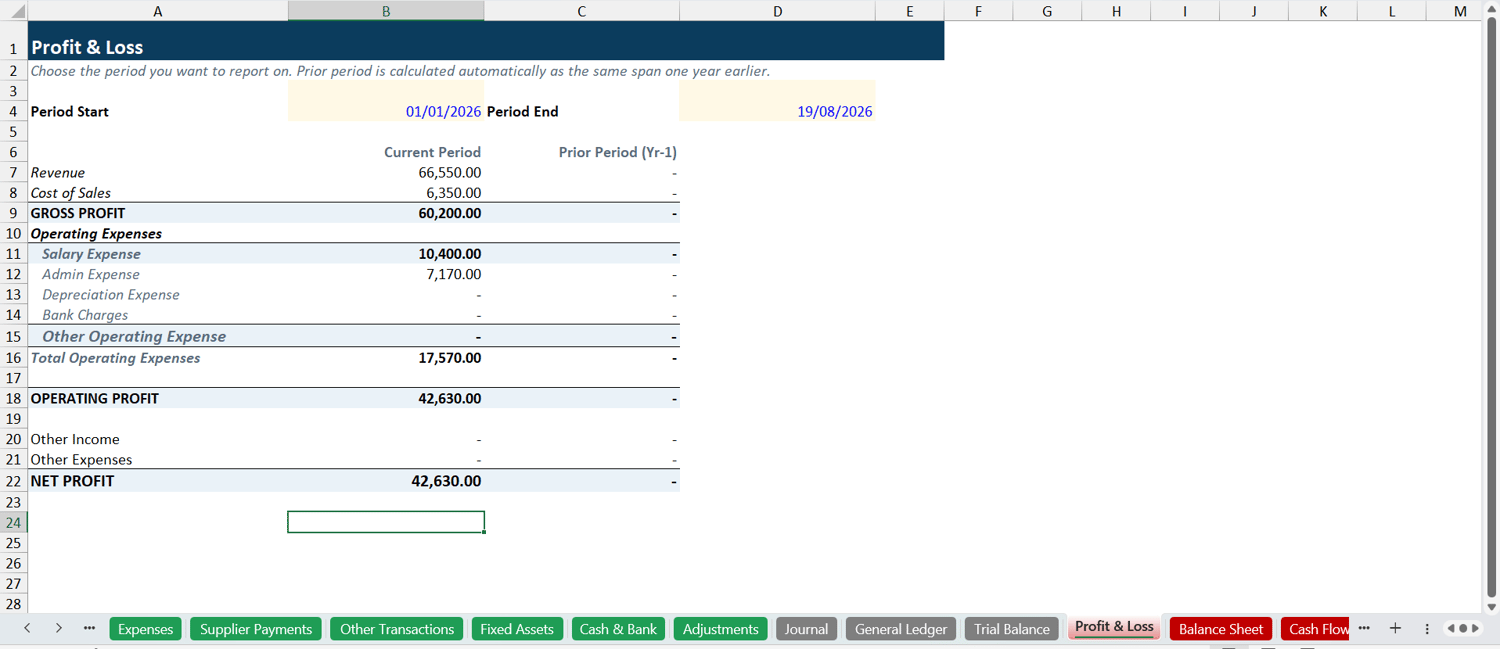
Profit and Loss — Revenue, Cost of Sales, Gross Profit, Operating Expenses, Operating Profit, Other Income, and Net Profit with current-period and prior-period columns for comparison.
Balance Sheet — Assets, Liabilities, and Equity as at any chosen date. Retained Earnings rolls forward automatically — no manual year-end closing entry is ever required.
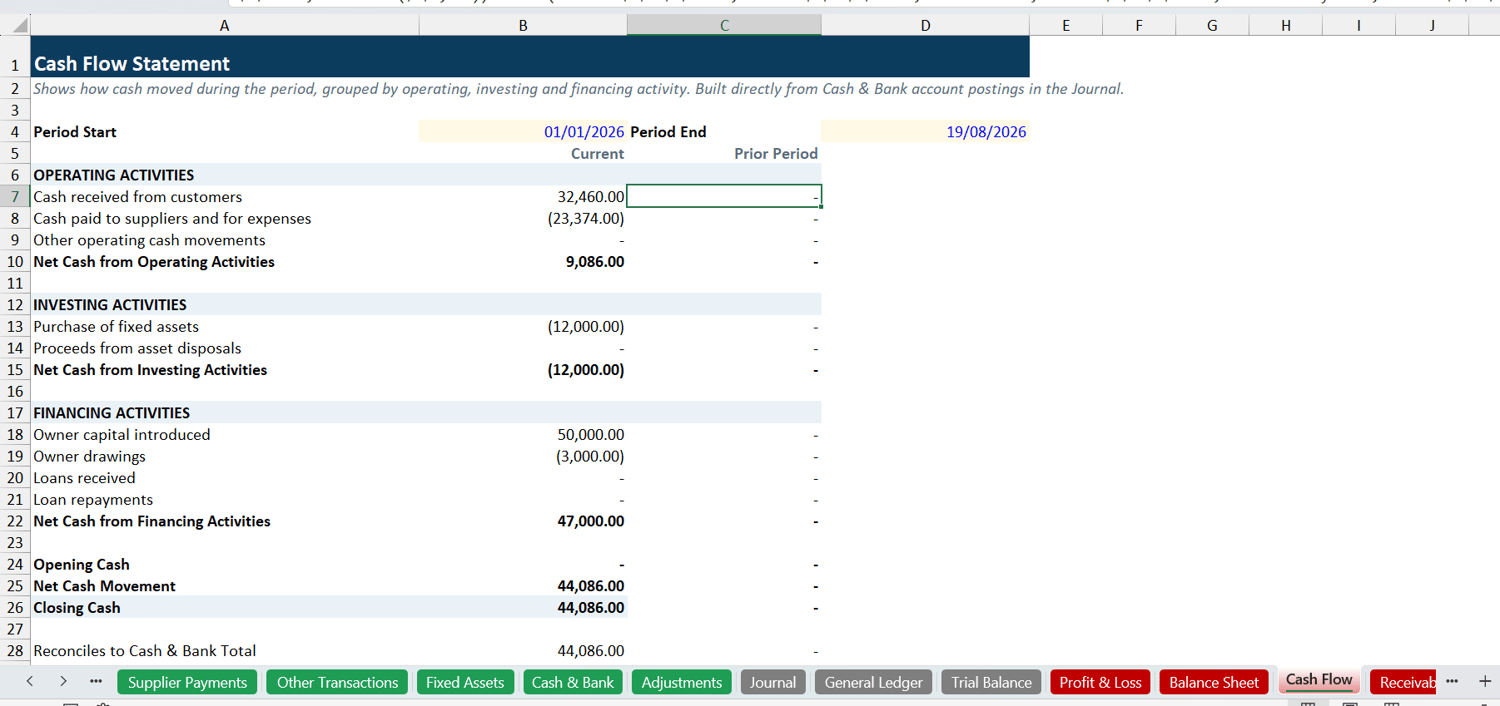
Cash Flow — Operating, Investing, and Financing activities for any chosen period, reconciled against your Cash and Bank total.
Receivables and Payables — every unpaid or partially paid invoice and bill with aging buckets showing Current, 1 to 30 days, 31 to 60 days, 61 to 90 days, and 90 days plus outstanding.
Tax Summary — output tax on sales versus input tax on purchases and your net tax position with a monthly breakdown. Ready to use at every filing period.
Expense Analysis — every operating expense account with its amount and percentage of total spend, plus a 12-month trend chart.
Monthly Report — a one-month snapshot compared against the previous month.
Bank Reconciliation — compare your book balance to a bank statement balance for any chosen account, listing outstanding items.
---
WHAT YOU GET WHEN YOU PURCHASE
- The Advanced Bookkeeping System Excel workbook delivered to your email immediately
- A PDF User Guide covering all 8 sections of setup and daily workflow
- A built-in User Guide tab inside the workbook itself for quick in-workbook reference
- WhatsApp support from the JEDA team
- Email support jedaacc17@gmail.com
- Lifetime access no subscription, no renewal, no hidden fees
---
BIRTHDAY DISCOUNT : LIMITED TIME
The Advanced Bookkeeping System is currently available at our special birthday price almost 50% off the regular price of ₦45,000. This discount is available for a limited time only. When it closes, the price returns to ₦45,000 permanently.
---
SYSTEM REQUIREMENTS
Microsoft Excel 2016 or newer. Works on Windows and Mac. No internet connection required after download. No VBA macros — built entirely on standard Excel functions. Comes with sample demo transactions pre-loaded so you can see the system in action before entering your own data.
---
FREQUENTLY ASKED QUESTIONS
Do I need to be an accountant to use this?
The system is built so that a non-accountant can use the input sheets Sales, Expenses, Customer Payments, Supplier Payments without any accounting knowledge. The double-entry engine runs automatically in the background. However, some features like the Adjustments sheet, Bank Reconciliation, and Chart of Accounts management are better suited to someone with basic accounting knowledge or an accountant adviser.
How is this different from the Simple Bookkeeping Template?
The Simple Template is designed for straightforward income and expense tracking with an automatic P&L, Cash Flow, and Dashboard. The Advanced System adds a full double-entry engine — Journal, General Ledger, Trial Balance, Balance Sheet, Bank Reconciliation, Receivables and Payables aging, Fixed Assets with depreciation, and Expense Analysis. It produces the complete set of financial statements required for proper accounting.
Can I use this for multiple clients?
Yes. Purchase one copy and configure it separately for each client by setting up a new file per client using the Setup sheet. The business name, currency, financial year, and Chart of Accounts are all configured per file.
Does this work outside Nigeria?
Yes. Set your currency symbol and tax name once in the Setup sheet. The system works in any currency and any tax regime VAT, GST, Sales Tax, or any other name. Used by accounting professionals and business owners across Nigeria, Ghana, Kenya, South Africa, and beyond.
What if I get stuck?
WhatsApp support is available from the JEDA team. Message +234 815 689 1086 and we will help you. The workbook also has a built-in 12-section User Guide tab and a PDF guide is included with every purchase.
Is this a one-time purchase?
Yes. You pay once and the file is yours permanently. No subscription, no annual renewal.