




Wheel Plug
WheelPlug – Plugin Search Wheel for FL Studio
*this is not a vst*
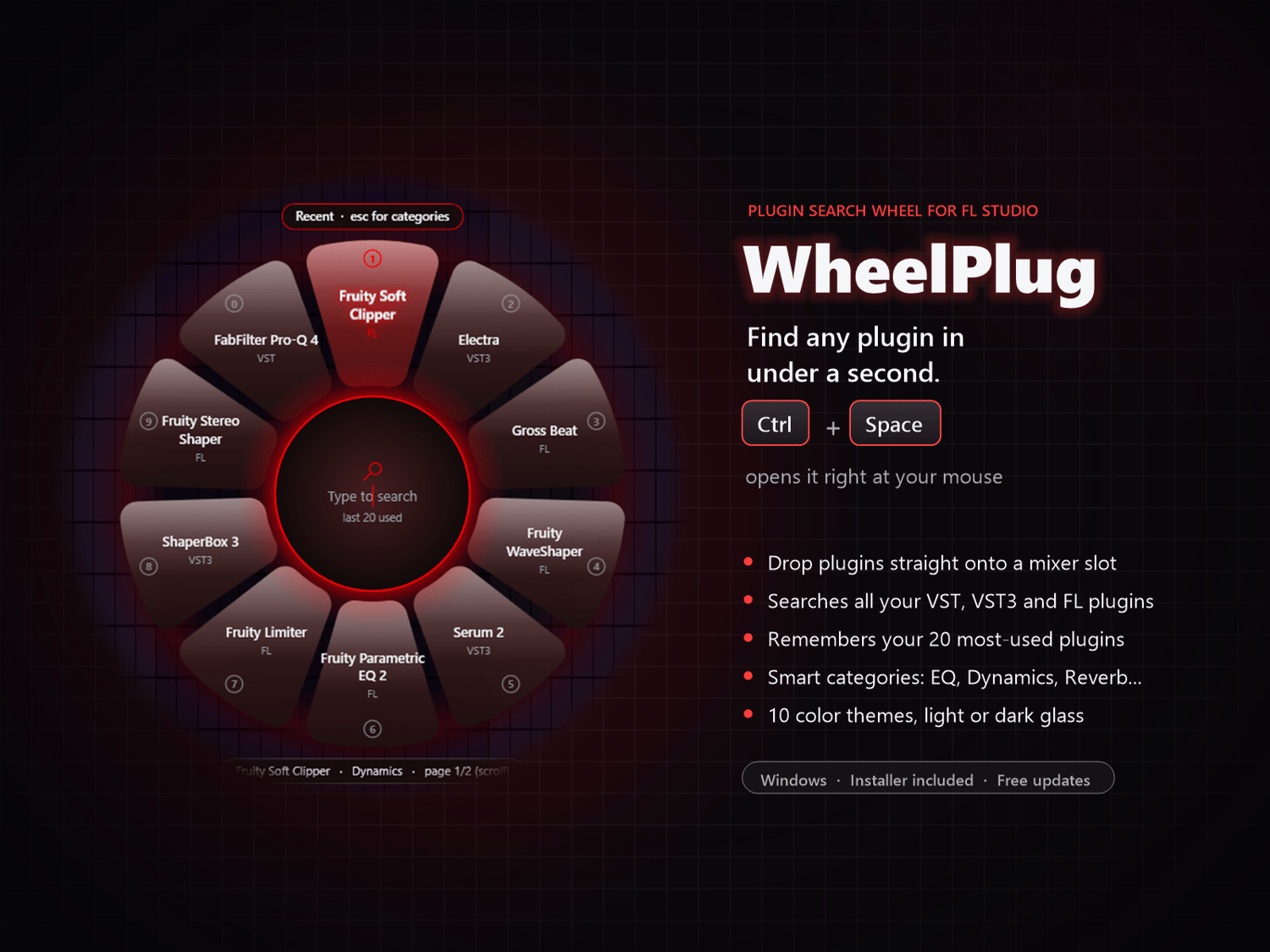
Find any plugin in under a second.
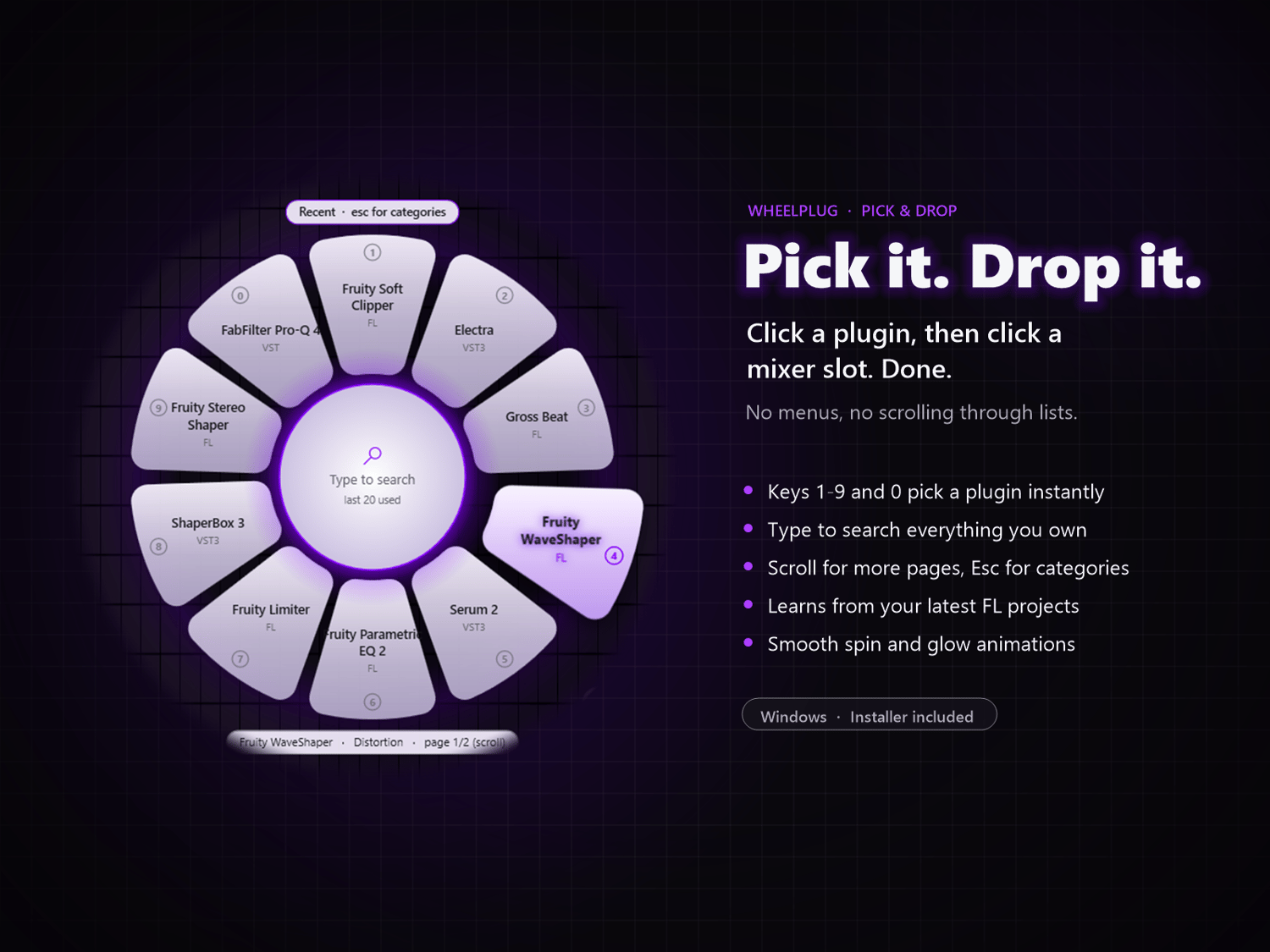
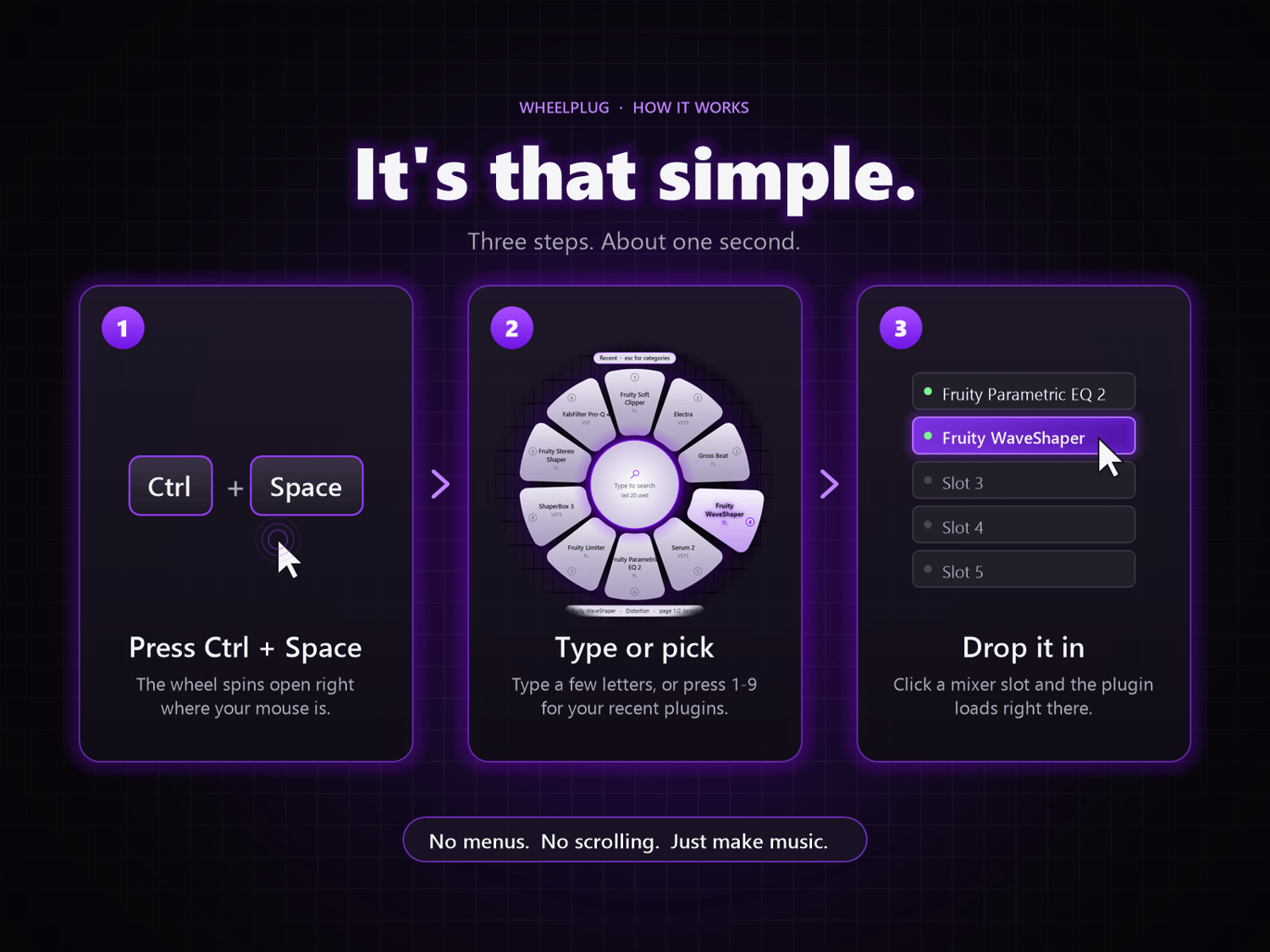
Stop scrolling through the plugin picker. Press Ctrl + Space and WheelPlug spins open right at your mouse. Type a few letters, click the plugin you want, and drop it straight onto a mixer slot or the channel rack. That's it. You never leave your flow.
WHAT IT DOES
• Instant search: finds any plugin you have installed in FL Studio, including VST, VST3 and FL's own plugins, as you type.
• Drag and drop: drop plugins straight onto a mixer insert slot or into the channel rack.
• Recent plugins: your 20 most-used plugins are one keypress away (keys 1–9 and 0).
• Smart categories: plugins are sorted into EQ, Dynamics, Reverb & Delay, Distortion, Modulation, Instruments and Utility automatically.
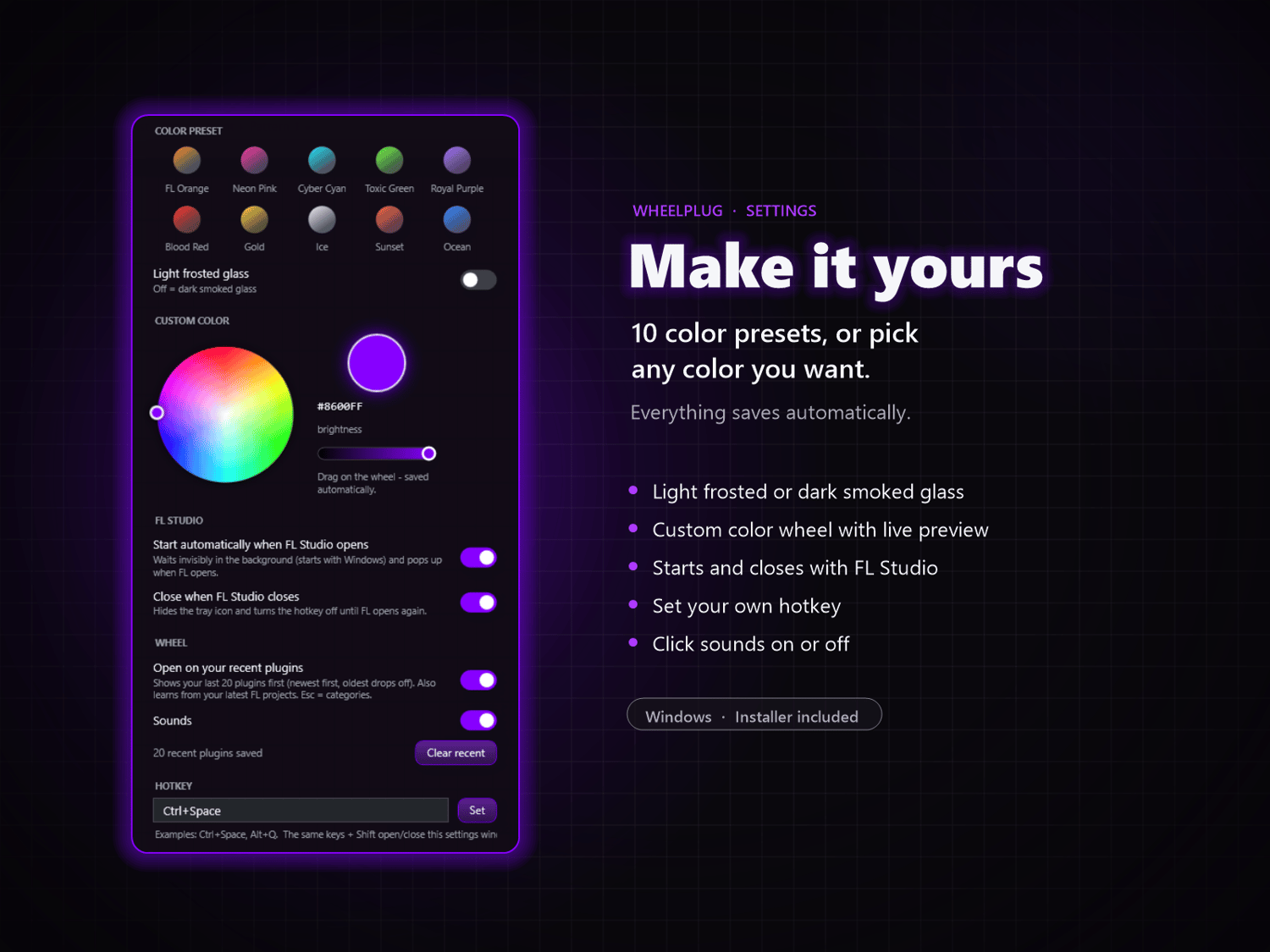
• Looks good in your studio: smooth spinning animation, 10 color themes (or pick your own), and light or dark glass styles.
• Stays out of your way: starts with Windows, waits quietly until FL Studio opens, and lives in your system tray.
HOW TO USE IT
1. Run "WheelPlug Setup.exe" and click Install.
2. Open FL Studio and press Ctrl + Space.
3. Type a plugin name, then click it and drop it where you want it.
Right-click the tray icon to change the hotkey, theme and more.
WHAT YOU GET
• WheelPlug installer (Windows)
• Uninstaller
• Quick start guide
REQUIREMENTS
• Windows 10 or 11
• FL Studio (with your plugins scanned in Options > Manage plugins)
GOOD TO KNOW
WheelPlug is a small independent app, so Windows may show "Windows protected your PC" the first time you run the installer. Click "More info" and then "Run anyway". WheelPlug installs just for your user account and doesn't need admin rights. You can remove it any time with "Uninstall WheelPlug.exe" or from Windows Settings > Apps.