

(AfterEffectsプラグイン ) Syndromee Prism Diffraction
==============================================================
PRISM DIFFRACTION
==============================================================
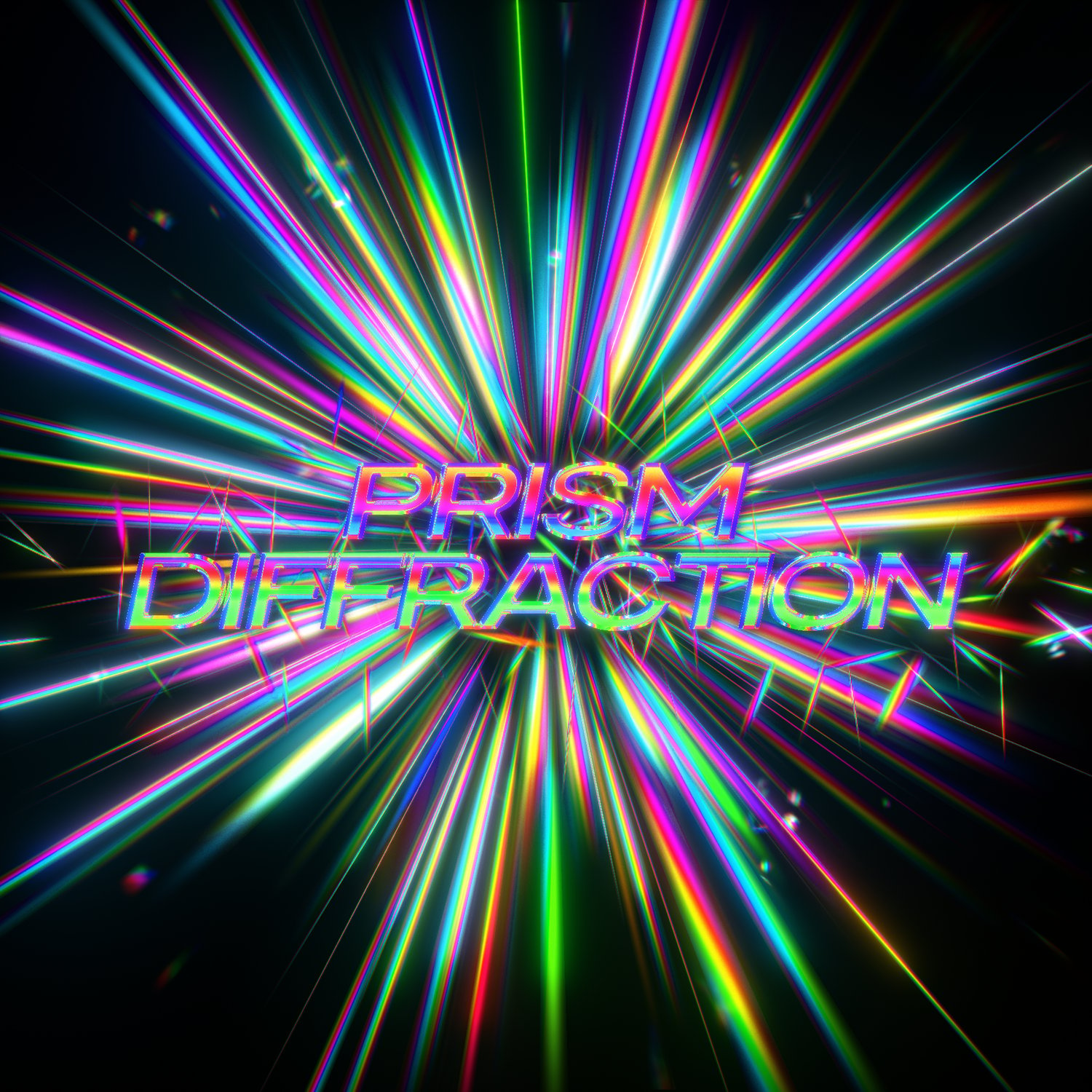
Cast beautiful prismatic light through your shots.
Prism Diffraction throws hundreds of fine rainbow rays out from a mask
or from the edge of any shape, text, or logo -- like light splitting
through a prism or glinting off a diffraction grating. Perfect for
dreamy light leaks, magical glints, music-video energy, shimmering
titles, and abstract rainbow bursts.
Windows & macOS - 8 / 16 / 32-bit - CPU (no GPU needed)
--------------------------------------------------------------
HIGHLIGHTS
--------------------------------------------------------------
- Rainbow prism rays from a mask path, or from a layer's alpha edge
(shapes, text, logos, PNGs).
- True spectral color with adjustable dispersion -- from tight rainbow
tips to wide, soft spectral fans.
- Living motion: flicker, sparkle, shimmer and drift, all animatable.
- Glow, bloom and edge-softening built in for a finished look.
- Composite the light over your footage, or render it on its own.
- Loads of controls for length, width, spread, color and style.
--------------------------------------------------------------
COMPATIBILITY
--------------------------------------------------------------
- After Effects 2020 and later.
- 8-bit, 16-bit, and 32-bit (float) color.
- Windows & macOS (Apple Silicon / Intel).
- CPU-rendered -- no special graphics card required.
--------------------------------------------------------------
INSTALLATION
--------------------------------------------------------------
Unzip the download and move the whole folder into your After Effects
Plug-ins folder:
Windows:
C:\Program Files\Adobe\Adobe After Effects <version>\Support Files\Plug-ins\
macOS:
/Applications/Adobe After Effects <version>/Plug-ins/
Then relaunch After Effects. The effect appears in your Effect menu
as "Prism Diffraction".
macOS - first launch
On the first launch, macOS may require you to allow the plug-in
under System Settings > Privacy & Security.
If it is blocked or won't load, clear the quarantine flag in
Terminal, then relaunch After Effects:
sudo xattr -r -d com.apple.quarantine "/Applications/Adobe After Effects <version>/Plug-ins/sy_PrismDiffraction.plugin"
(macOS only.)
--------------------------------------------------------------
QUICK START
--------------------------------------------------------------
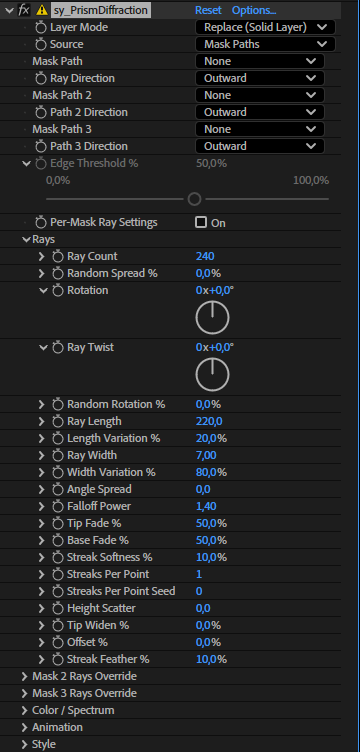
1. Apply Prism Diffraction to a layer (or to a new solid).
2. Source: draw a mask (Mask Paths), or choose Layer Alpha to trace
the edge of a shape / text / logo.
3. Pick Replace (rays on a solid) or Composite (rays over your footage).
4. Play with Ray Count, Ray Length, Chromatic Dispersion and Flicker
until it sings.
--------------------------------------------------------------
TIP - MOVING TEXT / SHAPES
--------------------------------------------------------------
If you animate, 3D, or camera-move a text or shape layer in Layer Alpha
mode, pre-compose it first and apply Prism Diffraction to the pre-comp,
so the rays stay locked to it. (Mask Paths mode follows the layer
without this.)
--------------------------------------------------------------
LOOK TIPS
--------------------------------------------------------------
- Replace on a solid + Add/Screen blend = instant light-leak over
footage.
- Lower Chromatic Dispersion for tight rainbow tips; raise it for wide
spectral fans.
- Set Flicker Speed to 0 to freeze the motion; raise Sparkle Cutoff for
a twinkly, intermittent field.