
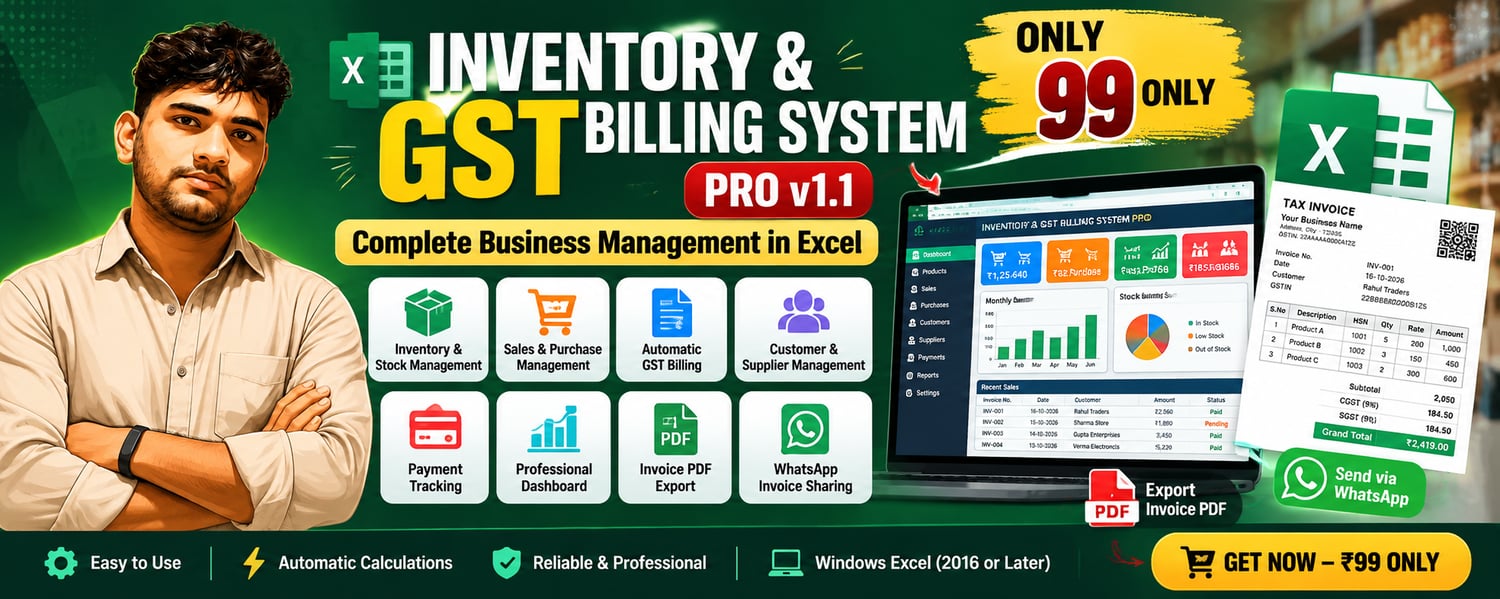
🚀 Inventory & GST Billing System PRO v1.1
🚀 Inventory & GST Billing System PRO v1.1
Complete Inventory, GST Billing & Business Management Solution in Microsoft Excel
Manage your business professionally with our advanced Excel-based Inventory & GST Billing System PRO v1.1.
This system is specially designed for retail shops, wholesalers, small businesses, stationery shops, electronics stores, hardware shops, grocery stores and other trading businesses.
No complicated accounting software required! Manage products, stock, sales, purchases, payments, GST invoices and business reports from one Excel workbook.
💰 Special Launch Price: ₹99 Only
💻 One-Time Purchase | No Monthly Subscription
⭐ Key Features
📊 1. Professional Business Dashboard
- Business performance overview
- Total sales and purchase tracking
- Gross profit summary
- Outstanding payment monitoring
- Automatic dashboard updates
- Financial charts and reports
📦 2. Inventory & Stock Management
- Add, search, update and delete products
- Automatic Product ID generation
- Product categories and HSN codes
- Purchase and selling price management
- GST percentage for products
- Opening stock and minimum stock tracking
- Automatic stock updates after purchases and sales
- Stock availability monitoring
🧾 3. Automatic GST Billing
- Professional GST invoice generation
- Automatic CGST and SGST calculations
- IGST calculation for applicable interstate sales
- Automatic subtotal and grand total
- Product-wise quantity, rate and discount
- Automatic invoice numbering
- Search and delete sales invoices
- Export invoices to PDF
- Share invoice details through WhatsApp
🛒 4. Sales & Purchase Management
- Record daily sales and purchases
- Easy-to-use sales entry popup
- Multiple products in one sales invoice
- Automatic stock deduction after sales
- Automatic stock increase after purchases
- Sales summary cards
- Invoice-wise transaction records
👥 5. Customer & Supplier Management
- Add and manage customer details
- Add and manage supplier details
- Customer and supplier search
- Customer and supplier records
- Easy-to-use data entry system
💰 6. Payment Management
- Customer payment tracking
- Supplier payment tracking
- Outstanding balance monitoring
- Payment history
- Payment search and reversal options
- Automatic payment summary updates
📈 7. Financial Reports
- Sales performance reports
- Purchase tracking
- Gross profit calculations
- GST collection summary
- Outstanding receivables
- Business financial dashboard
⚙️ 8. Smart Automation
- VBA-powered popup forms
- Automatic calculations
- Automatic stock adjustments
- Automatic dashboard updates
- Easy-to-use buttons and navigation
- Reduced manual data entry
💻 System Requirements
Operating System:
- Windows 10 (64-bit)
- Windows 11 (64-bit) – Recommended
Microsoft Excel:
- Microsoft Excel 2016 Desktop
- Microsoft Excel 2019 Desktop
- Microsoft Excel 2021 Desktop
- Microsoft Excel 2024 Desktop
- Microsoft 365 Excel Desktop for Windows
Recommended: Microsoft Excel 2021, 2024 or Microsoft 365 Desktop.
File Format: .XLSM (Macro-Enabled Excel Workbook)
Important:
- Microsoft Excel Desktop installation is required.
- VBA macros must be enabled.
- Excel Online and mobile Excel apps do not support the required VBA functionality.
- Microsoft Excel for Mac is not supported for this Windows-focused version.
- Internet access may be required for WhatsApp sharing.
- PDF invoices can be saved locally.
🖥️ How to Use on a New Computer
Step 1: Download the File
After completing payment, download the Excel workbook from Payhip.
Step 2: Install Microsoft Excel
Make sure Microsoft Excel Desktop 2016 or later is installed on your Windows computer.
Step 3: Extract the ZIP File (If Applicable)
If the product is delivered as a ZIP file, extract it before opening the workbook.
Step 4: Unblock the File (If Required)
Right-click the downloaded Excel file → Properties → General → Unblock (if available) → Apply → OK.
Step 5: Open the Workbook
Open the .xlsm file using Microsoft Excel Desktop.
Step 6: Enable Macros
If Excel displays a security warning and you trust the downloaded file, select Enable Content when available.
Step 7: Configure Business Details
Open the Settings sheet and enter your business details and applicable GST information.
Step 8: Add Products
Enter product names, HSN codes, purchase prices, selling prices, GST rates and opening stock.
Step 9: Add Customers & Suppliers
Create your customer and supplier records.
Step 10: Start Billing
Record purchases, create sales invoices, track payments and monitor your business dashboard.
Step 11: Save Your Data
Save the workbook regularly using Ctrl + S and keep a backup copy.
⚠️ Important Information Before Purchase
- This product is a Microsoft Excel macro-enabled workbook, not standalone software.
- Microsoft Excel is not included with the purchase.
- This version is designed for Windows Desktop Excel.
- Macros are required for automated functions.
- Do not change protected structures, formulas, VBA code or sheet names.
- Always keep a backup of your business data.
- GST rates, invoice details and tax compliance should be verified according to your business requirements.
- This product is intended for a single-user desktop workflow; simultaneous multi-user access is not supported.
📥 What Will You Receive?
✅ Inventory & GST Billing System PRO v1.1 Excel File (.xlsm)
✅ Inventory, Sales & Purchase Management
✅ GST Invoice Generation
✅ Payment Management Features
✅ Business Dashboard & Reports
✅ PDF Invoice Export & WhatsApp Sharing
💥 Get Your Copy Today for Just ₹99!
Developed by Ronit Panji
For installation or technical support, contact us through WhatsApp.