
Revit Beam Splitter Extension | Automated Structural pyRevit Tool
On Sale
$0.00
The Problem:
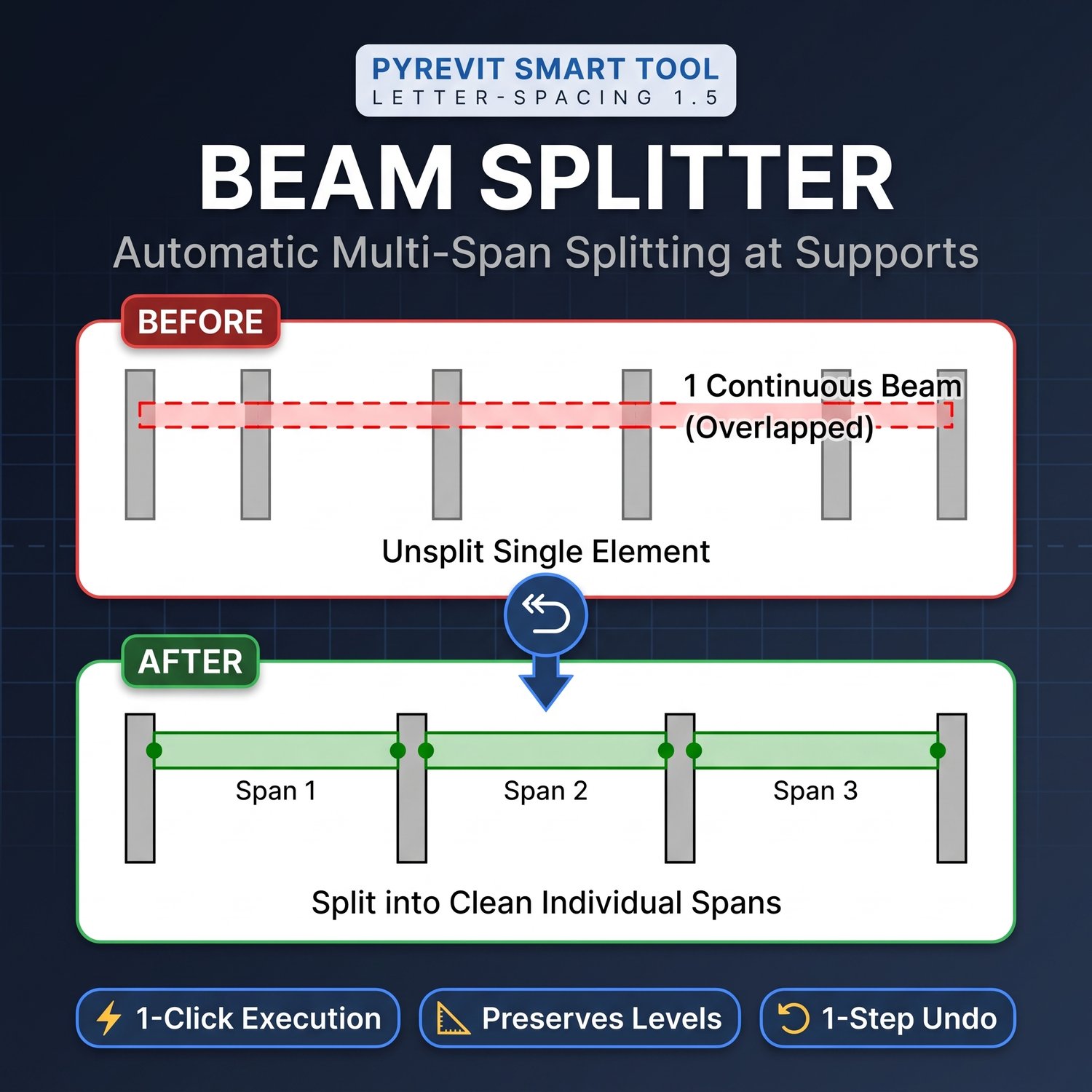
When modeling structural framing in Autodesk Revit, beams drawn continuously across multiple supports do not automatically split at column intersections. These unbroken, continuous elements can lead to disconnected analytical models, inaccurate structural schedules, and errors in material takeoffs or 4D simulation workflows.
The Solution:
The Beam Splitter Extension is a custom pyRevit automation tool designed to eliminate manual element subdivision. With a single click, this script analyzes your selected structural framing elements, detects intersecting vertical supports, and automatically splits the continuous beams into precise, individual spans.
Key Features:
- Automated Subdivision: Instantly split continuous structural framing elements at exact column bounding boxes.
- Batch Processing: Select and split multiple continuous beams simultaneously to save time.
- Instant Verification: Generates an immediate pyRevit UI report detailing the original selection count and the newly generated segment quantities.
Compatibility:
- Compatible with Autodesk Revit.
- Requires the pyRevit add-in to be installed prior to use.
How to Install & Use:
- Download and extract the Beam-Splitter.extension zip file to a permanent local directory.
- Open Revit, navigate to the pyRevit tab, and open Settings.
- Scroll to Custom Extension Directories and click "Add Folder."
- Select the parent folder containing the extracted .extension directory.
- Save the settings and let pyRevit reload. The Beam Splitter tool will now be available in a dedicated "Modeling" tab on your Revit ribbon.