
Bar Inventory Spreadsheet, Liquor Count Sheet & Par Level Tracker, Usage Variance, Pour Cost, Order List, Digital Download
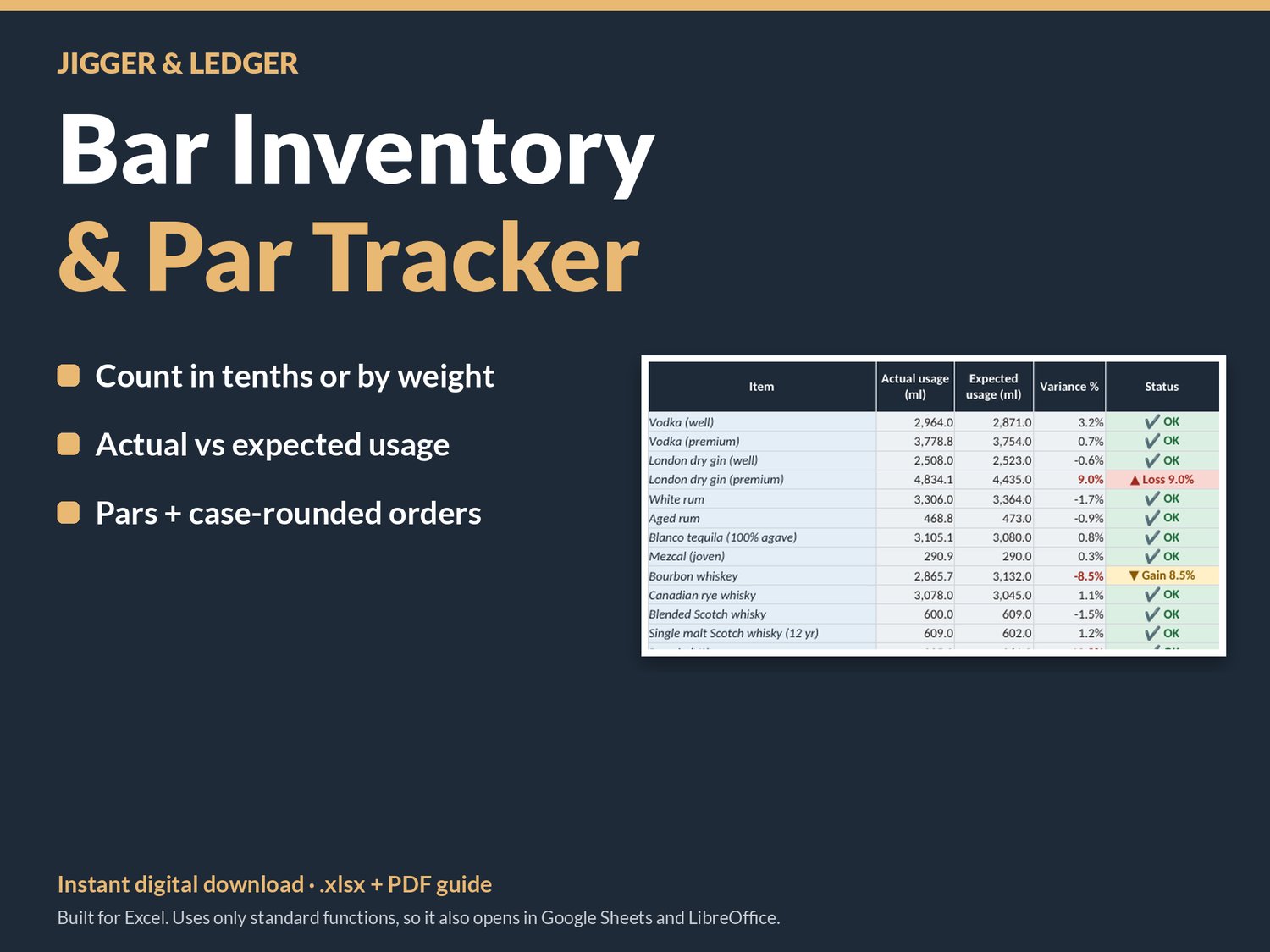
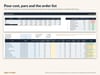
Find out where your liquor, wine and beer actually go, every week. This bar inventory tracker turns your counts, deliveries and POS sales into actual vs expected usage, a variance in ml, bottles, dollars and %, your pour cost, and an order list rounded to full cases. It's metric-first, set up for Canada and built to make the weekly count quicker.
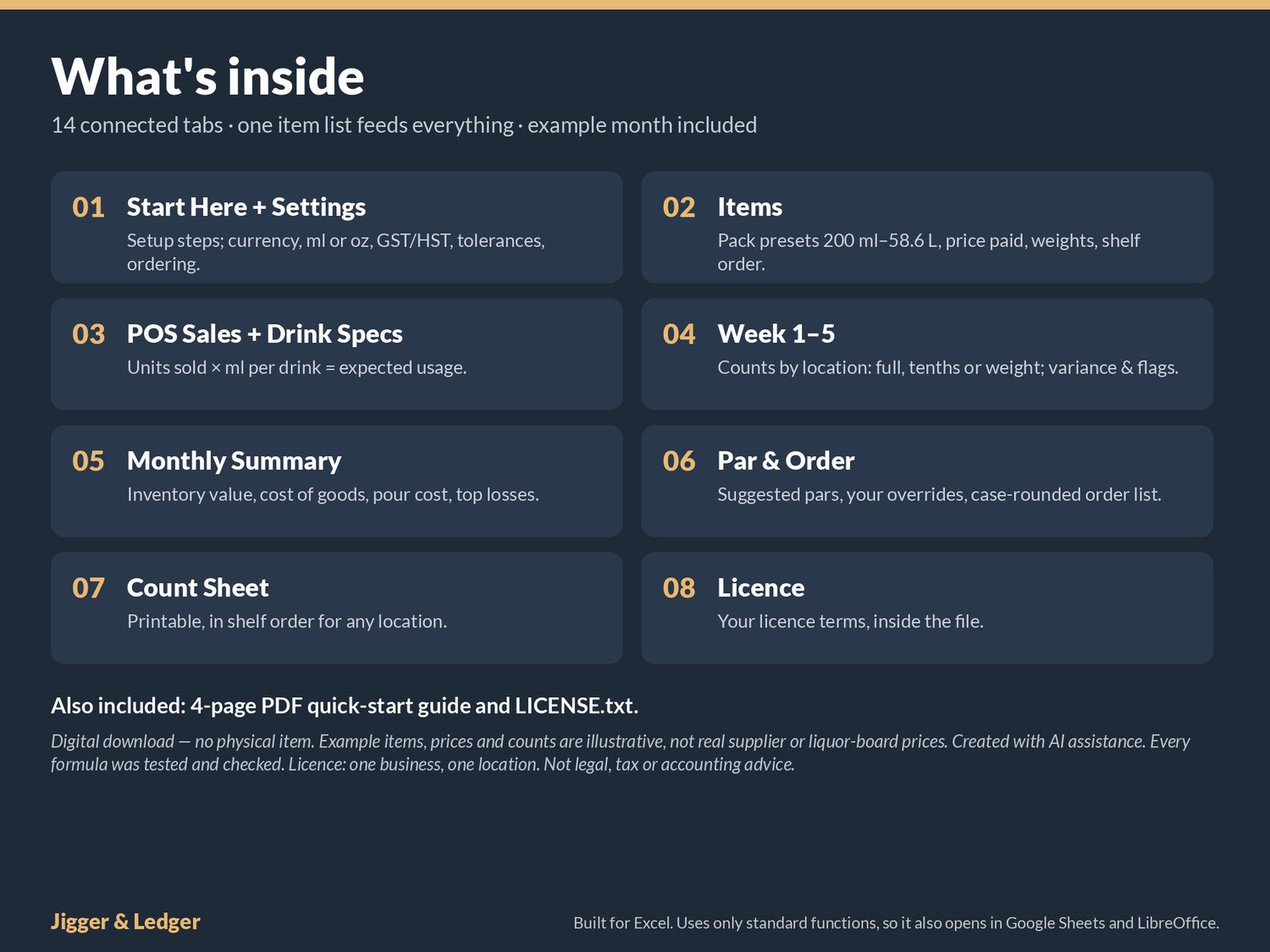
What it does for you
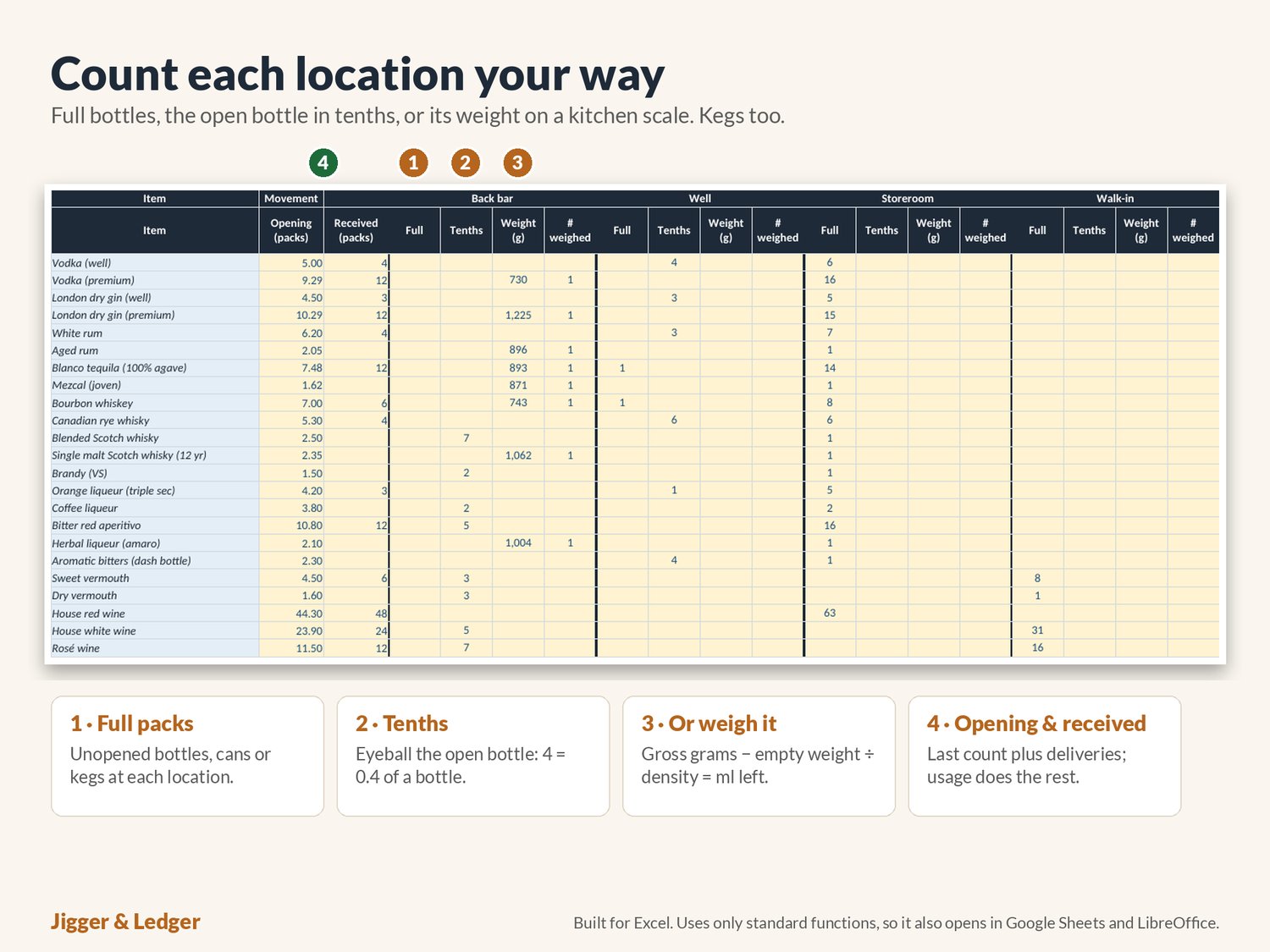
- Counts each location your way. Back bar, well, storeroom and walk-in each get their own columns (rename them to suit). Enter full bottles, then the open bottle in tenths, or weigh it on a kitchen scale.
- Weighs partial bottles accurately. Enter the empty weight once; the full weight gives you a measured density. Category defaults cover the rest, and syrups and liqueurs can be overridden.
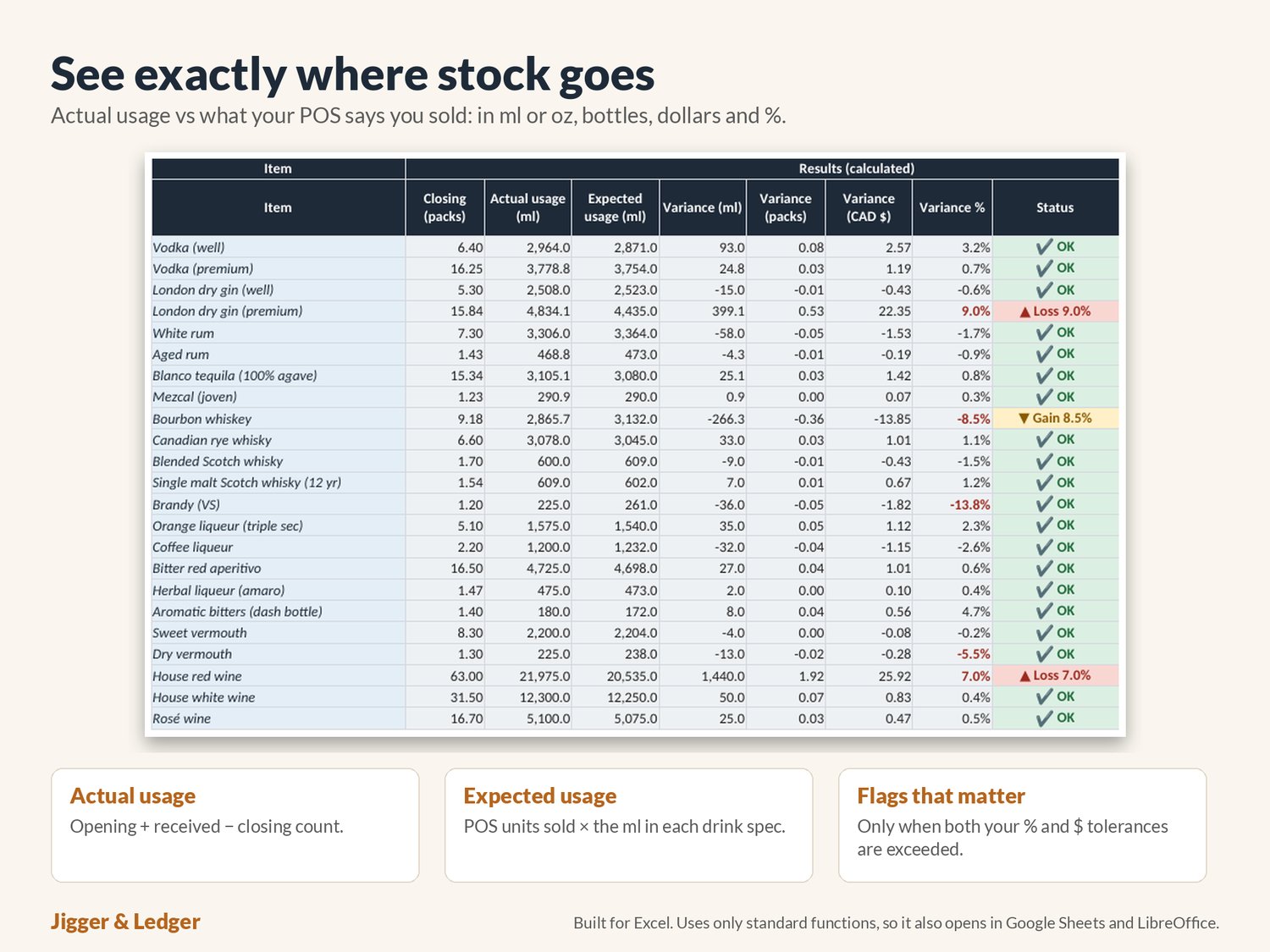
- Calculates real usage. Opening + received − closing, item by item, week by week. Each week's closing becomes the next week's opening automatically.
- Compares it to what you sold. Type units sold per drink from your POS and the ml of each item in each drink. The sheet works out the expected usage and the variance.
- Flags only what matters. An item is flagged as a loss or gain only when it is over both your % tolerance and your money tolerance, so a slow bottle doesn't bury a real problem. Items used with no sales recorded are flagged too.
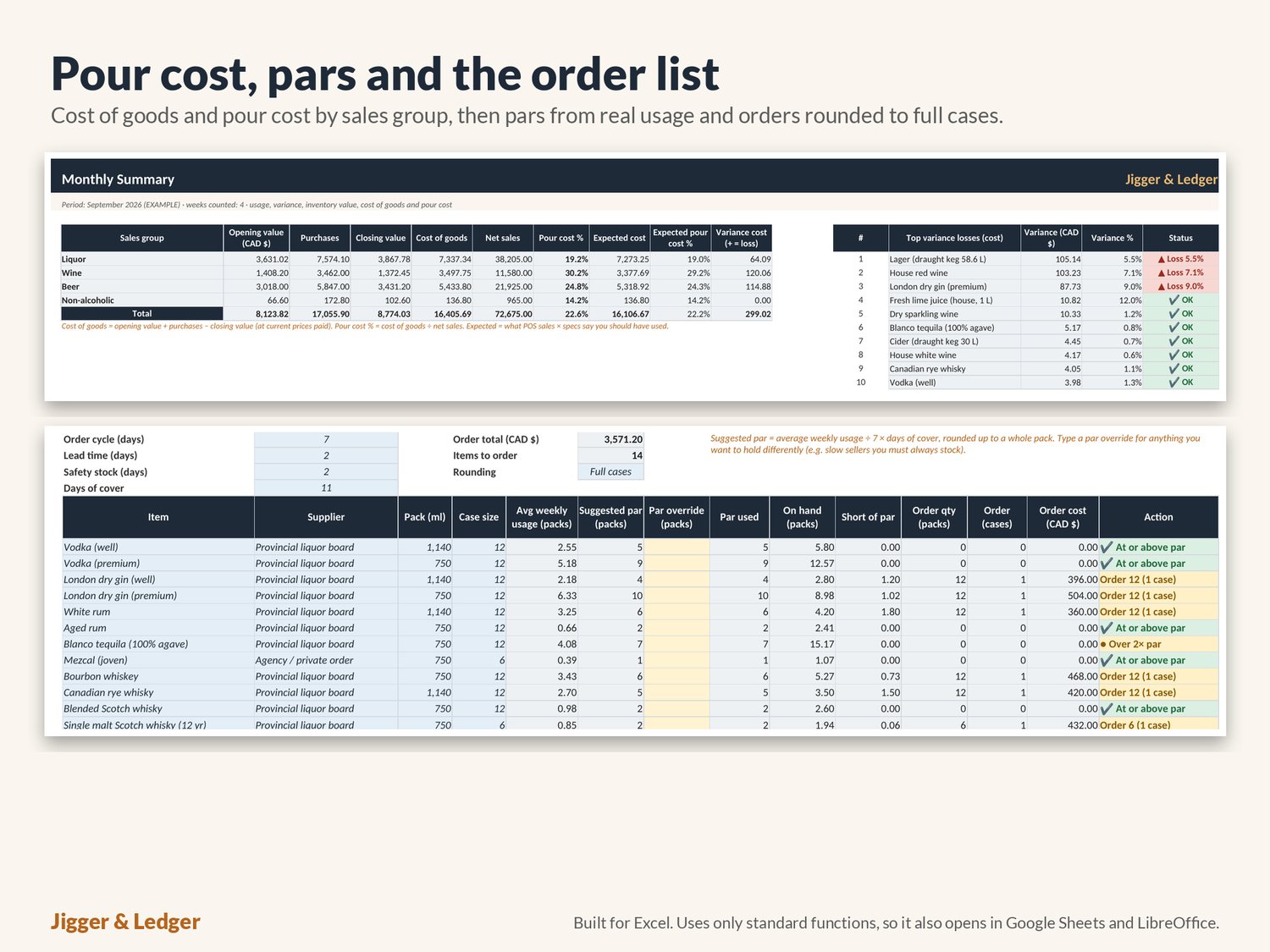
- Shows cost of goods and pour cost. Opening value + purchases − closing value, by liquor, wine, beer and non-alcoholic, against net sales for each week and the month. You see the actual pour cost next to the expected one.
- Builds your order. The suggested par comes from average weekly usage, your order cycle, lead time and safety stock. Override any par, and the order quantity is rounded up to full cases with its cost.
- Prints a count sheet. Pick a location and the sheet lists its items in shelf order, ready for the clipboard.
Canada-ready (and easy to change)
- Pack-size presets including 750 ml and 1.14 L bottles, cans, and 20 L, 30 L, 50 L and 58.6 L kegs, plus a column for the licensee or wholesale price you paid.
- GST/HST by province (Ontario HST 13% default) to net out sales if your POS reports them tax-included.
- Switch the display to oz, or set the currency label to CAD, USD, EUR, GBP or AUD.
What's included
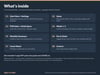
- 1 spreadsheet (.xlsx) with 14 tabs: Start Here, Settings, Items (up to 150), Drink Specs, POS Sales, Week 1 to Week 5, Monthly Summary, Par & Order, Count Sheet, plus a Licence tab.
- A 4-page PDF quick-start guide: counting by tenths and weight, how the maths works, general variance and pour-cost ranges, and troubleshooting.
- A full month of example data, clearly labelled, so you can see flags, pour cost and an order list before you add your own. Example prices are illustrative only, not real supplier prices.
- The licence terms (LICENSE.txt).
How it works
- Download the files after purchase.
- Open the .xlsx in Microsoft Excel.
- Set your venue, currency, province, tolerances and ordering days on Settings.
- Replace the example items, drinks and specs with your own, then count each week.
Yellow cells are your inputs and grey cells calculate on their own. There are no macros, add-ins or subscriptions. Built for Excel. Uses only standard functions, so it also opens in Google Sheets and LibreOffice.
Good to know
- This is a digital download; nothing physical will be shipped.
- Licence: one business, one location. Not for resale or sharing. Full terms are in LICENSE.txt and on the Licence tab.
- Values use the current price you enter. Not legal, tax or accounting advice.
Created with AI assistance. Every formula was tested and checked.
Questions? Send a message any time. I'm happy to help you get set up.