
A Notion CRM & Business System for Women-Owned Service Businesses
You didn't start a business to lose track of who owes you money.
Spreadsheets don't talk to each other. Sticky notes fall behind the desk. And most "Notion CRM" templates on the market are really just a single database with a fancy cover image — no real connections, no automatic totals, nothing that saves you actual time.
CLIENTFLOW is different: it's a genuinely connected system.
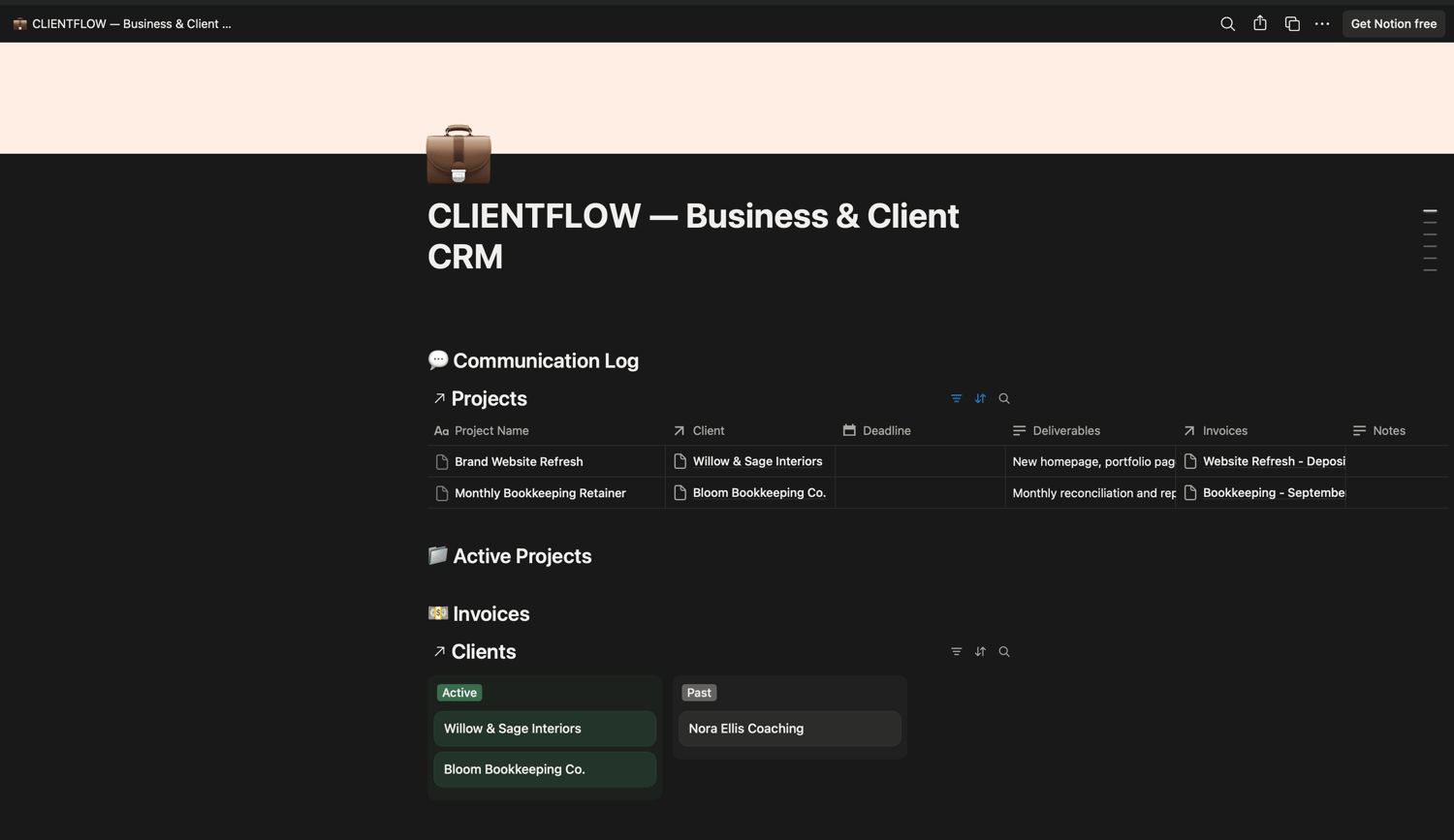
Every client is linked to their own projects, invoices, proposals, and communication history — automatically. Open a client's page and instantly see their total amount invoiced, how many active projects they have, and how many proposals are still open. No manual tallying, no separate spreadsheet, no forgetting who you talked to last week.
What's Inside
🧲 Leads Pipeline Track every inquiry from first contact to won (or lost) — New Inquiry → Discovery Call → Proposal Sent → Negotiating → Won/Lost — tagged by source so you know which marketing channel is actually bringing in business.
👥 Clients — The Connected Hub Every client automatically rolls up their total invoiced amount, active project count, and open proposals. Click into any client and see their entire history in one place — no digging through email.
📁 Projects Every engagement linked directly to its client, tracked by status, priority, and deadline. See exactly what's active and what's coming due.
💵 Invoices Auto-numbered, linked to both client and project, tracked from Draft → Sent → Paid → Overdue. A dedicated view surfaces every overdue invoice so nothing slips through.
💬 Communication Log A running record of every call, email, and meeting per client, with a follow-up flag so nothing gets forgotten.
📝 Proposals & Contracts Track every proposal from draft to signed, with dollar values attached — see your close rate at a glance.
📋 Services & Packages + Onboarding/Offboarding Checklists The operational backbone most templates skip: a place to standardize your offers and a repeatable process for bringing on (and gracefully wrapping up with) every client.
Why It's Different
✔️ Real relational database, not just a pretty table — clients, projects, invoices, proposals, and communications are all linked, with automatic rollups showing revenue and activity per client ✔️ Built for service businesses specifically — not a generic "life OS" repurposed with business language ✔️ Comes pre-loaded with sample data — so it's obvious how to use it from the moment you open it, not a blank template you have to figure out alone ✔️ Covers the full client lifecycle — from first inquiry to final invoice to asking for a referral ✔️ Built by and for women running service businesses — freelancers, coaches, designers, bookkeepers, consultants, and creative studio owners
Who This Is For
Freelancers and solopreneurs juggling multiple clients who are tired of losing track of invoices. Coaches and consultants who need a real pipeline, not just a task list. Creative studio owners (design, photography, interior design) who need projects and invoices linked in one place. Anyone running a women-owned service business who's outgrown a spreadsheet but isn't ready for expensive CRM software.
What You'll Need
A free or paid Notion account. Works on desktop, web, and mobile.
Short Taglines
- "The CRM that actually connects the dots."
- "Know exactly who owes you what, at a glance."
- "Built for the business you're building, not the one you started with."
- "Your leads, clients, projects, and invoices — finally in one place."
Bullet List ("What's Included")
- 1 Home Dashboard with live views into every part of your business
- 6 fully connected databases: Leads, Clients, Projects, Invoices, Communication Log, Proposals & Contracts
- Automatic rollups: Total Invoiced, Active Projects, and Open Proposals per client
- Pre-loaded sample data so it works immediately, right out of the box
- Services & Packages page for standardizing your offers
- Onboarding & Offboarding checklists for a repeatable client process
- Beginner-friendly — no Notion experience or database knowledge required