

2027 Habit Tracker Google Sheets Template
On Sale
$3.99
$3.99
2027 Habit Tracker Google Sheets Template by T0LD Studio
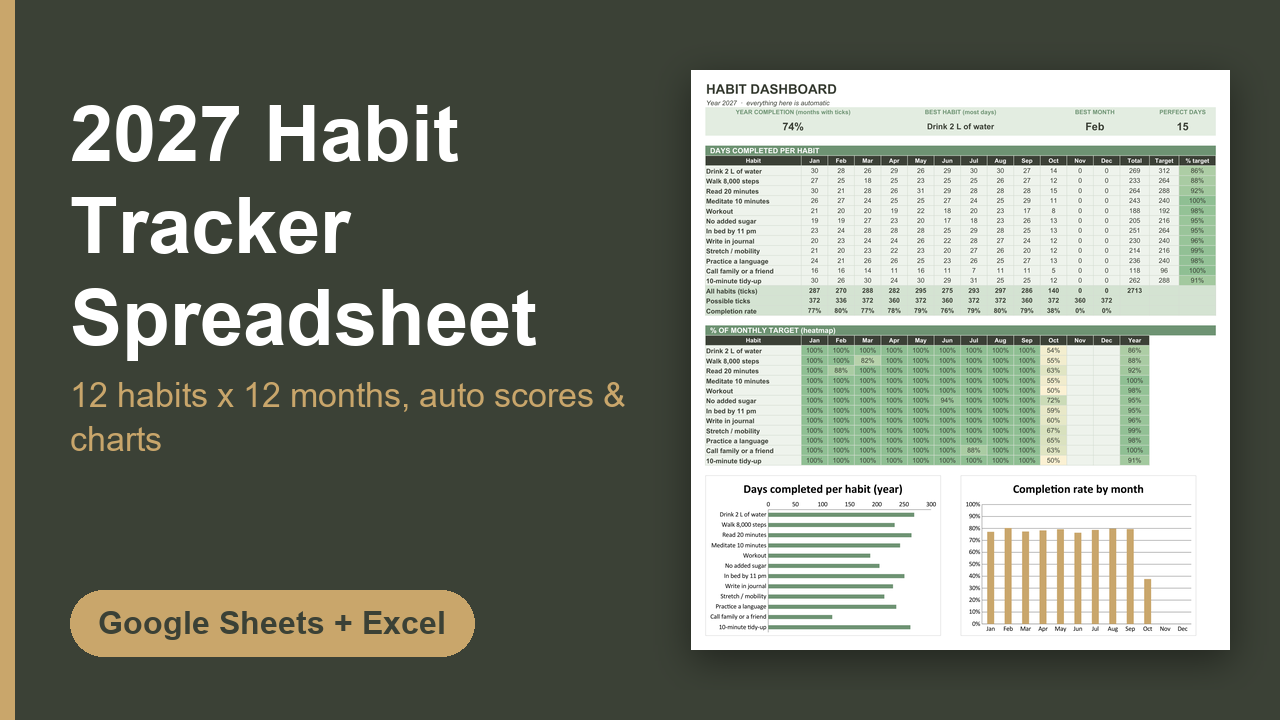
Build habits that stick with a clean, colourful 2027 habit tracker spreadsheet. Tick a day, watch your scores, streaks of green and charts update by themselves. Works in Google Sheets and Microsoft Excel. No macros, no add-ons.
Digital download. Nothing is shipped.
What's inside
- Setup tab: your 12 habits, categories and monthly target days (change the year to reuse it later)
- 12 monthly tabs (Jan-Dec): 31-day tick grid, weekday letters, greyed days that do not exist, weekend shading
- Per-habit score each month: days done, target and % of target with colour scale
- Perfect days (all habits done), month completion rate and best day
- Daily bar chart and a reflection box on every month
- Year dashboard: days per habit and month, % heatmap, best habit, best month, 2 charts
- Blank workbook plus a filled-in EXAMPLE workbook
Files you get
- 2027-Habit-Tracker-Google-Sheets.xlsx (102 KB)
- 2027-Habit-Tracker-Google-Sheets-EXAMPLE.xlsx (105 KB)
- 2027-Habit-Tracker-GUIDE.pdf (1892 KB)
- 2027-Habit-Tracker-Download.zip (everything above in one ZIP) (1649 KB)
How it works
- Download and unzip.
- Google Sheets: Drive > New > File upload > Open with Google Sheets > File > Save as Google Sheets, then File > Make a copy whenever you need another version. Excel: just open the file.
- Type in the white cells; tinted cells are formulas.
Good to know
- Standard formulas only: same behaviour in Google Sheets and Excel. No macros.
- The PDF guide explains the import step by step.
- Images are screenshots of the real spreadsheet. No AI art.
- Educational tool, not financial advice. Personal use license.
© T0LD Studio
More from T0LD Studio: t0ld.gumroad.com - also on Payhip
30-day refund policy: if the download is not what you expected, contact us within 30 days of purchase for a refund.