

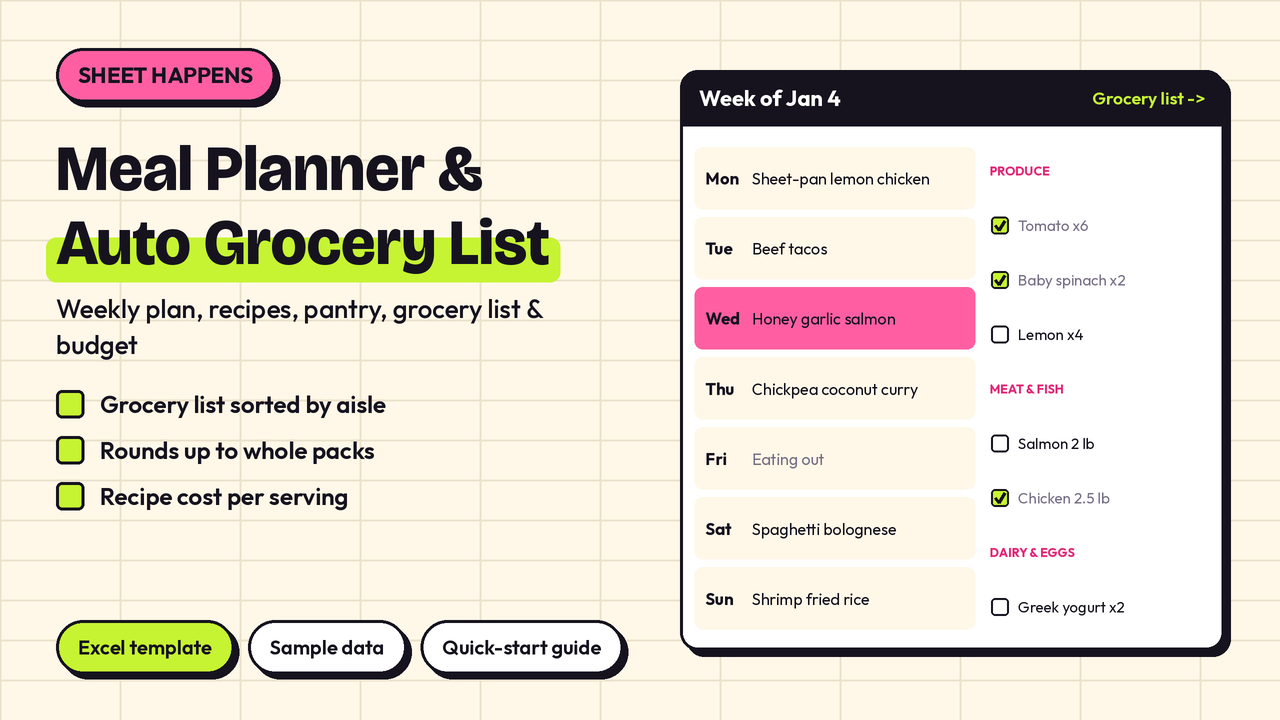
Meal Planner & Auto Grocery List – Excel Weekly Meal Plan, Recipe Cost & Grocery Budget Template
Plan the week once and your shopping list writes itself. Pick a recipe for each meal and this Excel workbook adds up every ingredient, takes off what you already have in the pantry, rounds up to whole packs and sorts the list by store aisle, with an estimated total next to your weekly budget.
What's inside (9 tabs):
- Weekly Plan: breakfast, lunch, dinner and snack for 7 days. Leave servings blank to use your household default, or type how many people are eating. Free text like "Leftovers" or "Eating out" works too. Shows the estimated food cost of each day.
- Grocery List: builds itself from the plan. Every ingredient you need minus what is in your pantry, rounded up to whole packs (e.g. 2 bags of spinach, 1 dozen eggs), sorted in your store-section order, with an estimated cost per item, a total vs your budget and a tick column for shopping.
- Recipes: up to 100 recipes with category, minutes, servings, tags and a link. Cost per batch and cost per serving are calculated from your own ingredient prices.
- Recipe Ingredients: 600 rows. Pick the recipe and ingredient from dropdowns and type the quantity; unit, aisle and cost fill in automatically. Ingredients missing from your price list are flagged.
- Pantry & Prices: your master ingredient list with pack size and pack price, what you already have at home, and "extra packs" for things you always buy (coffee, dish soap).
- Spending: log each grocery trip; a 12-month table compares spending with your budget.
- Dashboard: meals planned and empty slots, servings, cost per serving, grocery bill vs budget, cost by store section, this week's dinners and a monthly spending chart.
- Settings: household name, currency, week start date, default servings, weekly budget, recipe categories and store sections (put them in the order you walk your shop).
- Start Here: step-by-step instructions.
Comes with a sample week (17 family recipes, 54 priced ingredients, rough US supermarket prices) so you can see it working straight away. Clear the shaded cells and add your own.
Works with any currency. Built for Excel 2016+ (Windows and Mac), Excel mobile, WPS and LibreOffice. Google Sheets can open it too, though charts may look slightly different. No macros. Every formula was recalculated and checked in LibreOffice, with the sample data and with all data cleared.
What you get: 1 × .xlsx file (9 tabs) + a quick-start guide (.txt). Instant download.
Prices are estimates for planning. Your real bill depends on your store.
License: personal use. Please don't resell.