
100% Fully Functional E-Commerce-Website+Frontpage
# TikTok Admin Inventory
Shared storefront + admin inventory system built as a browser-first PHP/MySQL application for XAMPP-style hosting.
The project has two user-facing surfaces:
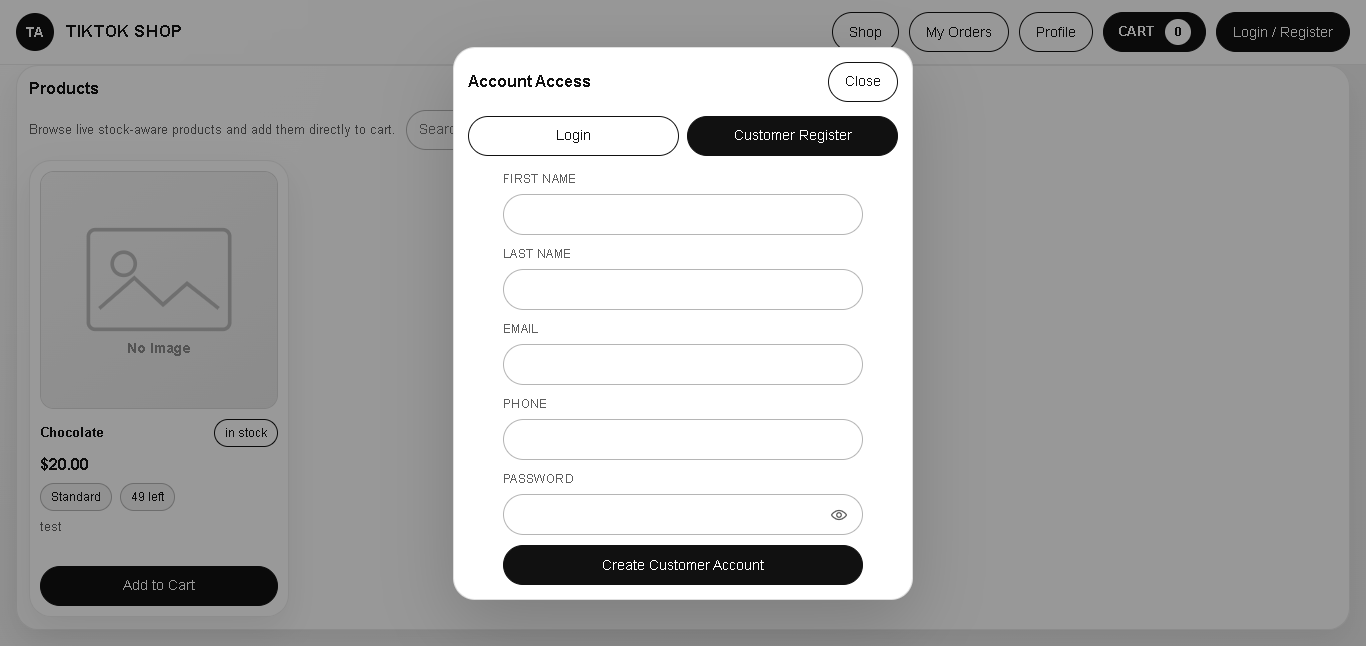
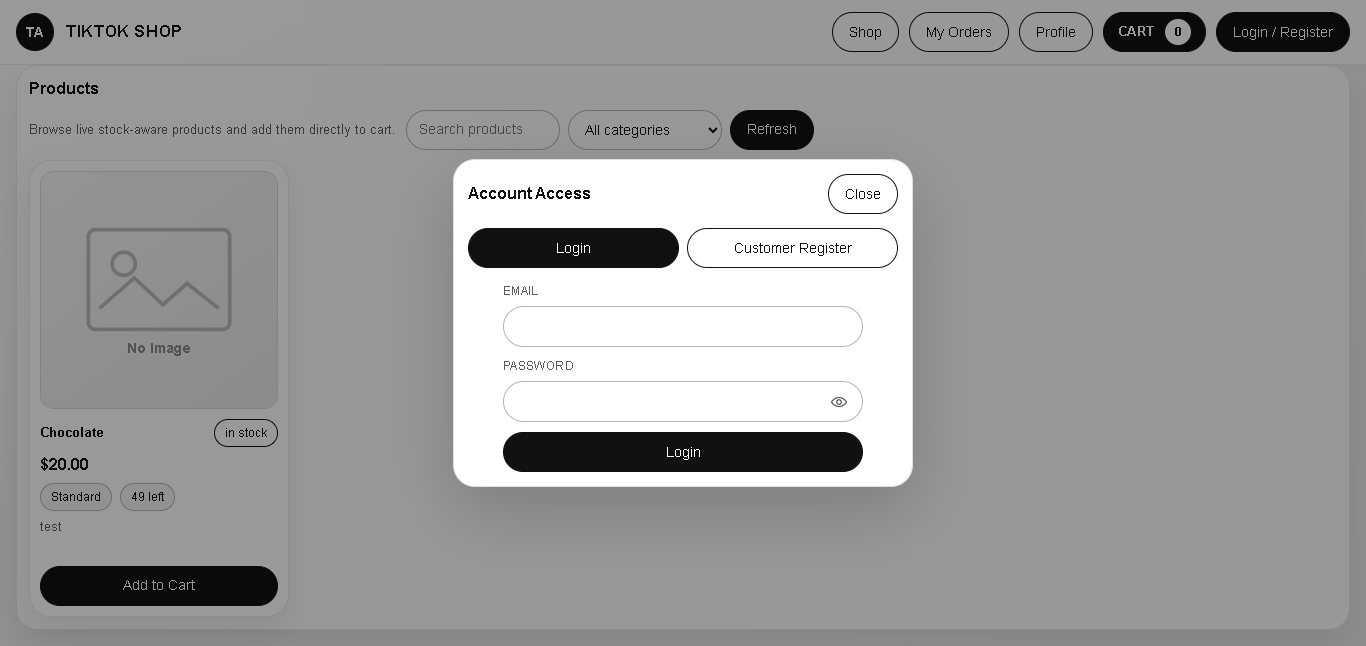
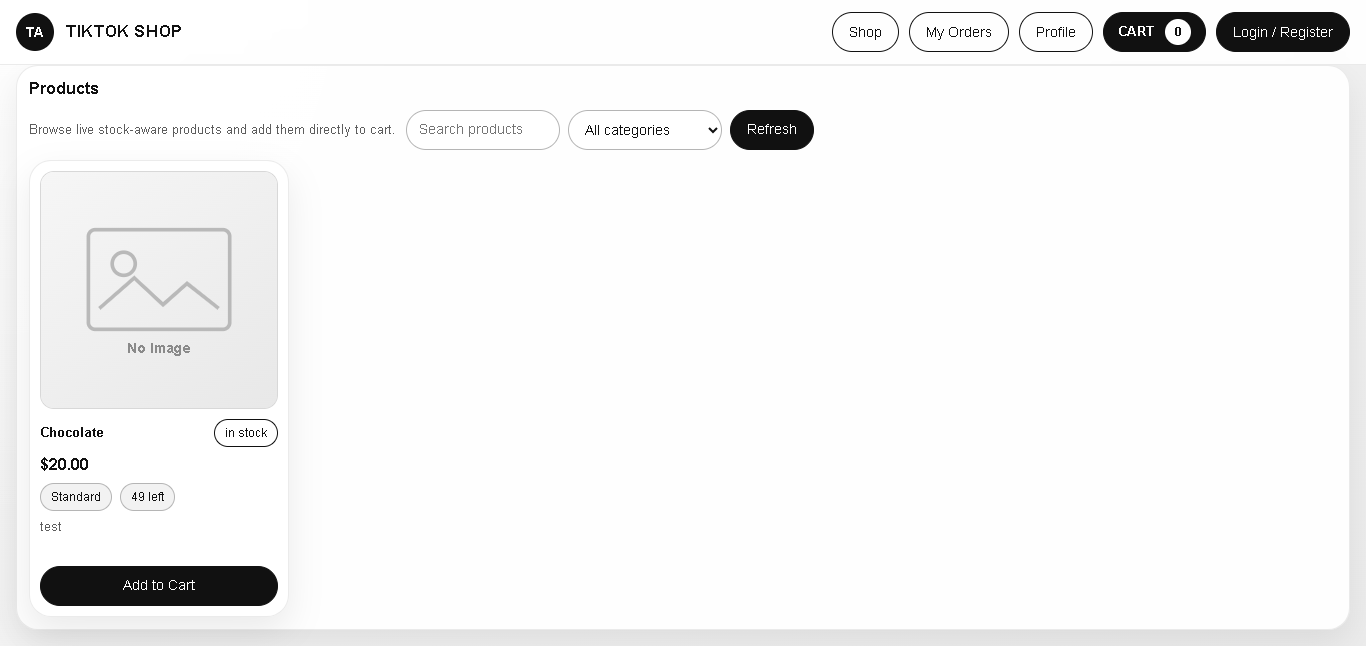
- Customer storefront for browsing products, registering, logging in, managing a cart, checking out, and viewing order history.
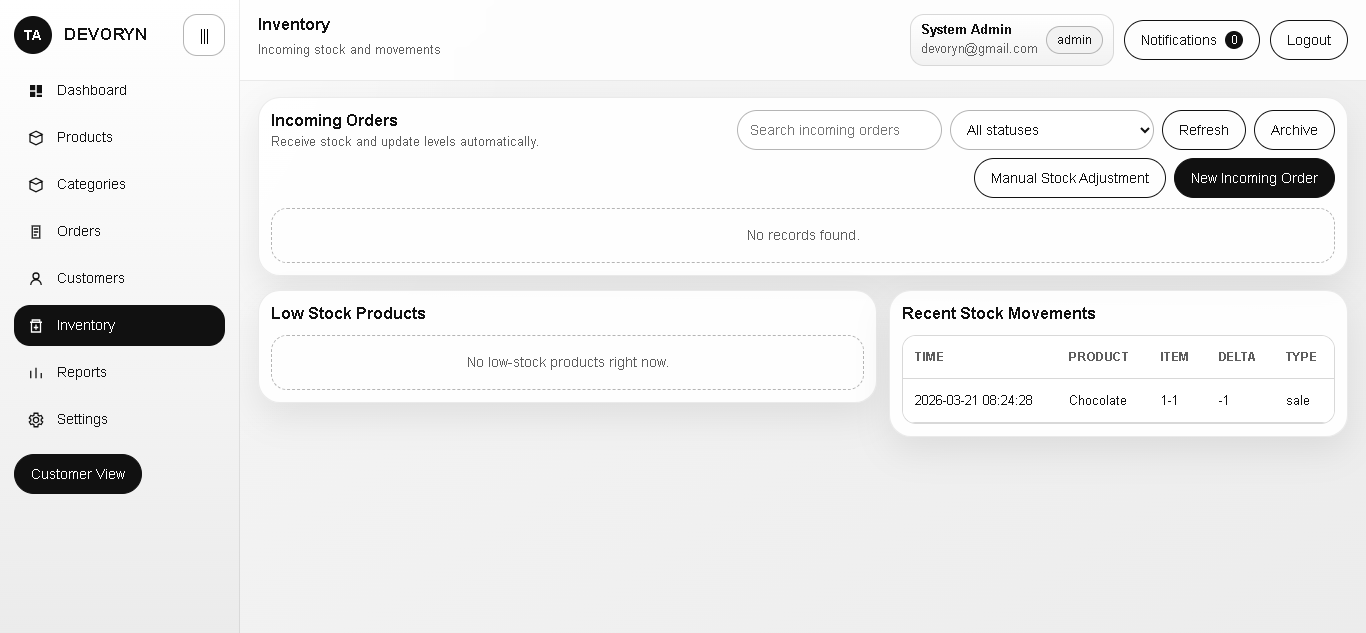
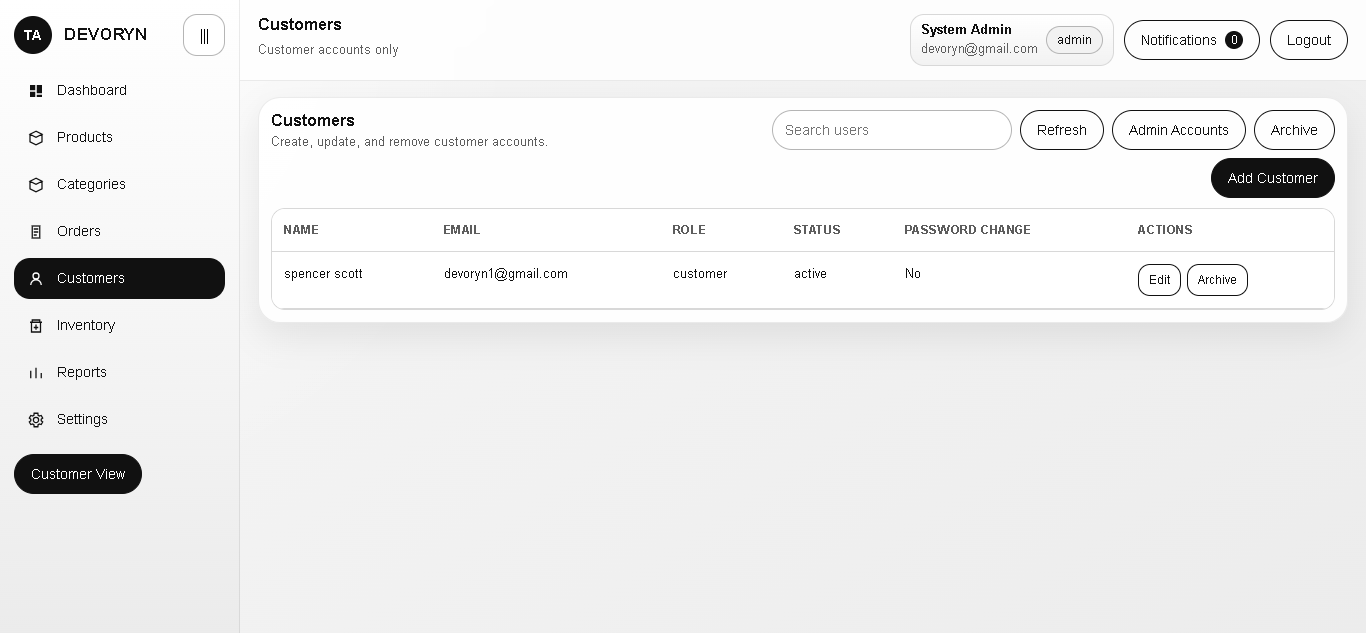
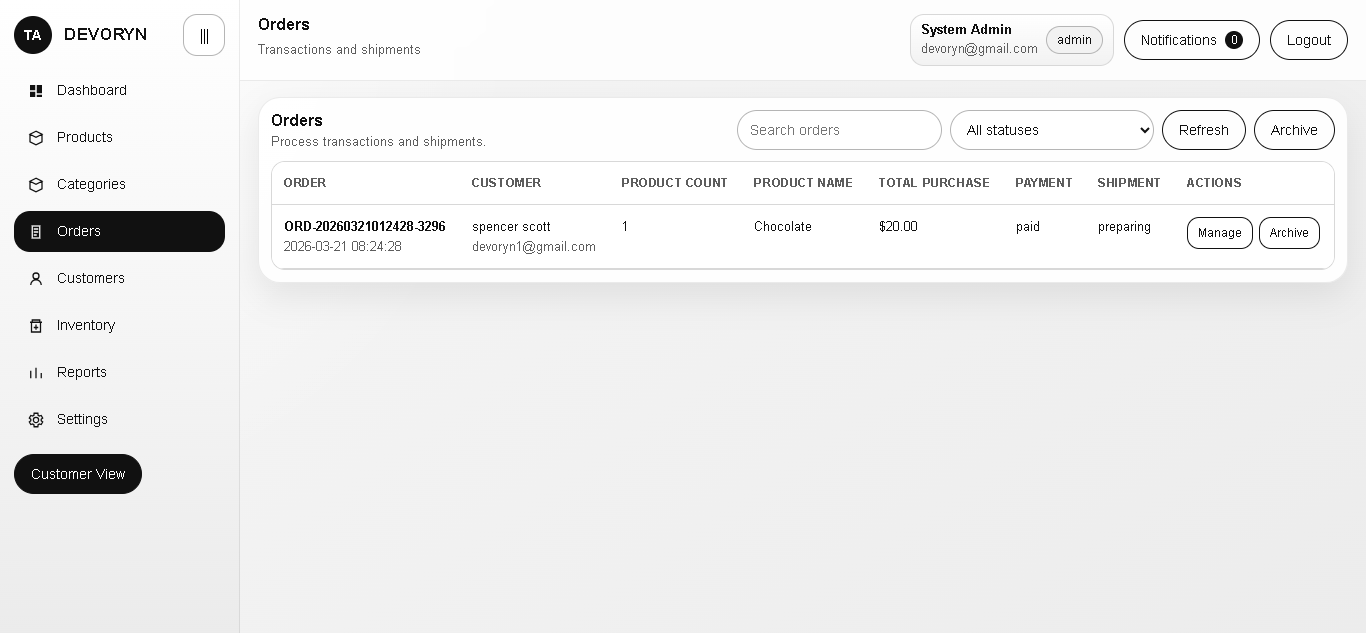
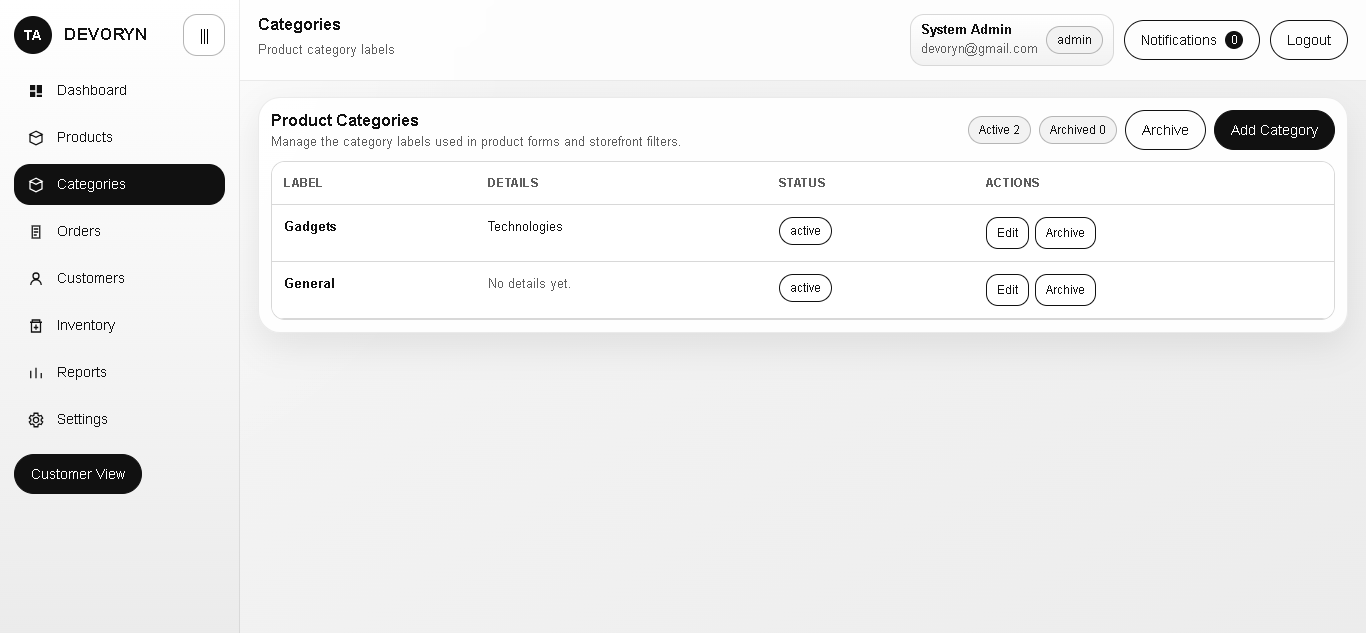
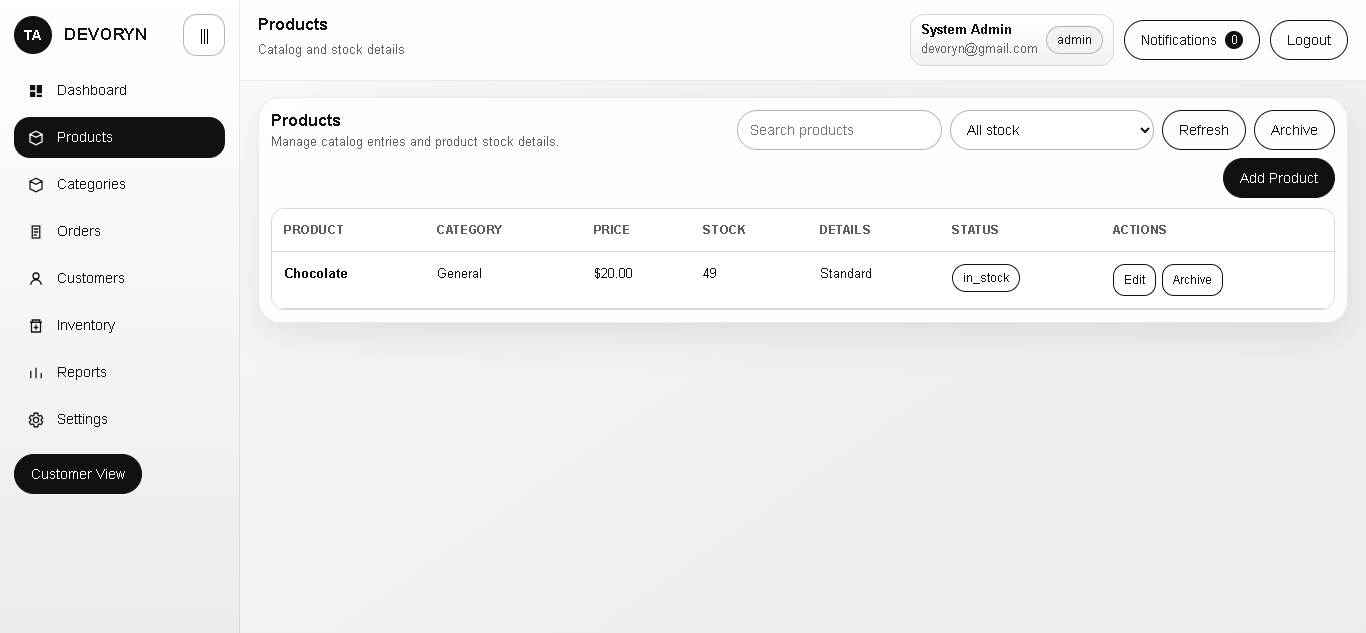
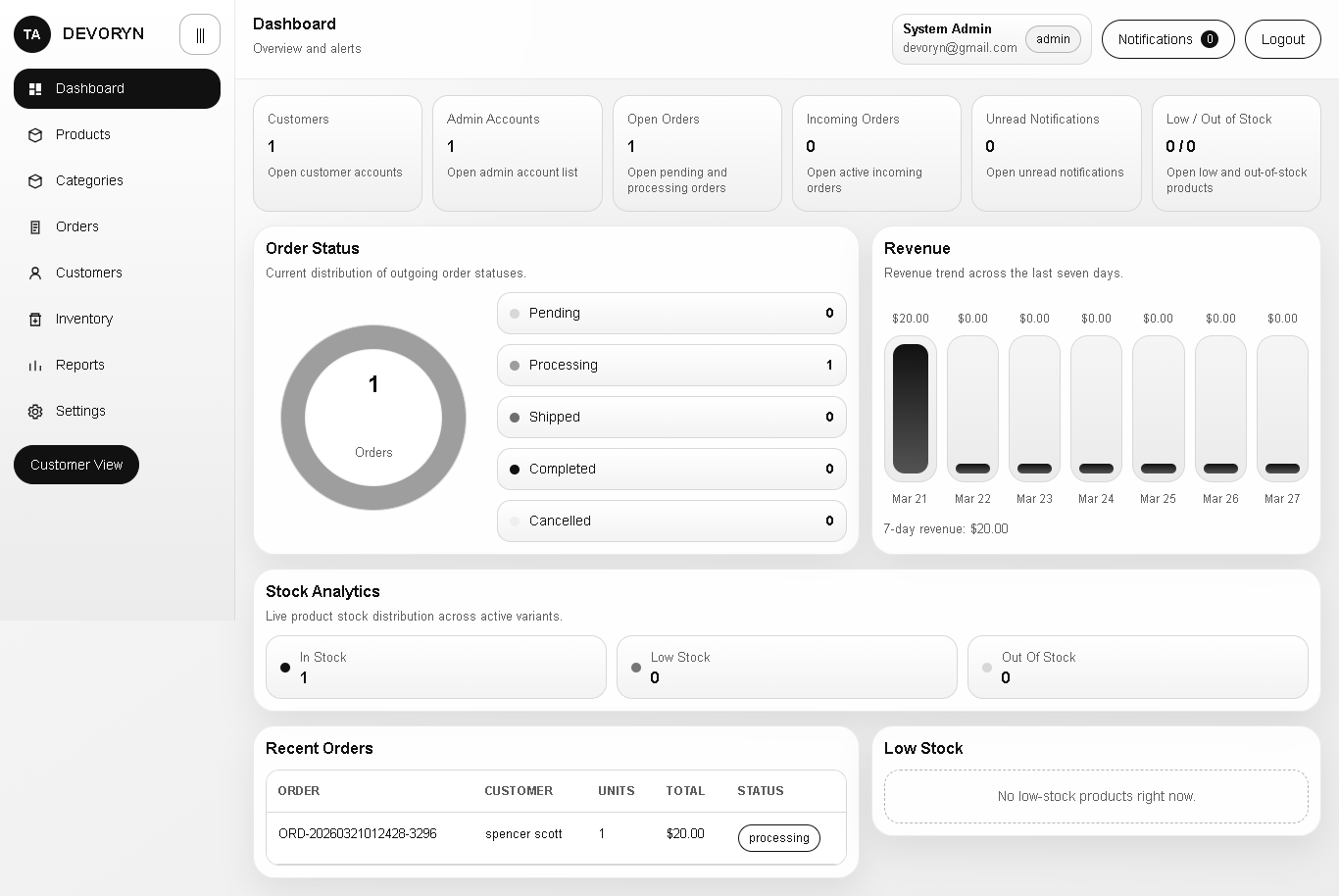
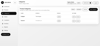
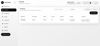
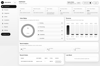
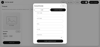
- Admin panel for catalog management, customer management, order processing, incoming stock receiving, reporting, notifications, branding, currency, and category management.
## Stack
### Languages
- HTML5
- CSS3
- JavaScript (ES modules, no bundler)
- PHP 8.0+ (plain PHP, no framework)
- MySQL / MariaDB
### Backend Runtime
- Apache with `mod_rewrite`
- PHP sessions for authentication
- PDO for database access
- JSON and multipart/form-data request handling
### Frontend Runtime
- No Node.js build step
- No Composer dependencies
- Uses native browser `fetch()` with same-origin session cookies
## Project Structure
```text
tiktok-admin/
|-- admin/
| |-- index.html # admin shell
| `-- login.html # admin login page
|-- api/
| |-- index.php # action router
| |-- controllers/ # thin route handlers
| |-- services/ # business logic
| `-- core/ # auth, request, response, db, helpers
|-- assets/
| |-- css/ # storefront and admin styles
| |-- images/ # fallback brand/product assets
| `-- js/ # storefront/admin modules
|-- config/
| `-- app.php # environment-backed app config
|-- database/
| |-- main.sql # schema, seed data, reporting views
| `-- README.md # database notes
|-- uploads/
| |-- products/ # uploaded product images
| `-- branding/ # uploaded branding logo images
|-- .htaccess # admin clean-URL rewrites
|-- index.html # customer storefront
`-- README.md
```
## Main Features
- Shared session-based authentication across storefront and admin.
- Seeded single-admin installation model.
- Customer self-registration.
- Product catalog with variants, variant-level stock, images, categories, and low-stock thresholds.
- Persistent cart tied to logged-in customers.
- Checkout flow with shipping data, payment transaction record creation, and automatic stock deduction.
- Admin order processing with payment/shipment status updates and shipment tracking details.
- Incoming inventory orders from suppliers, partial receiving, and stock reconciliation.
- Manual stock adjustments and inventory movement history.
- Auto-generated low-stock and out-of-stock alerts.
- In-site notification feed.
- Dashboard, inventory, and order reports backed by SQL views.
- Branding, logo, currency, and category management from admin settings.
- Soft-delete archive flows for products, orders, users, incoming orders, and categories.
## Requirements
- XAMPP or equivalent Apache + PHP + MySQL stack
- PHP 8.0 or newer
- MySQL 8+ or MariaDB with InnoDB and `utf8mb4`
- Write access for `uploads/products` and `uploads/branding`
PHP 8.0+ is required because the codebase uses features such as `mixed`, `str_contains()`, and `??=`.
## Configuration
Configuration is loaded from [config/app.php](/c:/xampp/htdocs/tiktok-admin/config/app.php). There is no `.env` file in the repo; the app reads from system env vars, Apache `SetEnv`, `$_SERVER`, or `$_ENV`.
| Key | Default | Purpose |
| --- | --- | --- |
| `DB_HOST` | `127.0.0.1` | MySQL host |
| `DB_PORT` | `3306` | MySQL port |
| `DB_NAME` | `tiktok_admin` | Database name |
| `DB_USER` | `root` | Database username |
| `DB_PASSWORD` | `` | Database password |
| `APP_SESSION_NAME` | `tiktok_admin_session` | PHP session cookie name |
Uploads are configured in code:
- Product images: `uploads/products`
- Branding/logo images: `uploads/branding`
## Setup
1. Put the project in your web root, for example `C:\xampp\htdocs\tiktok-admin`.
2. Start Apache and MySQL in XAMPP.
3. Import [database/main.sql](/c:/xampp/htdocs/tiktok-admin/database/main.sql).
4. If you are not using the default database connection, set `DB_HOST`, `DB_PORT`, `DB_NAME`, `DB_USER`, and `DB_PASSWORD` before loading the app.
5. Make sure Apache can write to:
- `uploads/products`
- `uploads/branding`
6. Open the application:
- Storefront: `http://localhost/tiktok-admin/`
- Admin login: `http://localhost/tiktok-admin/admin/login`
- Admin dashboard: `http://localhost/tiktok-admin/admin/?page=dashboard`
## URLs and Routing
### Browser Pages
- `/` or `/index.html`: storefront
- `/admin/login` or `/admin/login.html`: admin login
- `/admin/` or `/admin/index.html?page=dashboard`: admin workspace
### API Routing
All API traffic goes through:
```text
api/index.php?action=<action_name>
```
Example:
```text
GET /api/index.php?action=products.list&category=General
POST /api/index.php?action=auth.login
```
This is an action-routed API, not path-based REST. The frontend uses GET for reads and POST for writes, but the router itself does not strictly enforce HTTP verbs.
## Authentication Model
- Authentication uses PHP sessions from [api/core/Auth.php](/c:/xampp/htdocs/tiktok-admin/api/core/Auth.php).
- The frontend sends requests with `credentials: 'same-origin'`.
- `Auth::requireUser()` protects customer/admin actions.
- `Auth::requireAdmin()` protects admin-only actions.
- Admin self-registration is disabled.
- The current admin management flow only supports one seeded admin account.
## Seeded Admin Account
The SQL seed guarantees an admin user with this email:
- Email: `devoryn@gmail.com`
The password is not stored in plaintext anywhere in the repo. The previous README listed `Admin123!`, but that value does not match the hash currently seeded in [database/main.sql](/c:/xampp/htdocs/tiktok-admin/database/main.sql).
If you import the database and need to set a known password, generate a new hash locally and update the admin row:
```powershell
C:\xampp\php\php.exe -r "echo password_hash('ChangeMe123!', PASSWORD_DEFAULT), PHP_EOL;"
```
Then apply the generated hash in MySQL:
```sql
UPDATE users
SET password_hash = 'PASTE_GENERATED_HASH_HERE'
WHERE email = 'devoryn@gmail.com';
```
## Request and Response Contract
### Request Formats
- GET requests use query parameters.
- POST requests use either:
- JSON body with `Content-Type: application/json`
- `multipart/form-data` for file uploads
### File Upload Fields
- Product image upload field: `image`
- Branding logo upload field: `logo_image`
Allowed image MIME types:
- `image/jpeg`
- `image/png`
- `image/webp`
- `image/gif`
### Success Response
```json
{
"success": true,
"data": {}
}
```
### Error Response
```json
{
"success": false,
"message": "Human-readable error message",
"errors": {}
}
```
Unexpected server errors return HTTP 500 with an extra `detail` field.
## API Reference
Access levels used below:
- `Public`: no login required
- `User`: authenticated customer or admin session
- `Admin`: authenticated admin session
### Auth
| Action | Frontend method | Access | Purpose | Main inputs |
| --- | --- | --- | --- | --- |
| `auth.me` | GET | Public | Return current session user and bootstrap flags | none |
| `auth.login` | POST | Public | Login user and start session | `email`, `password` |
| `auth.logout` | POST | Public/session | Destroy current session | none |
| `auth.register_customer` | POST | Public | Create customer account and auto-login | `first_name`, `last_name`, `email`, `password`, optional `phone` |
| `auth.change_password` | POST | User | Change current user's password | `current_password`, `new_password`, optional `confirm_password` |
| `auth.update_profile` | POST | User | Update profile and optional default shipping address | `first_name`, `last_name`, `email`, optional `phone`, `shipping_*` fields |
Notes:
- Customer registration logs the new user in immediately.
- Passwords must be at least 8 characters.
- First-admin registration exists in code as a disabled path, but it is not routed by `api/index.php`.
### Products
| Action | Frontend method | Access | Purpose | Main inputs |
| --- | --- | --- | --- | --- |
| `products.list` | GET | Public/Admin | List products with variants and stock summaries | query: `search`, `stock_status`, `category`, `visibility` |
| `products.get` | GET | Public/Admin | Get one product with variants | query: `id` |
| `products.save` | POST | Admin | Create or update product and variants | `id` optional, `product_name`, `base_price`, optional `category`, `short_description`, `description`, `low_stock_threshold`, `variants` or `variants_json`, optional `image` |
| `products.delete` | POST | Admin | Soft-delete product | `id` |
| `products.archive` | POST | Admin | Soft-delete product | `id` |
| `products.restore` | POST | Admin | Restore archived product and its variants | `id` |
| `products.purge` | POST | Admin | Permanently delete archived product | `id` |
| `products.restore_all` | POST | Admin | Restore archived products matching filters | `search`, `stock_status`, `category` |
| `products.purge_all` | POST | Admin | Permanently delete archived products matching filters | `search`, `stock_status`, `category` |
Notes:
- `products.delete` is an alias of `products.archive`.
- If no variants are provided, the backend creates a default variant.
- Variant payload items can include `id`, `variant_name`, `size_label`, `color_label`, `price_override`, `stock_quantity`, and `low_stock_threshold`.
- Product save accepts either JSON fields or multipart form-data.
- Variant stock alerts are synced after saves and stock-affecting changes.
### Cart
| Action | Frontend method | Access | Purpose | Main inputs |
| --- | --- | --- | --- | --- |
| `cart.get` | GET | User | Get current active cart | none |
| `cart.add` | POST | User | Add variant to cart or increase quantity | `product_variant_id`, optional `quantity` |
| `cart.update` | POST | User | Change cart item quantity | `cart_item_id`, `quantity` |
| `cart.remove` | POST | User | Remove cart item | `cart_item_id` |
Notes:
- Cart rows are tied to a single active cart per user.
- The backend validates stock before add/update.
### Orders
| Action | Frontend method | Access | Purpose | Main inputs |
| --- | --- | --- | --- | --- |
| `orders.checkout` | POST | User | Convert active cart into order | `shipping_recipient_name`, `shipping_address_line_1`, `shipping_city`, `shipping_country`, optional `shipping_phone`, `shipping_address_line_2`, `shipping_state_region`, `shipping_postal_code`, `payment_method`, `notes` |
| `orders.my_list` | GET | User | List current user's orders | none |
| `orders.list` | GET | Admin | List all orders | query: `search`, `order_status`, `payment_status`, `shipment_status`, `visibility` |
| `orders.update` | POST | Admin | Update order, payment, and shipment state | `id`, optional `order_status`, `payment_status`, `shipment_status`, `notes`, `status_note`, `payment_method`, `tracking_number`, `courier_name`, `shipment_notes` |
| `orders.archive` | POST | Admin | Archive order | `id` |
| `orders.restore` | POST | Admin | Restore archived order | `id` |
| `orders.purge` | POST | Admin | Permanently delete archived order | `id` |
| `orders.restore_all` | POST | Admin | Restore archived orders matching filters | `search`, `order_status`, `payment_status`, `shipment_status` |
| `orders.purge_all` | POST | Admin | Permanently delete archived orders matching filters | `search`, `order_status`, `payment_status`, `shipment_status` |
Notes:
- Checkout creates:
- `orders`
- `order_items`
- `payment_transactions`
- `order_status_history`
- `inventory_movements`
- Checkout deducts stock immediately.
- Cancelling an order through `orders.update` restocks inventory.
- Admin order updates also sync payment transaction and shipment records.
### Users
| Action | Frontend method | Access | Purpose | Main inputs |
| --- | --- | --- | --- | --- |
| `users.list` | GET | Admin | List users | query: `role`, `search`, `visibility` |
| `users.save` | POST | Admin | Create or update customer account | `id` optional, `first_name`, `last_name`, `email`, `role`, optional `phone`, `account_status`, optional `password` |
| `users.delete` | POST | Admin | Archive customer account | `id` |
| `users.archive` | POST | Admin | Archive customer account | `id` |
| `users.restore` | POST | Admin | Restore archived customer account | `id` |
| `users.purge` | POST | Admin | Permanently delete archived customer account | `id` |
| `users.restore_all` | POST | Admin | Restore archived users matching filters | `role`, `search` |
| `users.purge_all` | POST | Admin | Permanently delete archived users matching filters | `role`, `search` |
Notes:
- `users.save` only allows `role=customer`.
- Additional admin accounts are intentionally blocked by the current backend.
- The currently logged-in admin cannot archive or purge their own account.
### Inventory
| Action | Frontend method | Access | Purpose | Main inputs |
| --- | --- | --- | --- | --- |
| `inventory.incoming_list` | GET | Admin | List incoming stock orders | query: `search`, `incoming_status`, `visibility` |
| `inventory.save_incoming` | POST | Admin | Create or update incoming order | `id` optional, `supplier_id` or `supplier_name`, optional `reference_number`, `incoming_status`, `expected_date`, `notes`, `items` or `items_json` |
| `inventory.receive_incoming` | POST | Admin | Receive some or all incoming quantities | `id` or `incoming_order_id`, optional `items` or `items_json` with item `id` and `quantity_received` |
| `inventory.archive_incoming` | POST | Admin | Archive incoming order | `id` |
| `inventory.restore_incoming` | POST | Admin | Restore archived incoming order | `id` |
| `inventory.purge_incoming` | POST | Admin | Permanently delete archived incoming order | `id` |
| `inventory.restore_all_incoming` | POST | Admin | Restore archived incoming orders matching filters | `search`, `incoming_status` |
| `inventory.purge_all_incoming` | POST | Admin | Permanently delete archived incoming orders matching filters | `search`, `incoming_status` |
| `inventory.adjust_stock` | POST | Admin | Manual stock adjustment for variant | `product_variant_id`, `adjustment_mode` (`delta` or `set`), `value`, optional `notes` |
| `inventory.movements` | GET | Admin | Read recent movement history | query: `search` |
Notes:
- Suppliers can be auto-created from `supplier_name` if `supplier_id` is not provided.
- Incoming-order item payloads should include `product_variant_id`, `quantity_ordered`, and optional `unit_cost`.
- Receiving inventory updates stock, movement history, stock alerts, and admin notifications.
- `inventory.movements` is limited to the 200 most recent rows.
### Notifications
| Action | Frontend method | Access | Purpose | Main inputs |
| --- | --- | --- | --- | --- |
| `notifications.list` | GET | User | List notifications and unread count | query: `limit` |
| `notifications.mark_read` | POST | User | Mark one or all notifications read | optional `id` |
Notes:
- Admin notification listing also triggers stock-alert synchronization.
- `limit` is capped between 1 and 100.
### Reports
| Action | Frontend method | Access | Purpose | Main inputs |
| --- | --- | --- | --- | --- |
| `reports.dashboard` | GET | Admin | Dashboard metrics, alerts, recent orders, and analytics | none |
| `reports.inventory` | GET | Admin | Inventory status plus daily movement series | query: `search`, `stock_status` |
| `reports.orders` | GET | Admin | Outgoing and incoming order report views | query: `search`, `order_status` |
Report payload details:
- `reports.dashboard` returns `metrics`, `recent_orders`, `low_stock_items`, `notifications`, and `analytics`.
- `reports.inventory` returns `inventory` and `daily_movements`.
- `reports.orders` returns `outgoing_orders` and `incoming_orders`.
### Settings and Branding
| Action | Frontend method | Access | Purpose | Main inputs |
| --- | --- | --- | --- | --- |
| `settings.public_branding` | GET | Public | Get site name, admin title, logo path, and currency | none |
| `settings.public_categories` | GET | Public | Get active and archived category records | none |
| `settings.save_branding` | POST | Admin | Update branding only | optional `site_name`, `admin_panel_title`, `logo_path`, `remove_logo`, `currency_*`, optional `logo_image` |
| `settings.save_everything` | POST | Admin | Update branding and admin credentials | branding fields plus `admin_email`, optional `admin_password`, `admin_password_confirm`, required `current_password` when credentials change |
| `settings.save_categories` | POST | Admin | Bulk save categories | `categories` array or `categories_text` or `categories_json` |
| `settings.create_category` | POST | Admin | Create category record | `label`, optional `details` |
| `settings.update_category` | POST | Admin | Update category record | `id`, `label`, optional `details` |
| `settings.archive_category` | POST | Admin | Archive category record | `id` |
| `settings.restore_category` | POST | Admin | Restore category record | `id` |
Notes:
- Branding/logo changes are stored in `app_settings`.
- Currency is stored as JSON in `app_settings.currency_settings`.
- Categories are stored as JSON in `app_settings.product_categories`, not in a dedicated table.
- Renaming a category updates matching `products.category` values.
## Frontend Surfaces
### Storefront
Primary file: [index.html](/c:/xampp/htdocs/tiktok-admin/index.html)
Backed by:
- [assets/js/shop.js](/c:/xampp/htdocs/tiktok-admin/assets/js/shop.js)
- [assets/js/api-client.js](/c:/xampp/htdocs/tiktok-admin/assets/js/api-client.js)
- [assets/js/branding.js](/c:/xampp/htdocs/tiktok-admin/assets/js/branding.js)
- [assets/css/app.css](/c:/xampp/htdocs/tiktok-admin/assets/css/app.css)
Capabilities:
- Product browsing and filtering
- Customer login/register
- Cart management
- Checkout
- Order history
- Profile and password management
- Branding/currency display from public settings
### Admin Panel
Primary files:
- [admin/login.html](/c:/xampp/htdocs/tiktok-admin/admin/login.html)
- [admin/index.html](/c:/xampp/htdocs/tiktok-admin/admin/index.html)
Backed by:
- [assets/js/admin-login.js](/c:/xampp/htdocs/tiktok-admin/assets/js/admin-login.js)
- [assets/js/admin.js](/c:/xampp/htdocs/tiktok-admin/assets/js/admin.js)
- [assets/css/admin.css](/c:/xampp/htdocs/tiktok-admin/assets/css/admin.css)
Admin pages:
- Dashboard
- Products
- Categories
- Orders
- Customers
- Inventory
- Reports
- Settings
## Database Overview
Primary schema file: [database/main.sql](/c:/xampp/htdocs/tiktok-admin/database/main.sql)
### Core Tables
#### Identity and Settings
- `roles`
- `users`
- `user_addresses`
- `app_settings`
#### Catalog
- `products`
- `product_images`
- `product_variants`
#### Cart and Checkout
- `carts`
- `cart_items`
- `orders`
- `order_items`
- `payment_transactions`
- `shipments`
- `order_status_history`
#### Inventory and Suppliers
- `suppliers`
- `incoming_orders`
- `incoming_order_items`
- `inventory_movements`
- `stock_alerts`
#### Notifications and Audit
- `notifications`
- `activity_logs`
### Reporting Views
- `vw_product_inventory_status`
- `vw_product_stock_summary`
- `vw_order_overview`
- `vw_incoming_order_overview`
- `vw_daily_inventory_movements`
- `vw_dashboard_metrics`
### Important Schema Notes
- Every sellable product should have at least one row in `product_variants`.
- Simple products use a default variant.
- Order rows store snapshots of product/variant names and pricing in `order_items`.
- Categories are denormalized strings on `products.category`.
- `activity_logs` exists in the schema but is not currently written by the PHP backend.
## Important Status Values
### User Status
- `active`
- `inactive`
- `suspended`
### Incoming Order Status
- `draft`
- `ordered`
- `partially_received`
- `received`
- `cancelled`
### Order Status
- `pending`
- `processing`
- `shipped`
- `completed`
- `cancelled`
### Payment Status
- `pending`
- `paid`
- `failed`
- `refunded`
### Shipment Status
Order-level status:
- `pending`
- `preparing`
- `shipped`
- `delivered`
- `cancelled`
Shipment table status:
- `pending`
- `preparing`
- `shipped`
- `in_transit`
- `delivered`
- `returned`
- `cancelled`
### Inventory Movement Types
- `incoming`
- `sale`
- `manual_adjustment`
- `return`
- `restock`
- `cancellation_restock`
- `damage`
- `write_off`
## Business Rules Implemented by the Backend
- Checkout locks variants, validates live stock, deducts stock, creates movement history, creates payment transaction, records order history, and checks out the cart.
- Receiving incoming stock increments variant stock and creates `incoming` movements.
- Manual stock adjustment can either apply a delta or set an absolute quantity.
- Stock alerts resolve automatically when stock recovers or a product/variant is inactive or archived.
- Admin notifications are created for new orders, incoming-stock receipts, and stock alerts.
- Archived products restore their variants as active.
- Archived users can fail permanent deletion if they are still linked to order history.
## Clean-URL Notes
The root [`.htaccess`](/c:/xampp/htdocs/tiktok-admin/.htaccess) currently provides:
- canonical redirect from `/admin/login.html` to `/admin/login`
- canonical redirect from explicit `index.html` requests to cleaner URLs for supported admin pages
It does not implement a full REST rewrite layer for the API.
## Development Notes
- This is a no-framework PHP application. Controllers are thin and most logic lives in `api/services`.
- The API is same-origin only and session-based. There is no token auth layer.
- There is no migration tool. `database/main.sql` is the source of truth.
- There is no automated test suite in the current repo.
- Admin settings UI uses `settings.save_everything`; `settings.save_branding` still exists as a narrower backend route.
- Product and branding uploads are stored on disk, not in the database.
## Useful Files to Read First
- [api/index.php](/c:/xampp/htdocs/tiktok-admin/api/index.php)
- [api/core/Auth.php](/c:/xampp/htdocs/tiktok-admin/api/core/Auth.php)
- [api/core/Request.php](/c:/xampp/htdocs/tiktok-admin/api/core/Request.php)
- [api/services/ProductService.php](/c:/xampp/htdocs/tiktok-admin/api/services/ProductService.php)
- [api/services/OrderService.php](/c:/xampp/htdocs/tiktok-admin/api/services/OrderService.php)
- [api/services/InventoryService.php](/c:/xampp/htdocs/tiktok-admin/api/services/InventoryService.php)
- [api/services/SettingService.php](/c:/xampp/htdocs/tiktok-admin/api/services/SettingService.php)
- [database/main.sql](/c:/xampp/htdocs/tiktok-admin/database/main.sql)