
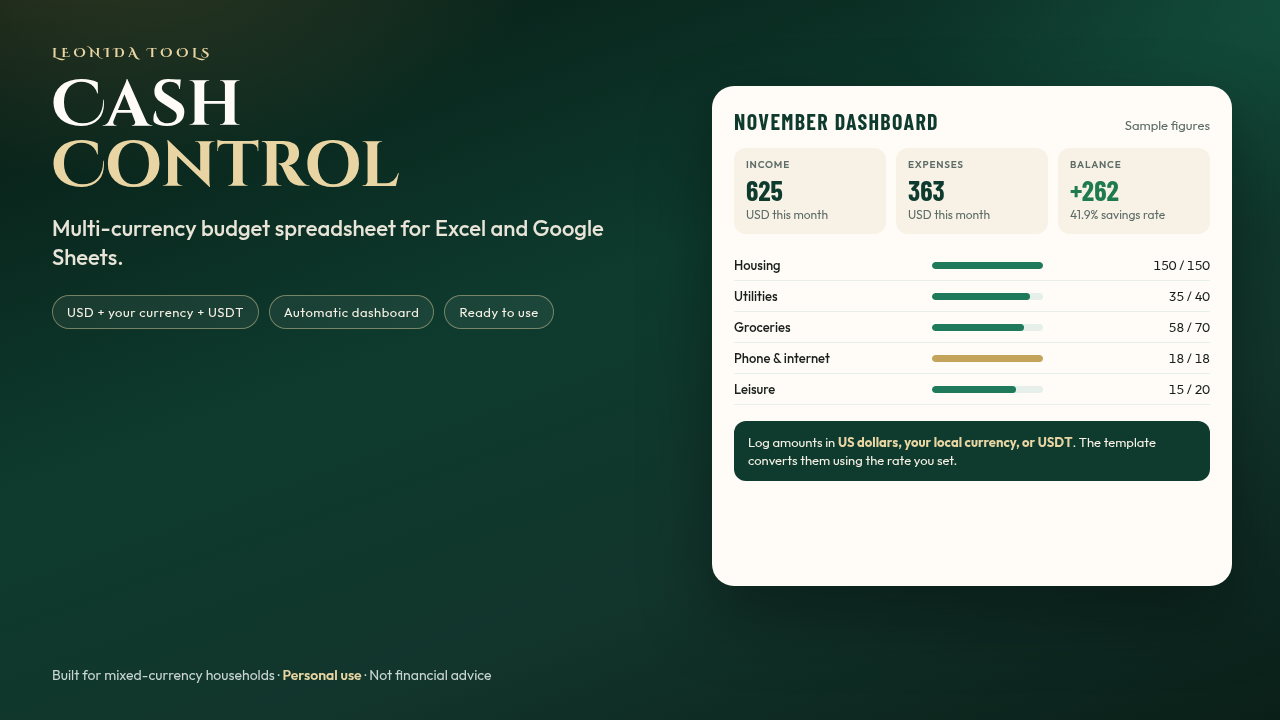
Cash Control: Multi-Currency Budget Spreadsheet — USD, Local Currency & USDT (Excel & Google Sheets)
Track income, expenses, and savings goals in one file. Works with US dollars, your local currency, and USDT. Ready for Excel and Google Sheets.
Cash Control is a budget spreadsheet in English, ready to use the same day. You open it, enter your exchange rate, and start logging what comes in and what goes out.
It is built for anyone who mixes US dollars, a local currency, and, at times, USDT. You enter the amount in the currency you actually used; the template converts it to dollars with the rate you update.
What's included
• An Excel file (.xlsx) that also works in Google Sheets: 9 sheets (Start, Dashboard, Transactions, Budget, Subscriptions, Goals, Debts, Annual, and Categories).
• An automatic monthly dashboard: income, expenses, balance, the equivalent in your currency, and progress against your budget.
• Room for up to 2,000 transactions, with dropdown menus and conversion between USD, USDT, and your local currency.
• A monthly budget by category, with the difference and the percentage used.
• Subscriptions (monthly, yearly, weekly, or quarterly), savings goals with a suggested monthly amount, and a simple debt log.
• A 12-month summary and charts (in Excel; in Google Sheets the tables do copy over).
• A short PDF guide and a blank monthly budget sheet you can print.
• Yellow example rows, so you can see how it looks before you enter your own data.
What it does not include
• It is not an accounting system and it does not replace a bookkeeper or accountant.
• It is not financial, tax, or investment advice.
• The Debts sheet does not calculate interest.
• It does not include a Microsoft 365 or Google account (Excel or a free Google account is enough).
Who it is for
Anyone who wants to see, in one place, where the money goes — especially if you get paid or spend in more than one currency, including USDT.
How it is delivered
Instant download of a ZIP with the Excel file, the guide, and the printable sheet. The Start sheet walks you through 5 steps. If you use Google Sheets: upload it to Drive, open it with Sheets, and make a copy.
Personal use. You may make copies for yourself (for example, one file per year). It may not be resold or published as your own product.
An original product from Leonida Tools. Not affiliated with Microsoft or Google.
No PayPal? Pay with USDT
Send the exact amount in USDT only on the BEP20 (BNB Smart Chain) network to:
0x47f01feeee942b065c7f36176ac314a4d4facee6
Then write to Soyalexparra228@gmail.com with the product name and the transaction hash (TxID). We will verify it and send you the product within 24 hours.
If you send it on another network, the funds will be lost.