

Incoterms Calculator — Compare EXW, FCA, and FOB Cost and Risk
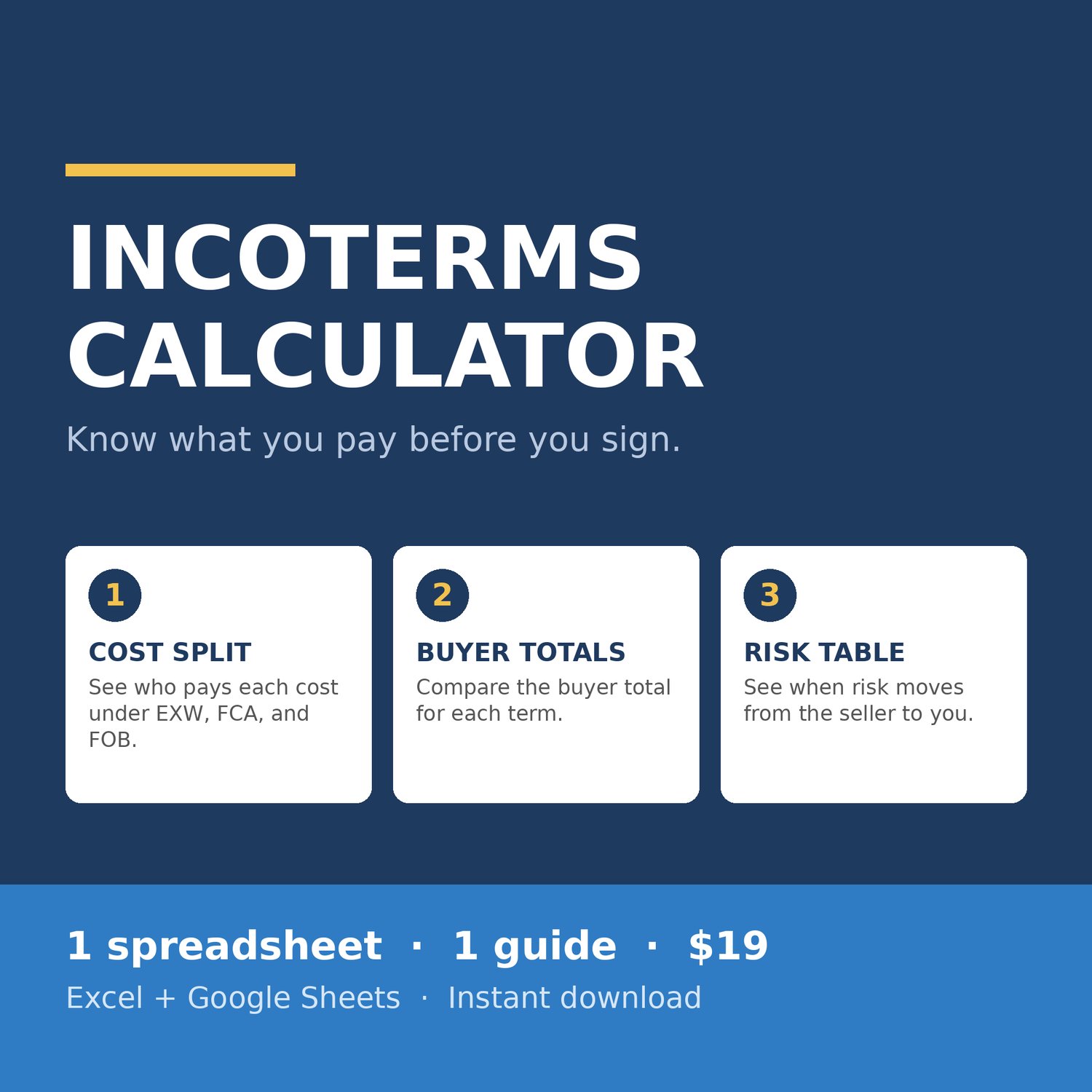
Know what you pay before you sign. This sheet compares EXW, FCA, and FOB for one shipment. It shows who pays each cost. It shows when risk moves from the seller to you.
You import goods. The seller quotes EXW. Another seller quotes FOB. The prices look close. The real cost is not close.
This sheet shows the full picture. Type your costs once. See the buyer total and the seller total for each term. See what you save with FOB or FCA against EXW. See when risk moves to you.
What you get:
- One Excel sheet with live formulas. Yellow cells are inputs. Change them to fit your shipment.
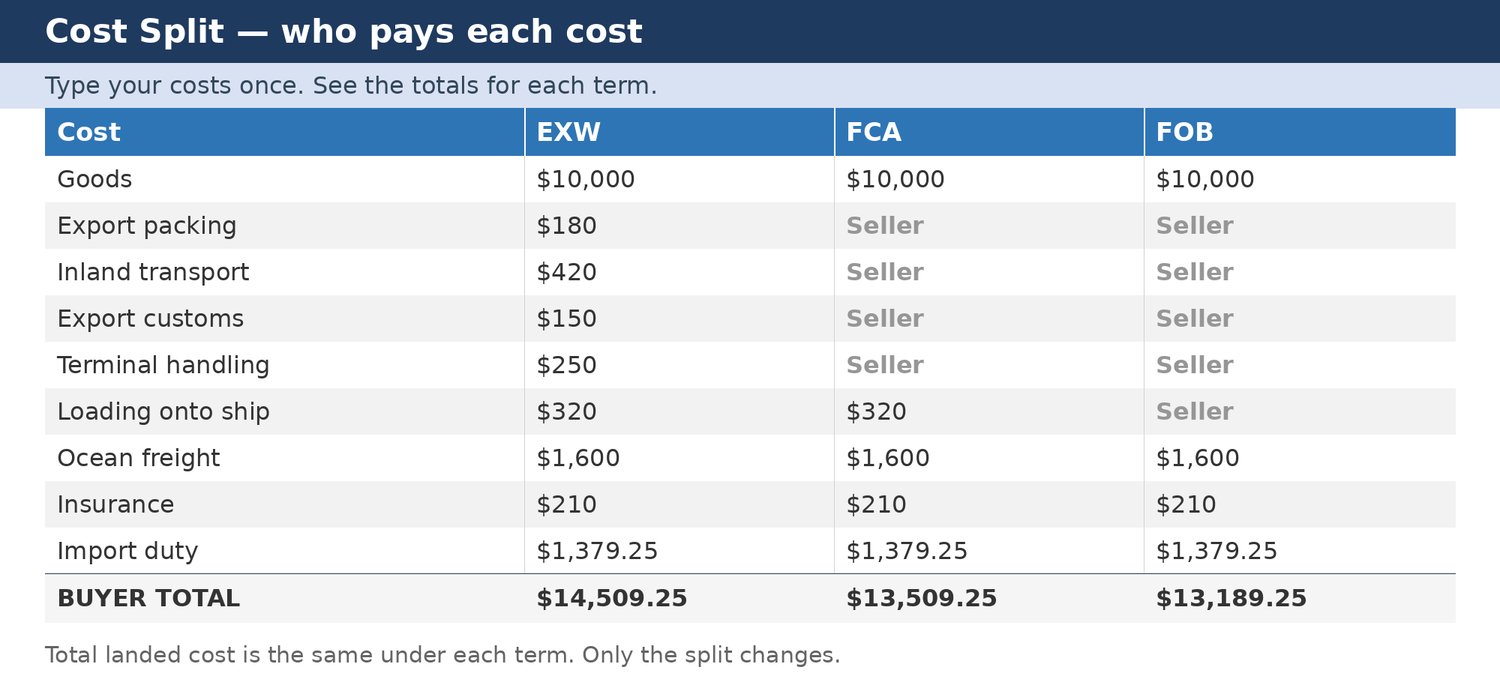
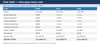
- A cost split table. It shows who pays each cost under EXW, FCA, and FOB.
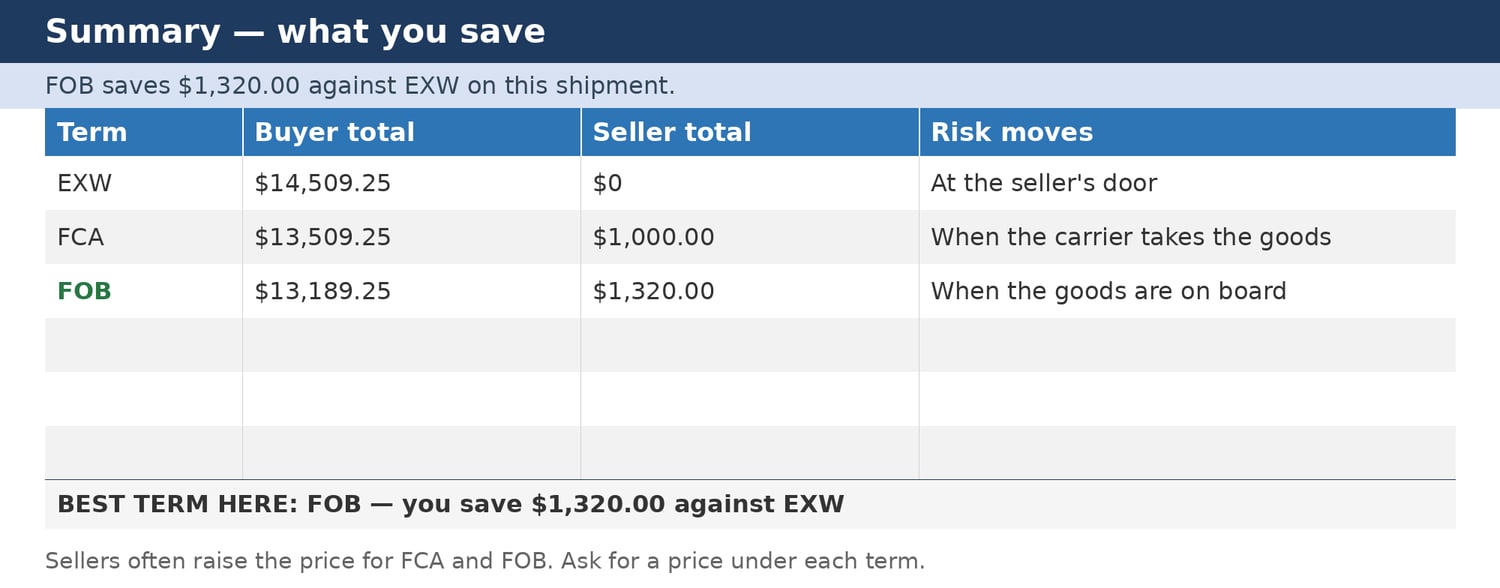
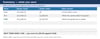
- A summary. It shows the total landed cost, the buyer total, the seller total, and the savings for the buyer.
- A risk table. It shows when risk moves from the seller to you under each term.
- A 3-page PDF guide. It explains each term in plain words. It shows a worked example.
What you need:
- Excel or Google Sheets. No other tools.
Who it is for:
- Buyers who import goods by sea or air.
- Small manufacturers who buy parts from abroad.
- Anyone who signs a quote with EXW, FCA, or FOB on it.
Three facts the sheet makes clear:
- The total landed cost is the same under each term. Only the split changes.
- No term above makes the seller buy insurance. You must buy your own cover.
- Sellers often raise the price for FCA and FOB. Ask for a price under each term. Compare the real quotes.
This sheet is a guide. It is not legal advice. Check the full Incoterms 2020 rules before you sign a contract.