






Debt Snowball & Avalanche Payoff Planner
A true rollover debt planner: when one debt is paid off, its payment rolls into the next debt automatically, so your monthly total stays the same until everything is paid. It compares snowball (smallest balance first) and avalanche (highest APR first) against minimums only, and shows the estimated interest saved and months saved for each. Enter up to 10 debts and any extra monthly payment, and the file builds a month-by-month payoff schedule for up to 360 months, an estimated debt-free month, a payoff chart and a payment log to track what you actually pay.
WHAT'S INSIDE
- Debt-Payoff-Planner.xlsx (opens in Excel; imports into Google Sheets) + a how-to-open text file
- Tabs: Start Here, Dashboard, Debts, Payoff Chart, Payment Log, Snowball Schedule, Avalanche Schedule, Minimums Only
- Debts (up to 10): name, type, current balance, APR and minimum payment; snowball and avalanche payoff order; estimated payoff month under each method and under minimums only; paid so far from the log, latest balance and % paid off
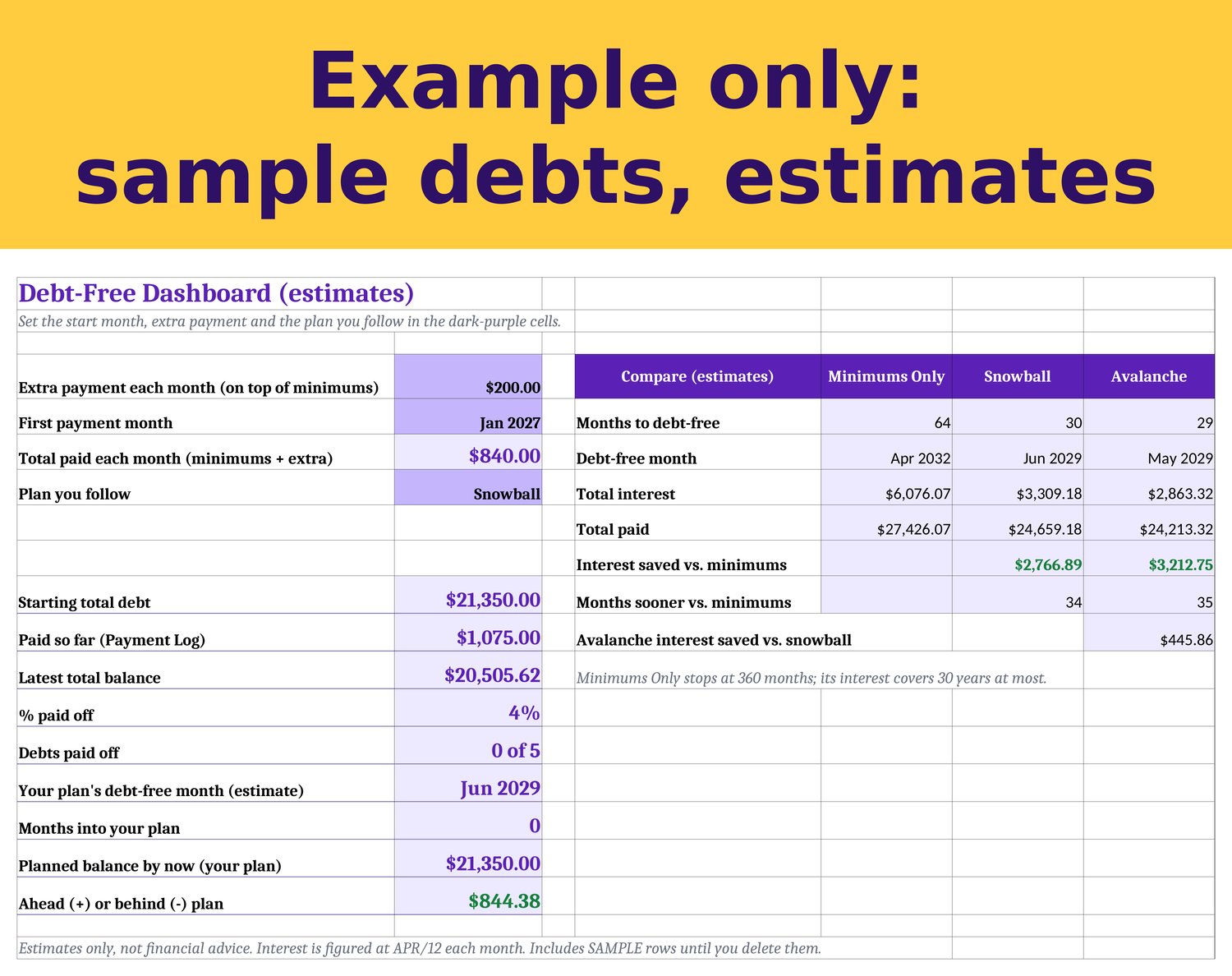
- Extra payment input on the Dashboard: the amount you can add each month on top of all minimums
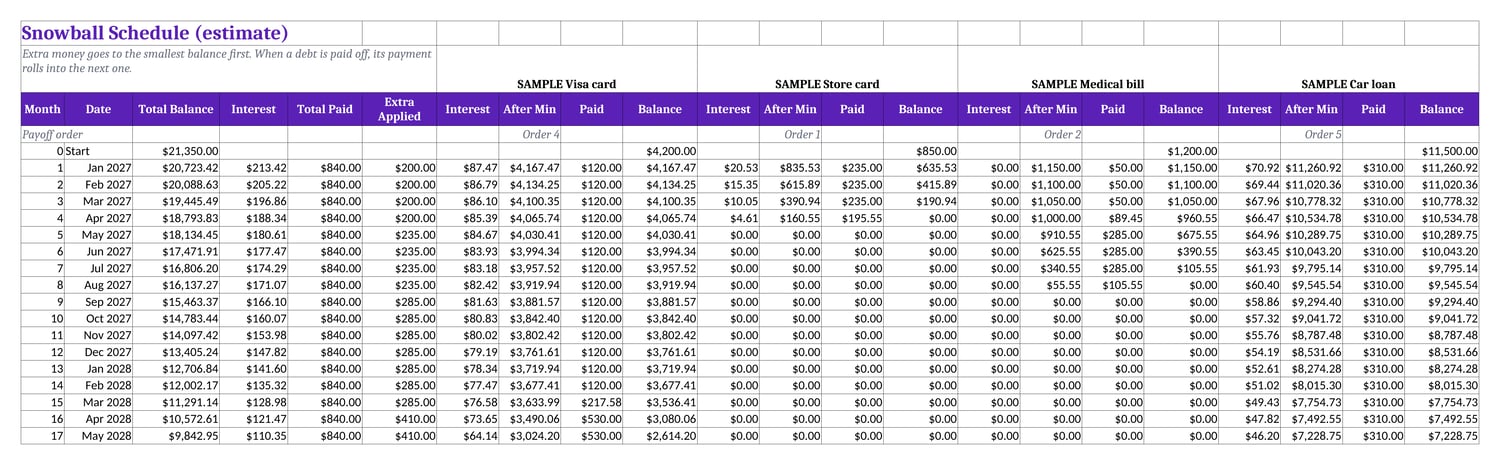
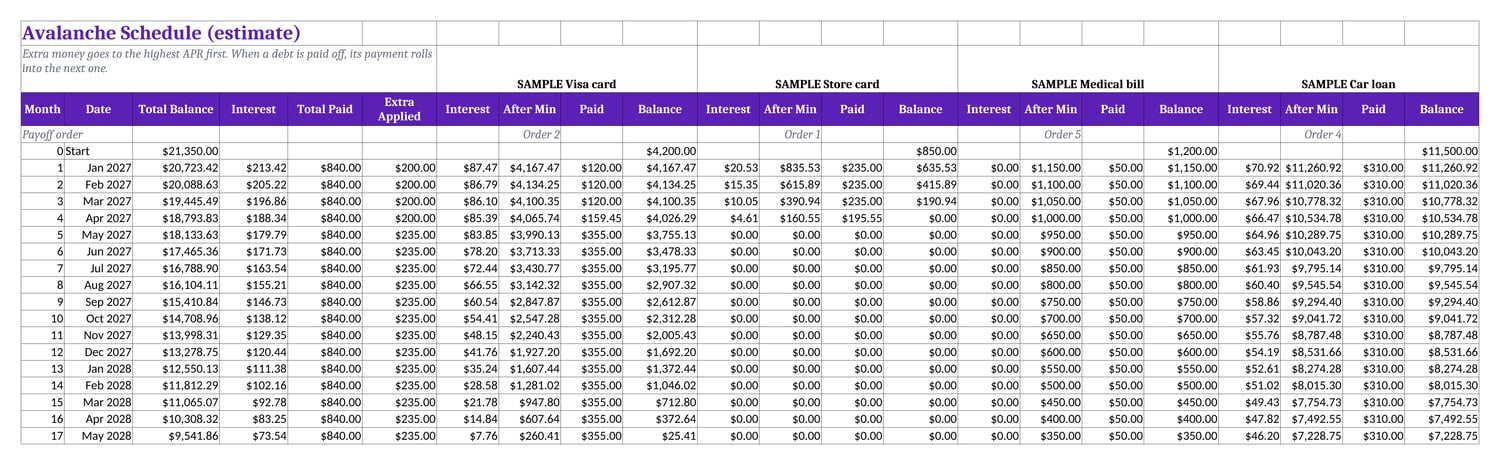
- True rollover: each month every debt gets interest (APR/12) and its minimum, and the rest of your monthly total goes to the first debt in the payoff order. When a debt is paid off, its payment moves to the next one
- Snowball Schedule and Avalanche Schedule: month-by-month payoff schedules for up to 360 months, with interest, payment and balance for every debt plus monthly totals
- Minimums Only: the same schedule with minimum payments only, used to work out interest saved
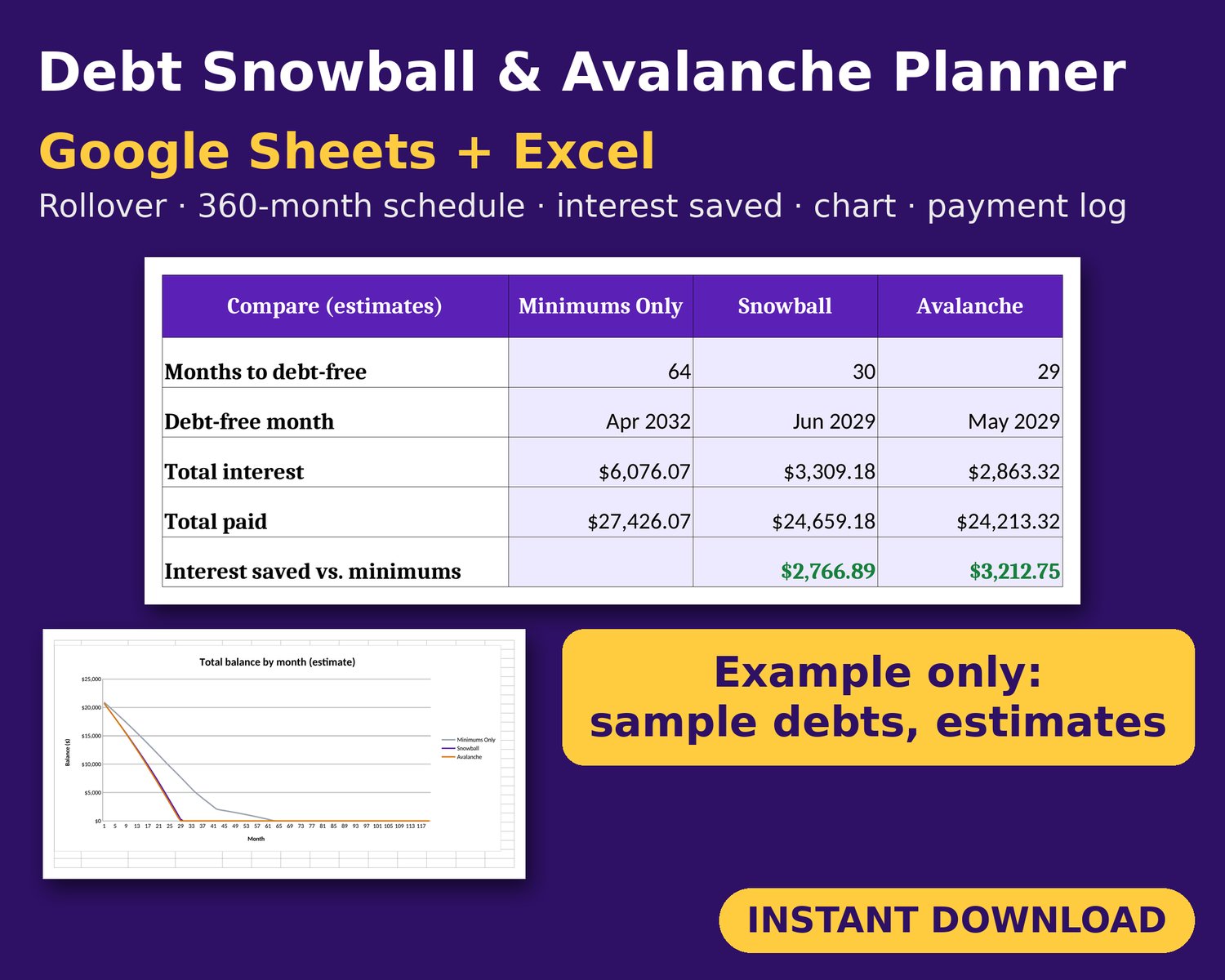
- Dashboard comparison of Minimums Only, Snowball and Avalanche: months to debt-free, estimated debt-free month, total interest, total paid, interest saved vs. minimums and months sooner
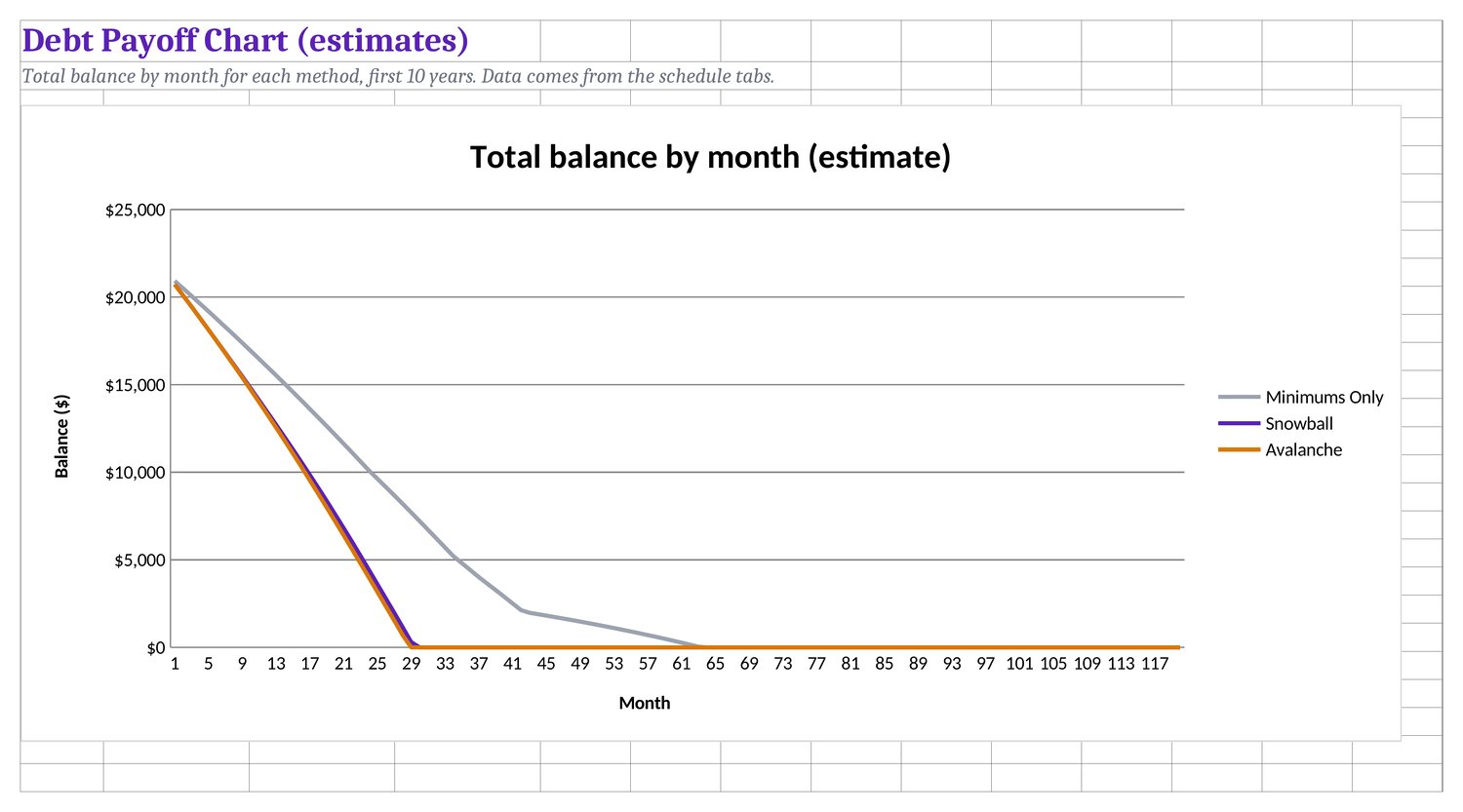
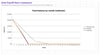
- Payoff Chart: a line chart of total balance by month for all three methods (first 10 years)
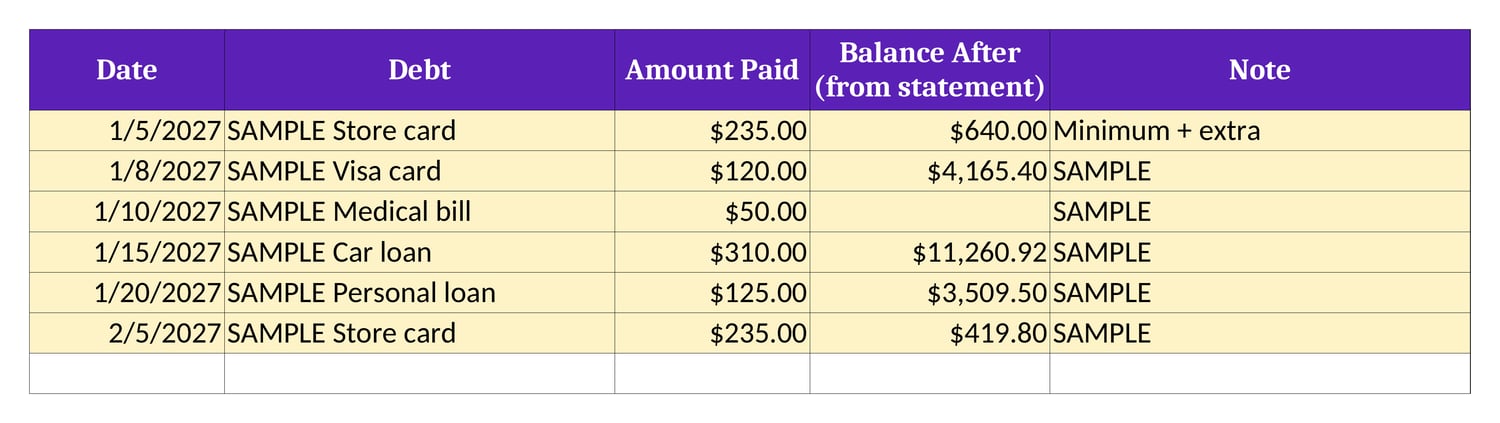
- Payment Log (room for 600 payments): date, debt, amount paid, balance from your statement (optional) and note
- Progress on the Dashboard: starting total, paid so far, latest total balance, % paid off, debts paid off, and your planned balance for this month vs. your latest balance (ahead or behind plan)
- A red minimum payment warns you when it doesn't cover the monthly interest
- Yellow SAMPLE rows (a credit card, store card, medical bill, car loan and personal loan) show how it works; delete them when you're ready
- US dollars and US dates (m/d/yyyy)
HOW YOU GET IT
Instant digital download (ZIP with one .xlsx file plus a how-to-open text file). No physical item ships. Google Sheets: upload to Drive and open with Google Sheets, or File > Import > Upload. Excel: just open it.
DISCLAIMER
An organizational tool, not financial advice. Payoff dates, interest and interest saved are estimates only: interest is figured monthly at APR/12 on the balances and payments you enter. Real lenders may compound daily, and fees, rate changes, new charges and missed payments are not included. No result is promised. It does not connect to your bank or lenders; you enter balances and payments yourself.
Made by Violet Vault. Questions: violetvault@mail.grokbot.com
Bonus: your download also includes a Notion version of this template (a free Notion account works).
Designed by us using AI tools; every game, answer and fact is checked by our QA before listing.