




Side Quest Planner: ADHD Planner App with Rewards (Phone, Tablet & Computer)
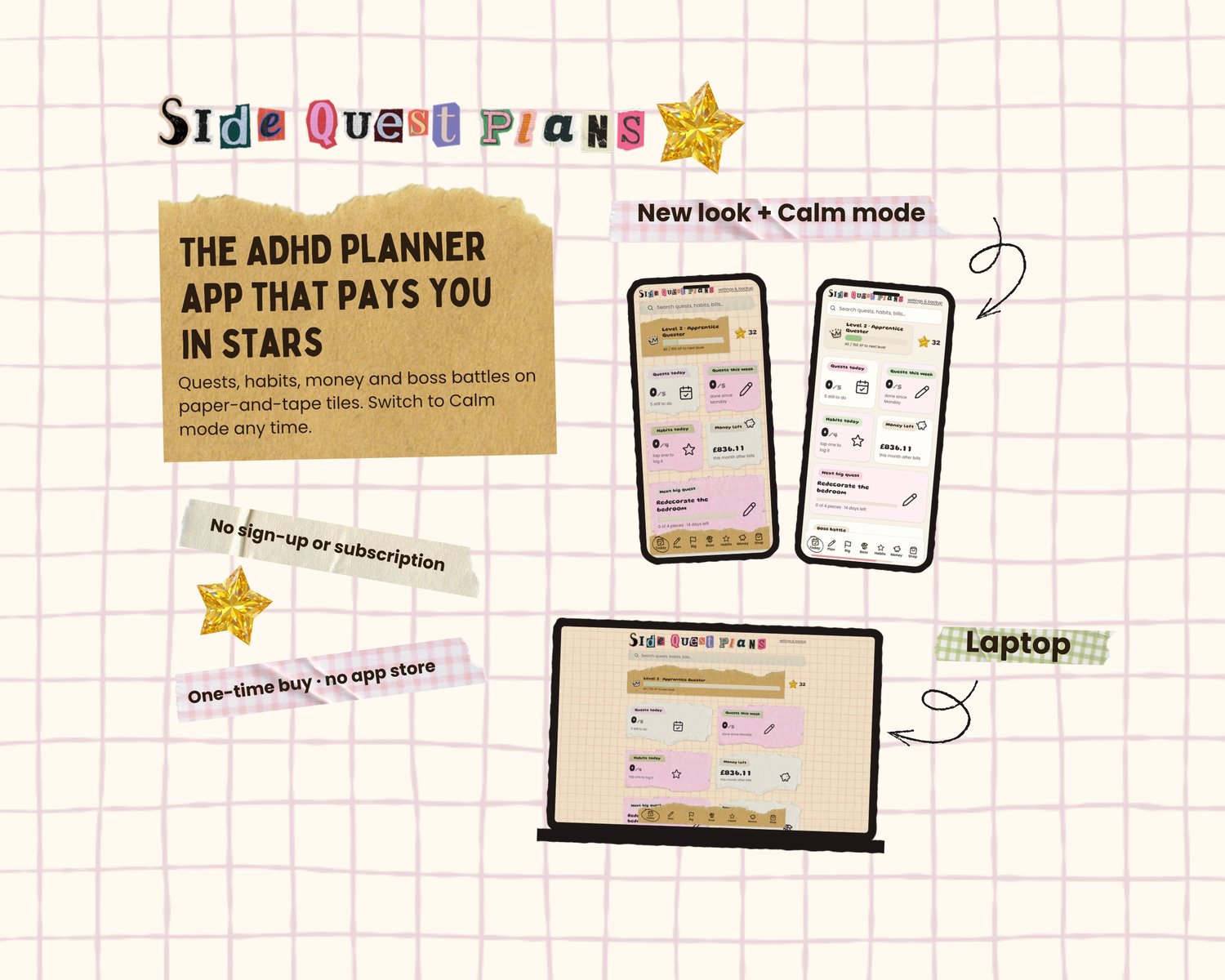
Gamify your life with our newest planner app that pays you in stars. Tick off quests, earn stars, and spend them on treats that you choose!
Side Quest Planner is an all-in-one planner for ADHD, neurodivergent people and busy brains. It opens in your web browser like a website, so you can use it on your phone, laptop or tablet. No sign-up or subscription!
No AI art has been used within this planner, which adds to the charm. The images used are either drawn by myself or from Canva, using paper, tape and stickers to give it that scrapbook aesthetic, making it feel cosy <3
✦ TODAY
- Energy check: say how you feel and bigger tasks are parked
- Break down your quests: sort today's tasks into Urgent, Preferably but can skip, and Only if you have time
- Change any quest's day or time from Today and your plan updates too
- Focus timer and focus mode
- Brain dump for racing thoughts
- Morning and evening routines that reset each day
✦ PLAN
- Week and month calendar with time blocks
- Goals with milestones
- Big quests: give a big job a start and end date, break it into pieces and put each piece on a day. Open and close tasks like a mind map, add tasks under tasks, and add notes to any of them
✦ BOSS BATTLES
Turn the task you're dreading into a boss. Each tiny step knocks off its HP. Beaten bosses go on your trophy shelf!
✦ HABITS
Habit grid with streaks. Missing a day resets the streak, never your progress.
✦ MONEY (any currency)
- Budget pots and a spending log
- Bills with due dates
- Savings jars
- See what's left this month after bills and spending
- Pick your currency: £, $, €, A$, C$ and 25+ more
✦ STARS, LEVELS & TREATS
- Earn stars: tiny quest +1, big quest +5, habit +1, focus burst +3, bill paid on time +2, boss beaten +15, big quest finished +20
- Spend them in your own treat shop. You set the treats and the prices
- Level up from Side Character to Legendary Planner
- A free dopamine menu for when you're stuck
✦ WHAT YOU GET
- The Side Quest Planner file to open on a computer or laptop
- A Start Here guide (PDF) with your link and QR code for phone and tablet
- 4 desk colours, including a night mode
- Lifetime use. One-time purchase
✦ HOW IT WORKS
- Buy and download your two files
- Computer: open the planner file in Chrome, Edge, Safari or Firefox
- Phone or tablet: open the link in your Start Here guide and add it to your home screen
- Press "Clear examples & start mine" and add your first quest
✦ GOOD TO KNOW
- Your plans are saved in your own browser on your own device. There's no account and your plans aren't sent anywhere.
- Each device keeps its own copy. To move your plans between devices, use Settings & backup to copy and paste a backup.
- Clearing your browser data deletes your plans, so make a backup now and then.
- English only. Money tools work in your own currency.
- This is a planning tool. It isn't a medical product or treatment, and it isn't financial advice.
✦ LICENCE & TERMS OF USE
- For personal use only, by the buyer, on your own devices.
- Please don't share, resell, copy or redistribute the planner file, the Start Here guide or your phone link, or claim the planner or its design as your own.
- © Side Quest Plans. All rights reserved.
- This doesn't affect your rights under consumer law.
Questions? Send me a message any time.