


SignalHamToEA - Turn Your Signal Indicator Arrows into Automated Trades (MT4 & MT5)
Turn the arrows of your own signal indicator into automated trades. MT4 and MT5 versions included.
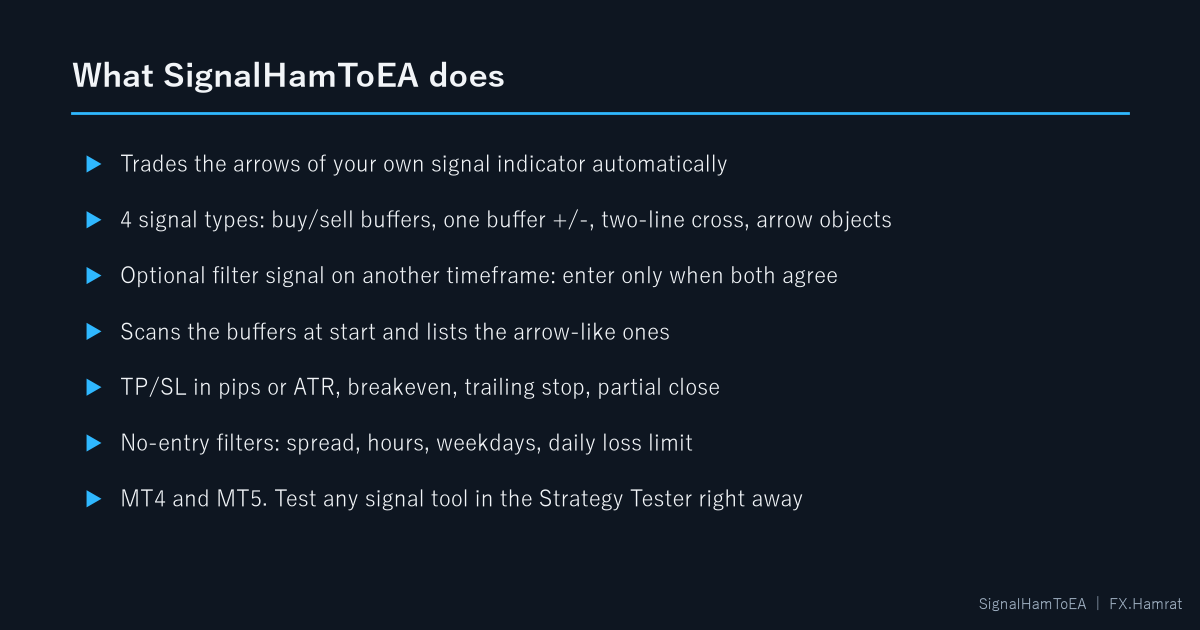
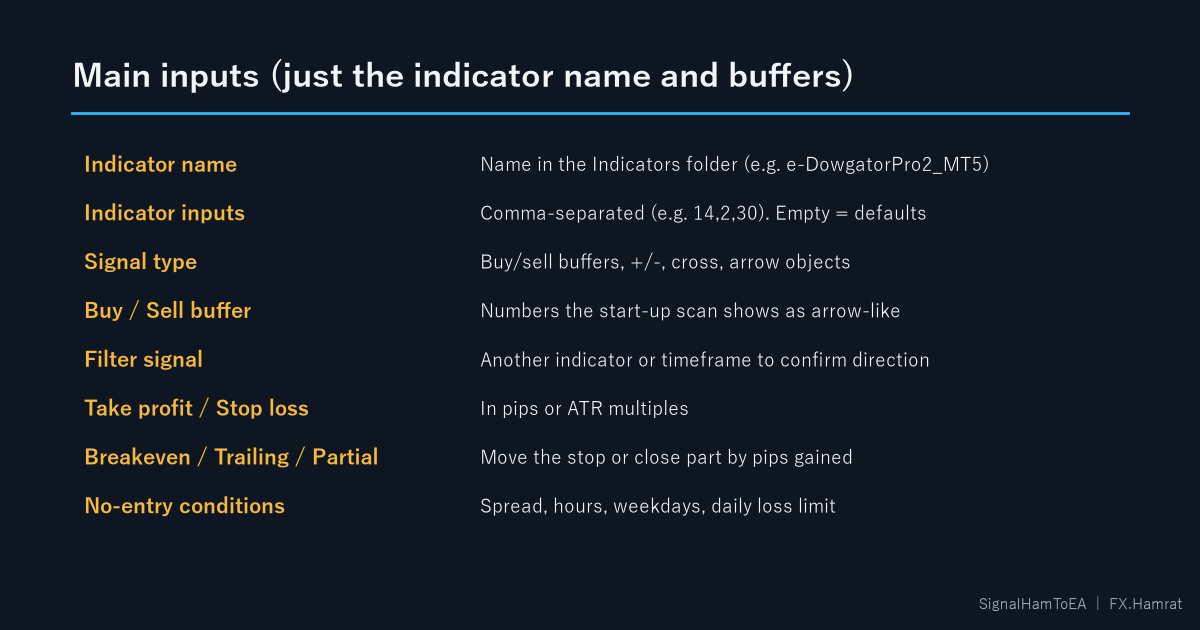
SignalHamToEA reads a signal indicator that draws arrows on the chart and places orders exactly as the arrows say. No programming is needed. Enter the indicator name and the buffer numbers that hold the buy and sell arrows, and it runs.
The EA has no trading method of its own. Whether it enters is decided by the arrows of the indicator you connect, so you can try as many signal tools as you like.
Four ways to read signals
- Buy/sell buffers (arrows), the basic mode
- One buffer that turns + / - (trend tools that output 1 / -1)
- Two-line cross (moving averages, MACD)
- Arrow objects drawn on the chart by indicators without buffers
Not sure about the buffer numbers? At start the EA scans the last 500 bars and lists the buffers that look like arrows, with the time of the last one.
Filter signal: use another indicator or timeframe as a filter and enter only when both agree.
Exits and no-entry conditions: take profit and stop loss in pips or ATR multiples, breakeven, trailing stop with a step, partial close, close or reverse on an opposite signal. No-entry filters for spread, hours, weekdays and a daily loss limit.
Backtest your signal tool: the EA runs in the Strategy Tester, so you can see how trading its arrows would have worked over years.
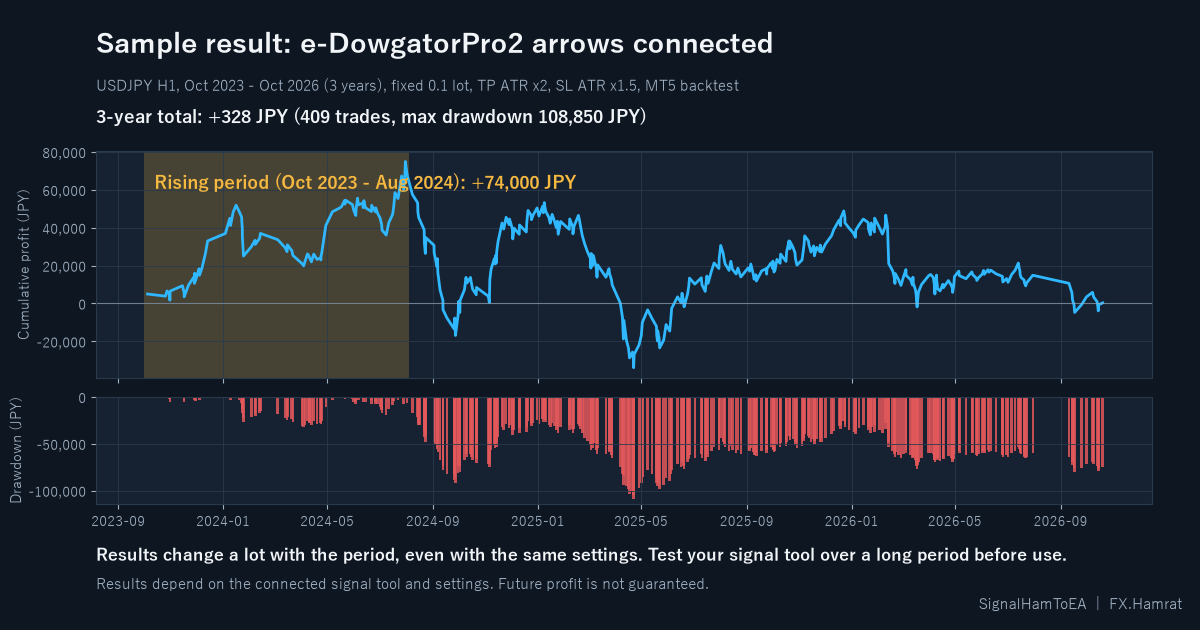
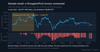
The chart shows e-DowgatorPro2 (arrows on Dow Theory trend changes) on USDJPY H1 for three years (Oct 2023 - Oct 2026, fixed 0.1 lot, TP ATR x2, SL ATR x1.5, MT5 backtest). It rose to +74,000 JPY in the first ten months and ended at +328 JPY over the full three years. Results change a lot with the period and depend on the signal tool and settings, so test your tool over a long period before live use. Future profit is not guaranteed.
What you get (one zip): MT4 EA, MT5 EA, PDF manual.
License: one trading account (real or demo, MT4 or MT5). After purchase, reply to your receipt e-mail with your order number and MT4 or MT5 (no account number needed). We send your license number within 1 business day (Japan time). The license binds to the first account you run it on. The license check is skipped in the Strategy Tester.
Requirements: MetaTrader 4 or 5 for Windows. Internet connection for license checks (add https://auth.fx-hamrat.jp to the allowed WebRequest URLs).
This is a tool that trades the signals of the indicator you choose. It is not investment advice and does not guarantee profits. Digital product: no refunds after download.