






Home Project Command Center | Google Sheets Template for Homeowners & DIYers
Most home project "systems" are either too simple to be useful or too complicated to actually use.
This is neither.
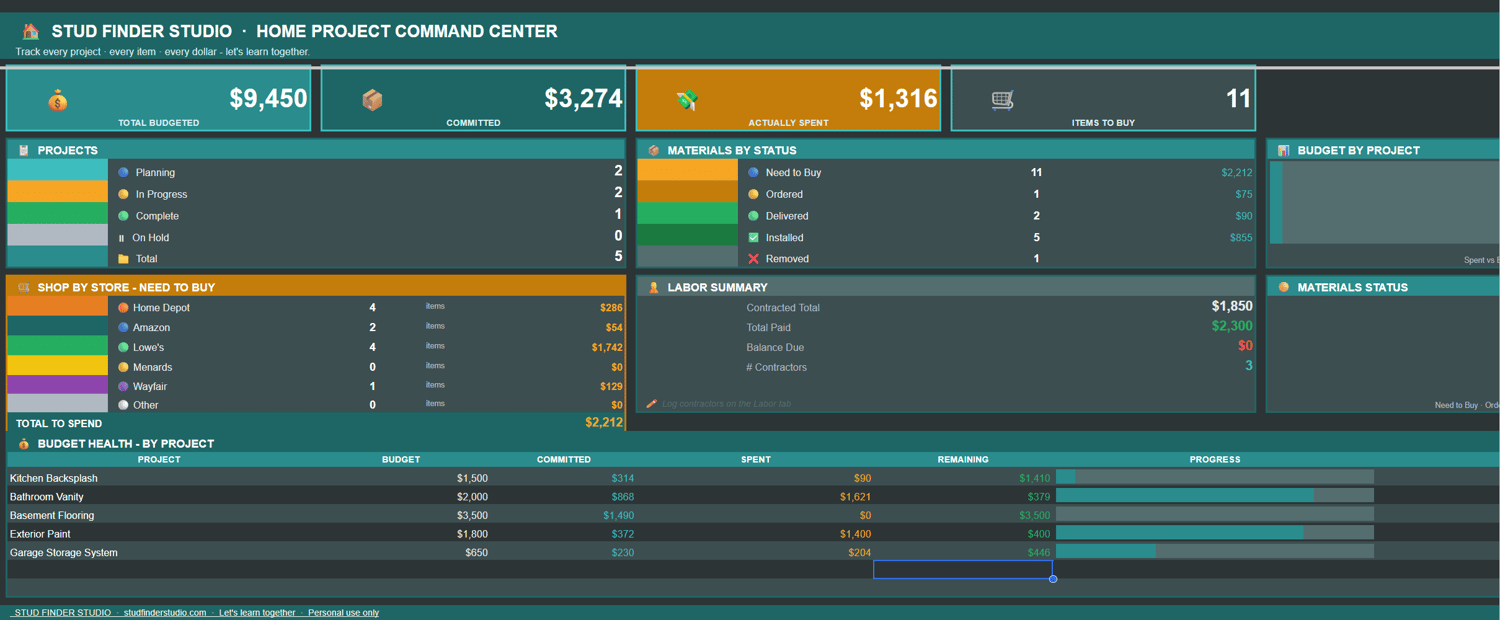
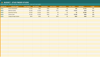
The Home Project Command Center is a Google Sheets template with 8 tabs that work together automatically. Add your projects and materials - the rest builds itself.
---
THE PROBLEM IT SOLVES:
You're tracking things in five different places - a notes app, a group chat, sticky notes, your email, your head. Something always gets missed. A receipt, a deposit, an order that never arrived.
This replaces all of it with one sheet everyone on the project can see, edit, and use in real time.
---
WHAT YOU GET:
★ DASHBOARD - Live command center showing all your budgets, spending, materials, and labor. Opens every session and tells you exactly where you stand.
★ PROJECTS - Budget, start date, target end, DIY vs. hired, and actual spend - all in one place. Actual spend pulls from Materials automatically.
★ MATERIALS - Your master item list. Paste any product URL and the store detects automatically. Dropdown status moves items from Need to Buy to Installed. Up to 500 items.
★ SHOP LIST - Populates itself. Every item marked "Need to Buy" appears here, sorted by store. Take it with you instead of making a list.
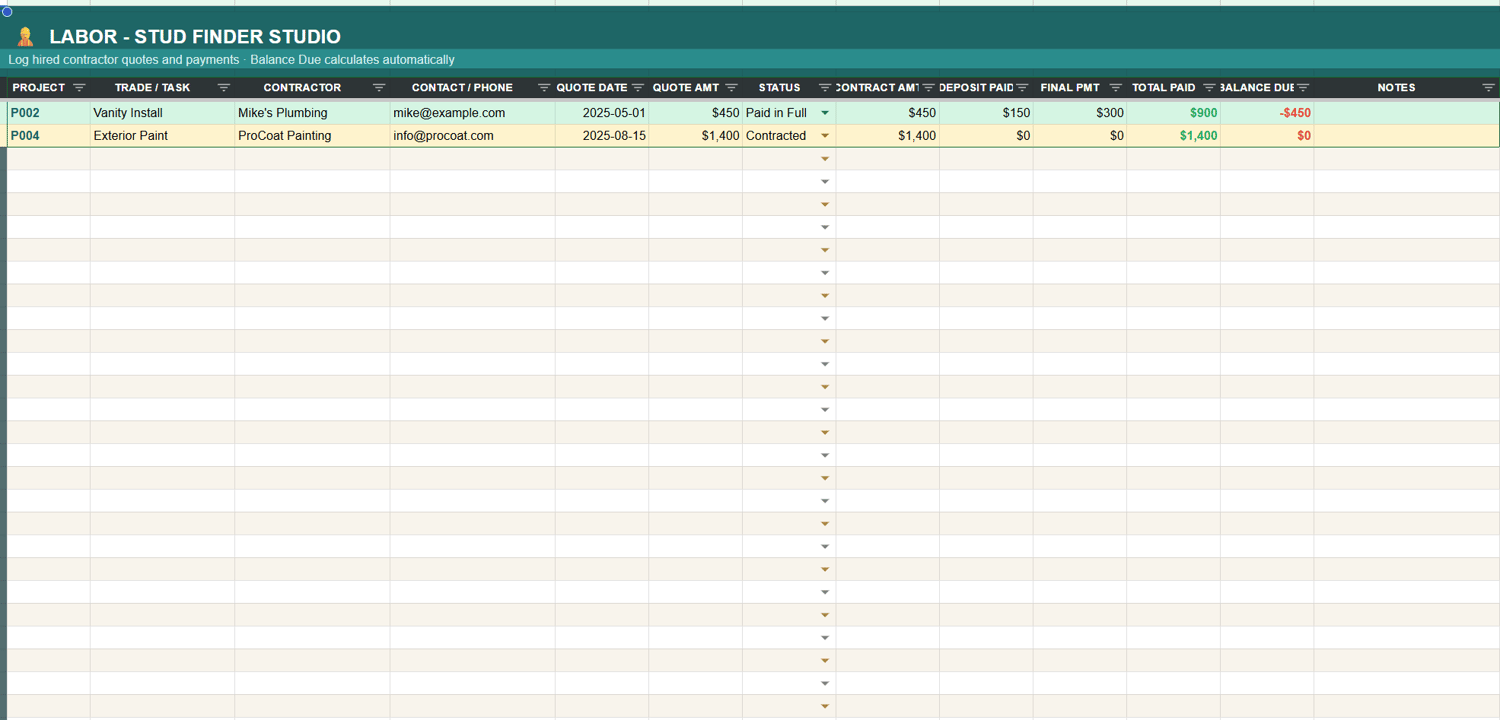
★ LABOR - Quote, contract amount, deposit, final payment, total paid, and balance due — all in one row per contractor. No more losing track of what you owe.
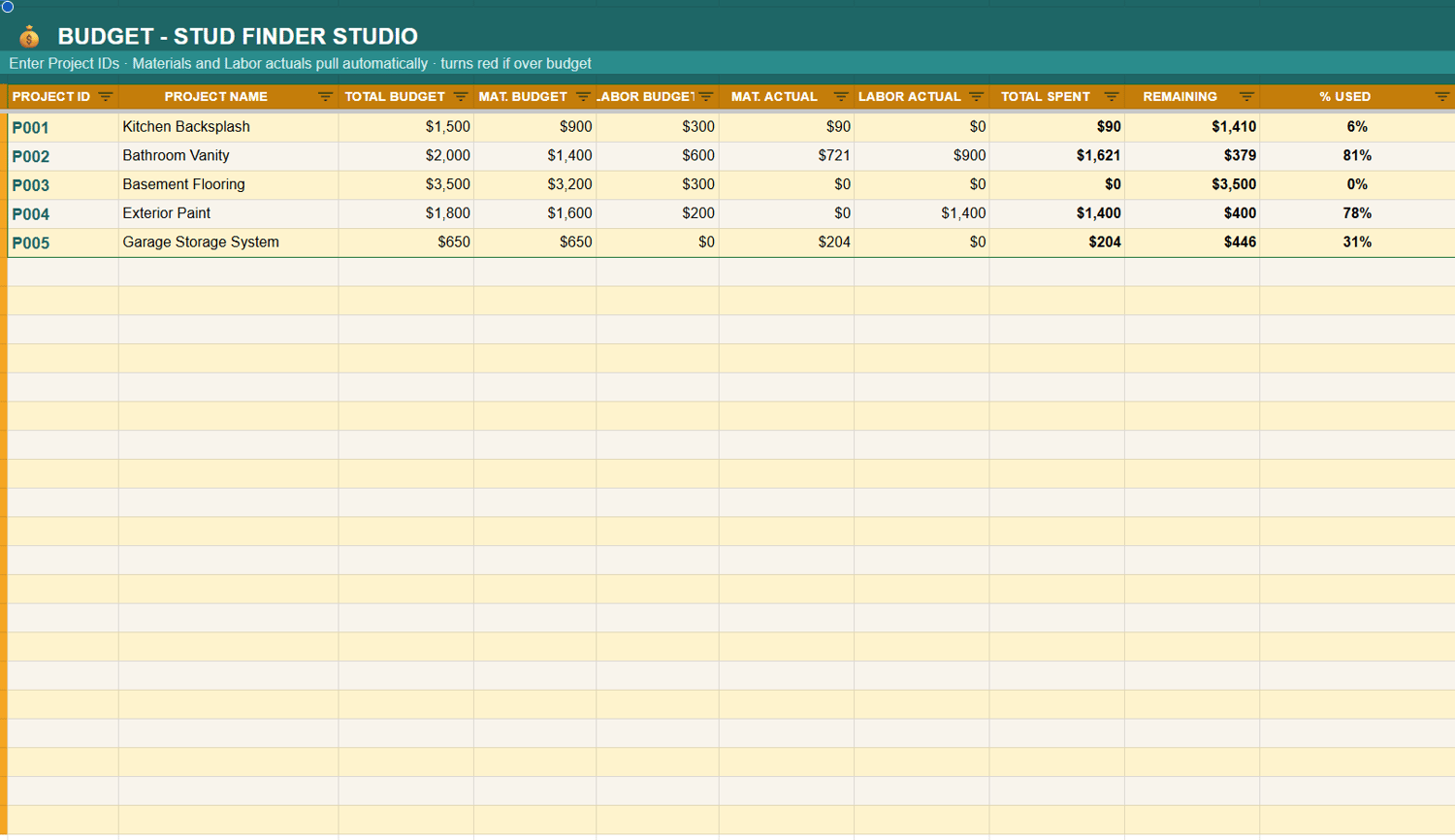
★ BUDGET - Budget vs. committed vs. spent, per project. Rows turn red when you're over budget, amber when you're close.
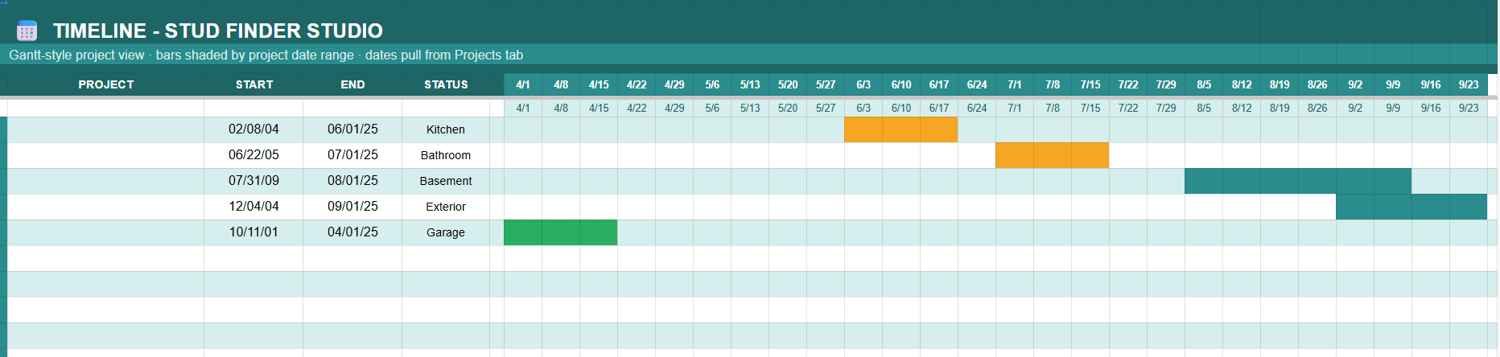
★ TIMELINE - Gantt-style project view. Pulls dates directly from Projects — nothing extra to fill in.
★ HOW TO USE - A step-by-step guide built right into the sheet. Set up in under 5 minutes.
---
SPECIFICS:
• Tracks up to 98 projects
• 500 pre-formatted material rows
• Auto-detects: Home Depot, Amazon, Lowe's, Menards, Wayfair
• Dropdowns on every key column
• Sample data pre-loaded so you see it working immediately
• Fully unlocked — customize anything you want
---
AFTER PURCHASE:
You'll get a link to the Google Sheet. Open it and click "File → Make a copy" to save it to your Drive. It's yours forever.
No subscription. No expiry. One payment, every project.
---
Built by Stud Finder Studio - a DIY and home improvement brand for first-time homeowners, renters, and anyone figuring it out as they go.
studfinderstudio.com - let's learn together.