

Content planner 3.0 - Notion template
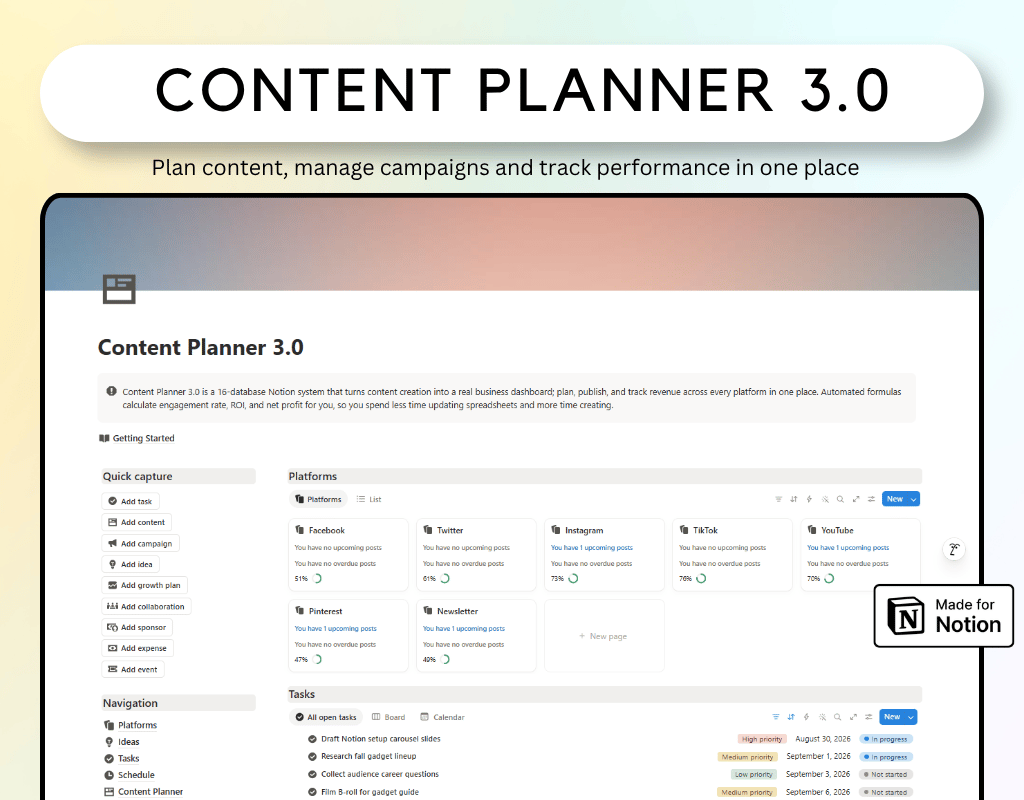
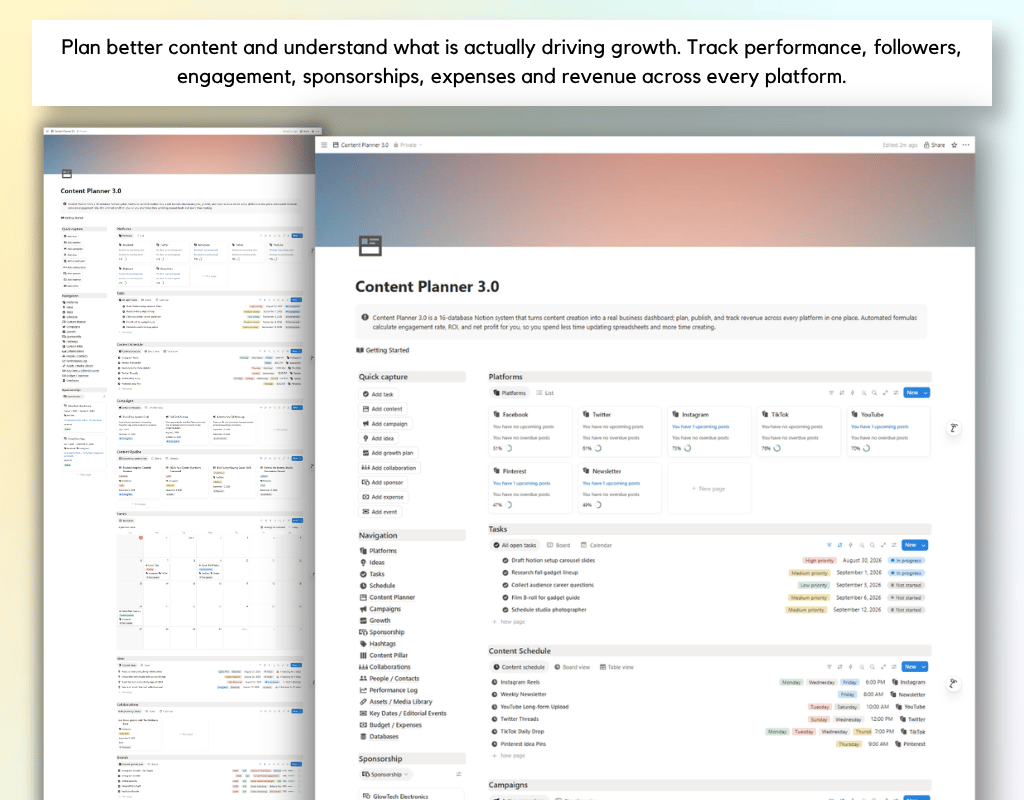
Content Planner 3.0 brings your entire content operation into one connected Notion workspace.
Plan content, organize ideas, manage multiple platforms, coordinate tasks, track campaigns, work with sponsors and collaborators, monitor growth and performance, and keep track of revenue and expenses.
Built around 16 connected databases, everything works together through relations, rollups and formulas so your content and business data stay connected.
What’s inside
Content Planner
Manage every piece of content from idea to publication, including status, platform, pillar, hashtags and performance.
Platforms
Monitor each channel with followers, views, published content, revenue, expenses and net revenue.
Ideas
Capture, organize and review your content backlog before turning ideas into published content.
Tasks
Manage the actionable steps behind every piece of content.
Schedule
Create recurring posting slots and maintain a consistent publishing rhythm.
Growth
Set quarterly follower targets and track progress across platforms.
Sponsorships & Collaborations
Manage brand deals, partnerships, deliverables, revenue and associated costs.
People & Contacts
Keep sponsors, collaborators and other important relationships organized.
Performance Log
Record historical performance snapshots and track growth trends over time.
Campaigns
Group related content around launches, promotions, seasonal campaigns and strategic goals.
Content Pillars & Hashtags
Organize your content strategy and track which themes and hashtags perform best.
Assets & Media Library
Keep reusable templates, footage, graphics, audio and other creative assets organized.
Key Dates & Editorial Events
Plan content around holidays, launches, events and other important dates.
Expenses
Track content-related spending and connect costs to platforms for a clearer view of profitability.
Your content workflow
Ideas → Content → Tasks → Schedule → Publish → Performance → Growth
Supporting the workflow:
Platforms → Campaigns → Sponsorships → Revenue
Platforms → Expenses → Net Revenue
Everything stays connected, giving you a clear view of what you are creating, where you are publishing, what is performing, and what is generating or costing money.
Built for
- Content creators
- YouTubers
- Influencers
- Social media managers
- Content marketers
- Personal brands
- Multi-platform creators
Why Content Planner 3.0
One workspace for everything
Replace scattered content calendars, spreadsheets and notes with one connected system.
Built for multiple platforms
Manage your entire publishing ecosystem from a single workspace.
Track what actually works
Monitor engagement, follower growth and historical performance to make better content decisions.
Manage the business behind content
Keep sponsorships, collaborations, revenue and expenses connected to your content operation.
Understand profitability
Connect platform revenue and expenses to see your net revenue more clearly.
Build a repeatable system
Turn ideas into published content through a structured workflow that can scale with your content operation.
FAQ's
Q: What is Notion?
A: Notion is an all-in-one workspace that combines note-taking, task management, and collaboration tools into one platform. It's highly customizable and allows users to create their own databases, pages, and templates to suit their specific needs.
Q: How do I duplicate the template after purchasing?
A: After purchasing the template, you'll receive a PDF file with the link to access the template. Simply click on the link, and then click on the "Duplicate" button in the top-right corner of the template. This will create a copy of the template in your own Notion workspace, which you can then customize and use as you wish.
Q: Is there a refund policy for the templates?
A: Due to the nature of digital templates, refunds are not applicable once the template has been purchased. However, if you encounter any issues or have questions about the template, please don't hesitate to reach out, and I'll be happy to assist you.