
2027 Budget Dashboard Spreadsheet - Excel & Google Sheets, Debt Snowball, Auto-Categorize
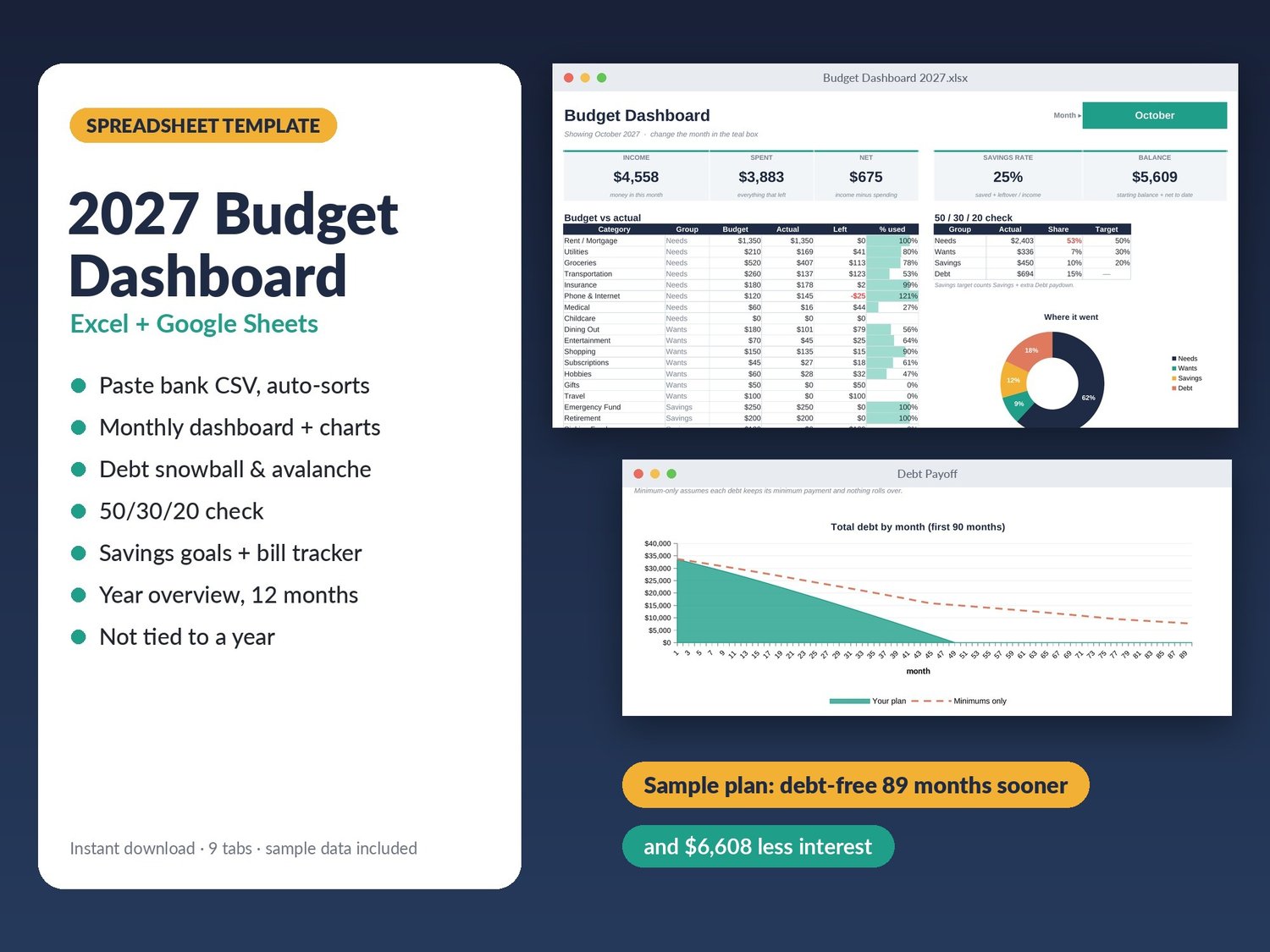
A budget spreadsheet that does the boring part for you. Paste your bank export, and every transaction sorts itself into a category. Pick a month and the dashboard shows where your money went.
Works in Microsoft Excel and Google Sheets. Instant download.
WHAT'S INSIDE (9 tabs)
- Dashboard: income, spending, net, savings rate and running balance for any month you pick. Budget vs actual for every category with progress bars, a 50/30/20 check, and charts.
- Transactions: paste Date, Description, Amount straight from your bank's CSV. Negative or positive amounts both work. 2,000 rows.
- Auto-category rules: type a word like "kroger" once and every Kroger purchase lands in Groceries from then on. Override any single transaction with a dropdown.
- Year at a glance: every category across all 12 months with totals, averages and an income vs spending chart.
- Debt payoff planner: up to 8 debts. Choose Snowball or Avalanche, add an extra monthly amount, and get the payoff month for each debt, your debt-free date, total interest, and how much sooner you finish than paying minimums. Freed-up payments roll into the next debt automatically.
- Savings goals: target, date and progress. It tells you how much to set aside each month.
- Bills: due day, autopay, category and a paid checkmark for each month.
- Setup: up to 40 categories in 5 groups (Income, Needs, Wants, Savings, Debt) with monthly budgets.
DETAILS
- Sample data included so you can see it working; clear it in one step.
- Not tied to a year: change the year on Setup and everything follows.
- Formulas are protected (no password) so you can't break them by accident.
- No macros, no add-ons, no account needed. Your data stays on your computer or your own Google Drive.
You get a .zip with the .xlsx file and a quick-start guide.
Personal use license. Please don't resell or share the file.
More templates and tools: patreon.com/123black