

Sinking Funds Tracker 2027
Made with AI: an AI assistant built this spreadsheet template and wrote this description, then it was reviewed before release.
Save a little each month for the bigger costs you know are coming, like car repairs, gifts, vacations and annual bills, and see exactly how much to set aside.
This is a digital download. No physical item will be shipped. You get one ZIP file right after purchase with the tracker, a filled sample copy, and a short "How to open" note.
WHAT'S INCLUDED (5 tabs in one .xlsx file)
- Start Here: how to use each tab and a color key (yellow = you type, soft gray = automatic).
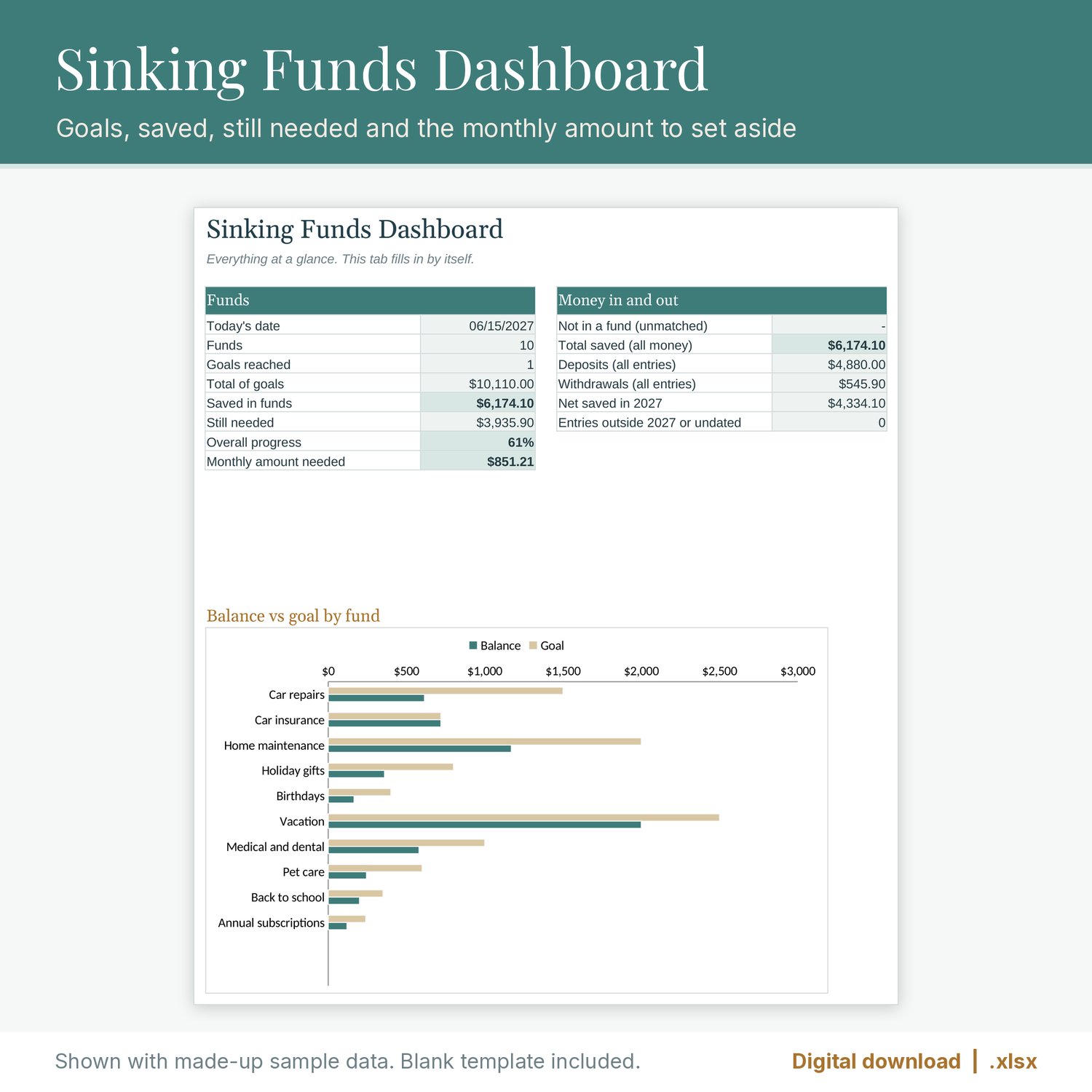
- Dashboard: total of goals, saved in funds, still needed, overall progress, the monthly amount needed across all funds, deposits, withdrawals, net saved in 2027, and a balance vs goal chart.
- Funds: up to 20 funds, each with a goal, target date and starting balance. Each fund shows deposits, withdrawals, balance, progress, amount still needed, months left and the monthly amount needed to reach the goal on time, plus a status (in progress, due this month, goal reached, target date passed).
- Transactions: up to 1,000 deposits and withdrawals with fund and type dropdowns and a check column.
- Monthly 2027: net saved in every fund for each month of 2027, with a year total.
Built so money doesn't go missing: if an entry uses a fund name that isn't on your list (for example after you rename a fund), has no fund, or has no type, it shows up as "Not in a fund" or gets a red heads-up instead of quietly dropping out of the totals. Duplicate fund names are flagged too.
You also get a filled sample copy with made-up funds and amounts, so you can see how everything works before you type your own.
FILE FORMAT
- One ZIP containing the .xlsx tracker, the .xlsx sample copy, and a "How to open" text note.
- Made for Excel and Google Sheets (.xlsx, no macros). Formulas tested by recalculation in LibreOffice.
- To open it in Google Sheets, upload the file to Google Drive and choose Open with > Google Sheets, or use File > Import in a blank sheet. The chart may look slightly different from one app to another.
- Formula cells are locked so they don't get overwritten by accident. Tabs are protected with no password, so you can unprotect them to customize. Sheet protection may not carry over when you import into Google Sheets; the formula cells stay shaded either way.
- Months left and the monthly amount needed count from the date you type in the Today's date box on the Funds tab, so update it when you check in.
PLEASE NOTE
- This is a digital download. No physical item will be shipped.
- This tracker is an organizing tool, not financial advice.
- For personal use. Please don't resell or share the file.
The listing images are real screenshots (renders) of the spreadsheet with made-up sample data. No AI-generated images are used.