


Frame Craft - Frame Extraction & Animation Converter
On Sale
$4.00
$4.00
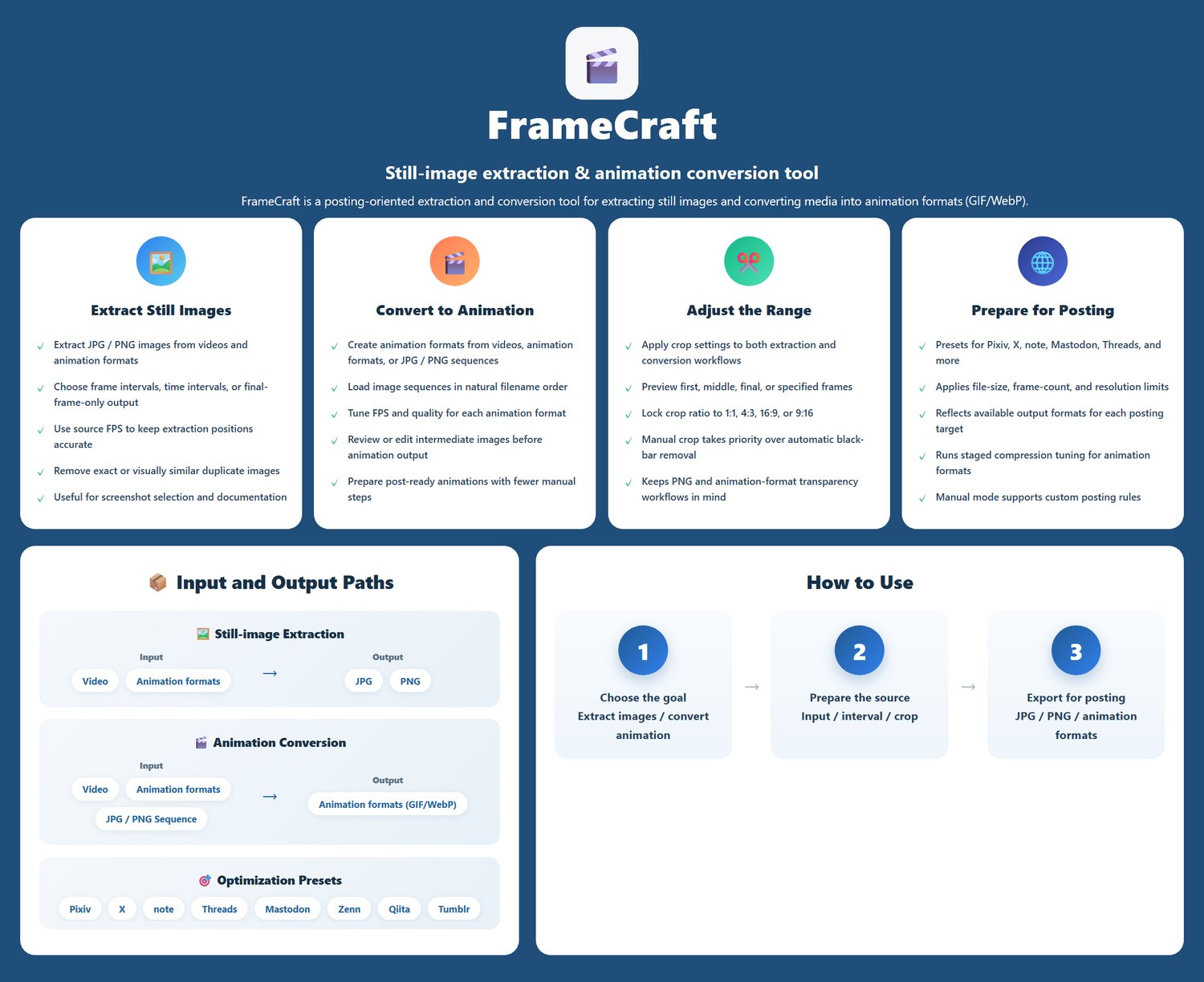
Frame Craft is a Windows helper tool for frame extraction and animation conversion workflows.
It is designed for creators who need a simple way to extract frames or convert animation-related assets.
Main Use Cases
- Take screenshots from videos (optional: automatically remove similar/duplicate images)
- Split a video into frames and convert to GIF (supports several site optimize-compatible output)
- Export the final frame of a video (useful as the starting frame when chaining video generation)
Latest version: v1.50
Last updated: June 21, 2026
Details / Features
Extract JPG / PNG images from videos or animation formats
・Supports extraction by frame interval, time interval, or outputting only the final frame
・Controls extraction positions based on the FPS of the original source material
Convert to animation formats such as GIF / WEBP
・Create animation files from videos, animation formats, or sequential image files
・FPS and quality can be adjusted
・Intermediate sequential images can be previewed and edited before generation
Wide Format Support
- Supports 14 video/animation formats
- Video: MP4, AVI, MOV, MKV, WMV, FLV, WebM, MPEG, MPG, M4V, TS, OGV
- Animation: GIF, WebP
- Image formats: JPG, WEBP
- Output formats: Images (JPG / PNG) and Animations (GIF / WEBP)
Helpful Extra Features
- Automatic black-bar removal (auto-crops letterboxing/pillarboxing)
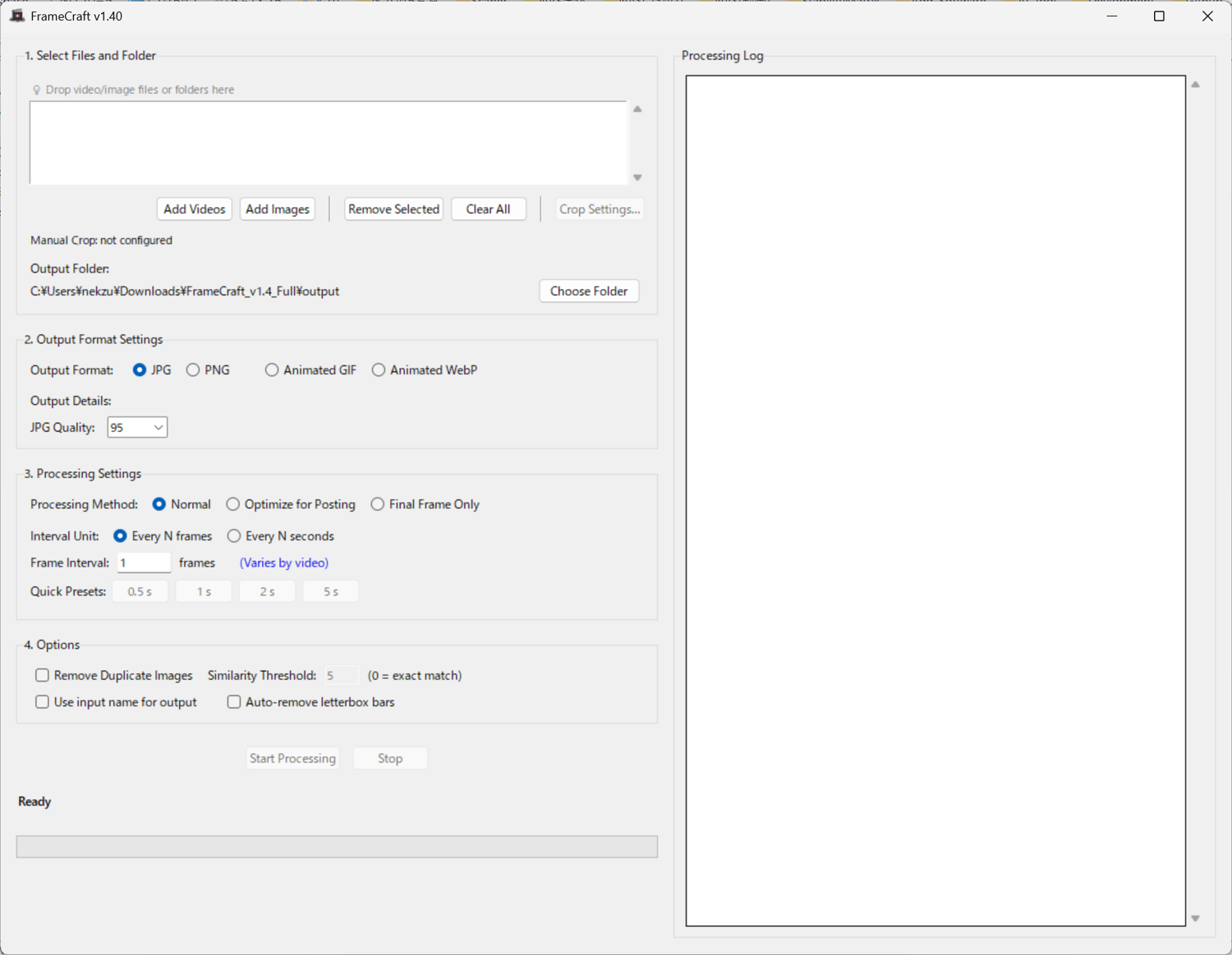
- Simple, intuitive GUI—friendly for beginners
Basic Usage
- Click Add Video or Add Photo / drag & drop video files or photo files.
- Click Start Extraction to begin processing
Trial Version
- A watermark will be added to images processed with the trial version
- Up to 400 images per video
- Download Link
Notes
- Commercial use (individuals): Allowed with purchase of this product.
- Commercial use (companies/organizations): Please contact us separately (https://nekzuk.com/terms.html).
System Requirements
- OS: Windows 10 / Windows 11
- RAM: 4GB+ recommended
- Storage: 100MB+ free space
Update History
- v1.00 (2025/08/13) – https://note.com/nekzuk/n/n3742b9c2905c
- v1.10 (2025/10/13) – https://note.com/nekzuk/n/nd2f89b3cf901
- v1.20 (2025/11/01) – https://note.com/nekzuk/n/n079326e4a2e7
- v1.30 (2026/03/22) – https://note.com/nekzuk/n/n06bae326716f
- v1.40 (2026/05/04) - https://note.com/nekzuk/n/n6e02be9105af
- v1.50 (2026/05/21) - https://note.com/nekzuk/n/n887e34a38c4c
Support: nekzuk.software@gmail.com
Refunds: Digital downloads are non-refundable (please contact support if you have issues).