


Cell Radar for Excel - FULL
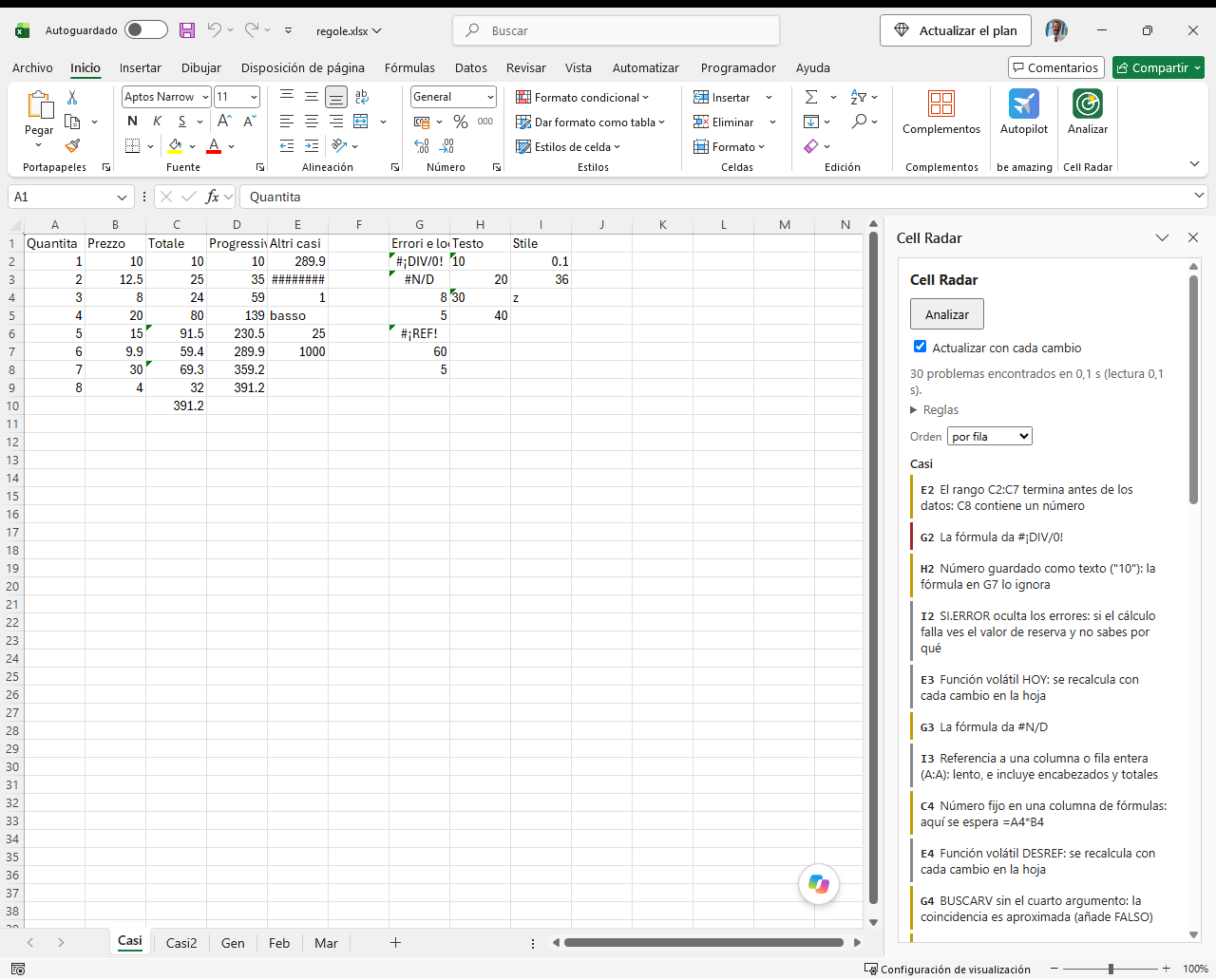
Cell Radar lists the problems in the formulas of the workbook you have open in Excel. The list appears in a pane next to the sheet. One click on a row takes you to the cell.
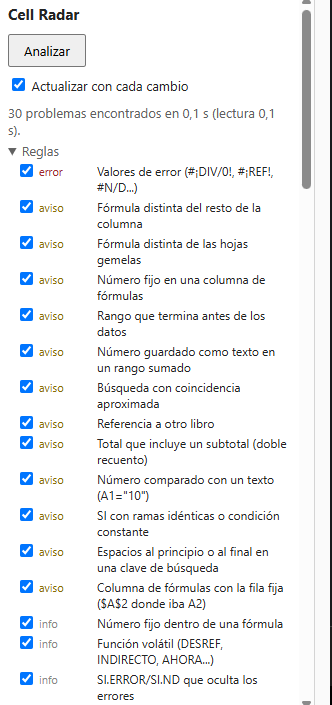
It checks 20 things, most of them Excel does not check at all.
ERRORS
- Error values (#DIV/0!, #REF!, #N/A...)
WARNINGS
- Formula differs from the rest of the column
- Formula differs from the sibling sheets (Jan, Feb, Mar... laid out the same way)
- Hard-coded number in a column of formulas
- Range that stops before the data
- Number stored as text in a summed range
- Lookup with approximate match (VLOOKUP without FALSE, MATCH without 0)
- Reference to another workbook
- Total that includes a subtotal (double counting)
- Number compared with text (A1="10")
- IF with identical branches or a constant condition
- Leading or trailing spaces in a lookup key
- Column of formulas with every row fixed ($A$2 where A2 was meant)
INFORMATION
- Hard-coded number inside a formula
- Volatile function (OFFSET, INDIRECT, NOW...)
- IFERROR/IFNA hiding errors
- Reference to a whole column or row (A:A)
- Formula too long or too deeply nested
- SUM or AVERAGE of a single cell
- Compatibility function (CONCATENATE, RANK, STDEV...)
Works in English, Italian, French, Spanish and German.
Not sure yet? The BASIC version is free, with 5 of the 20 rules, and installs the same way!
REQUIREMENTS: Excel for Microsoft 365 on Windows. Not for Mac, not for Excel on the web.