
Sinking Funds Tracker Spreadsheet | 100 Envelope Challenge | Savings Goal Tracker with Progress Bars | Excel & Google Sheets Budget Template
Big "surprise" expenses usually aren't surprises: Christmas, the car insurance bill, new tires, the vet, next summer's trip. Sinking funds spread those costs across the months ahead, so they never land on a credit card. This spreadsheet does the math for you and shows your progress at a glance.
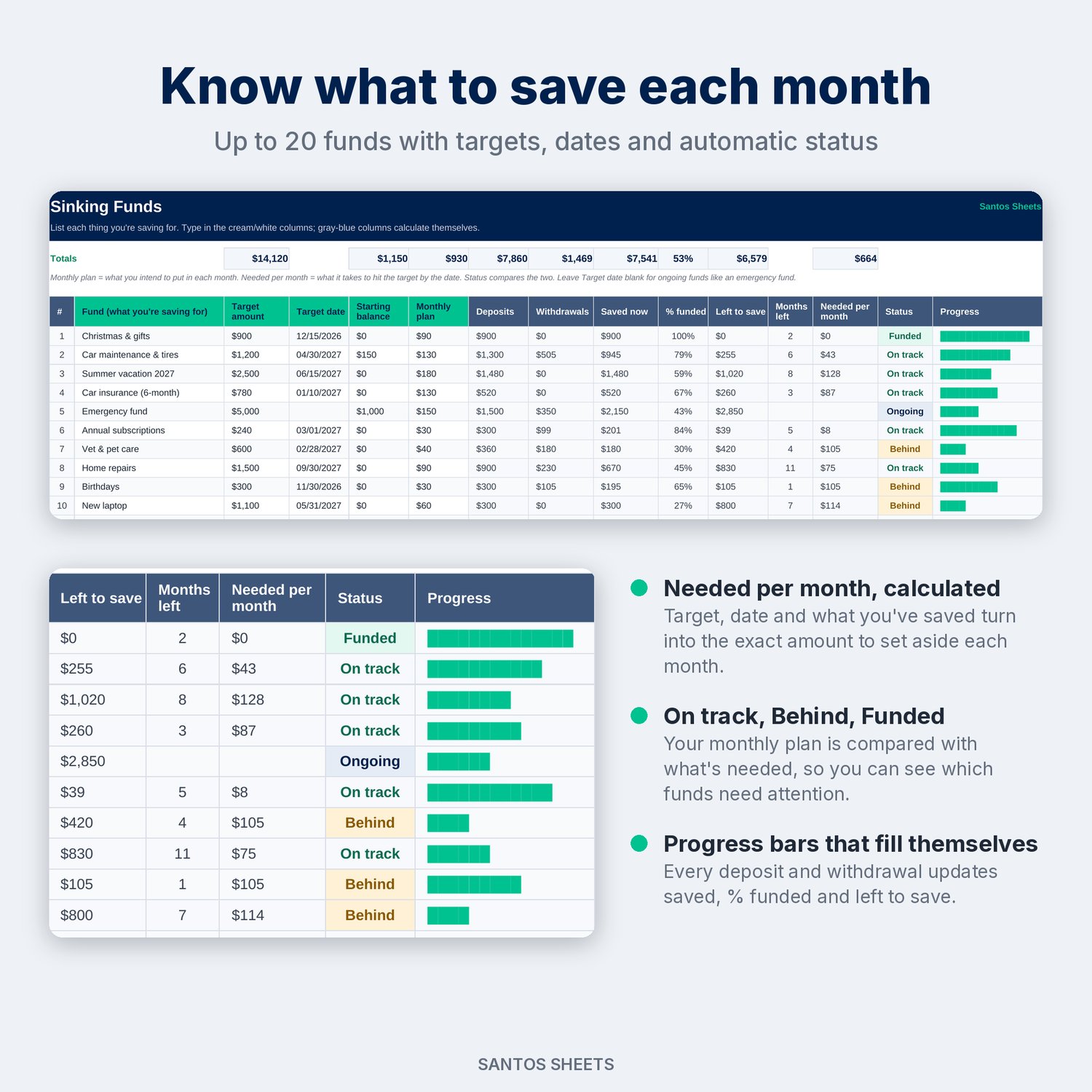
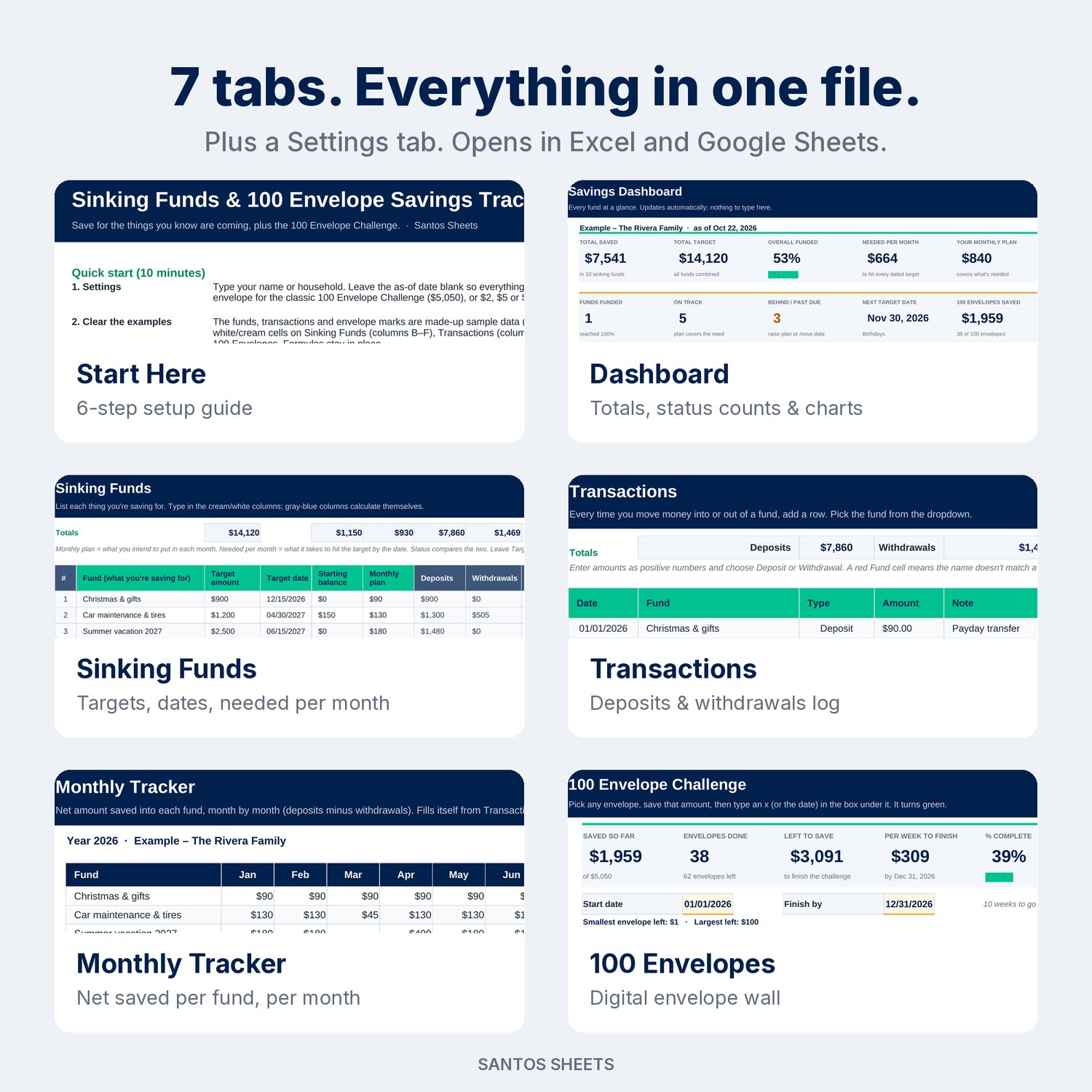
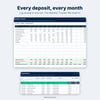
List what you're saving for, the target, the date and how much you plan to put in each month. Log deposits and withdrawals as they happen. The tracker shows how much is saved, % funded, what's left, how many months you have and the exact amount needed per month. Each fund also gets a status (Funded, On track, Behind, Past due or Ongoing) and a progress bar that fills itself. The 100 Envelope Challenge is built in too: no printing, no paper envelopes.
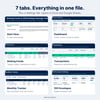
What's inside (7 tabs):
- Start Here: a 6-step setup guide (about 10 minutes) and tips.
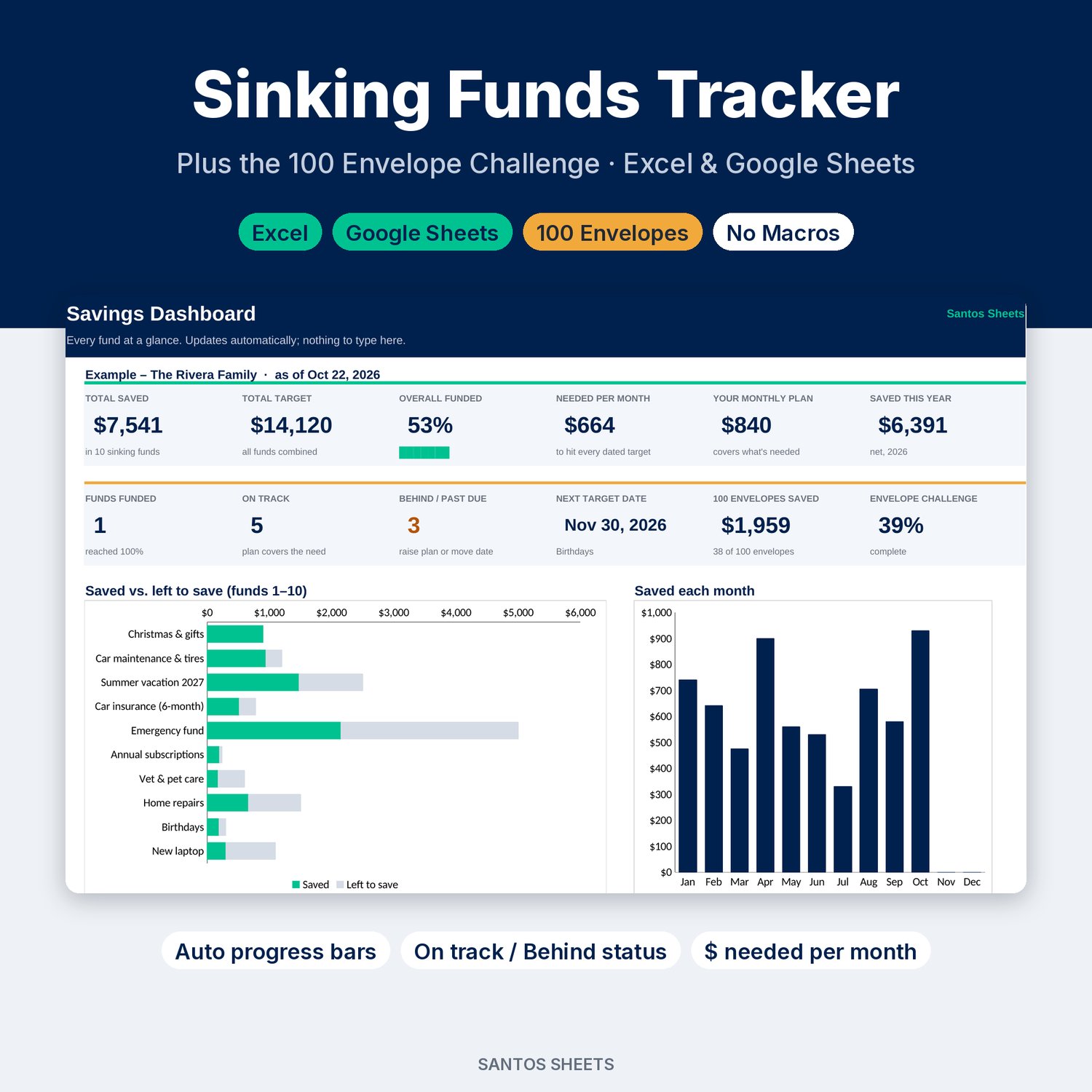
- Dashboard: total saved vs. total target, overall % funded, needed per month vs. your monthly plan (with a "short by $X/mo" warning), funds funded / on track / behind, your next target date, envelope challenge progress, a saved-vs-left chart for each fund and a month-by-month savings chart.
- Sinking Funds: up to 20 funds with target amount, target date, starting balance and monthly plan. Saved now, % funded, left to save, months left, needed per month, status and a progress bar all calculate automatically. Leave the date blank for ongoing funds like an emergency fund.
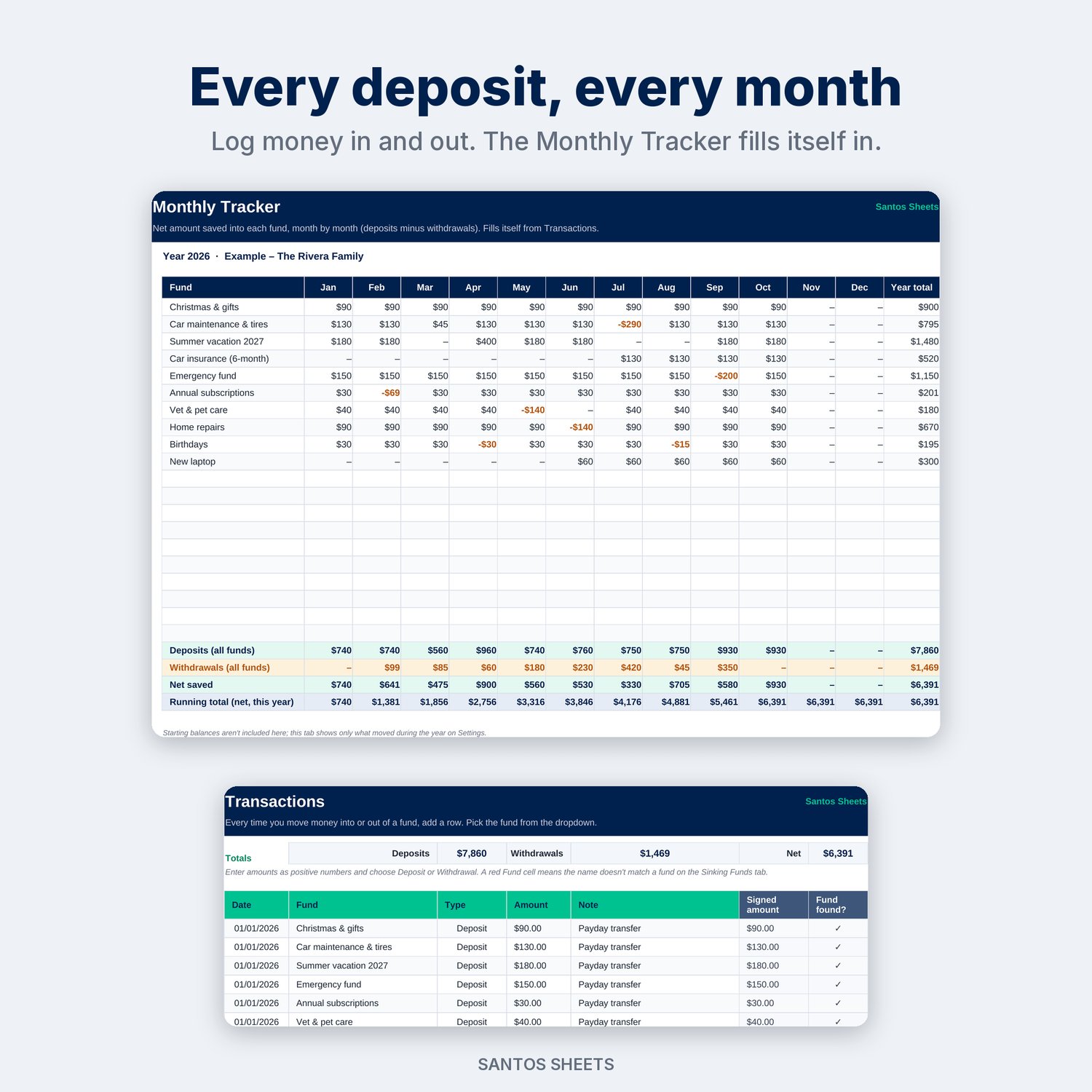
- Transactions: a deposit / withdrawal log with a fund dropdown and room for 1,000 entries. A fund name that doesn't match gets flagged.
- Monthly Tracker: net saved into every fund for each month of the year, plus deposits, withdrawals and a running total.
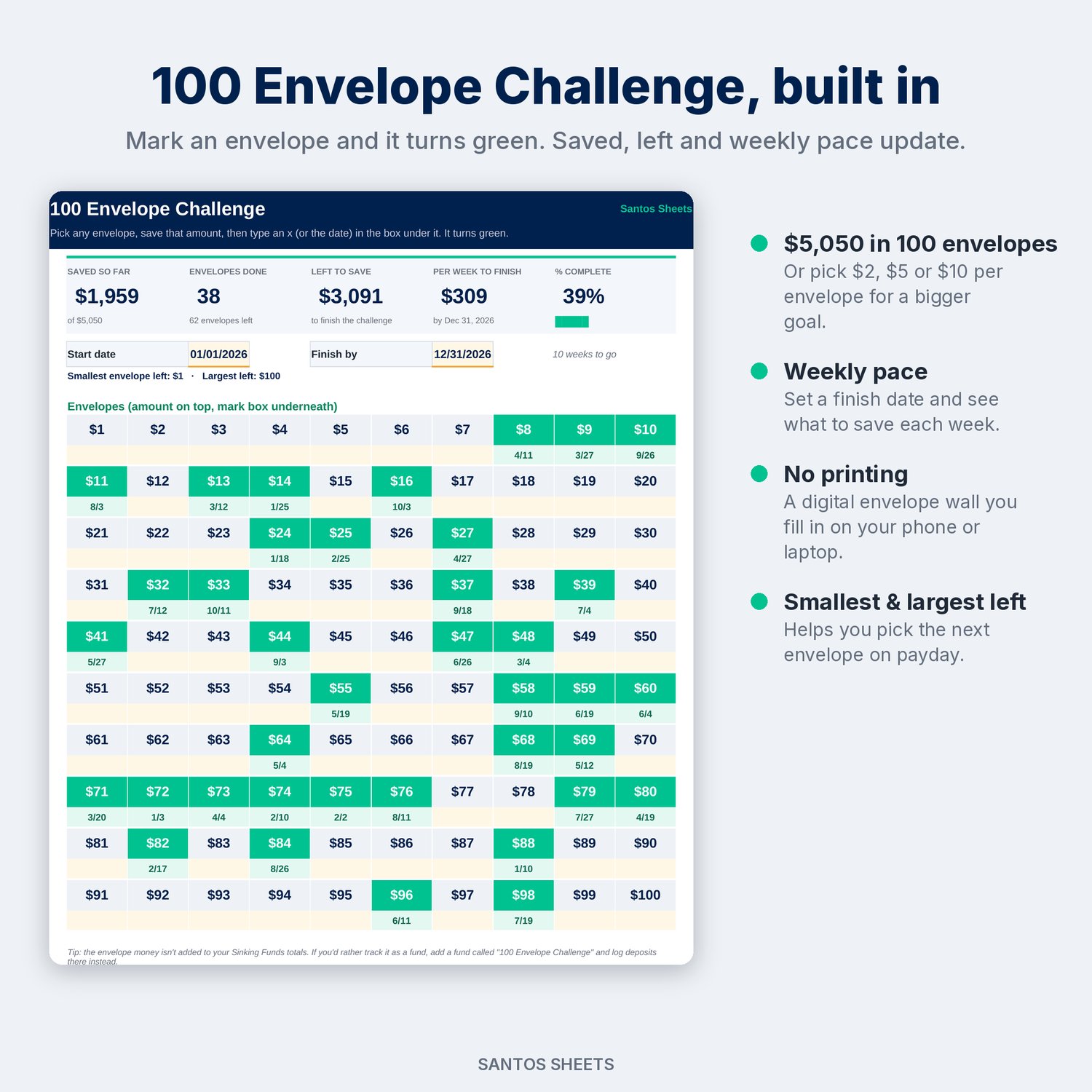
- 100 Envelopes: a digital 10 × 10 envelope wall. Type an x or the date under an envelope and it turns green. You see saved, envelopes done, left to save, % complete and how much to save per week to finish by your date. Choose $1 per envelope (the classic $5,050) or $2, $5 or $10 for a bigger goal.
- Settings: your name or household, the year, an optional "as-of" date, and the envelope amount.
Made for:
- Families and couples who want Christmas, birthdays, back-to-school and vacations paid for in cash
- Car owners and pet owners planning for repairs, tires, insurance premiums and vet visits
- Dave Ramsey-style and zero-based budgeters who keep sinking funds or cash envelopes
- Savings challenge fans who want the 100 Envelope Challenge without printing anything
Details:
- Works in Microsoft Excel (desktop & web) and Google Sheets (upload to Google Drive, then Open with → Google Sheets)
- No macros, add-ons or sign-ups. It's just a spreadsheet
- Comes filled with clearly labeled "Example" data so you can see how it works. Delete it and add your own
- Reusable: change the year in Settings and keep going
- Instant digital download (1 .xlsx file)
Please note: this is a digital file, so nothing will be mailed to you. It tracks money you've set aside wherever it lives (savings account, bank "buckets" or cash). It doesn't connect to your bank. It is an organizing tool, not financial advice. Apple Numbers and LibreOffice will open the file, but it is built for Excel and Google Sheets.