
Mica Renamer
🌟 Introduction
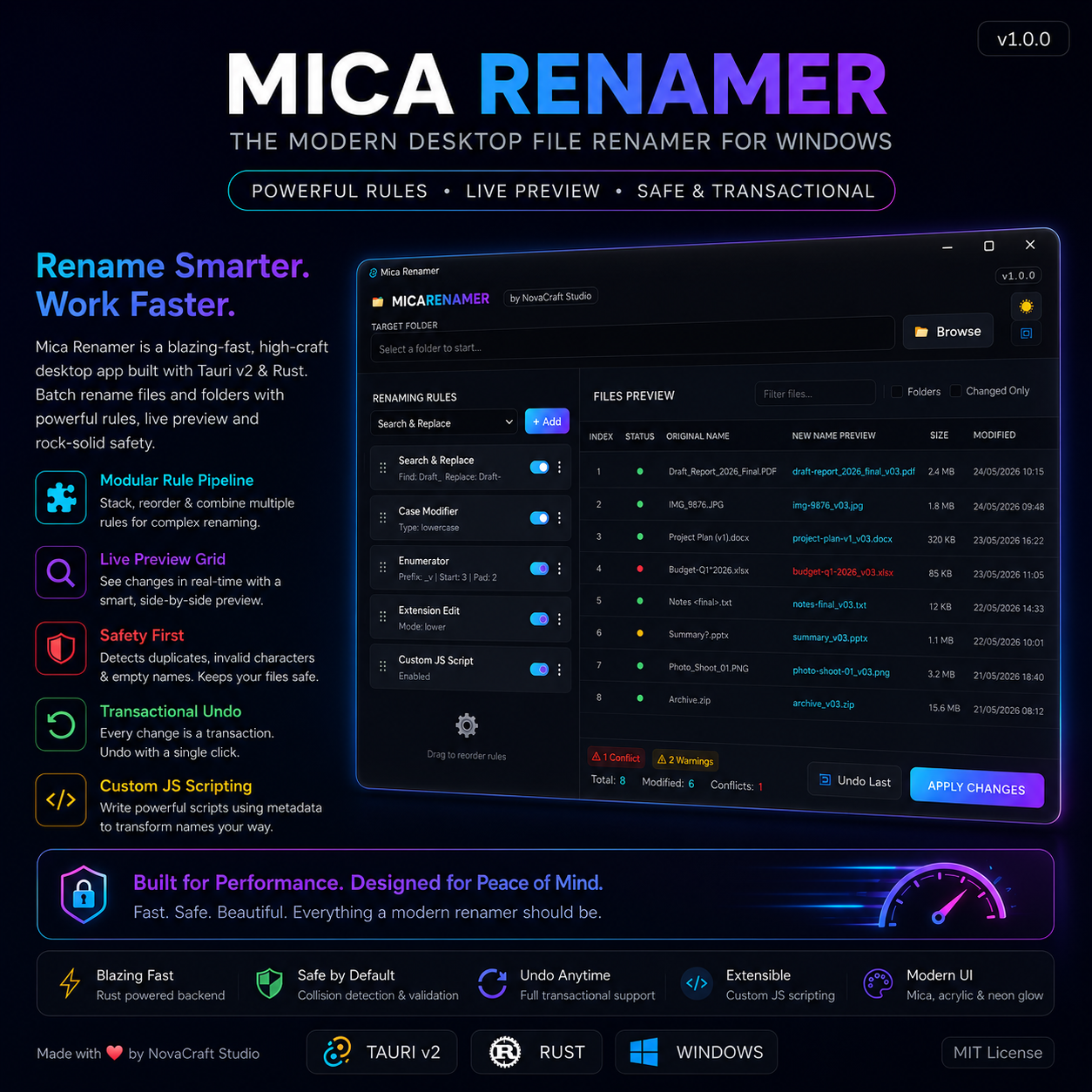
Mica Renamer is a high-craft desktop utility designed to take the friction out of batch renaming files and folders on Windows.
Unlike traditional tools with cluttered, overwhelming retro interfaces, Mica Renamer delivers a Mica Cyber-Utilitarian design experience: rounded glass cards, acrylic blur layers, neon accent variables, and a switchable theme switcher that persists your choice across restarts.
Behind the sleek interface is a high-performance Rust backend providing safe, thread-safe, and atomic filesystem changes with full transactional support.
🛠️ Key Features
1. Modular Rule Pipeline
Stack, reorder, toggle, and chain multiple renaming rules to execute complex transformations in sequence.
- Search & Replace: Standard string replacements with case-sensitive toggle.
- Set New Name: Discard the current filename and replace it with a new base name override.
- RegEx Replace: Match patterns with Regular Expressions and make use of group captures (e.g., replacing with $1_$2).
- Insert Text: Inject specific text at any index location (supports negative index bounds starting from the end of the filename).
- Remove Range: Delete a block of characters by specifying a start position and length.
- Case Modifier: Force files to lowercase, UPPERCASE, Title Case, Sentence case, camelCase, or kebab-case.
- Enumerator (Auto-Numbering): Add sequential enumerators with custom starting indexes, steps, padding (e.g., 001), prefixes, and suffixes. Place them at the start, end, or custom index.
- Extension Edit: Force lowercase/uppercase on extensions, or replace extensions entirely.
- Custom JS Scripting: Write sandboxed JavaScript logic directly in a mini editor to programmatically map filenames using loops, conditions, and metadata.
2. Live Preview Grid
A real-time spreadsheet shows your original names side-by-side with proposed outputs as you edit rules. Changed rows glow in electric cyan, giving you instant visual feedback before executing files on disk.
3. Safety First (Collision Guards)
A real-time validation engine scans your preview output to protect your file integrity:
- Automatically flags duplicate names (destination collisions) in Warning Coral.
- Detects and highlights illegal Windows filename characters (\ / : * ? " < > |).
- Checks for empty filenames.
- Safely locks the Apply Changes button until all conflicts are resolved.
4. Transactional Undo Engine
Every applied batch rename registers as a transaction in a thread-safe mutex stack in the Rust backend. Revert any applied changes on the disk with a single click of the Undo Last button.
📐 Rule Pipeline Examples
Here is how multiple rules process a filename sequentially:
Rule TypeConfigurationFilename State(Initial)Original FileDraft_Report_2026_Final.PDFSearch & ReplaceFind: Draft_ | Replace: Draft-Draft-Report_2026_Final.PDFCase ModifierCase Type: lowercasedraft-report_2026_final.PDFEnumeratorPrefix: _v | Start: 3 | Padding: 2draft-report_2026_final_v03.PDFExtension EditExtension Mode: lowerdraft-report_2026_final_v03.pdf
⚡ Advanced Custom JS Scripting
For power users, the Custom JS Script rule provides a sandboxed environment to write JavaScript logic.
API Variables Available:
- name (string): The current base name.
- ext (string): The current file extension.
- index (number): The 0-based array index of the file.
- file (object): Metadata from the OS:
- file.size (number): Size in bytes.
- file.modified (number): Last modified timestamp (Unix epoch seconds).
- file.is_dir (boolean): true if item is a folder