
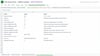

Sheet Merge Check — Google Sheets merge and check-report template
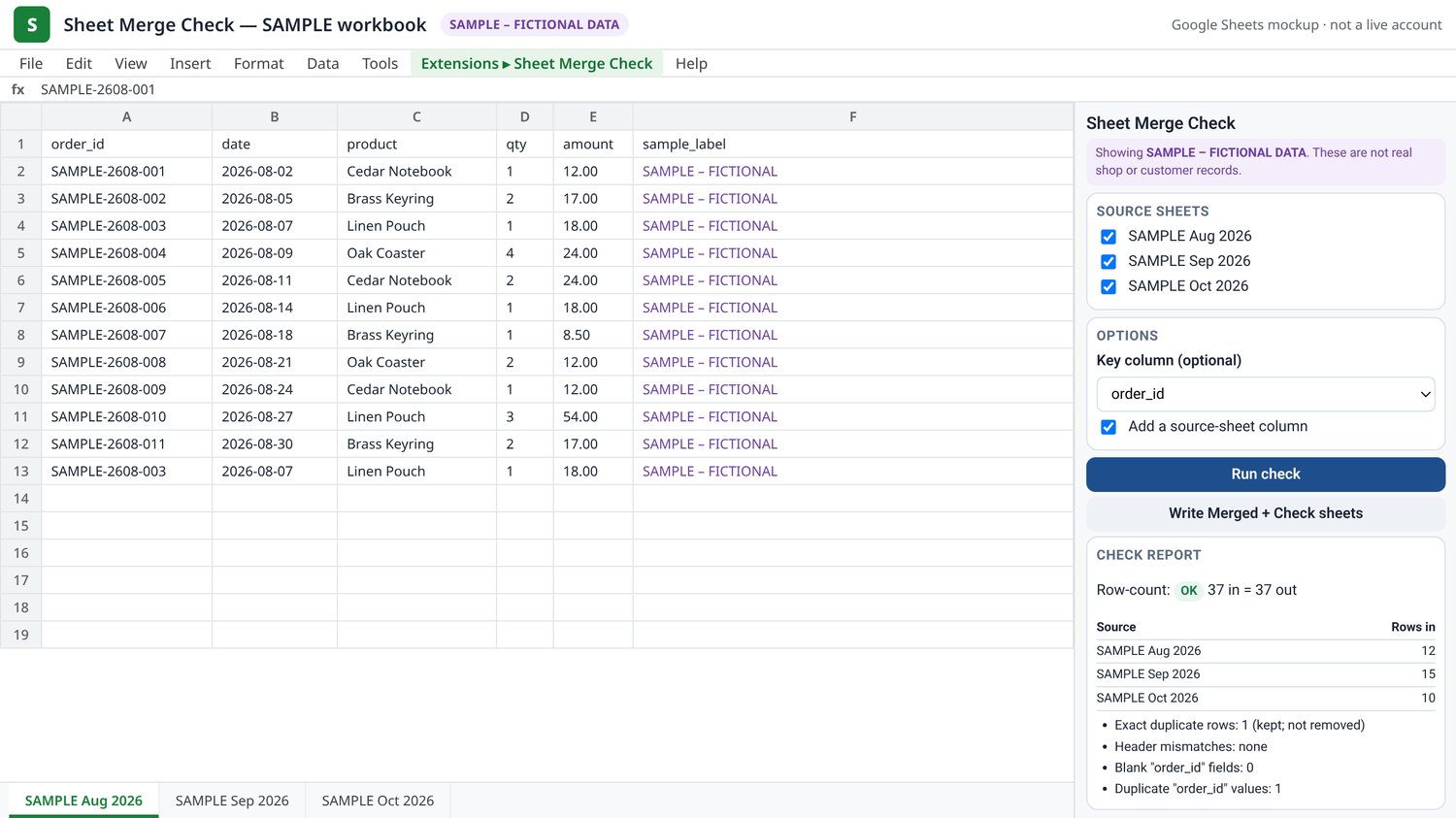
Sheet Merge Check is a Google Sheets template that merges selected tabs and writes a check report.
What it does
- Merges the tabs you select. Rows are stacked. Columns are not renamed.
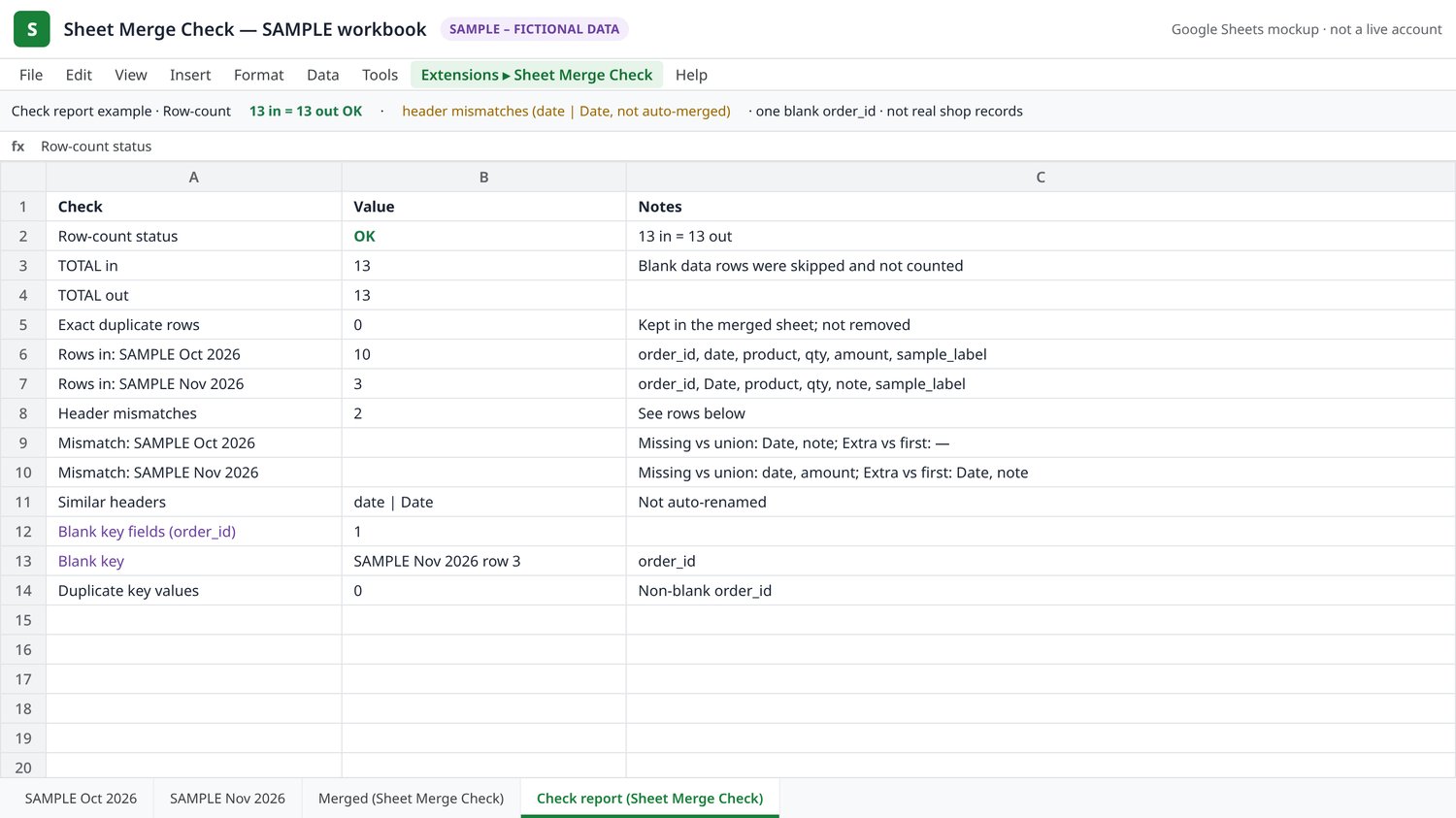
- Writes two tabs in the same spreadsheet: Merged (Sheet Merge Check) and Check report (Sheet Merge Check).
- The report covers:
- rows in versus rows out
- header mismatches
- similar header names (for example date and Date), which are flagged but not merged automatically
- exact duplicate rows, which are counted and kept, not deleted
- blank or repeated values in an optional key column you choose
It does not rename columns, repair dates, or parse currency. An “OK” row-count check means the counts add up. It does not mean the underlying data is complete or correct for accounting purposes.
What you get
- A ready-to-use Google Sheets template, or the script files you can paste into your own spreadsheet
- A bilingual user guide (English first, then Chinese)
- Email support at hwu121380@gmail.com
The script is also published as open-source MIT code at https://github.com/hwu121380-afk/sheet-merge-check. You are not paying for exclusive ownership of that method. This product is the packaged template, the guide, and support.
Requirements
- A Google account and Google Sheets
- This is a digital download. It is not a Google Workspace Marketplace add-on, and it is not a hosted service.
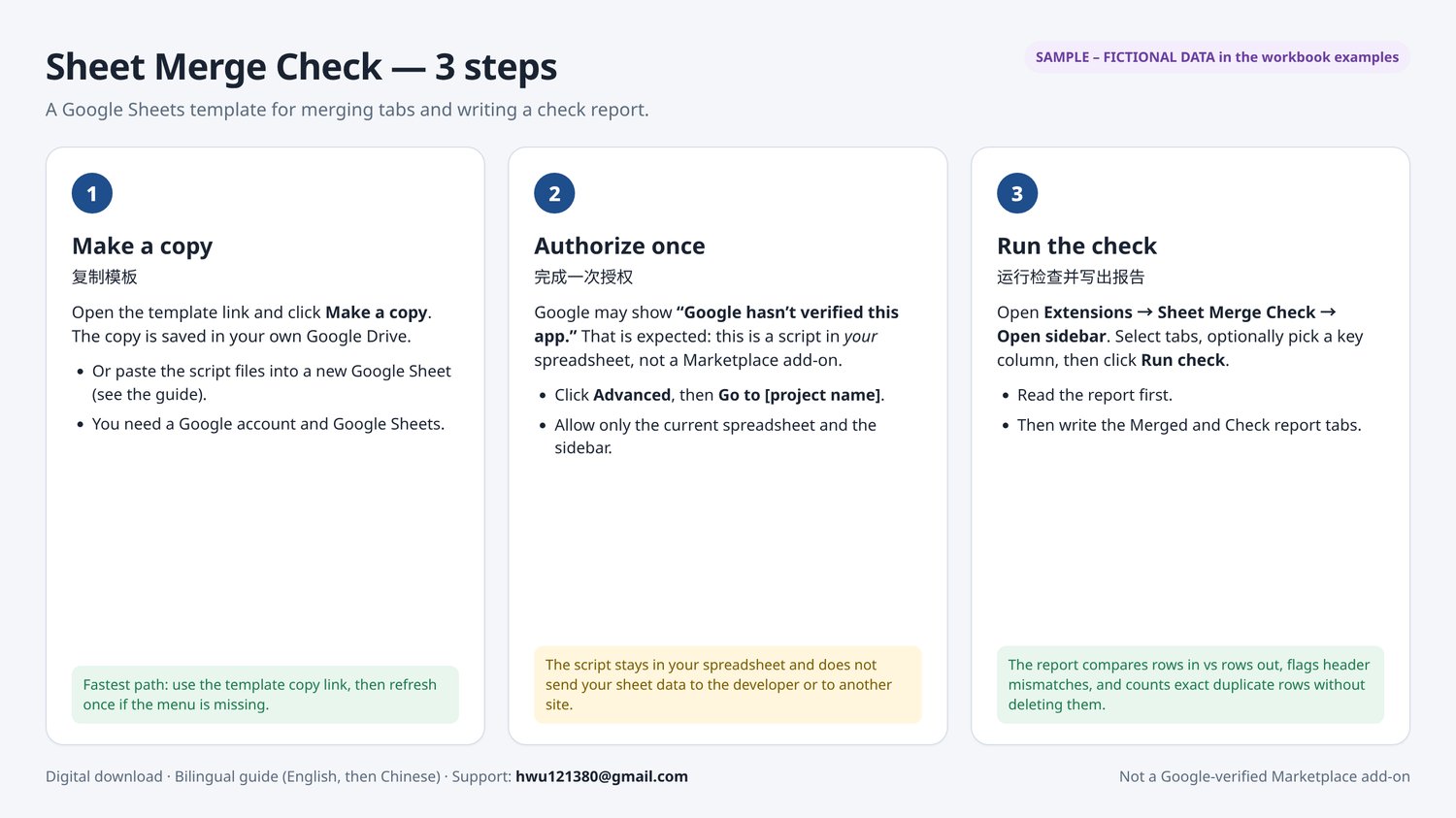
- The first time you run it, Google will ask you to authorize the script once. Because this is a script in your own copy of the spreadsheet, Google may show “Google hasn’t verified this app.” The included guide explains why that warning appears, what the two requested scopes do (the current spreadsheet only, and the sidebar/menu), and how to continue via Advanced → Go to [project name] if you accept that. The script runs inside your spreadsheet and does not send your sheet data to the developer or to another website.
How to start
The fastest path is to open the template link in the guide and click Make a copy. You can also paste Code.gs, MergeCheck.gs, Sidebar.html, and appsscript.json into a new Google Sheet from Extensions → Apps Script. Details are in the guide.
If the template includes sample tabs, they are labeled SAMPLE – FICTIONAL DATA. They are demonstration rows only, not real shop or customer records.
Limits
- Google Apps Script on a personal Google account generally allows about 6 minutes per script run.
- As a practical starting point, keep a single run to about 20,000 data rows or fewer. This is a suggestion, not a certified maximum. Very wide sheets or many tabs can time out sooner. If a run times out, merge fewer tabs at a time.
Privacy
https://hwu121380-afk.github.io/sheet-merge-check/privacy.html
License
You may use the purchased files for personal or commercial work. You may not resell or republish this paid package as a product. See the LICENSE file in the download.
Refund policy
If the download is incomplete, or the template or script does not run as the guide describes after a normal setup, email hwu121380@gmail.com within 14 days of purchase. I will fix the download or refund you. A change of mind after you have downloaded the files is not refunded, except where consumer law requires it.